How to receive payment
When you sell a vehicle on DealerClub, the platform collects payment from the buyer and deposits it directly into your connected bank account after receiving and verifying your title.
This article walks you through how to connect and set a default bank account for incoming payments, how to locate and ship your title after a vehicle sells, and how to view payment details in your dealer menu.
To get started
Go to the Cars.com Hub and then click on DealerClub.
1 Connect a bank account
Payments for sold vehicles are deposited directly into the bank account you connected during your DealerClub account setup.
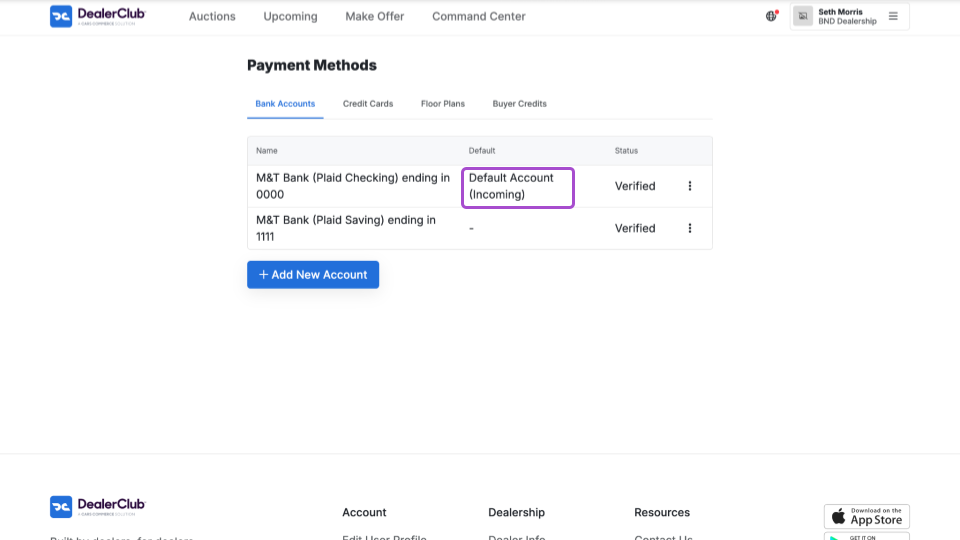
To view your account for incoming payments:
- Click your dealer menu and select Payment Methods.
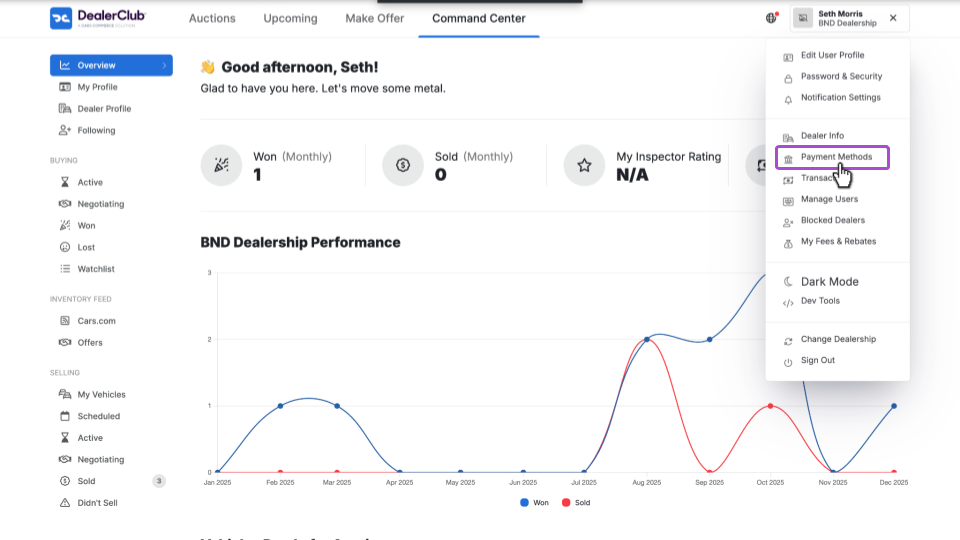
- In the Bank Accounts tab, the account will be labeled as Default Account (Incoming).
To change your default account:
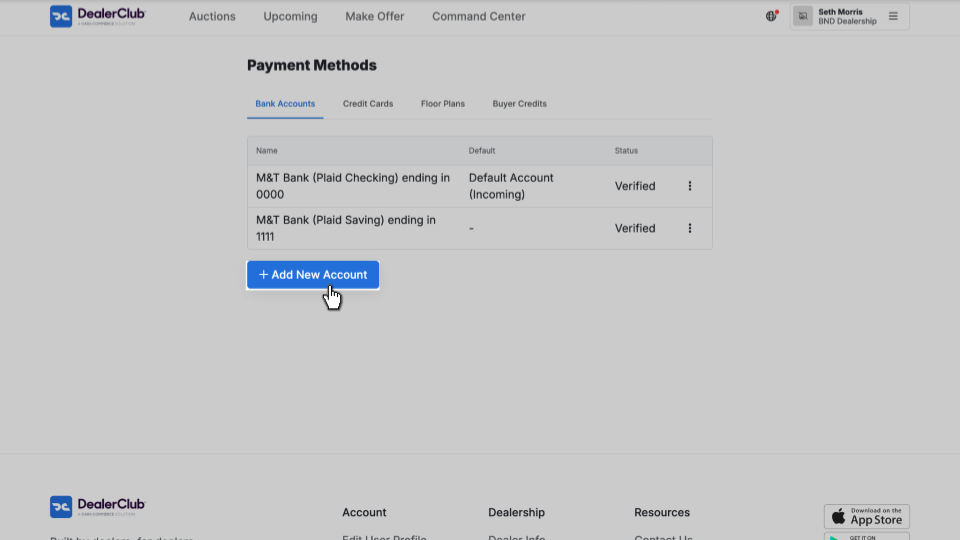
- Click + Add New Account.
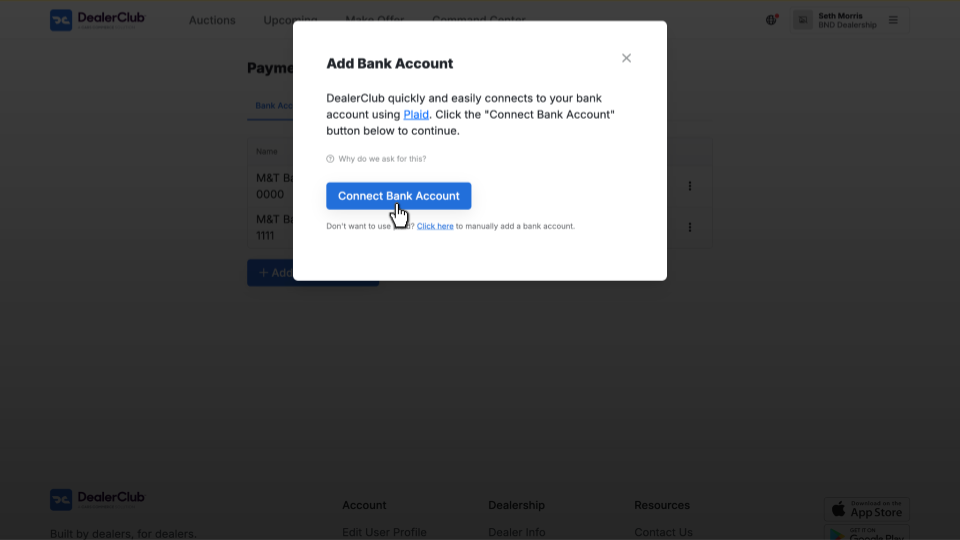
- Connect your account through Plaid or use the manual verification process.
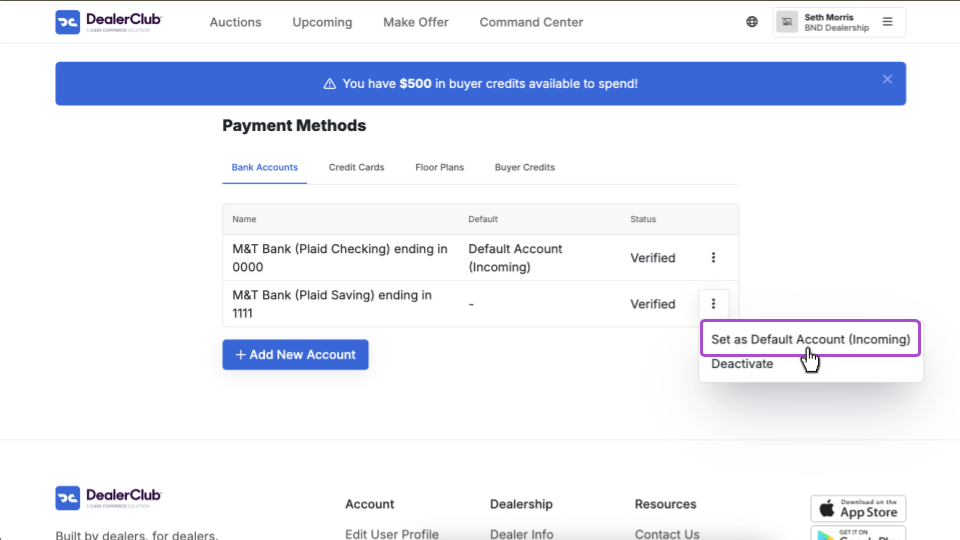
After your account is verified, open the 3-dot menu for the vehicle.
- Select Set as Default Account (Incoming).
2 Ship the title after selling
After your vehicle sells, you must reassign and mail the title to DealerClub before payment is processed.
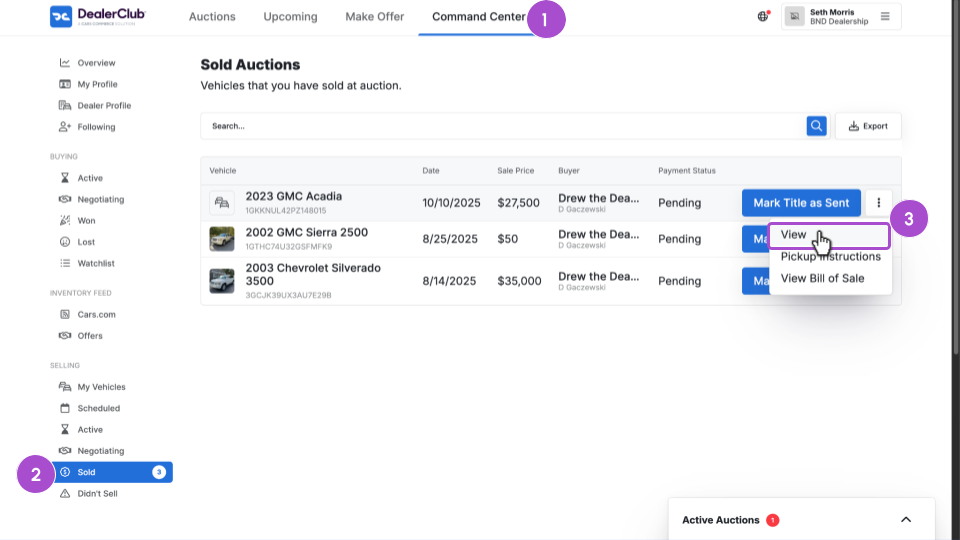
- Click the Command Center tab.
- Select Sold under the Selling menu.
- Open the 3-dot menu for the vehicle and click View.
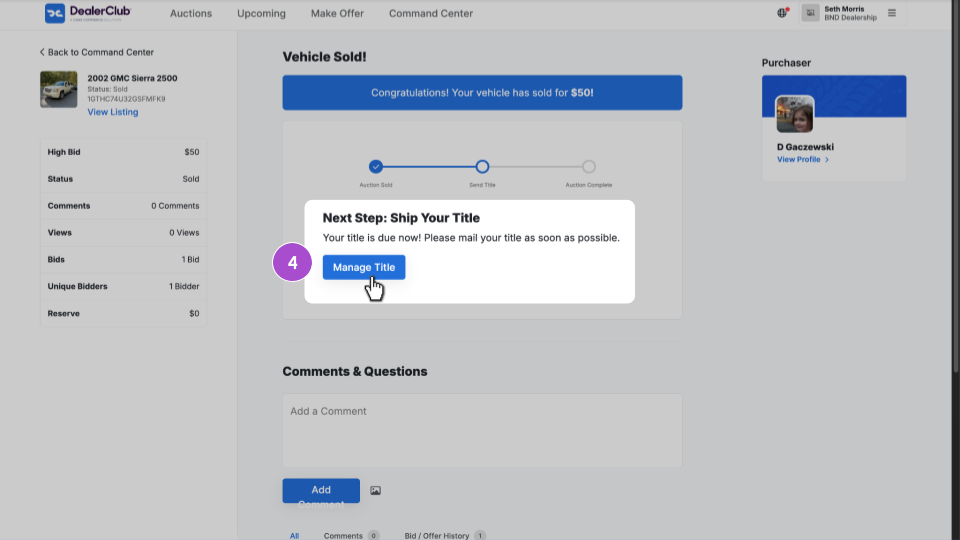
4. Select Manage Title.
5. In the Title tab, follow the instructions to reassign the title.
6. Mail the reassigned title to DealerClub.
7. After the title is sent, click the Mark As Shipped button.
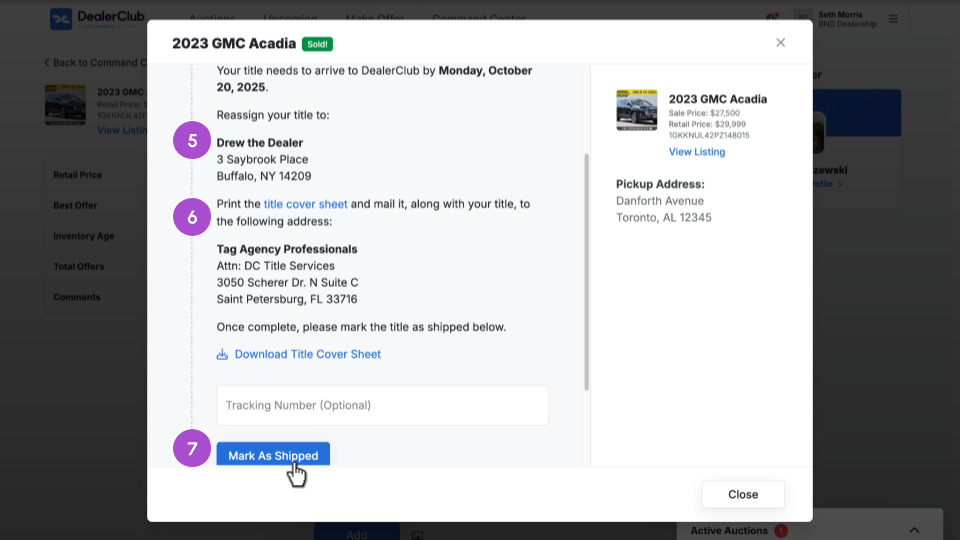
Important: Make sure the title is reassigned directly to the buyer. Any title not reassigned to the buyer will be returned for correction.
For more information, see How to send a title and understand the title process.
3Receive payment from DealerClub
DealerClub collects payment from the buyer and forwards it to you after receiving and verifying the negotiable title. Payment is delivered to your default connected bank account.
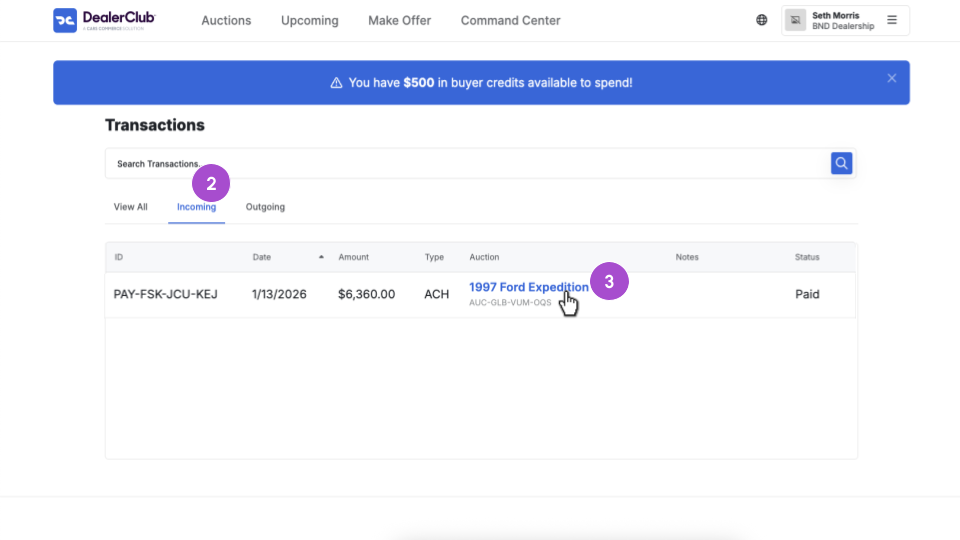
To view payment details:
- Click your dealer menu and select Transactions.
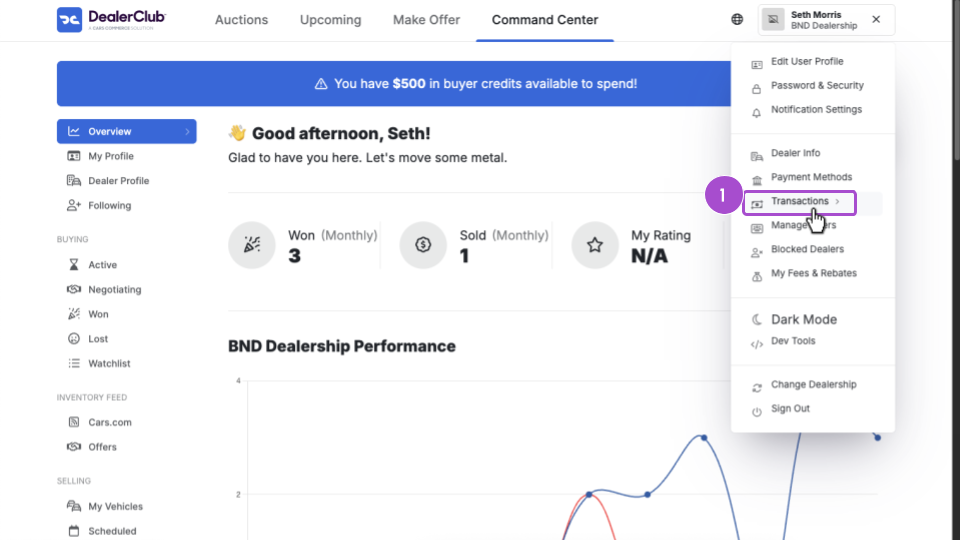
2. Click the Incoming tab.
3. Select the sold vehicle to view payment details, including the Bill of Sale.
FAQs
How long does it take to get paid?
Payment is sent after DealerClub receives and verifies your negotiable title. The timeline depends on how quickly you send the title:
- When scheduling your auction, you specify the number of days it will take for the title to arrive at DealerClub’s Florida office.
- Buyers see this timeline upfront, which builds trust and sets expectations.
- Once your title is received and confirmed, DealerClub processes your payment.
What is a negotiable title?
A negotiable title meets all requirements for transfer. This includes:
- Properly executed and clear of all liens
- Accompanied by all documents necessary to register the vehicle in the buyer’s state
- VIN is correct and matches the vehicle
- Accurate odometer reading
- Proper reassignment to the buyer without gaps between owners
- Notarized where required
If your title has a minor issue, DealerClub holds Power of Attorney (POA) to act as a title agent on your behalf and may be able to correct it without sending it back to you.