How to set blocklist rules
In this article, you’ll learn how to set up blocklist rules in AccuTrade to control which Cars.com Sell Your Car leads are sent to your store.
Blocklist rules give your dealership more control over lead quality by automatically filtering out vehicles that don’t align with your inventory goals — whether due to mileage, distance, brand, or market demand. By blocking vehicles that aren’t a fit, your team can spend less time on low-potential leads and more time acquiring the right cars.
To get started
Go to the Cars.com Hub and click on AccuTrade.
1Open blocklist settings
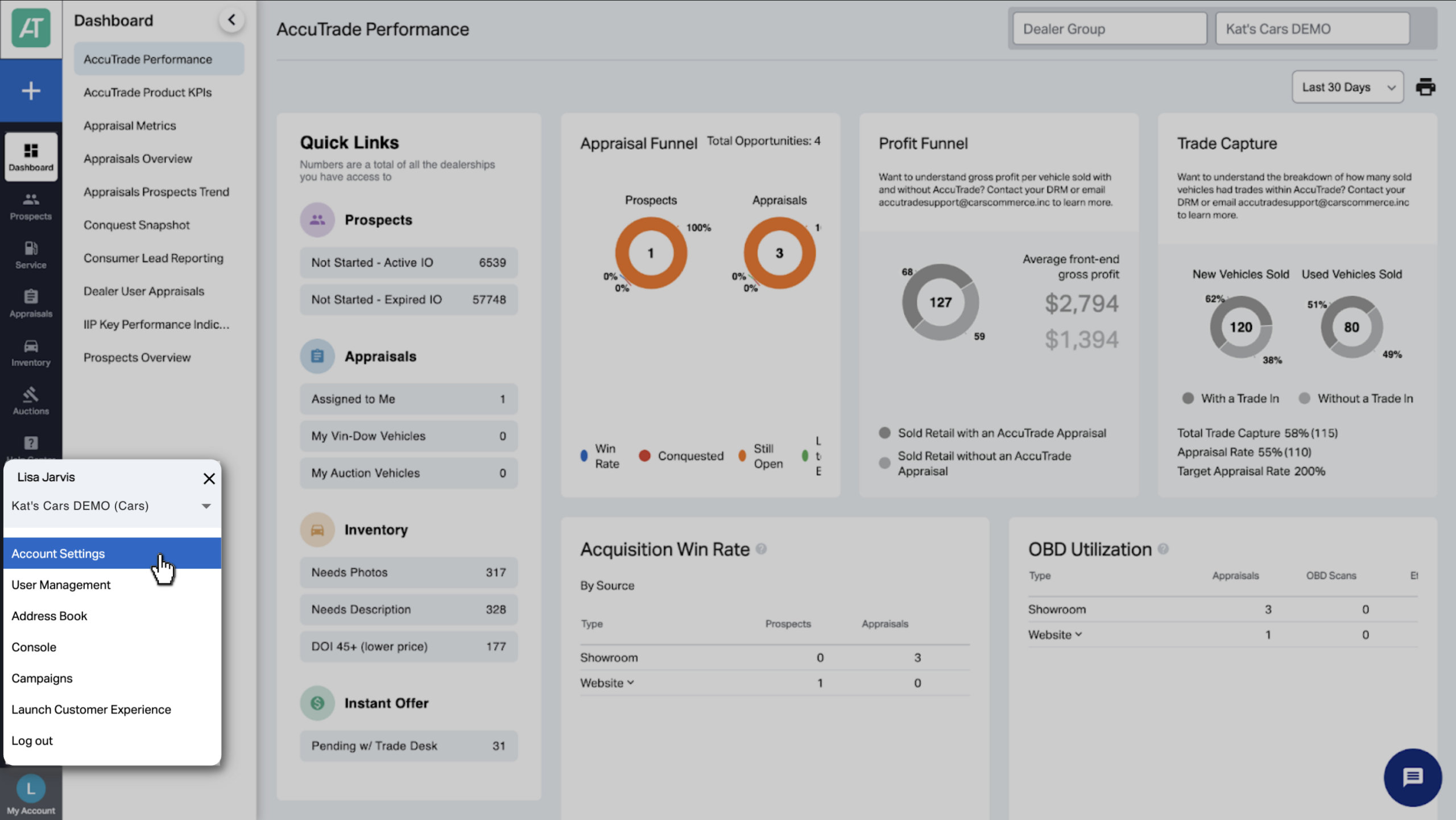
Navigate to My Account and click Account Settings.
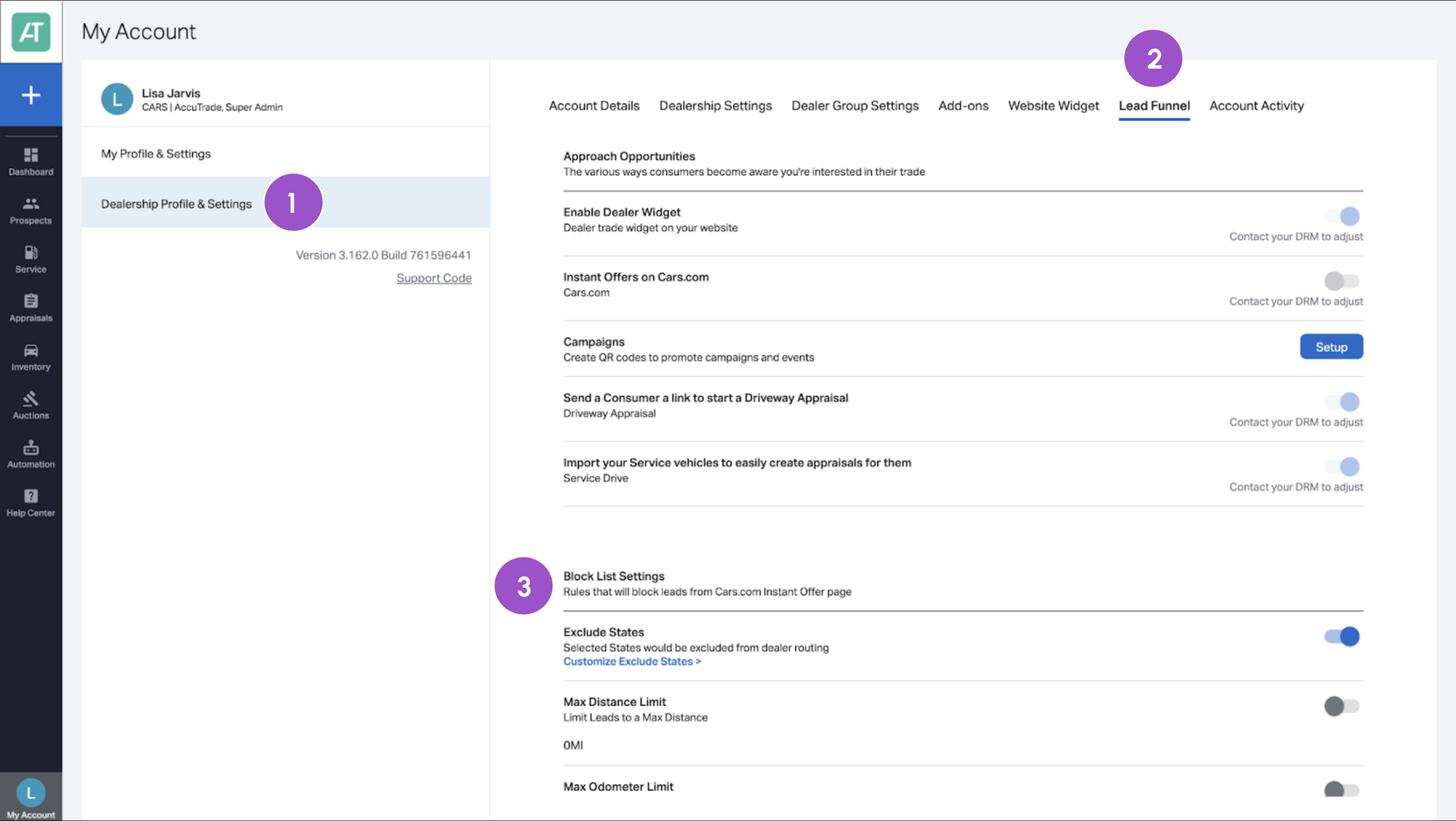
- Select the Dealership Profile & Settings tab.
- Navigate to the Lead Funnel tab.
- Scroll to the Blocklist section.
This is where you’ll configure which Sell Your Car leads not to receive.
Note: Blocklist rules apply only to leads generated from Cars.com/Sell.
2Set your criteria
You can create rules based on multiple lead attributes. To set a rule:
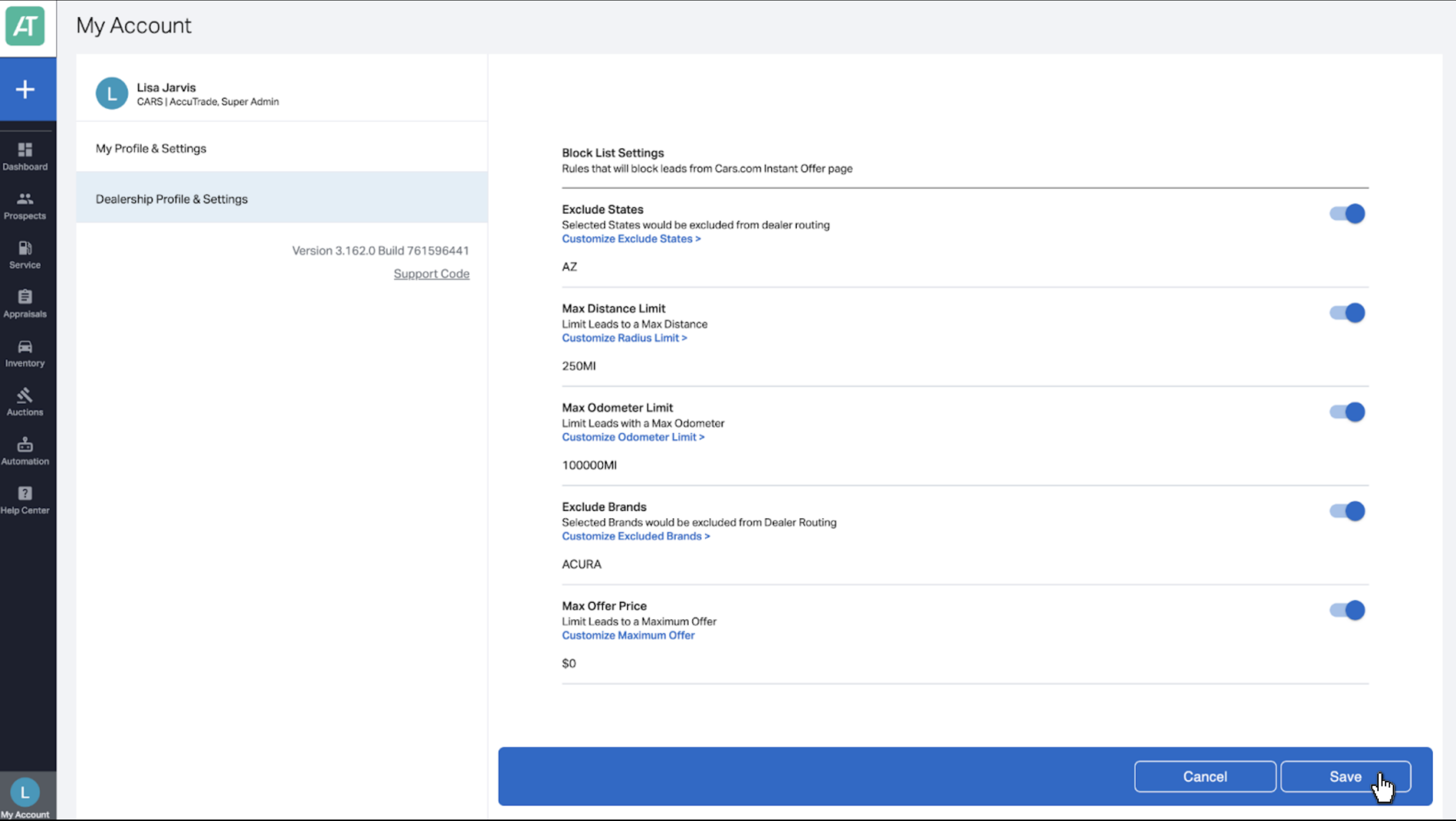
- Toggle the rule On.
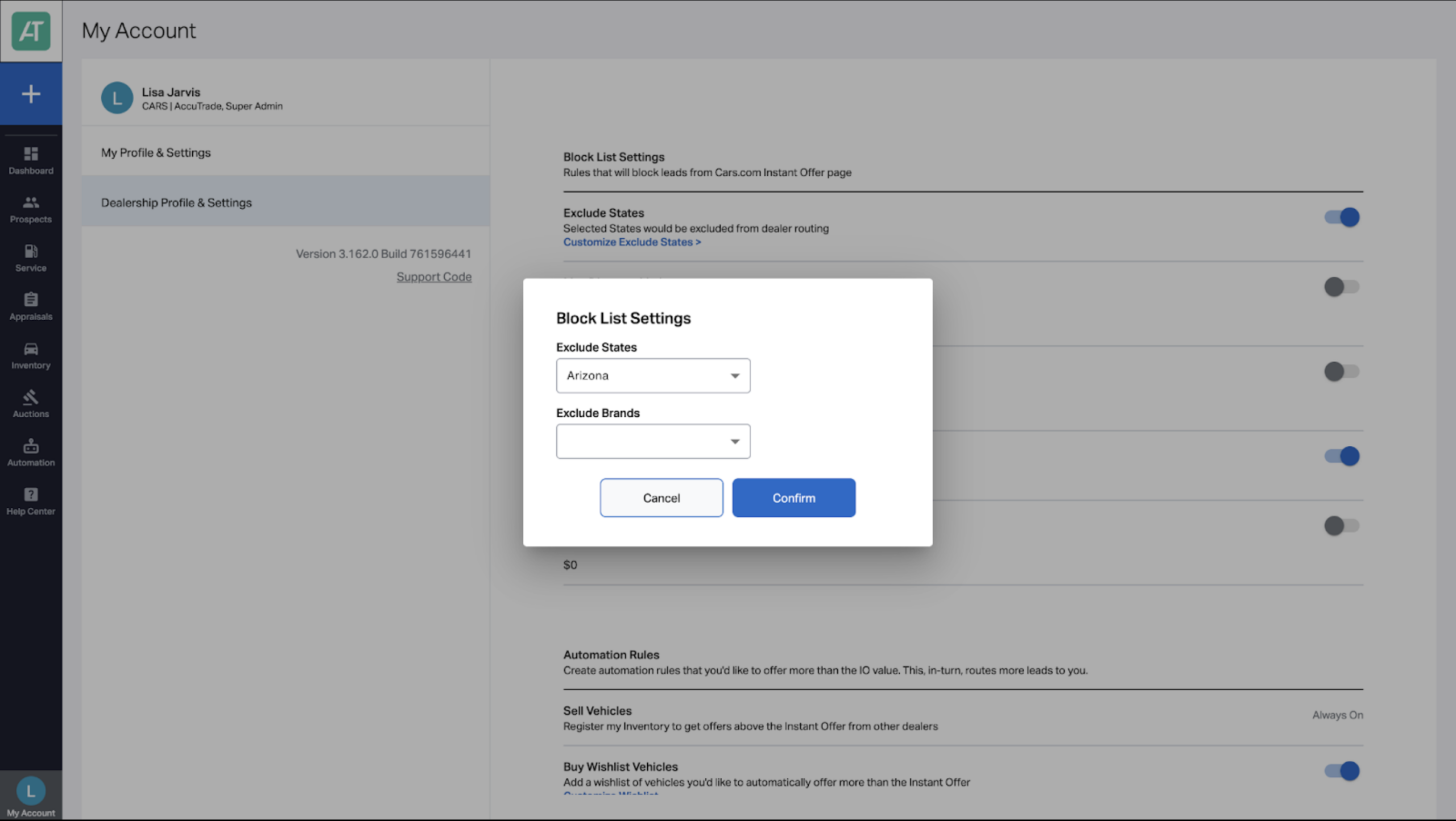
- Click the blue text to configure the rule details.
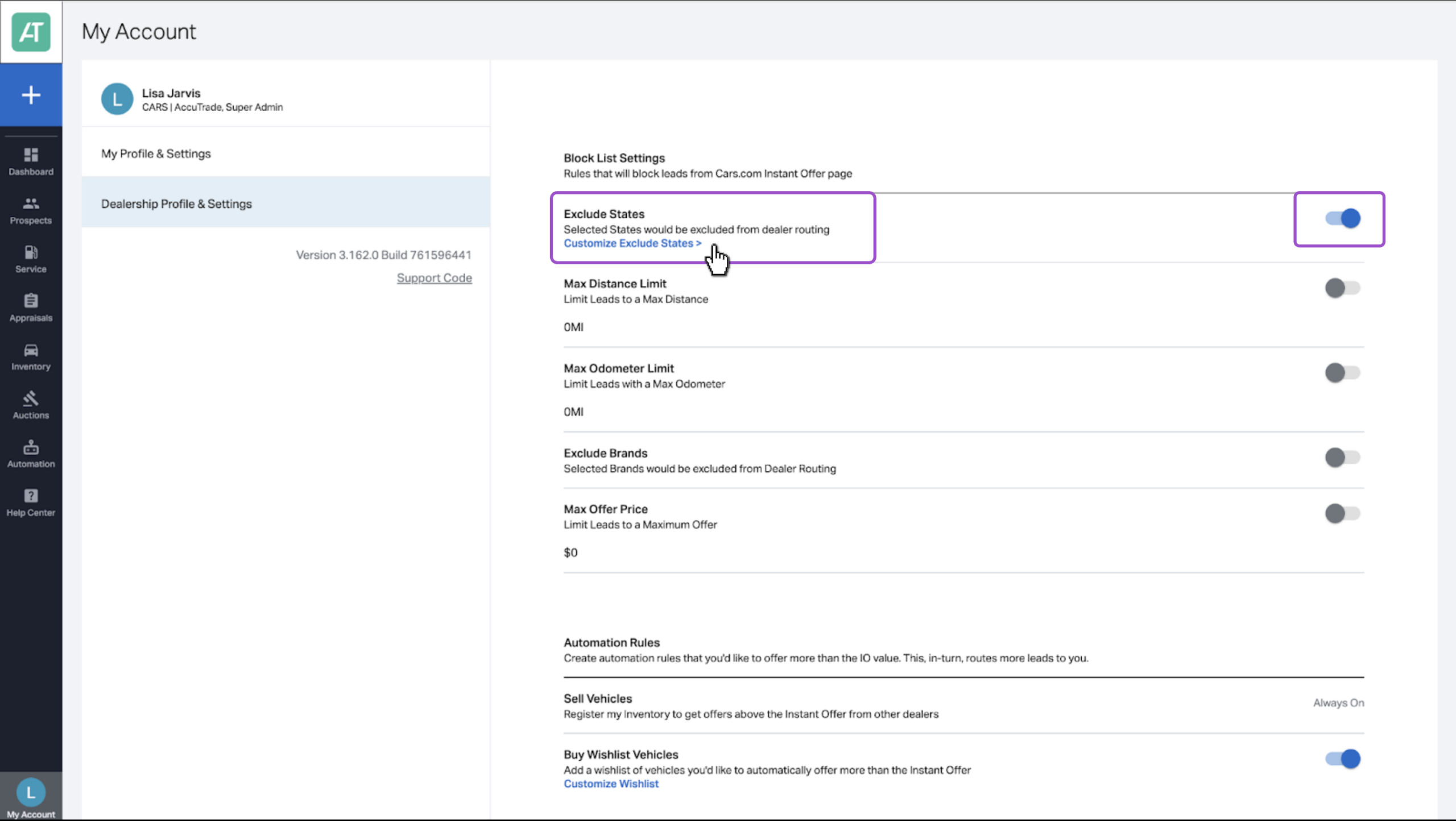
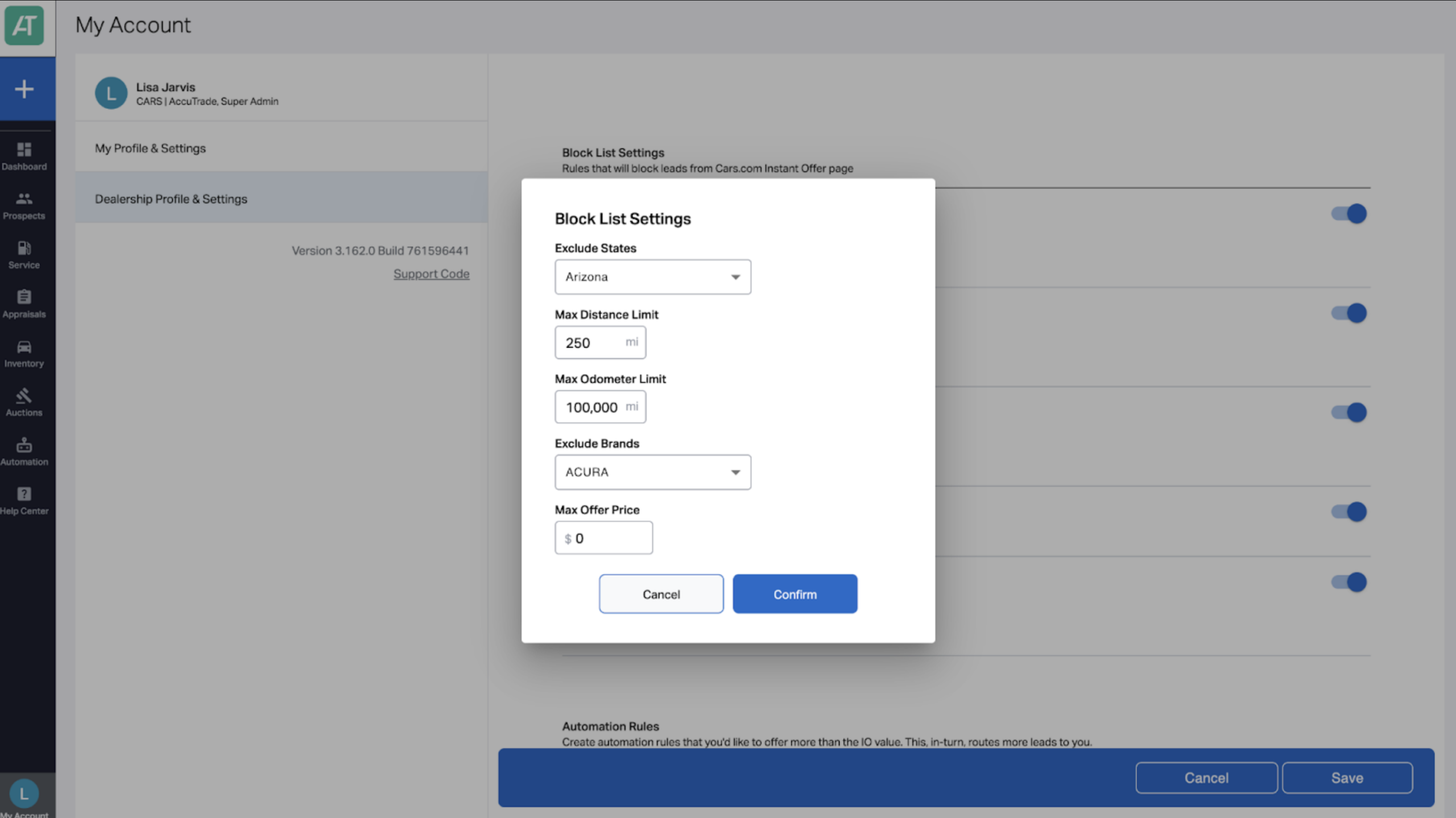
3. Customize by one or more of the following:
- State: Exclude leads based on state
- Distance: Set a mileage radius from your store (e.g., exclude >250 miles)
- Odometer: Block leads above a set mileage threshold
- Vehicle Brands: Exclude makes you don’t want to acquire
- Max Offer Price: Filter out high-valuation vehicles outside your range
4. For each setting, click Confirm after making your selection.
Important: Each blocklist rule operates independently. If a lead matches any one of your exclusion criteria, it will be filtered out — the rules do not need to be met together to apply.
Example: If you’ve blocked leads from Arizona and set a mileage cap of 100,000 miles, a lead from Arizona with 90,000 miles would be excluded — even though it doesn’t exceed the mileage limit. Each rule is applied separately.
3 Save your blocklist settings
Once all desired rules are in place:
- Click Save at the bottom of the page.
Your blocklist rules will now automatically filter out Sell Your Car leads that meet your exclusion criteria — no further action needed.