How to leverage SEO keywords and tags in blog posts
Using SEO keywords, categories, and tags correctly helps search engines understand your content and rank it higher for relevant searches.
This guide walks you through optimizing your blog posts to reach more shoppers and drive more traffic to your site.
To get started
Go to the Cars.com Hub Click Dealer Inspire, then Manage Website.
1 Add or edit a blog post
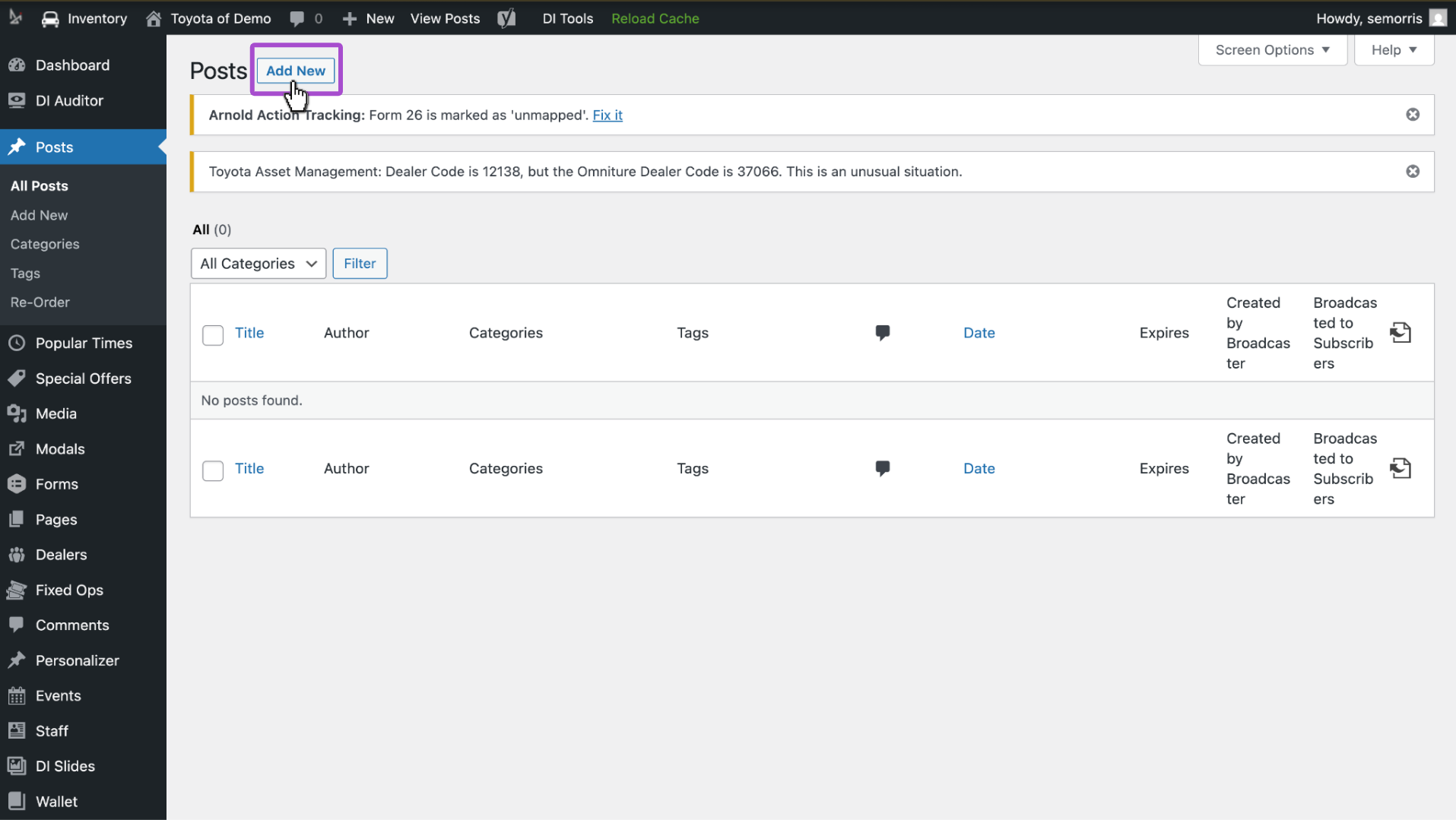
To add a new blog post, select Posts from the WordPress menu, then click Add New.
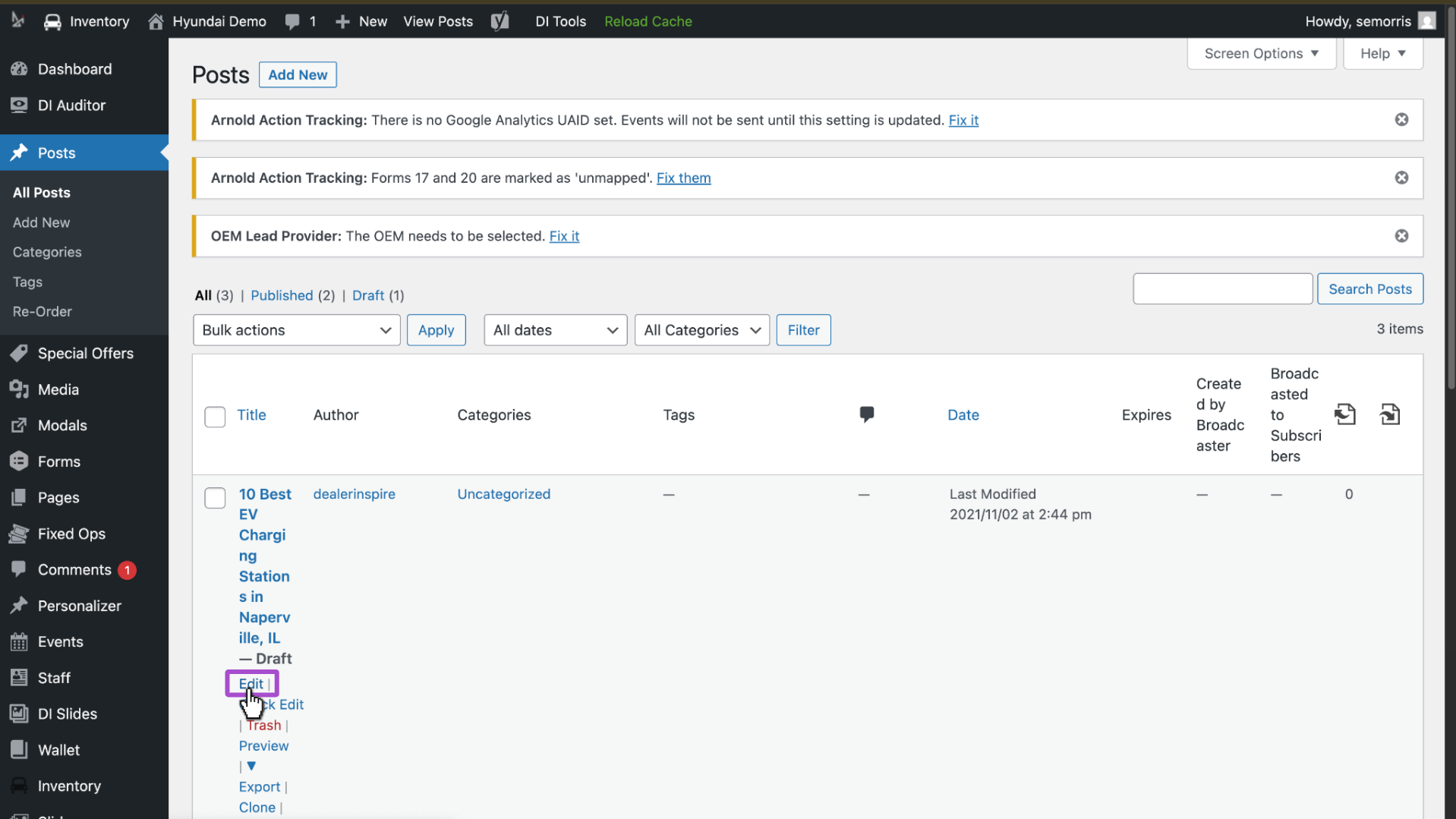
To edit an existing blog post, hover over the post title and select Edit.
2 Add SEO keywords to your content
Adding SEO keywords to your blog helps search engines understand what your post is about, which can improve rankings. But more isn’t always better — overusing keywords (known as “stuffing”) makes content hard to read and can hurt your SEO. Aim for natural placement and prioritize helpful, clear writing in the following areas:
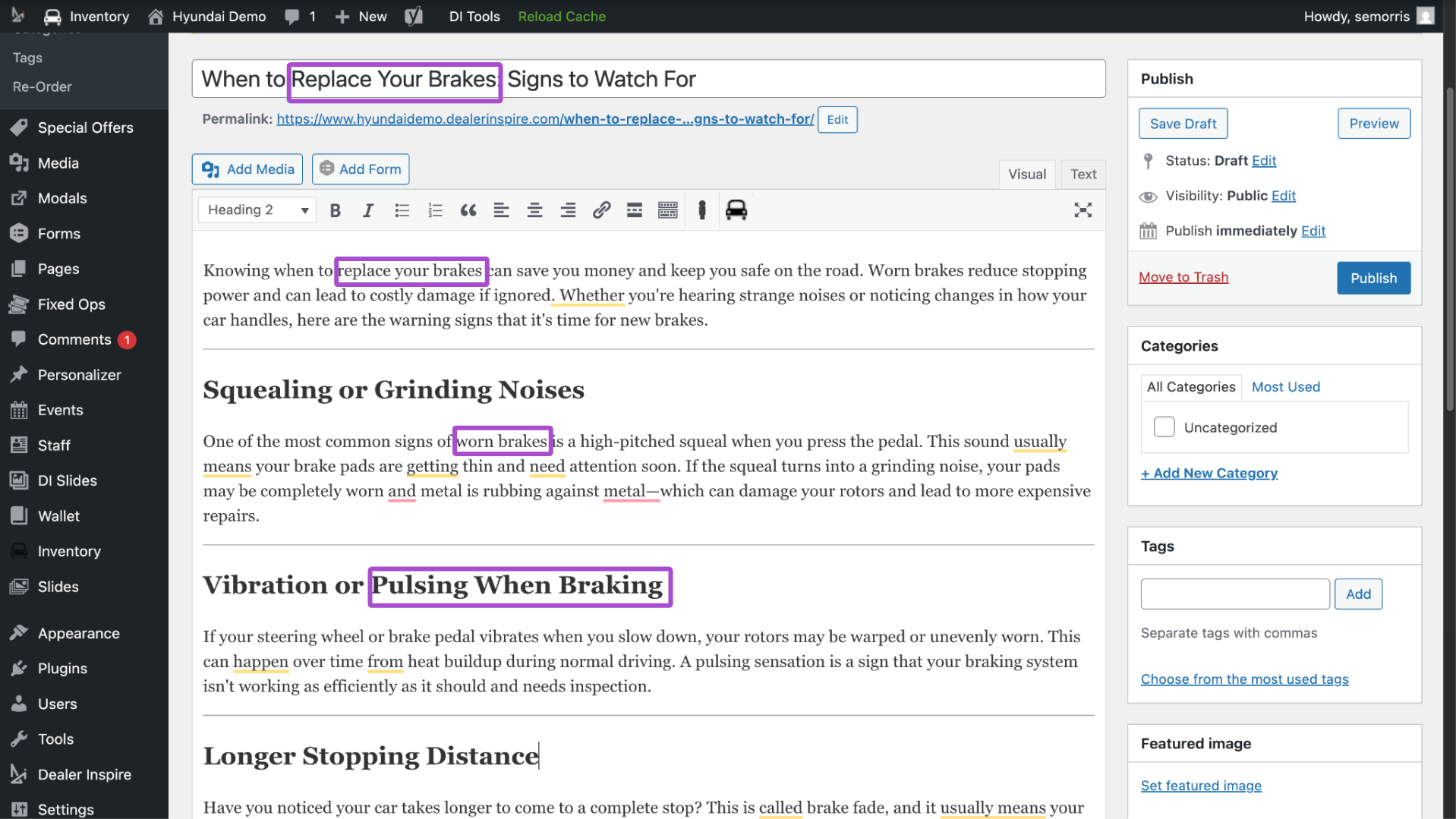
Title
Your title is the first thing readers and search engines see. Keep it under 60 characters, place your primary keyword near the beginning, and make it compelling enough to encourage clicks.
Body content
Include your primary keyword in the first 100 words and a few more times naturally throughout the post. Use related terms and variations to support your topic. (For example, if your keyword is “replace your brakes”, you might also use “worn brakes” or “bad brake pads.”)
Headers
Headers help readers scan your content and help search engines understand its structure. Use your primary keyword in the H1 (typically your post title), secondary keywords in H2s, and more specific long-tail keywords in H3s.
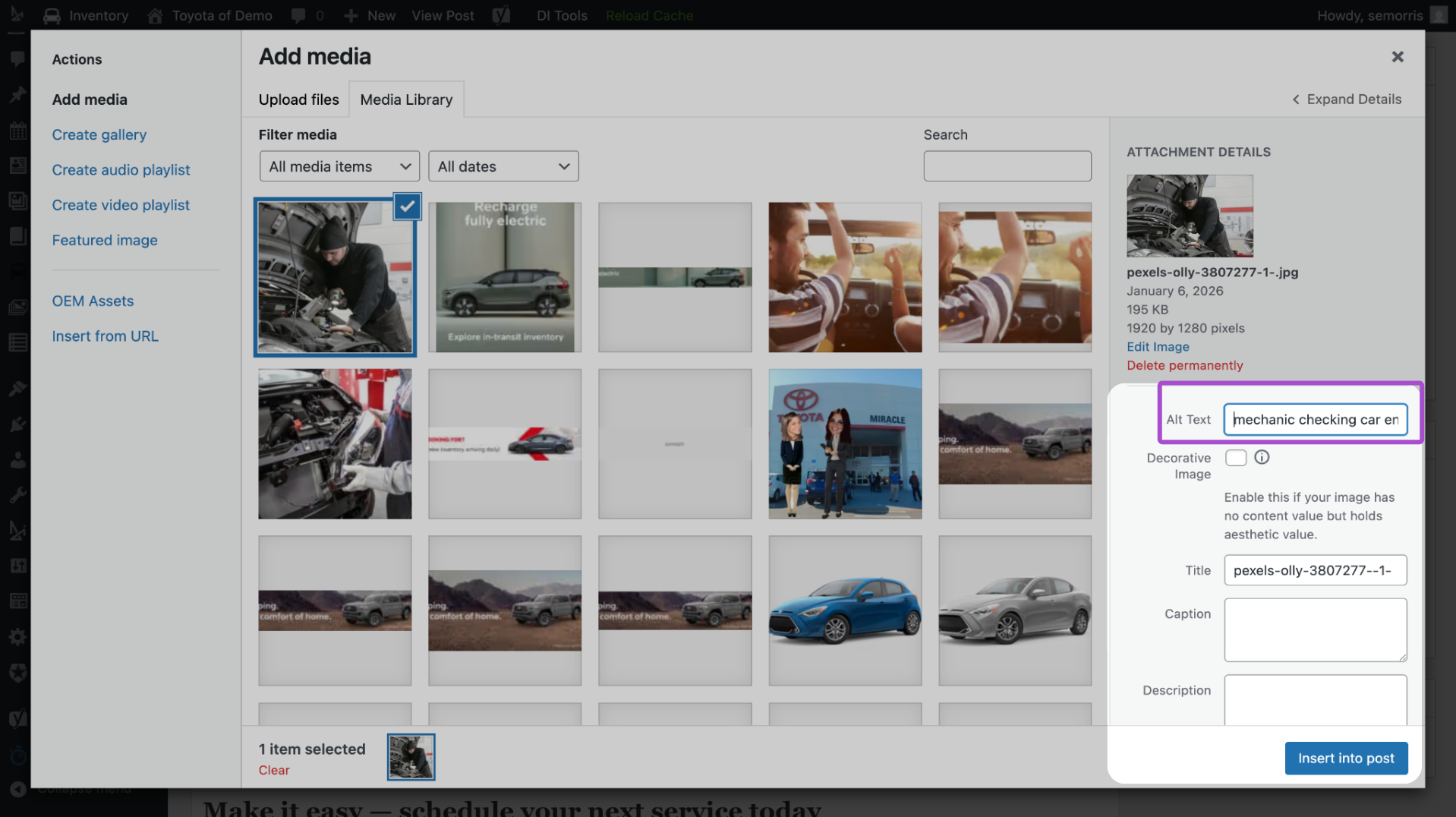
Alt tags
Alt text describes an image for screen readers and search engine crawlers. Write a brief, accurate description of each image and include keywords when they naturally fit.
Follow these additional tips to make your posts easier to read and more search-friendly:
- Use short paragraphs and subheadings (H2, H3) to break up text.
- Add bulleted or numbered lists where appropriate.
- Include internal links to other pages on your site to improve SEO and navigation.
- Link to relevant external sources to add credibility.
3 Add SEO keywords in URL and meta fields
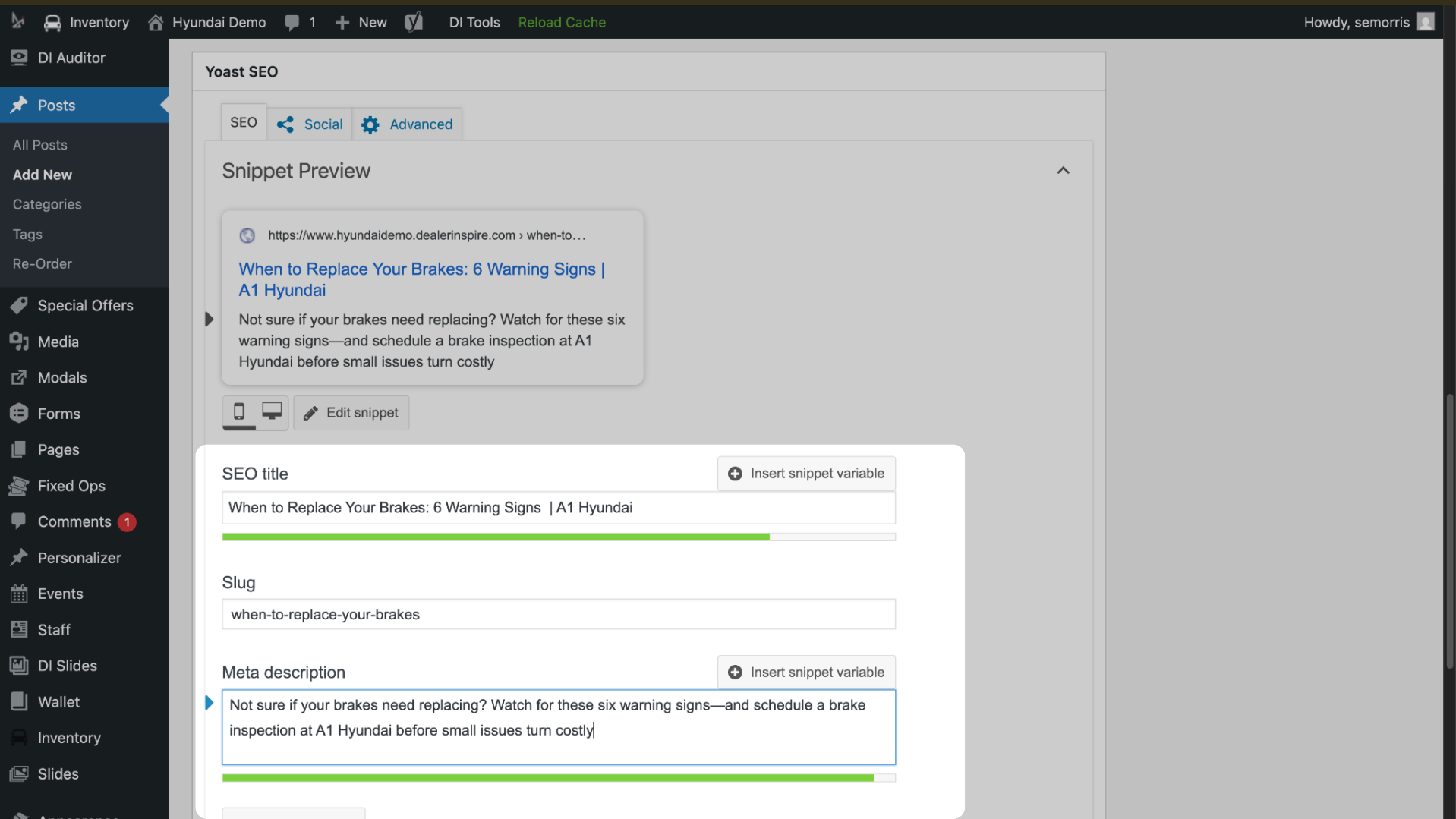
Your URL, meta title, and meta description are what shoppers see in search results. Optimizing them helps with visibility and click-through rates.
URL (Slug)
Use hyphens between words and keep the URL short, descriptive, and keyword-focused. A clean URL is easier for search engines to read and for users to remember.
Meta title (SEO Title)
Your meta title appears as the clickable headline in search results. Keep it under 60 characters and place your primary keyword near the beginning. Make it compelling enough to encourage clicks.
Meta description
Your meta description is the short summary beneath your title in search results. Aim for 150–160 characters. Include your primary keyword and a clear reason for readers to click. While it doesn’t directly affect rankings, a strong description improves click-through rates.
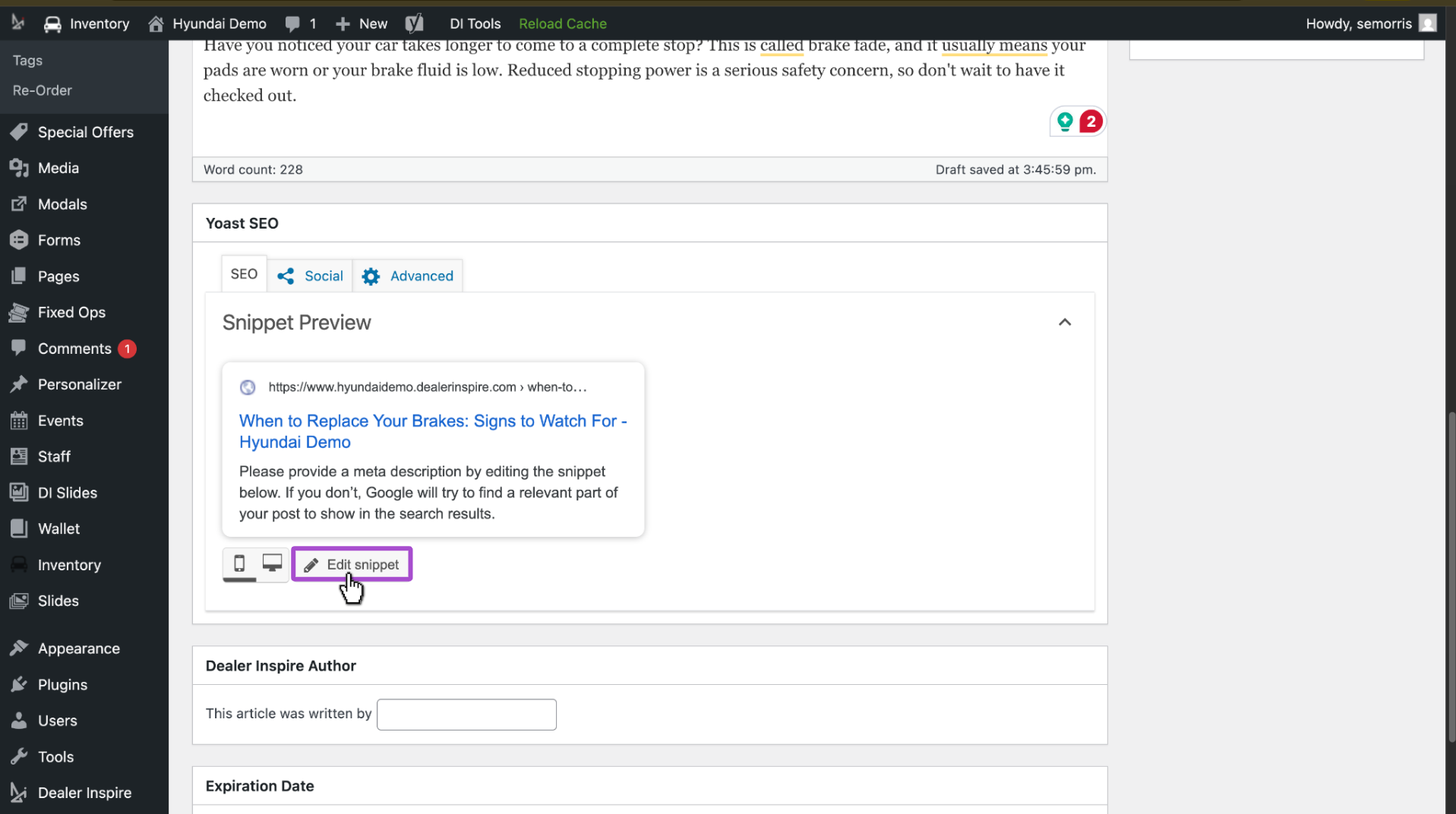
To edit these fields:
- Scroll down to the Yoast SEO panel and click Edit snippet.
- Edit the SEO title (meta title), Slug (URL), and Meta description fields.
Aim for green bars below each, but don’t sacrifice natural writing just to hit the indicator.
4 Add categories
Categories organize your blog content and help both readers and search engines understand your site structure. Assign 1–2 broad, relevant categories per post to keep things focused.
Think of categories as the major themes of your blog — like:
- Finance
- Local Events
- Used Cars
- Maintenance
To add a category to your blog post:
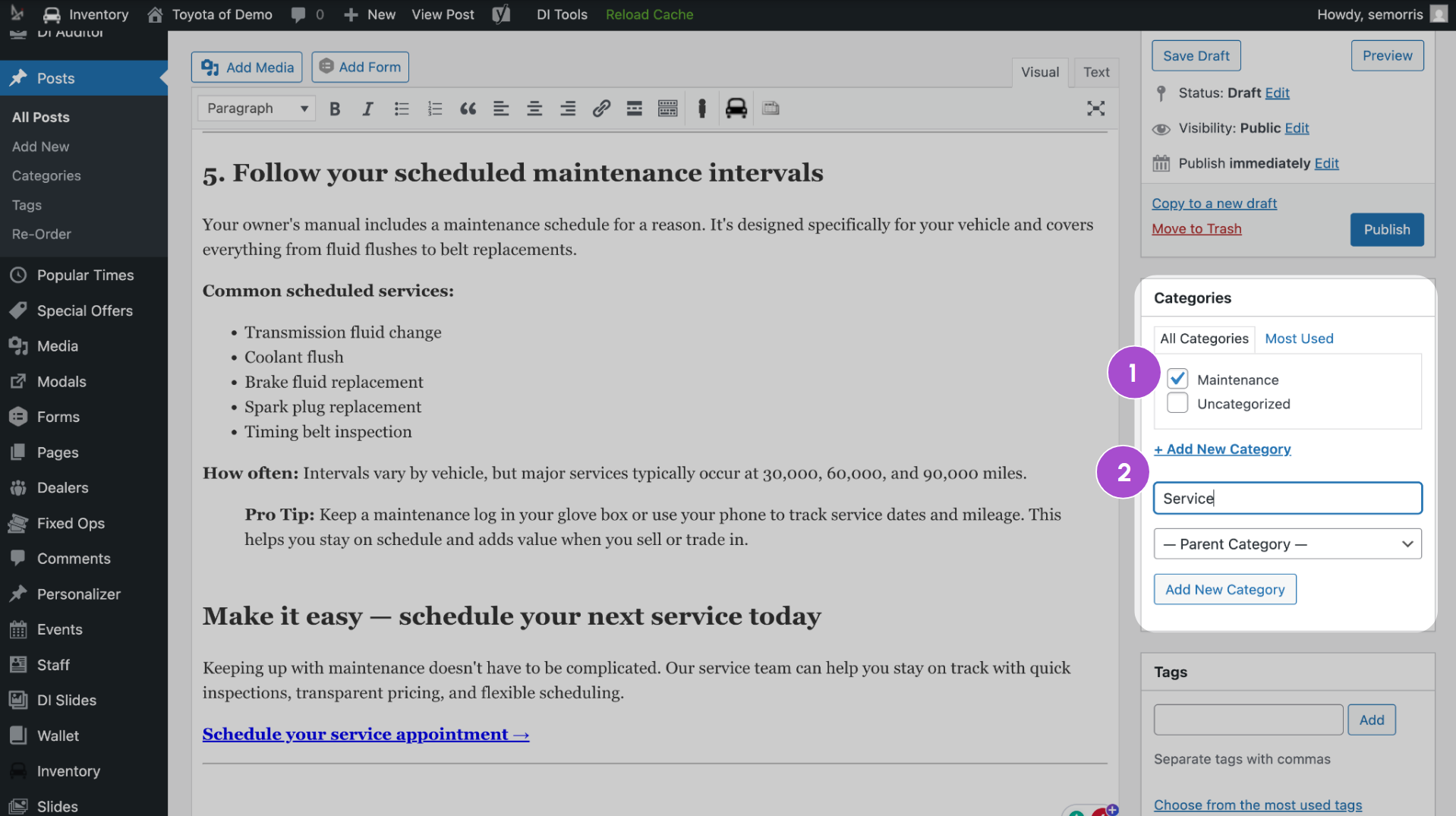
- Click the checkbox next to the category you want to add in the Categories panel.
- To add a new category, click + Add New Category, then enter the category name and click Add New Category.
5Add tags
Tags provide an additional layer of organization and help search engines understand the specific topics covered in each post. They also improve internal navigation by linking related content together. Tags should be more specific than categories.
To add a tag to your blog post:
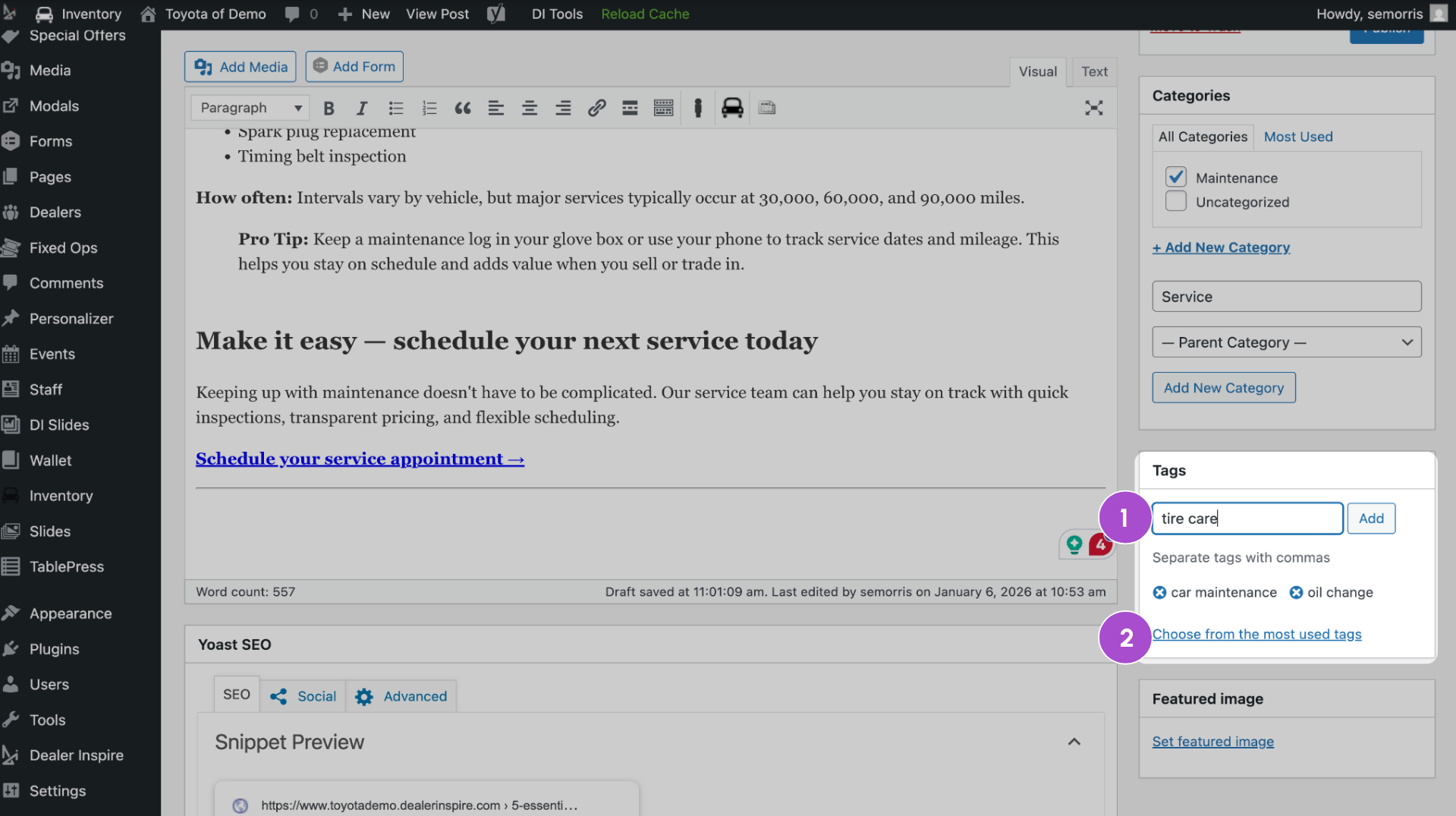
- Enter the tag in the Tags panel, then click Add.
- Click Choose from the most used tags to select tags you have used consistently before.
Stick to 5–10 specific, relevant tags. Avoid duplicating categories as tags — this can create SEO issues.