How to add a VIP customer reward
Our VIP customer reward program allows you to designate a specific dollar amount that will be applied as a “boost” to a frequent customer’s vehicle value. The added value is displayed on the Universal Condition Report, highlighting the increase as a benefit due to their status as a “VIP” (or frequent) customer.
To get started
Go to the Cars.com Hub, and click on AccuTrade.
1 Go to Dealership Settings
Click My Account in the bottom left corner of AccuTrade, then click Account Settings.
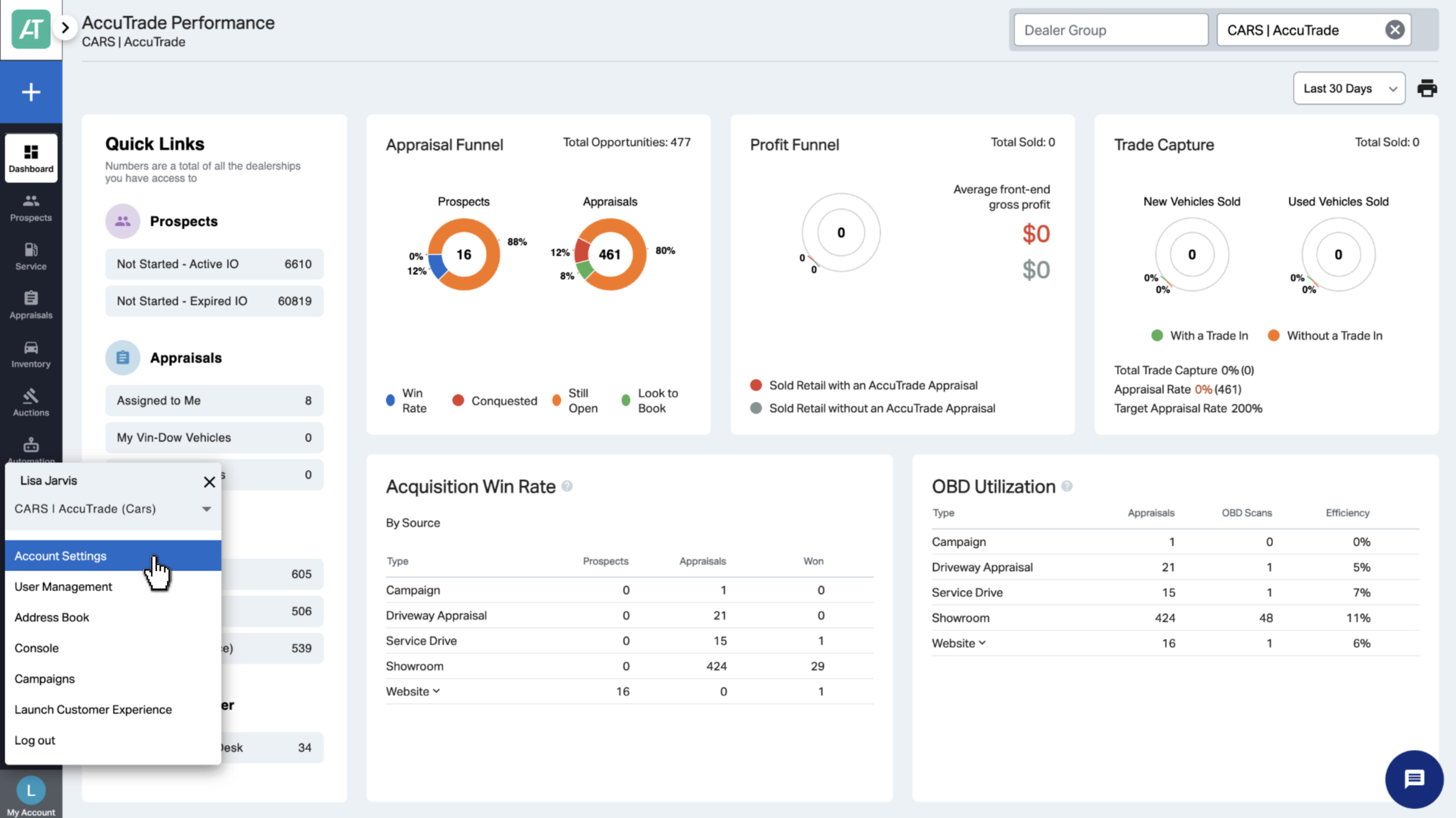
From the Account Settings page:
1. Click on Dealership Profile & Settings.
2. Then click on the Dealership Settings tab.
Note: If you are part of a Dealer Group, you’ll be prompted to edit the VIP discount. Follow the badges and prompts to enable the VIP Program for your group.
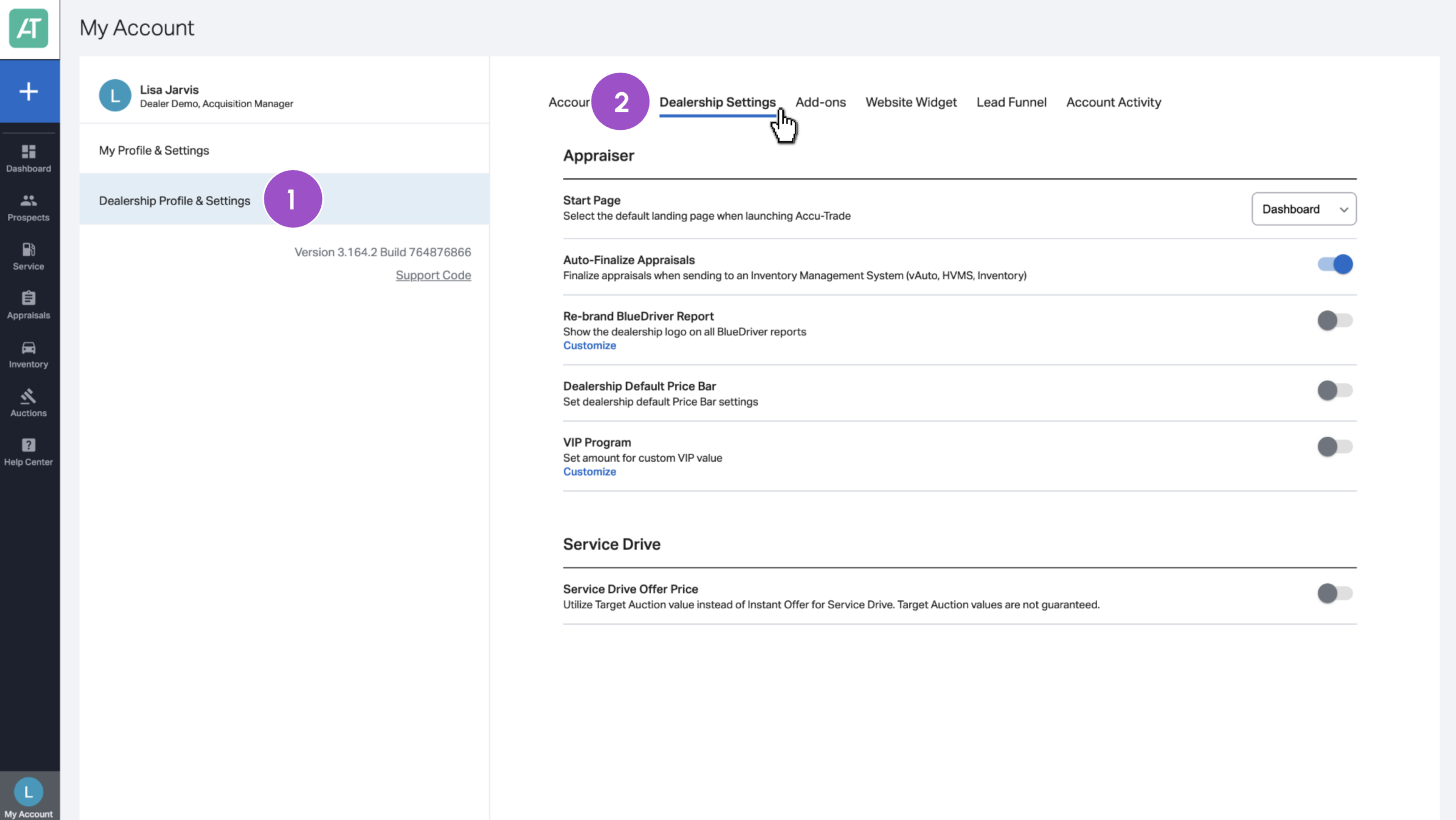
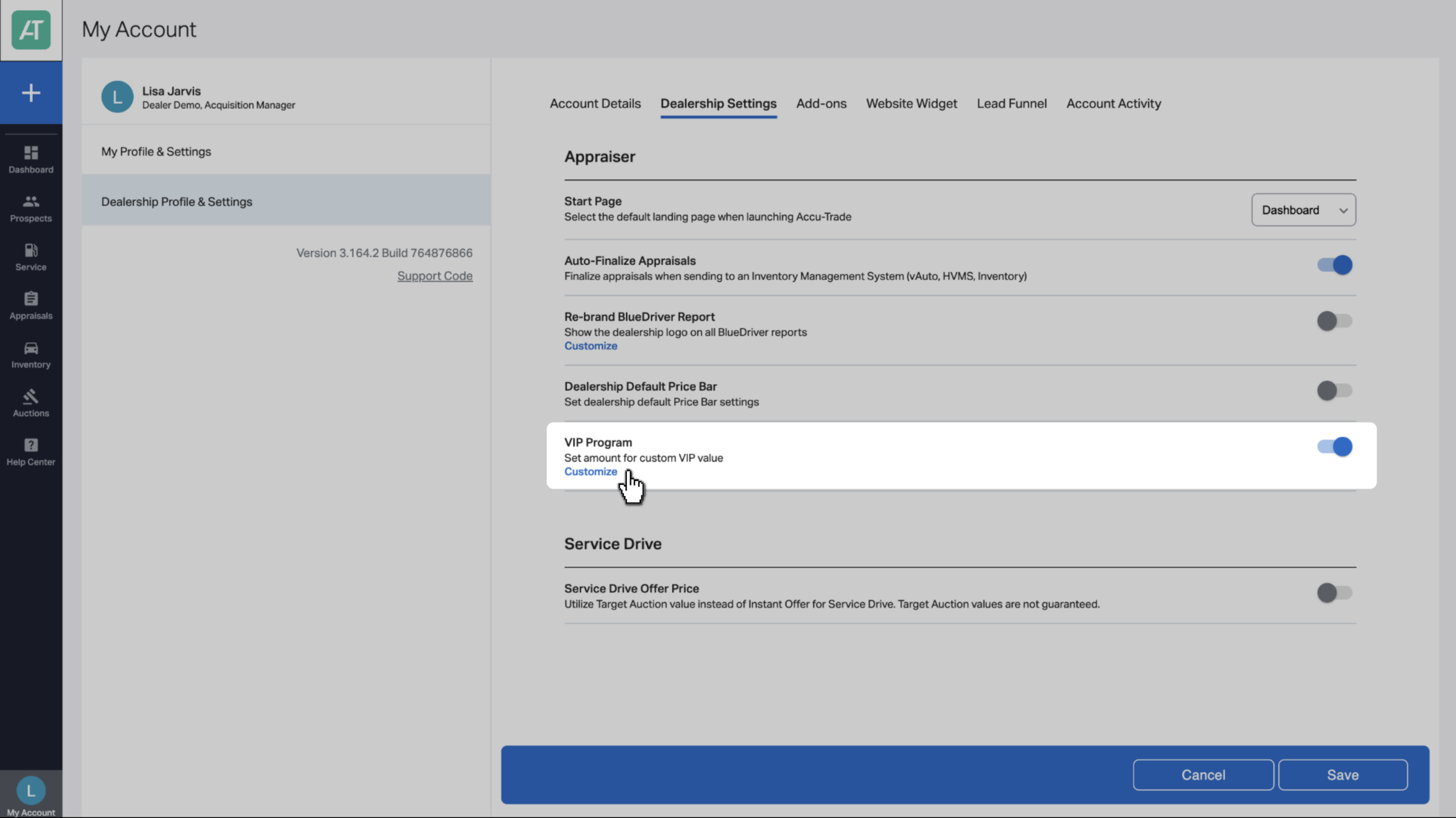
2 Toggle on the VIP Program
From Dealership Settings, find the VIP Program section. Toggle this feature on to enable it for your dealership’s AccuTrade account.
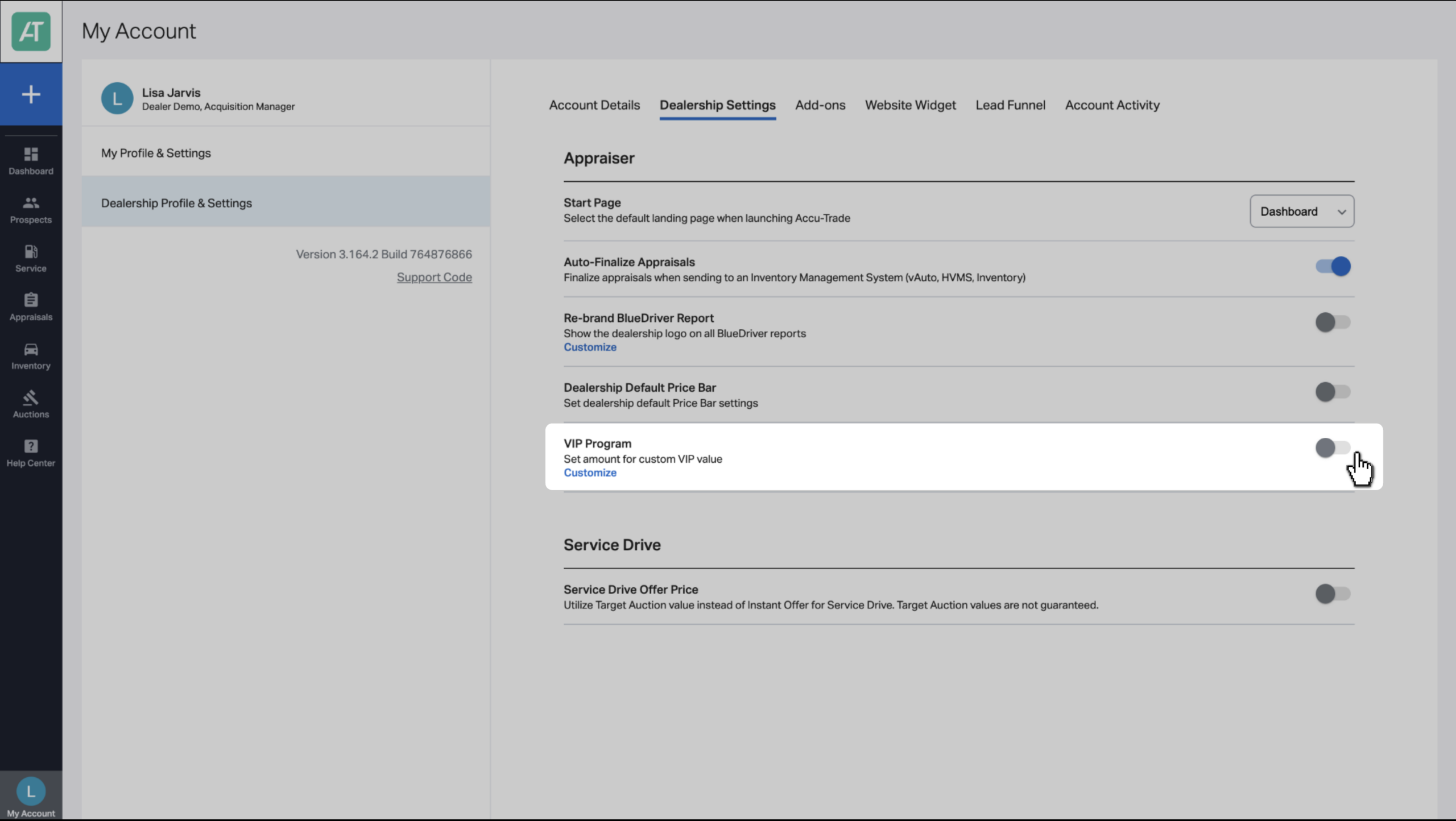
You’ll notice the feature is enabled when the toggle turns blue.
Click Customize to determine the incentive.
3 Add the monetary benefit
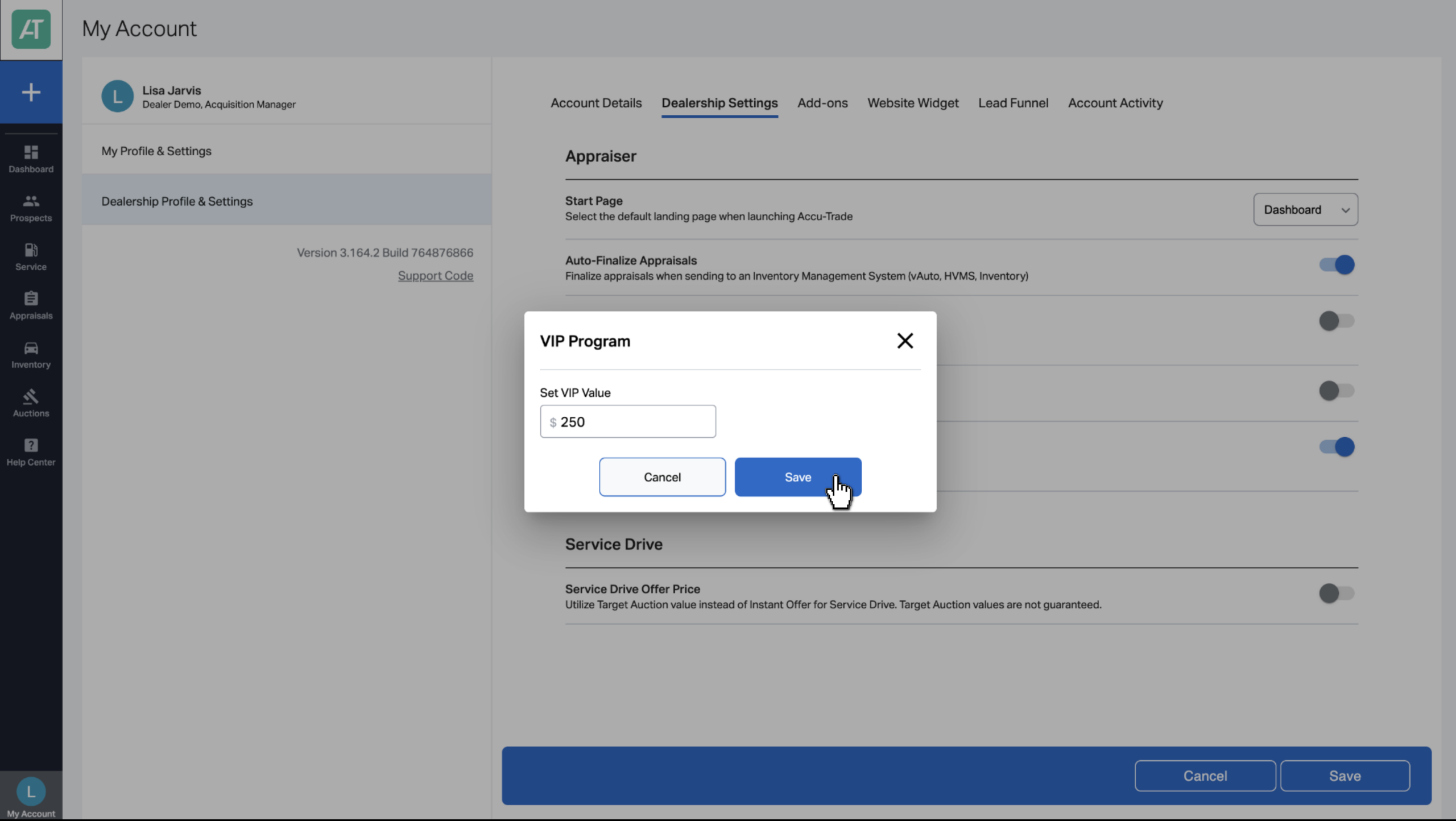
A pop-up window will appear allowing you to update the value of the reward. This is a monetary benefit that will be added on top of the value of the vehicle at the end of an appraisal for frequent customers.
Fill out the field with your value and click Save.
You’ll know your change was successful when you see the green bar at the top of your screen.
Click Save again at the bottom of the screen to lock in all updates.
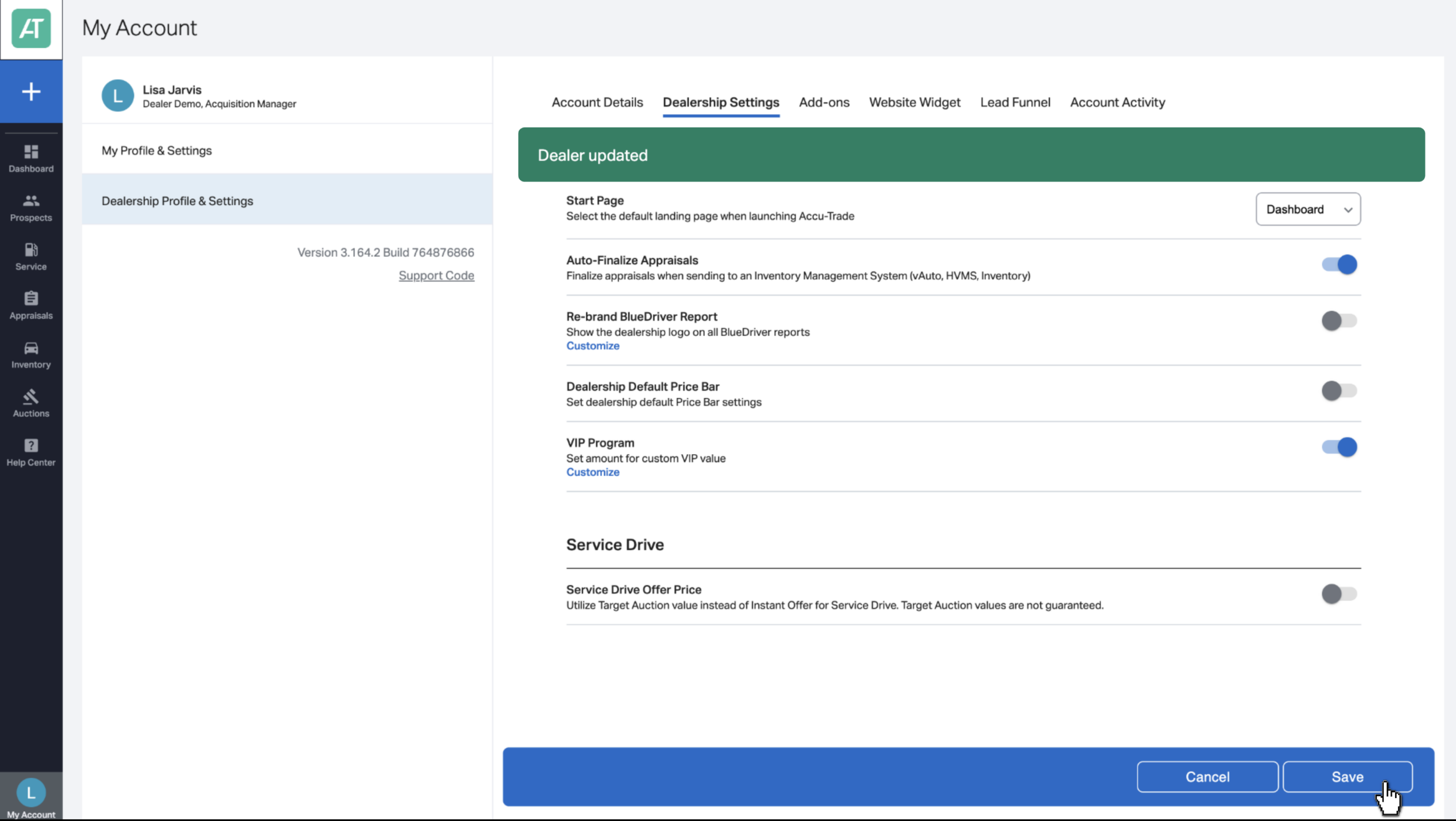
You’ve successfully added and enabled the VIP customer reward program!
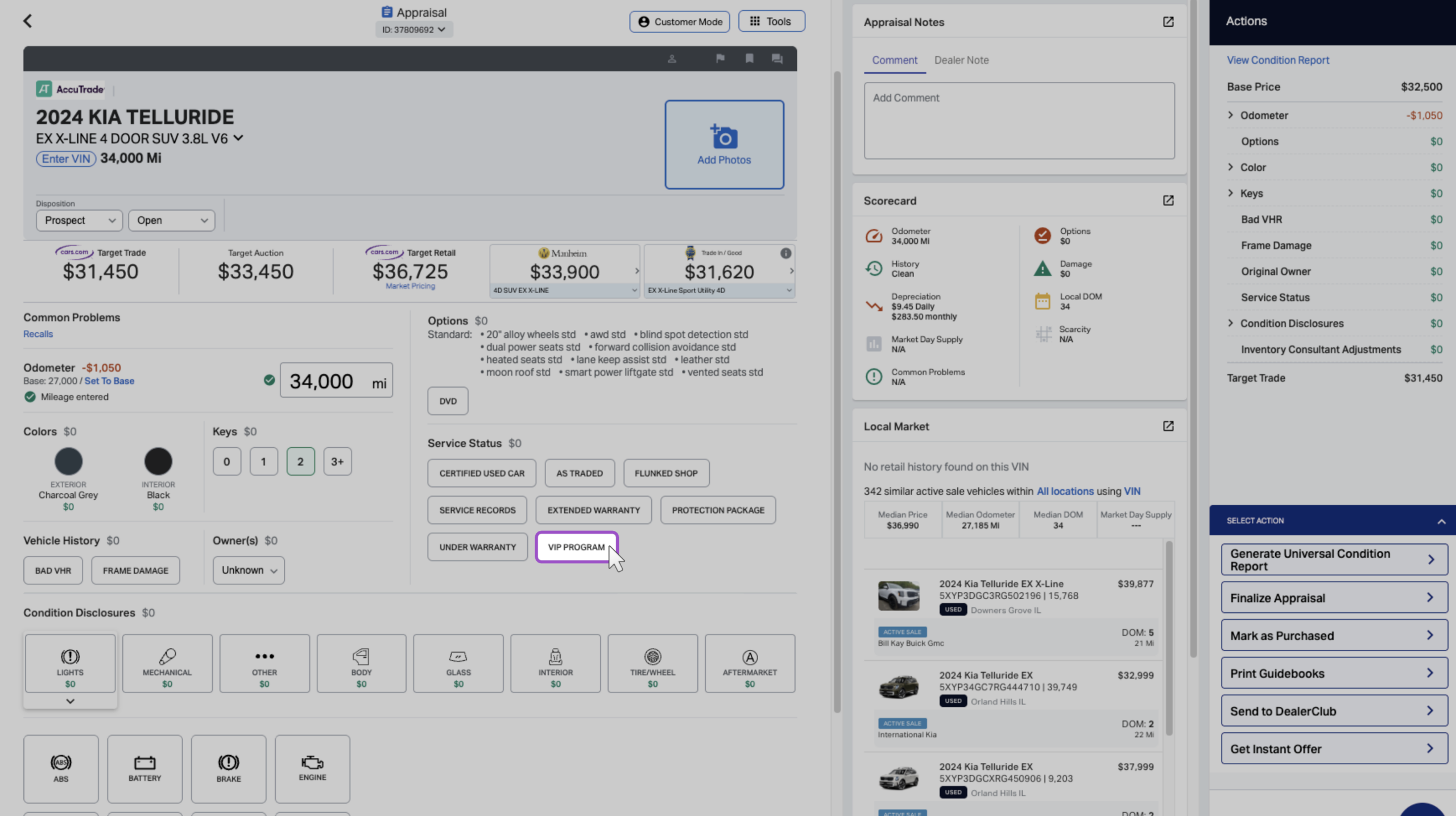
Now that the VIP Program is enabled, you’ll see a VIP Program button on your next appraisal for “VIP” (or frequent) customers. Click VIP Program to apply the discount, which you’ll see reflected on the Universal Condition Report.