How to appraise with the mobile app
The AccuTrade appraisal app empowers everyone on your team to conduct accurate appraisals wherever they are (as long as they have the OBD scanner with them) to take advantage of every acquisition opportunity.
Let’s walk through how to start a new appraisal with the mobile app.
To get started
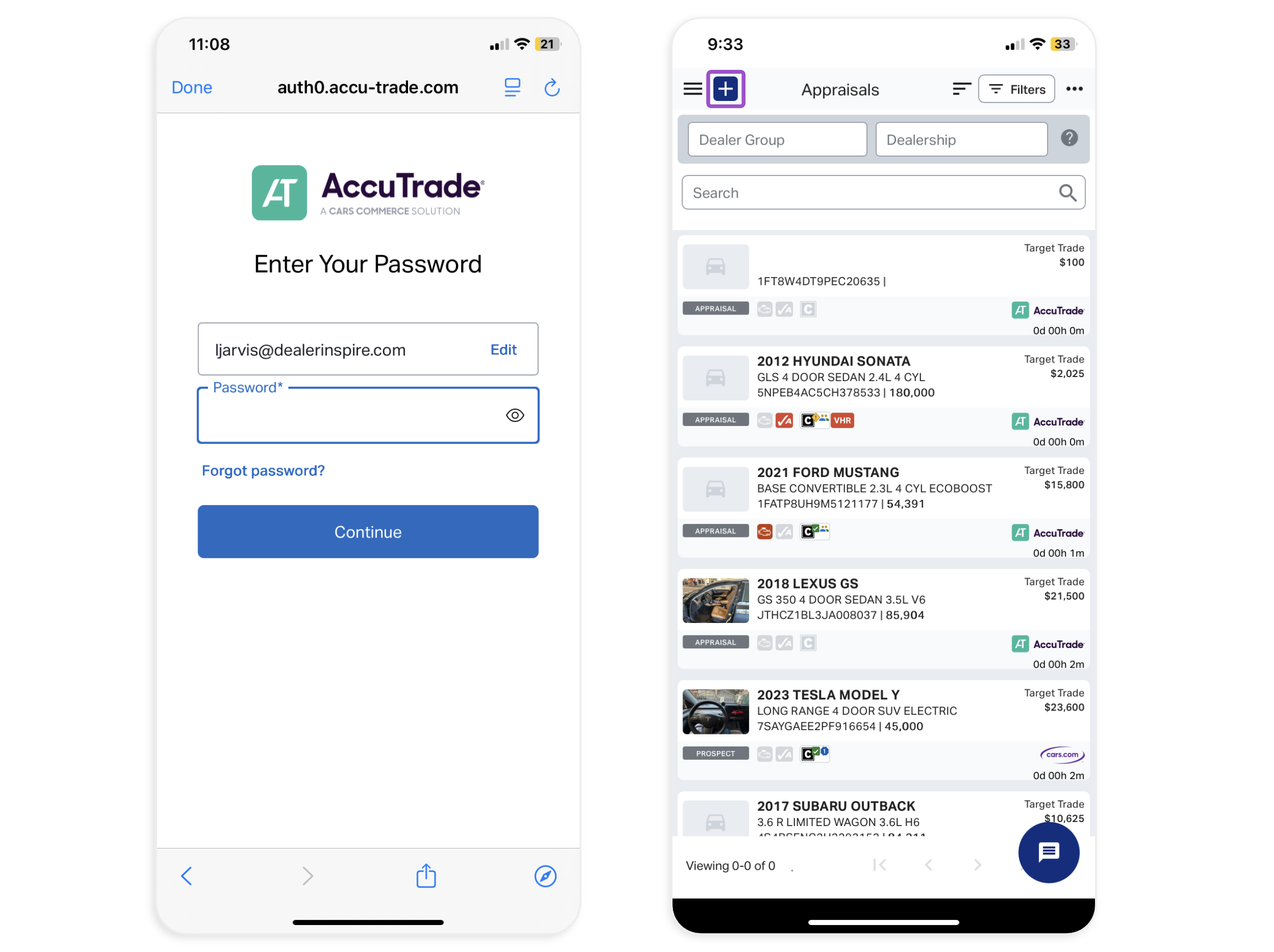
Log in to your AccuTrade mobile app
1 Start the appraisal
Log in to the AccuTrade appraisal app. Then, click the blue plus (+) sign at the top-left of your screen.
2 Enter the VIN
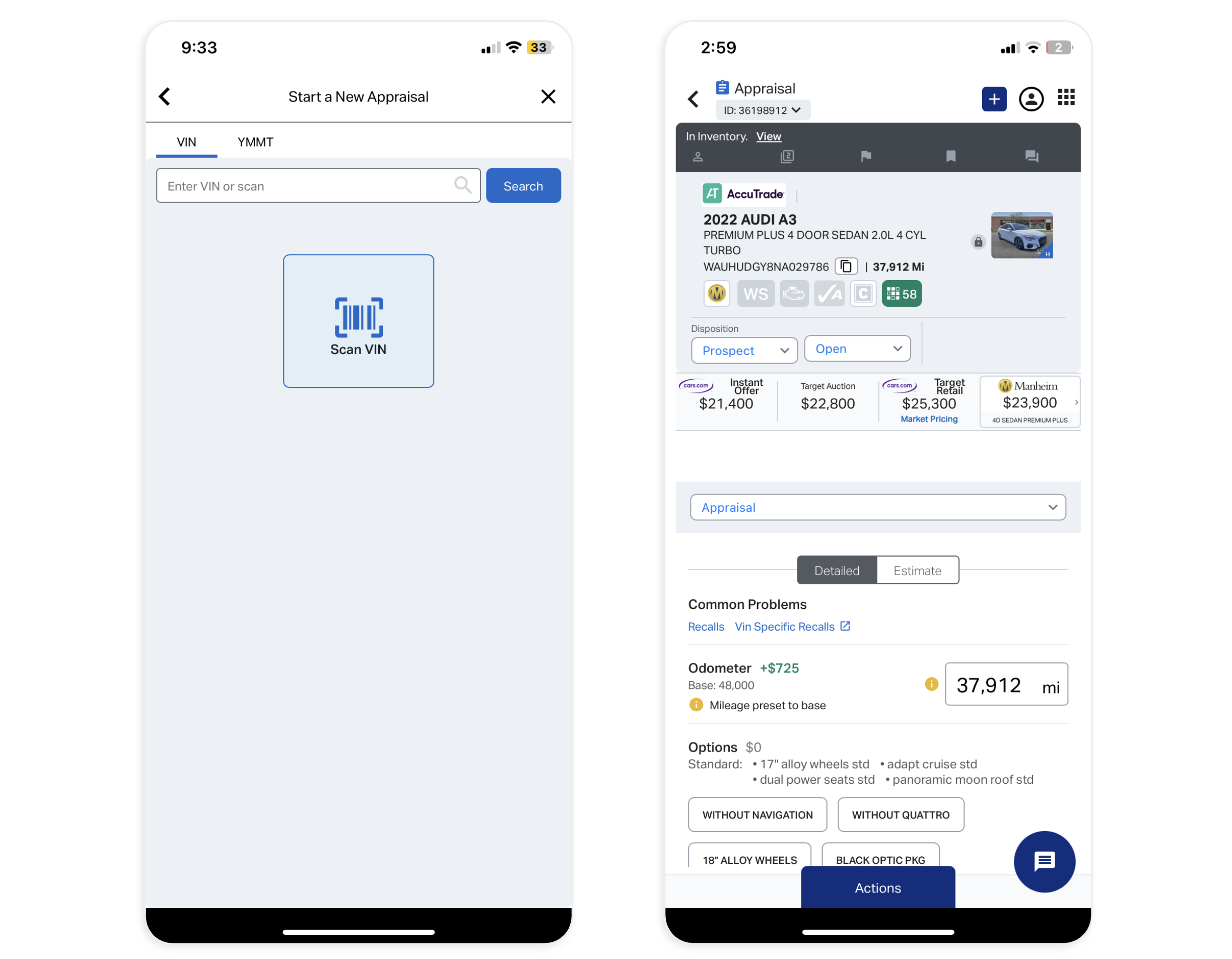
Either select Scan VIN to start your appraisal, or copy and paste the VIN number into the search bar. Then, hit Search.
The appraisal screen for the vehicle will populate.
3 Plug in the OBD scanner
Run the OBD scan to uncover any mechanical problems:
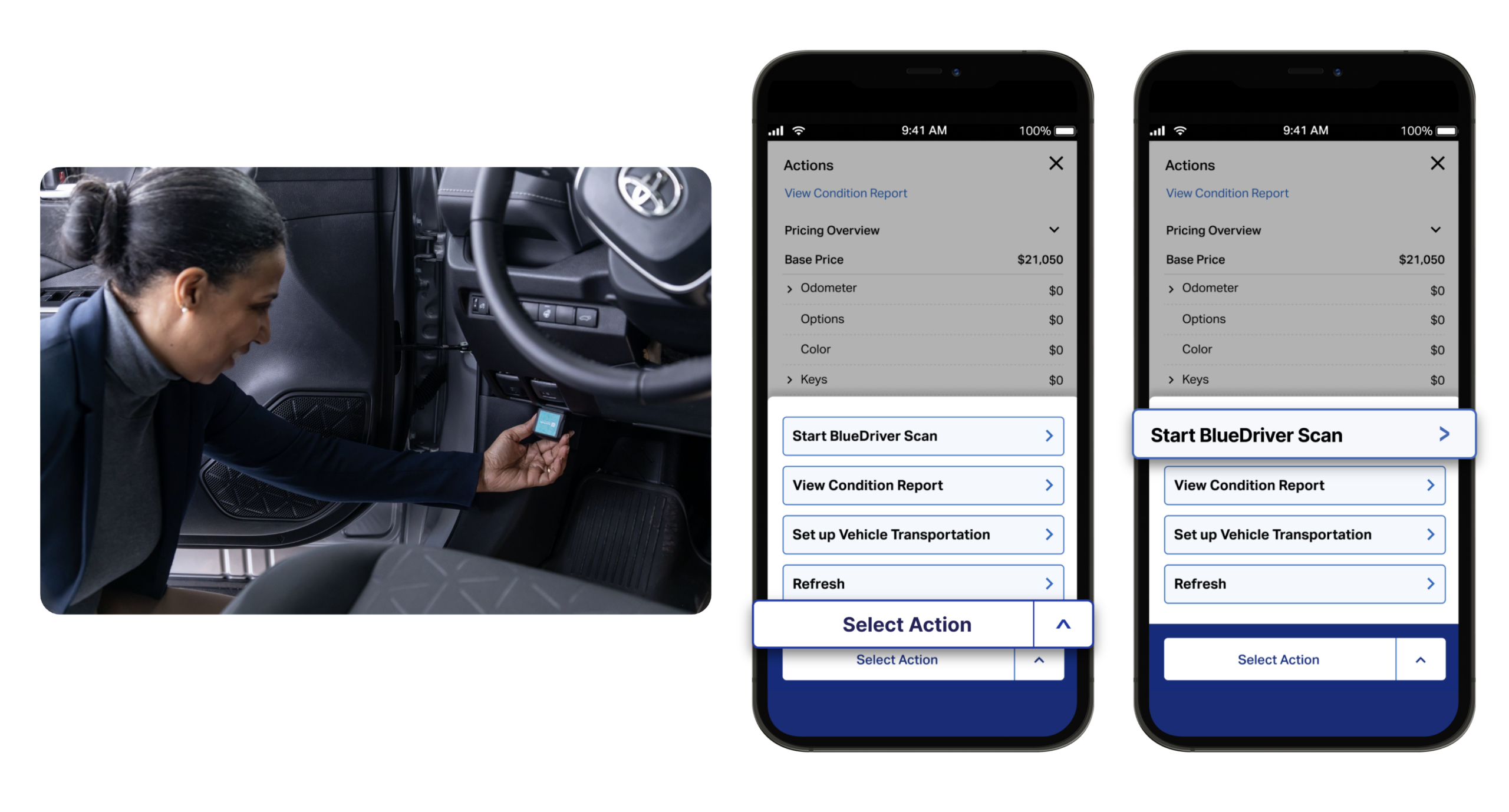
- With the vehicle running, plug the OBD device into the port under the steering wheel.
Note: You’ll need to have your Bluetooth on. For original BlueDriver devices, you’ll pair via Bluetooth first. For new LE devices, you’ll allow Bluetooth connection in the app. (See How to connect your OBD scanner for more details.) - In the app, Select Actions at the bottom of the screen, then select Start BlueDriver Scan.
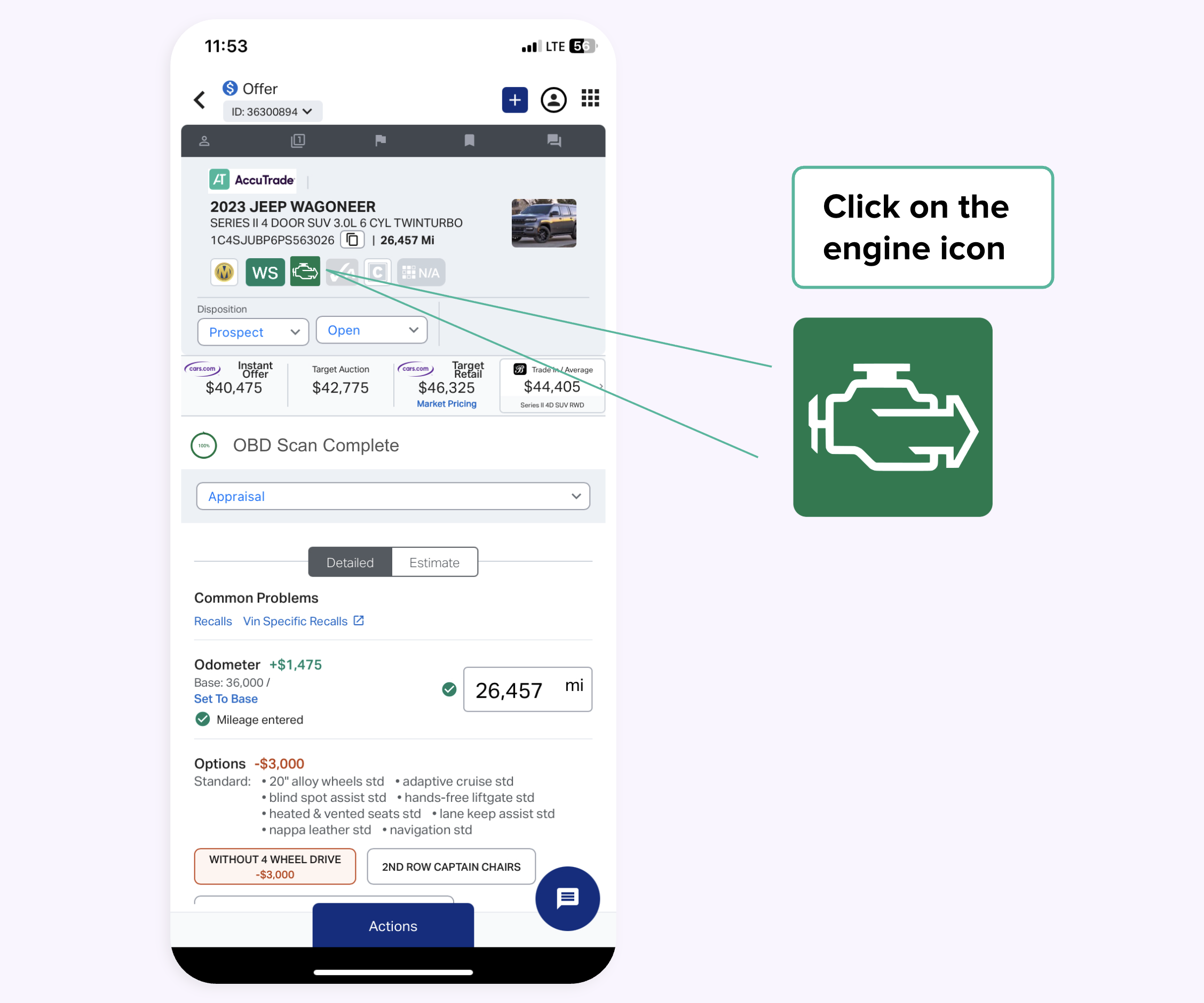
If the OBD device indicates mechanical issues, any disclosures will auto deduct from the instant offer in real time. You can reveal the codes that were detected by clicking the Engine icon after the scan is complete.
4 Input each value-impacting detail
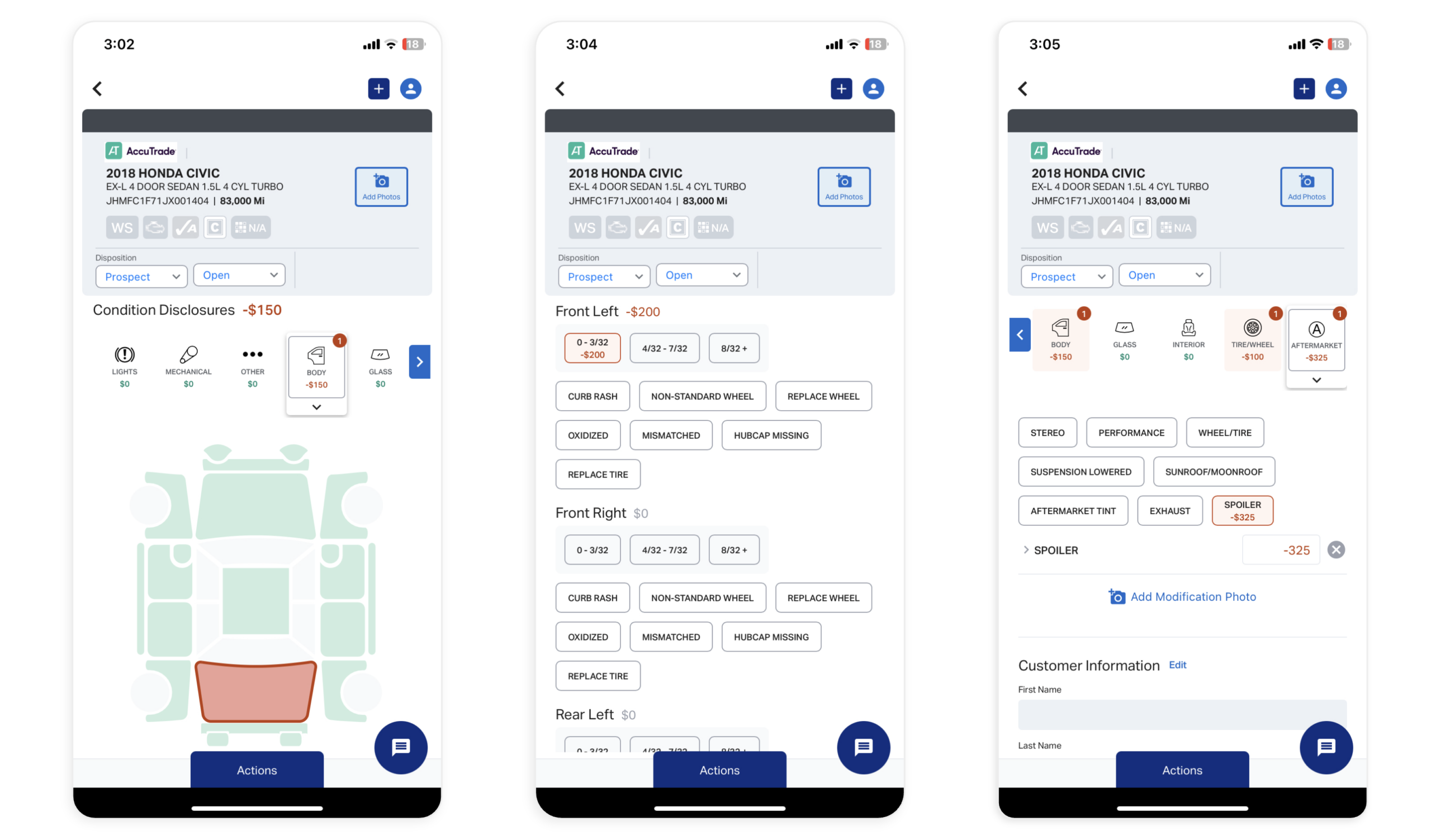
While the scan is taking place, do a walkaround of the vehicle to manually input value-impacting details such as selecting added options, noting body damage, and measuring tire tread depth.
Mark these on the appraisals screen in the app and see how the manual adjustments impact the Instant Offer.
A complete appraisal should include:
- 11+ vehicle photos
- Exact mileage on the odometer
- Options
- Exterior and interior colors
- Number of keys
- Vehicle history report (CARFAX/AutoCheck)
- Number of previous owners
- Service status
- Tire tread depth measurement
At this point, you can generate the Universal Condition Report, share the report via text or email, or go back to your desktop to walk through the report with the seller.


