How to leverage the Appraiser Efficiency Report
The Appraiser Efficiency Report provides performance metrics for your entire appraisal team, showing completion rates across key valuation fields. By monitoring these inputs, you can identify process gaps, coach for consistency, and improve profitability — especially in areas like mechanical risk, value accuracy, and appraisal conversion.
In this article, you’ll learn how to view, interpret, and act on the Appraiser Efficiency Report to improve appraisal accuracy and team performance.
To get started
Go to the Cars.com Hub, and click on AccuTrade.
1 Select report time period
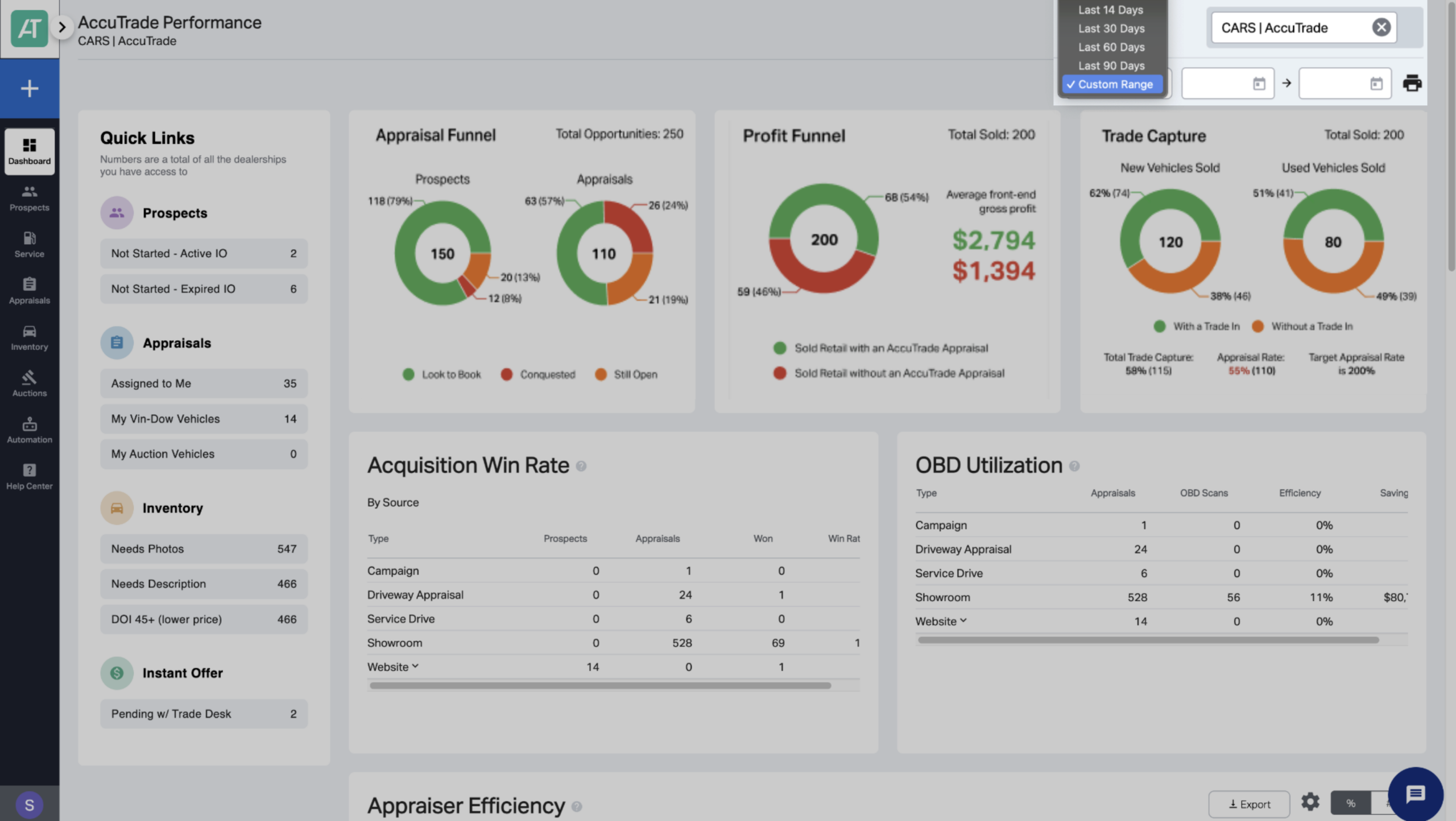
From your AccuTrade Dashboard, select the time period you want to view from the drop-down in the upper-right corner.
2 Select categories to include
- Scroll down to the Appraiser Efficiency Report section.
- Click the Gear icon to choose which columns appear.
- Completion rates reflect how often each field is filled out during an appraisal.
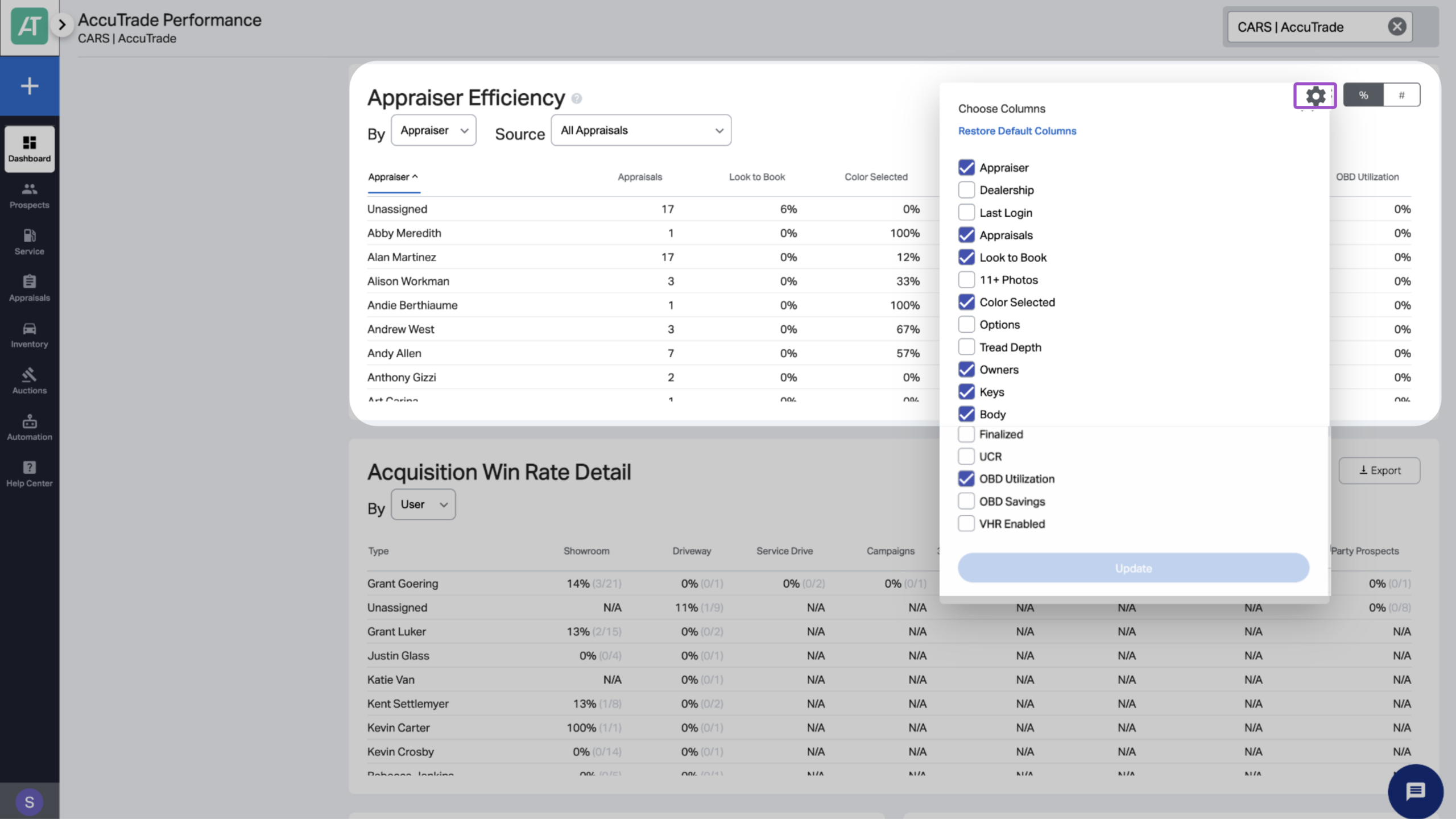
While all elements of the appraisal are important, key categories that tend to impact vehicle value the most include:
- Look to Book: % of appraisals that result in acquisitions
- OBD Utilization: Mechanical issues flagged using the scan tool
- Body Damage: Exterior condition reporting
- Number of Keys
- Color Selection
3 Filter by department or dealership
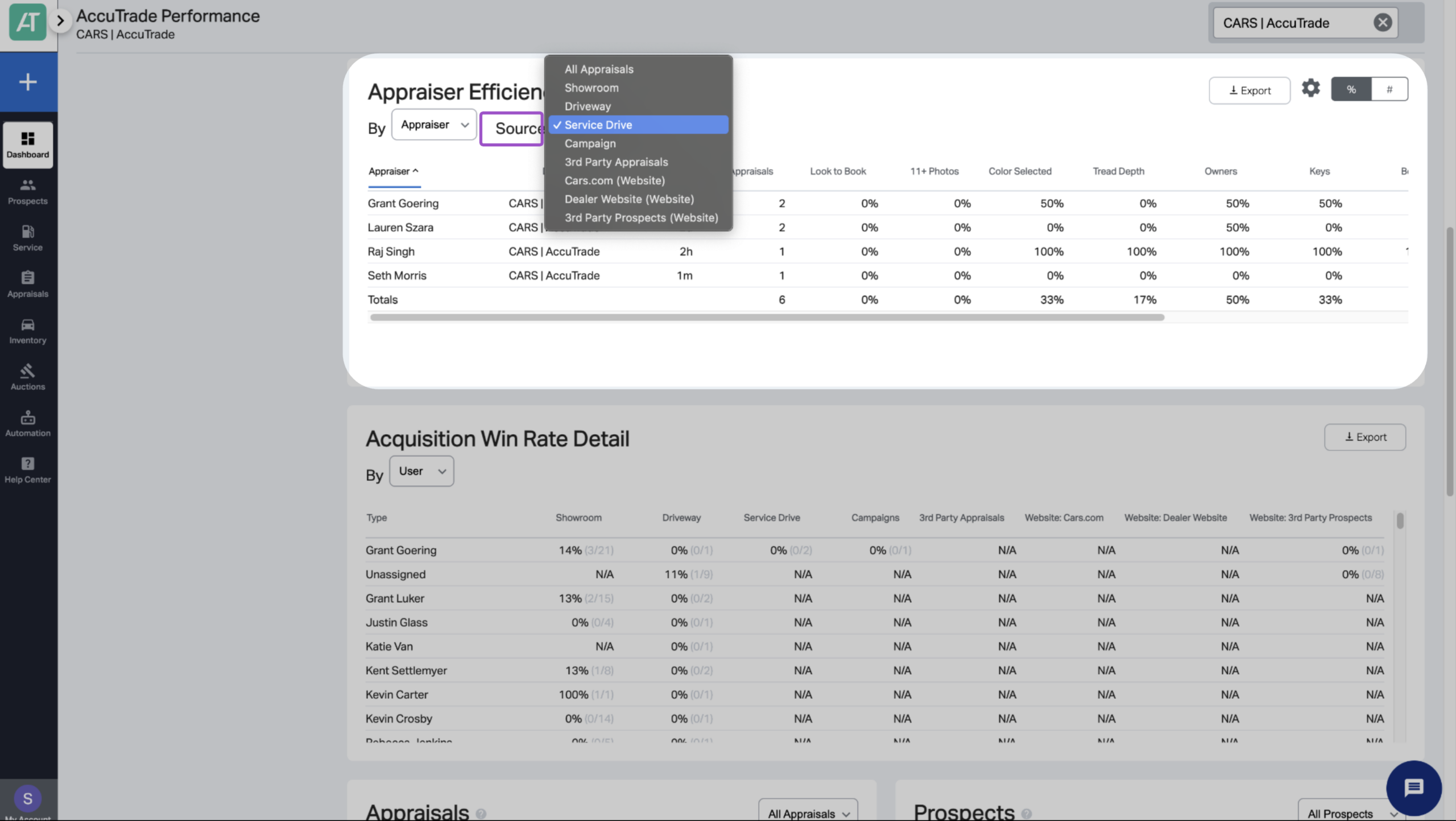
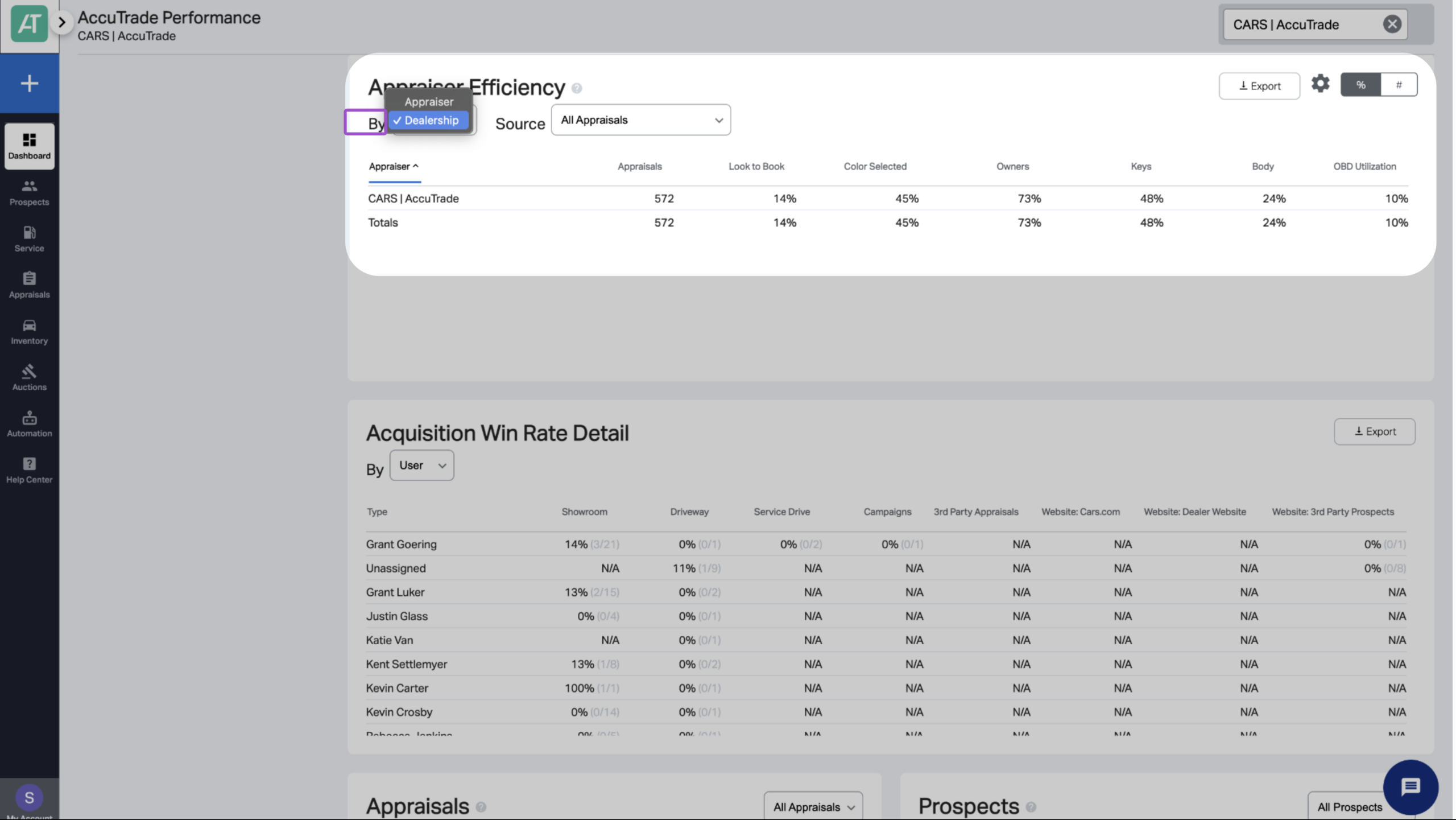
Use the drop-down filters to view report data by:
- Source: Select a specific department
- By: Toggle to dealership-level view
4 Monitor monthly
Review the Appraiser Efficiency Report at the same time each month to track trends and maintain accountability.
Monthly review checklist:
- Compare current month to previous month for each appraiser
- Identify top performers and share their best practices
- Address declining performance immediately
- Celebrate improvements and progress toward targets
- Adjust incentive programs based on results
5 Pair with other reports
Pair the Appraiser Efficiency Report with other tools in your dashboard for a complete view of appraisal ROI:
- OBD Utilization: Track scanner usage by appraisal type
- OBD Loss Avoidance: Estimate reconditioning savings from scans
- Acquisition Win Rate: Appraisals won vs. total
- Appraisal Funnel: See conquest, Look to Book, and win rates
- Profit Funnel: Compare average gross on AccuTrade vs. non-AccuTrade deals
- Trade Capture: Track appraisal and capture rate (benchmark: 200%)


