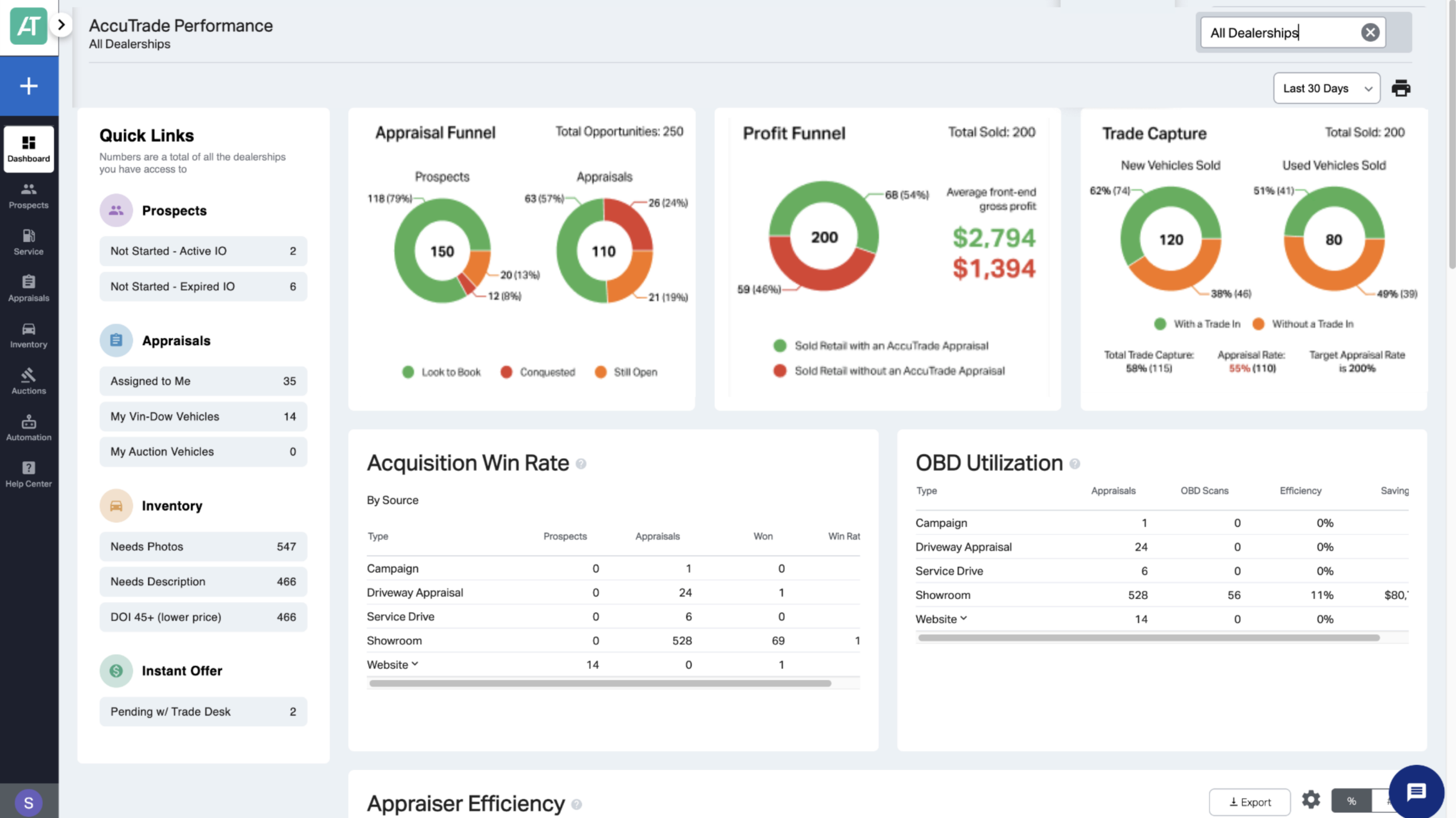
How to leverage the Profit Funnel & Trade Capture reports
The Profit Funnel and Trade Capture reports show how your appraisal activity relates to front-end gross profit and trade-in capture across vehicle sales. Use these reports to monitor performance trends and identify where your appraisal process may need attention.
Note: These reports require a DMS connection to access sales data. To request DMS integration, contact AccuTrade support at accutradesupport@carscommerce.inc
In this article, you’ll learn how to access the Profit Funnel and Trade Capture reports, what data each report displays, and how to pair these reports with other AccuTrade reports for a broader view of appraisal performance.
To get started
Go to the Cars.com Hub, and click on AccuTrade.
What each report shows
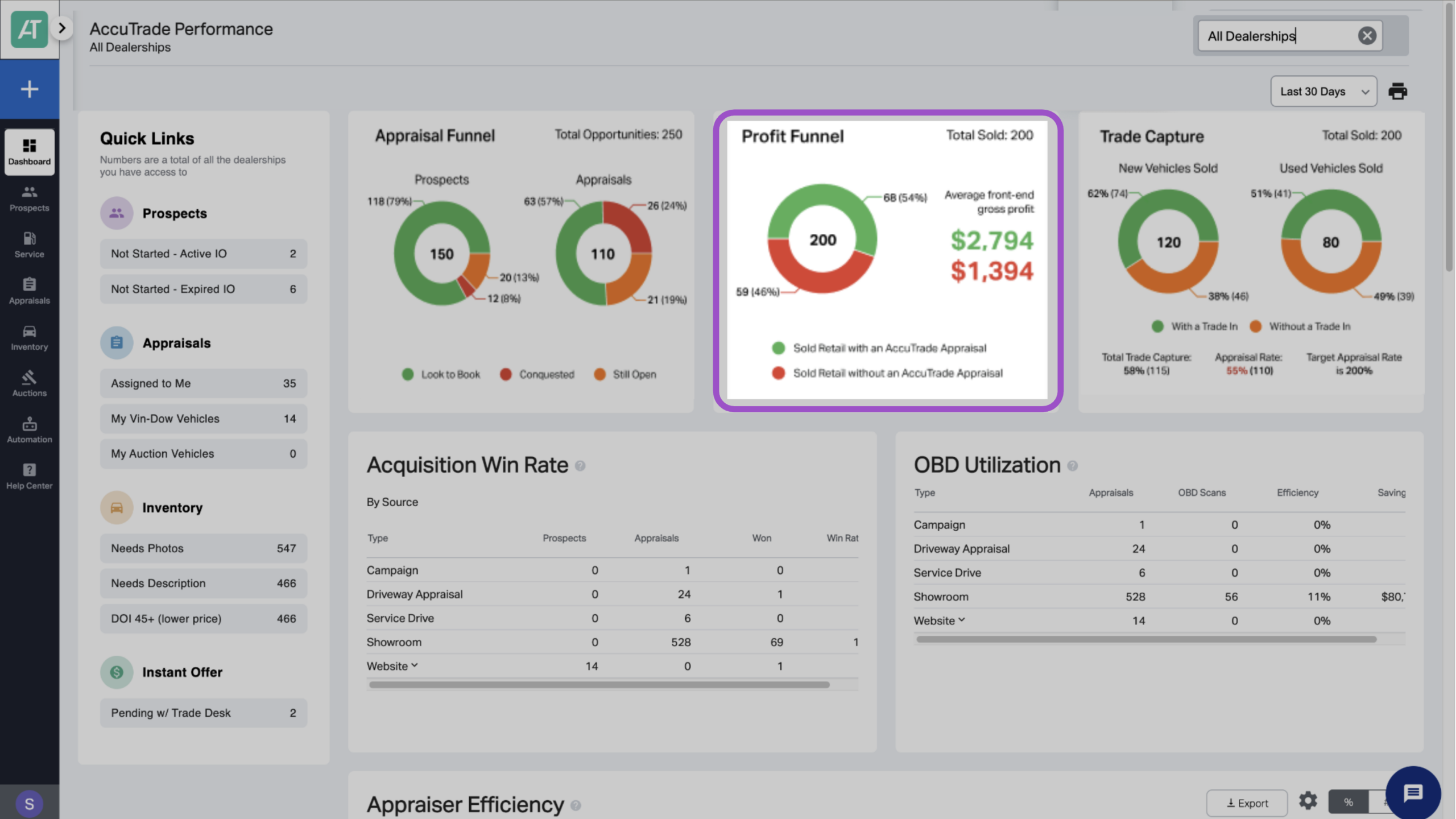
Profit Funnel Report: Compares average front-end gross profit on vehicles sold with an AccuTrade appraisal versus vehicles sold without one.
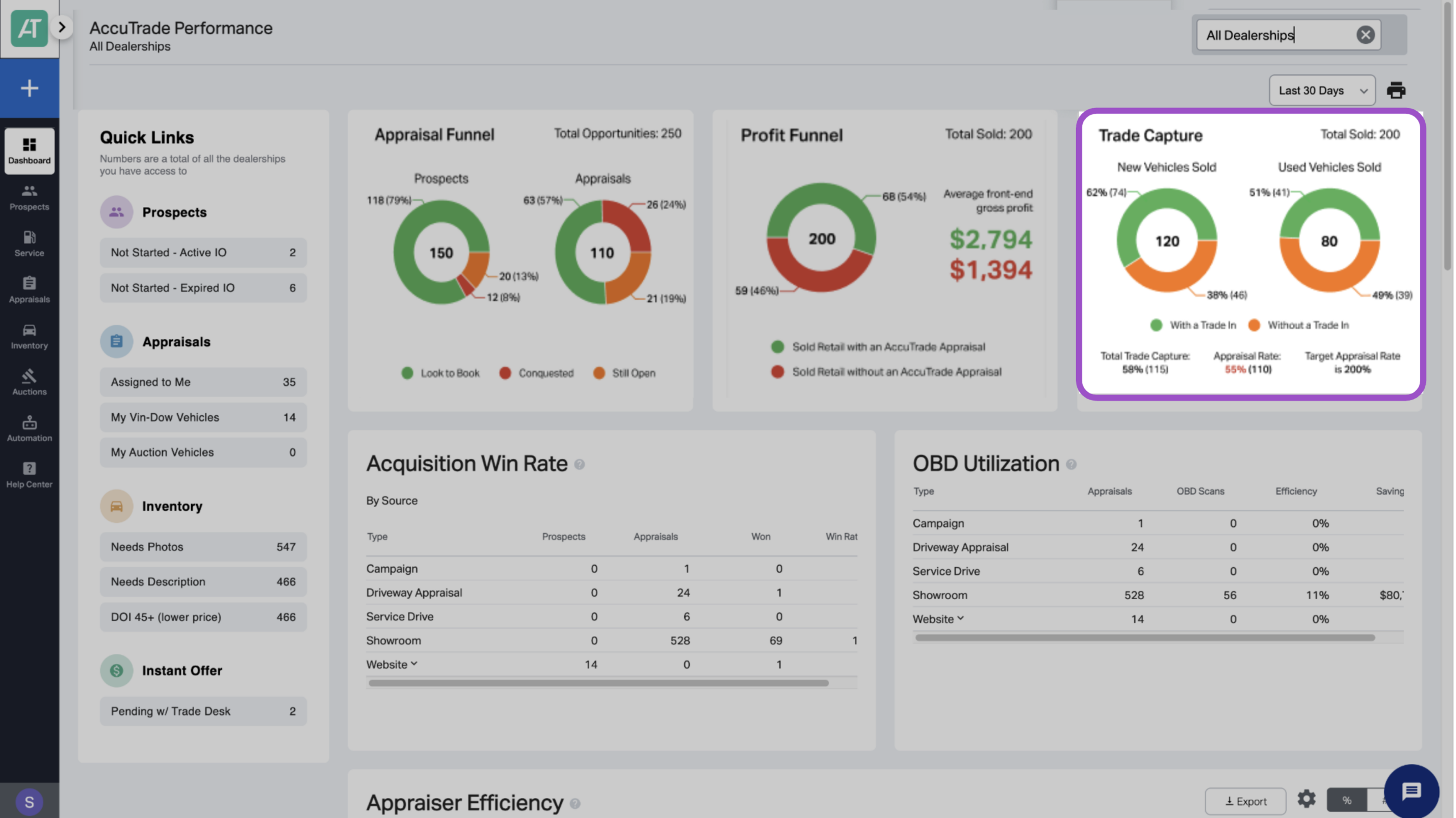
Trade Capture Report: Shows the percentage of new and used vehicle sales that included a trade-in, plus your appraisal rate (total appraisals divided by total sales). A 200% appraisal rate is the target benchmark.
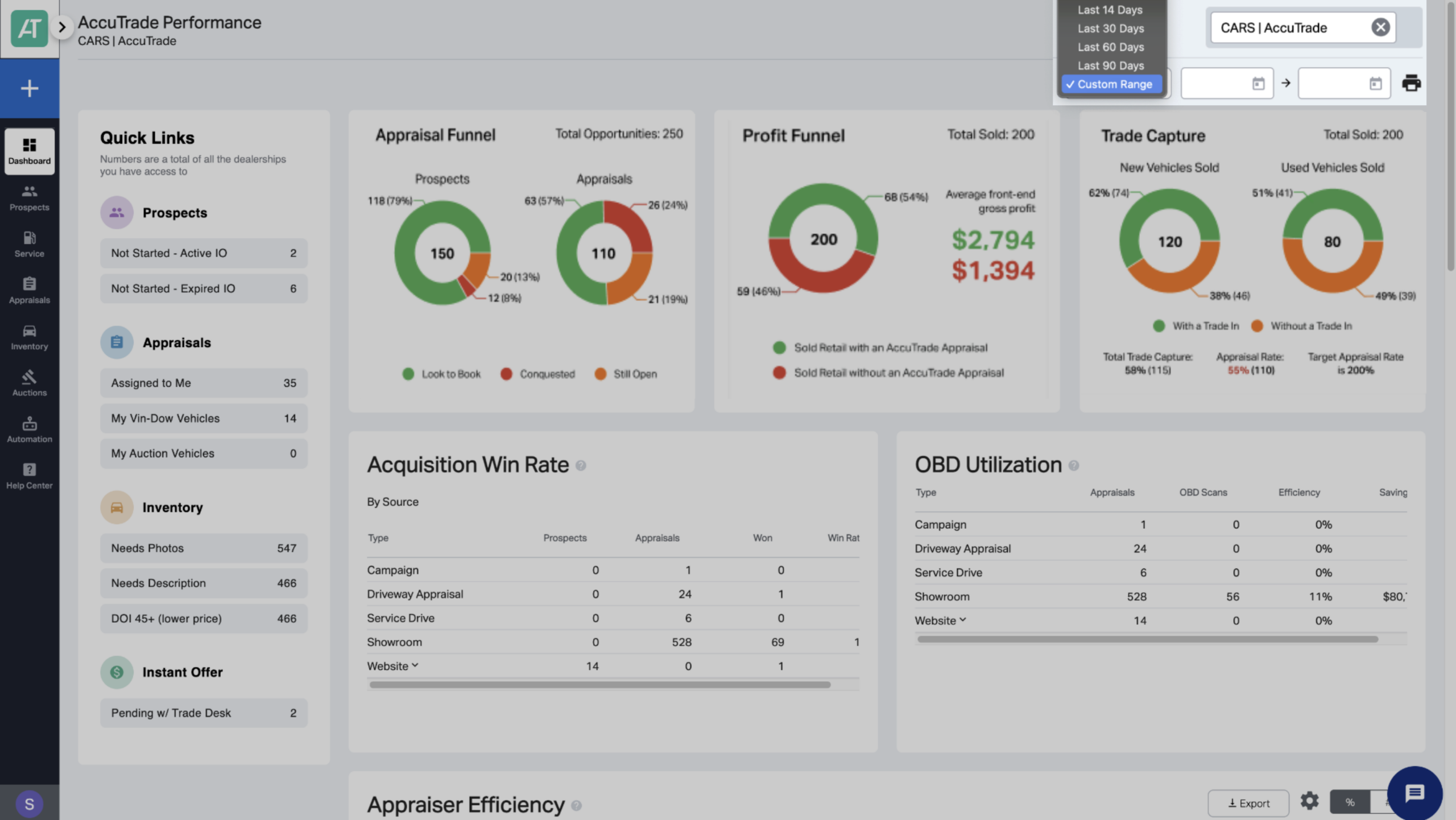
1 Select report time period
From your AccuTrade Dashboard, use the dropdown menu in the top-right corner to select the date range for your report view.
2 Review the Profit Funnel Report
The Profit Funnel displays the following data:
- Average front-end gross profit for vehicles appraised with AccuTrade
- Average front-end gross profit for vehicles not appraised with AccuTrade
- Total vehicles sold retail
- Number of vehicles sold retail with an AccuTrade appraisal
- Number of vehicles sold retail without an AccuTrade appraisal
Tip: If the report shows lower profit for AccuTrade-appraised vehicles, review the Appraiser Efficiency Report to assess whether appraisers are completing full evaluations.
3 Review the Trade Capture Report
The Trade Capture report displays the following data:
- Total trade capture rate: Percentage of total sales (new + used) that included a trade-in
- Total appraisal rate: Total appraisals divided by total sales
- Target appraisal rate (200%)
- Total vehicles sold
- Total new vehicles sold
- Total used vehicles sold
- Percentage of new vehicles sold with a trade-in
- Percentage of used vehicles sold with a trade-in
4 Review monthly and take action
Effective use of these reports requires consistent review and follow-through:
Monthly review checklist:
- Compare current month results to previous months
- Identify trends (improving or declining performance)
- Celebrate improvements and recognize top performers
- Address performance gaps immediately with specific coaching
- Share insights in team meetings to maintain accountability
Action items based on insights:
- If Profit Funnel shows lower profit for AccuTrade appraisals → Review appraiser training and process compliance.
- If Trade Capture is low → Strengthen trade-in conversation requirements and presentation skills.
- If both metrics are strong → Document what’s working and replicate across all departments.
5 Pair with other reports
Use the Profit Funnel and Trade Capture reports alongside the following reports in the AccuTrade dashboard for a more complete view of how appraisals are affecting performance:
- Appraiser Efficiency: Shows how thoroughly team members are completing appraisals
- Appraisal Funnel: Shows your total conquest, look to book, and win rate
- Acquisition Win Rate: Measures the rate of acquisitions won to total appraisals
- OBD Utilization: An overview of how effectively you’re using the scanner for each type of appraisal
- OBD Loss Avoidance: A chart of total OBD scans and how much you avoided in potential losses