How to understand Certified listings
Certified listings on Cars.com help shoppers identify used vehicles that meet an automaker’s Certified Pre-Owned (CPO) standards. These listings often include added benefits like warranty coverage, inspection reports, and other OEM-backed perks — making them especially appealing to high-intent buyers.
In this article, you’ll learn what qualifies as a Certified listing, how it appears on Cars.com, and why it matters to both dealers and shoppers.
What is a Certified listing?
A Certified listing represents a used vehicle that has been certified through an automaker’s official CPO program.
Certified listings on Cars.com may include:
- Official OEM Certified branding
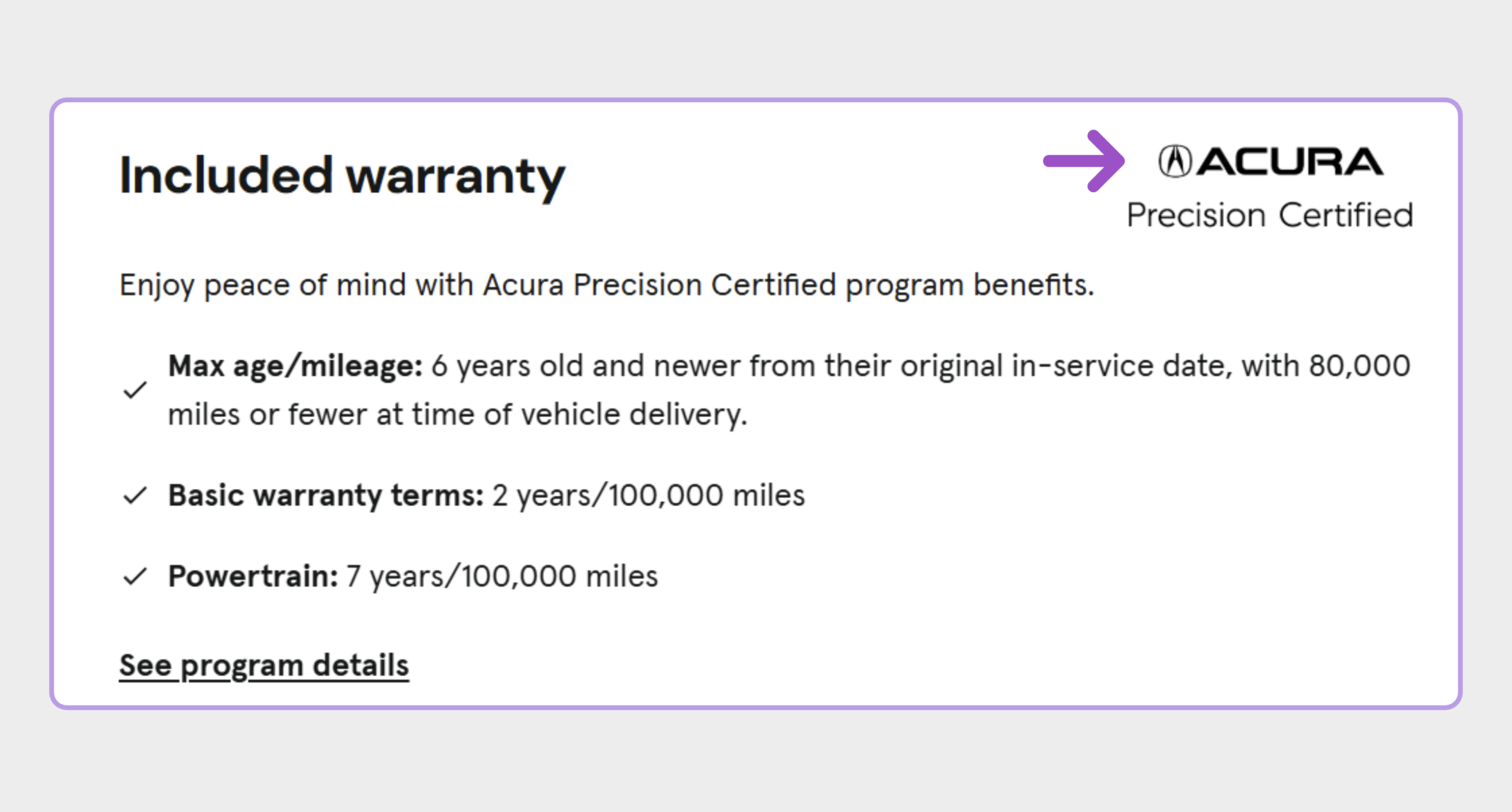
- Program details like warranty coverage and inspection standards
- OEM incentives, when available
Only franchise dealerships authorized by the manufacturer can display official Certified listings on Cars.com. Independent dealerships may offer their own certification programs, but those vehicles are not labeled as Certified on Cars.com.
How Certified listings appear on Cars.com
Certified status is controlled by the automaker, not Cars.com.
Cars.com displays Certified listings based on:
- Data received from OEM CPO programs
- Franchise dealer inventory feeds
For Certified vehicles to appear correctly:
- The vehicle must be enrolled in the manufacturer’s CPO program
- The vehicle must be included in your active inventory feed
Note: If a vehicle appears as regular used instead of Certified, it’s likely the OEM hasn’t yet reflected its certified status. These updates must come from the manufacturer — Cars.com cannot manually adjust Certified status.
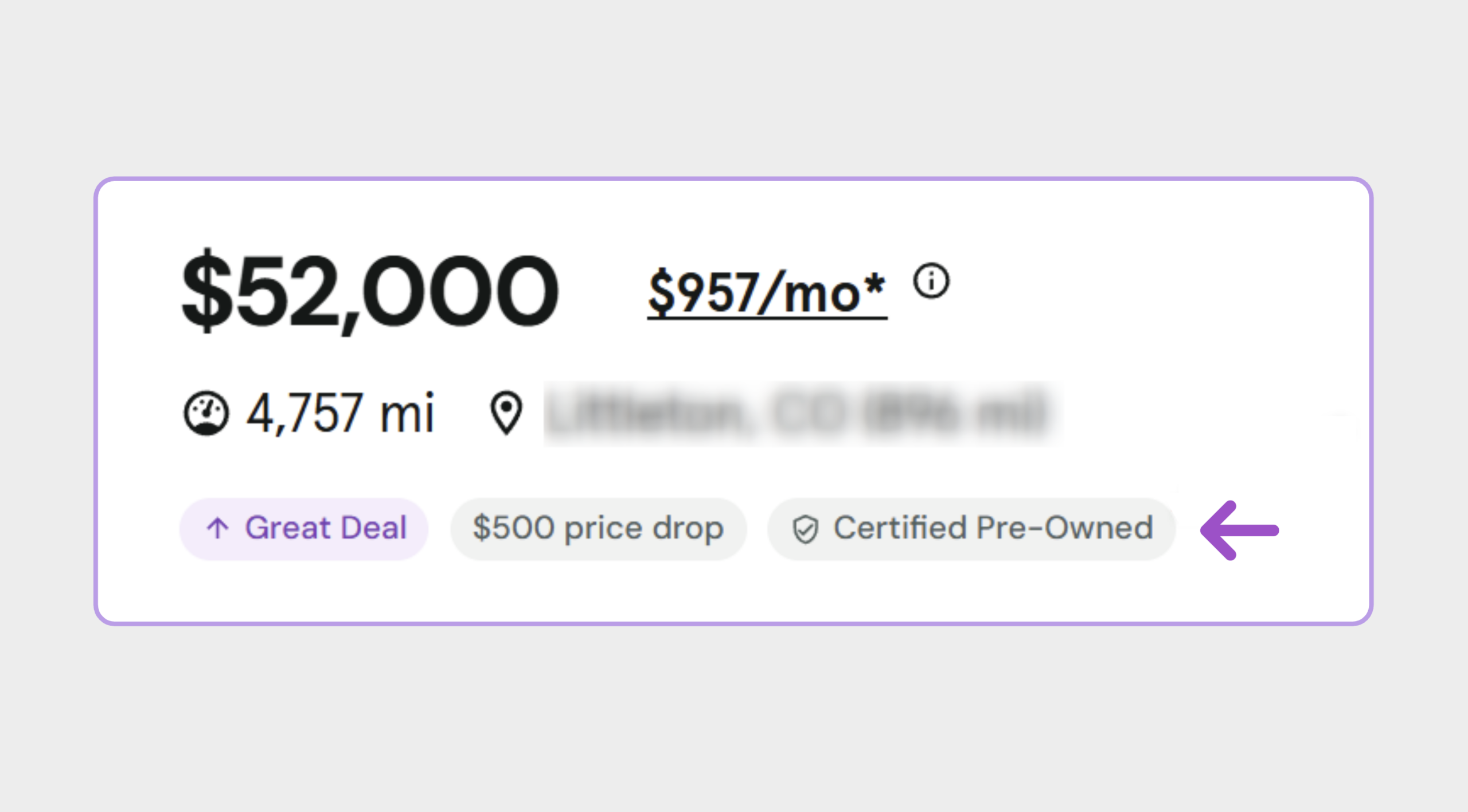
What shoppers see on Certified listings
When a vehicle qualifies as Certified, shoppers may see:
- “(OEM) Certified” labeling near the vehicle details
- Official OEM Certified logos on the vehicle details page
- Inclusion in Certified filters and search results
Why Certified matters to shoppers
Certified vehicles are often seen as a safer, higher-value choice compared to traditional used inventory. They offer:
- Additional inspection and reconditioning
- Extended warranties backed by the manufacturer
- A stronger sense of peace of mind
Because of these benefits, Certified listings tend to attract serious shoppers looking for quality and reliability.
FAQ
Why is my Certified vehicle showing as used?
Certification status is controlled by the automaker. If a vehicle appears as used, confirm that it is fully certified in the OEM’s system.
Why don’t I see all of my Certified vehicles on Cars.com?
Certified listings depend on confirmation from the manufacturer and accurate inventory information. If a vehicle is missing, your OEM representative can help verify its certification status.
Can Cars.com change or override Certified status?
No. Cars.com displays Certified listings based on OEM-provided information and cannot override or edit certification data.
Need help?
- For certification status questions: Contact your OEM representative
- For general visibility questions: Reach out to your Cars.com account team