How to access your shopper alerts
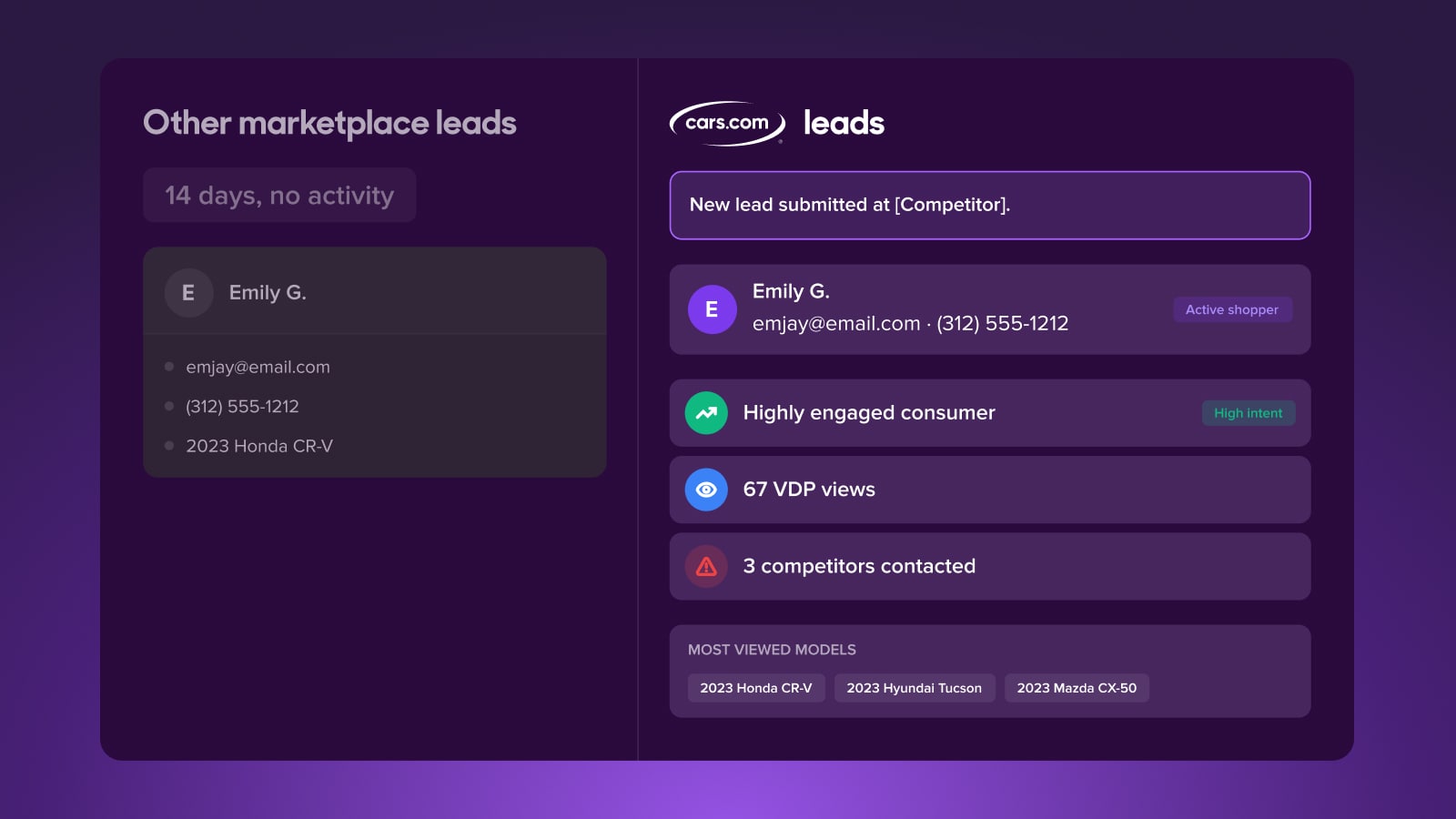
Shopper Alerts notify you the moment a lead you’ve already connected with re-engages on Cars.com. These automated alerts are designed to surface high-intent behavior from existing prospects — giving you critical insight and a timely opportunity to win back the sale.
In this article, we’ll show you where to find Shopper Alerts, how to access them in Dealer Dash and your CRM, and how to act on them to improve lead conversion.
There’s no setup required. Shopper Alerts are automatically included with your Marketplace package and delivered directly to your CRM.
To get started
Go to the Cars.com Hub. Click on Cars.com, then Dealer Dash.
1 Access your leads
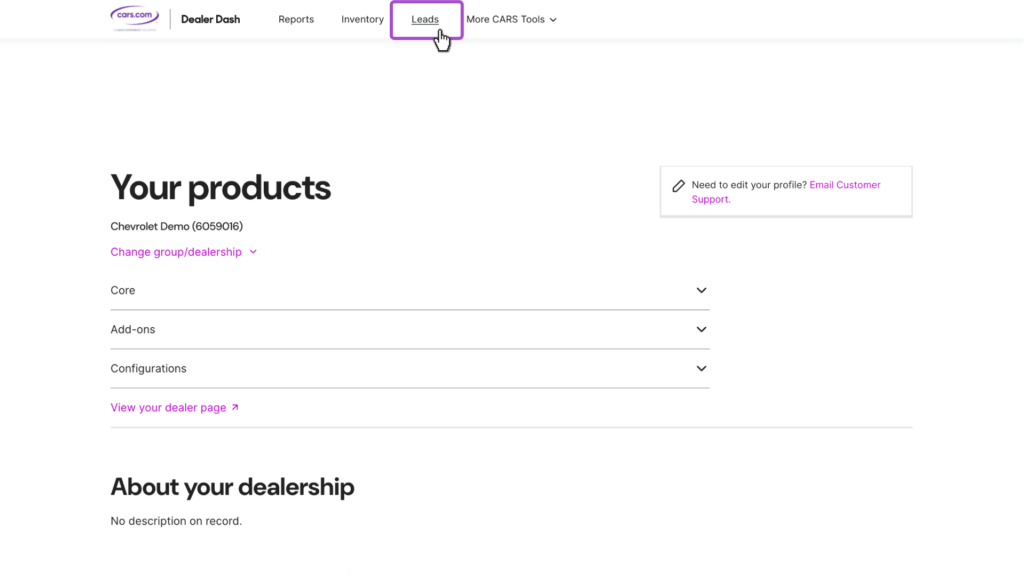
- Log in to your Dealer Dash.
- Click on the Leads tab in the top navigation.
2 View your shopper alerts
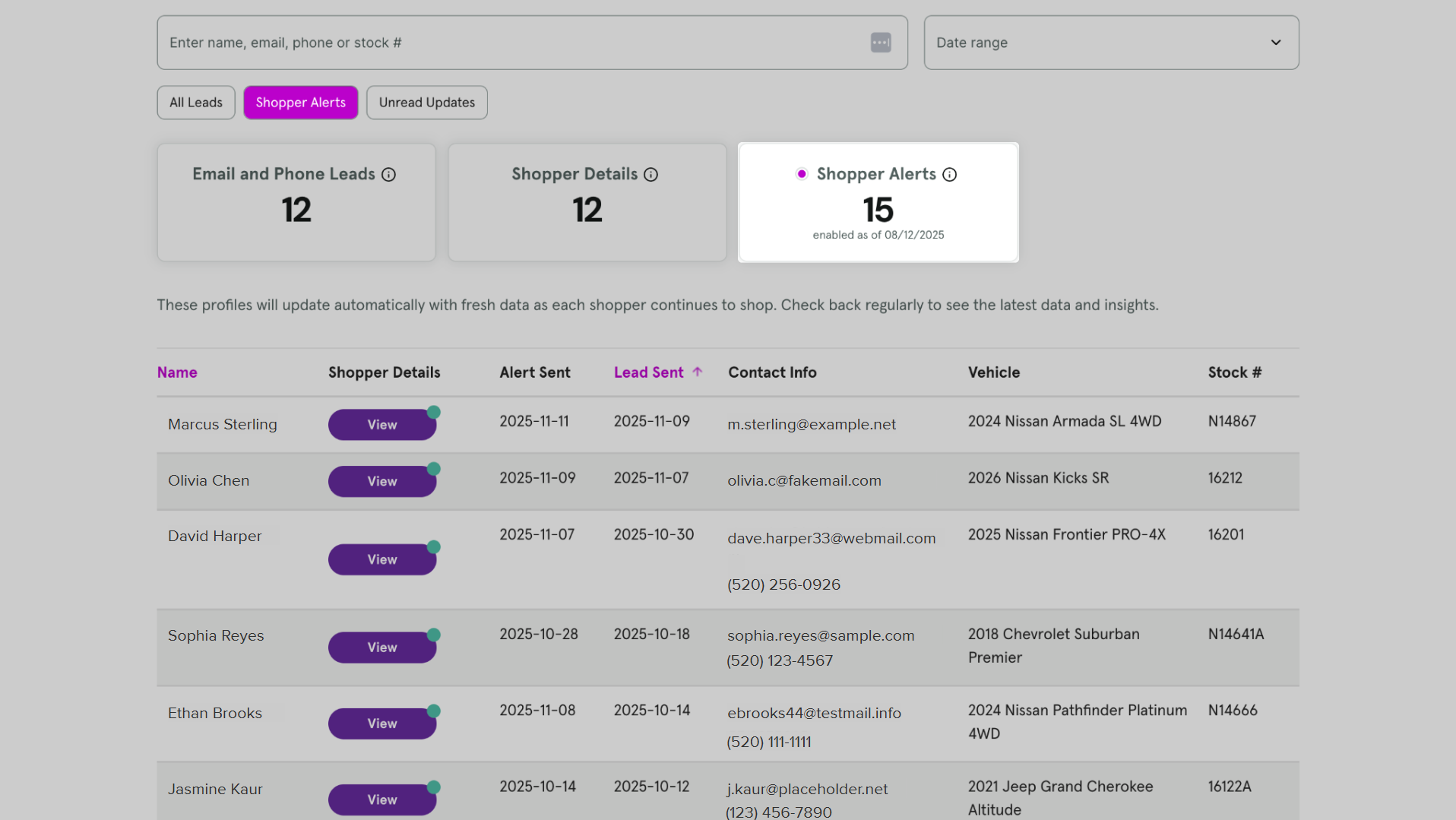
- Inside the Leads screen, scroll down or navigate to the Shopper Alerts tab.
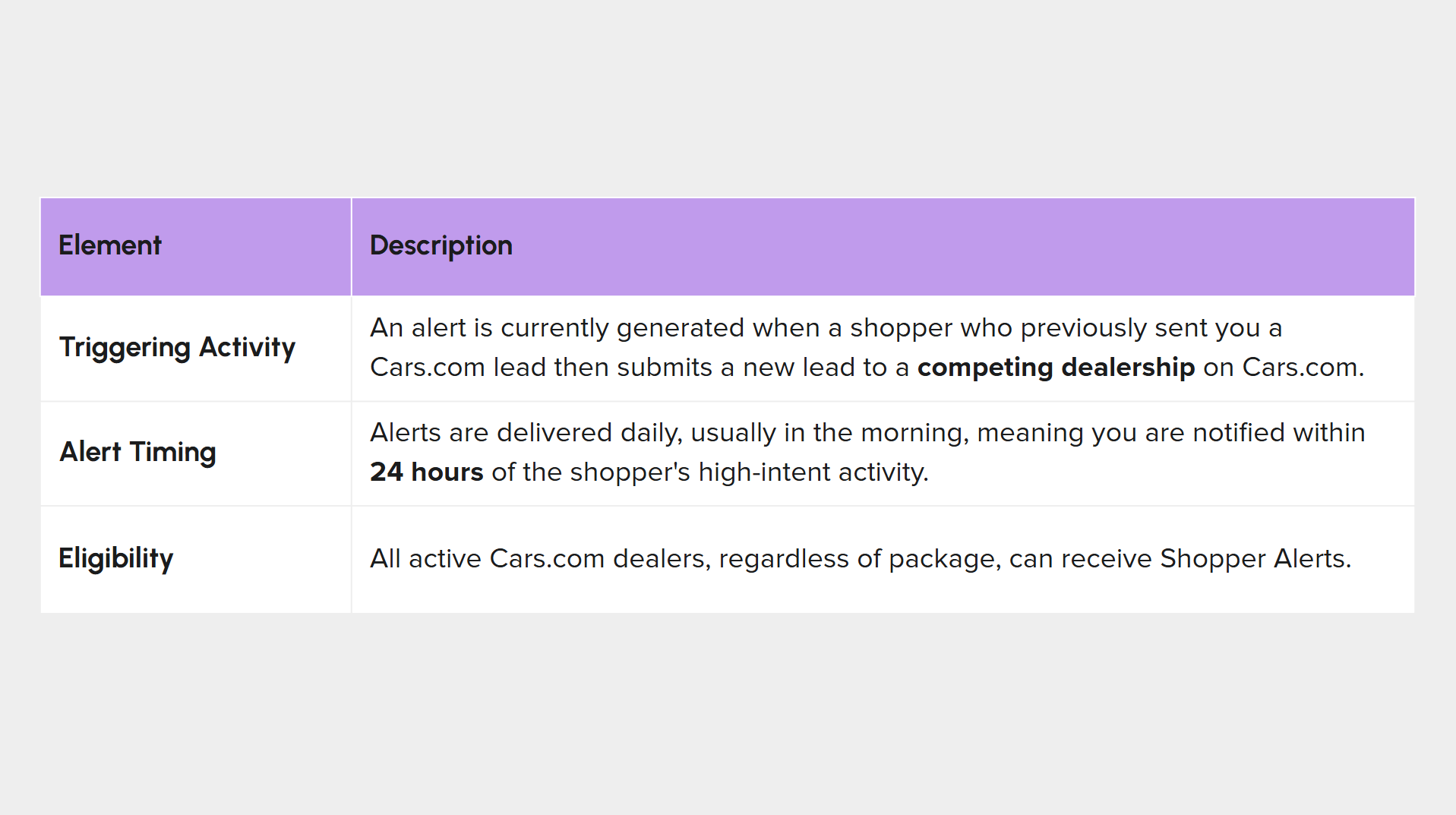
- This section displays alerts for existing leads who have recently taken high-intent actions on Cars.com (such as submitting a lead to another dealership).
3 Leverage your shopper alerts
- Shopper Alerts are automatically sent to your CRM — where your team already works.
- These alerts may appear as duplicate leads, depending on your CRM system.
- Don’t ignore them. Each alert signals that an existing shopper is still active and considering their options.
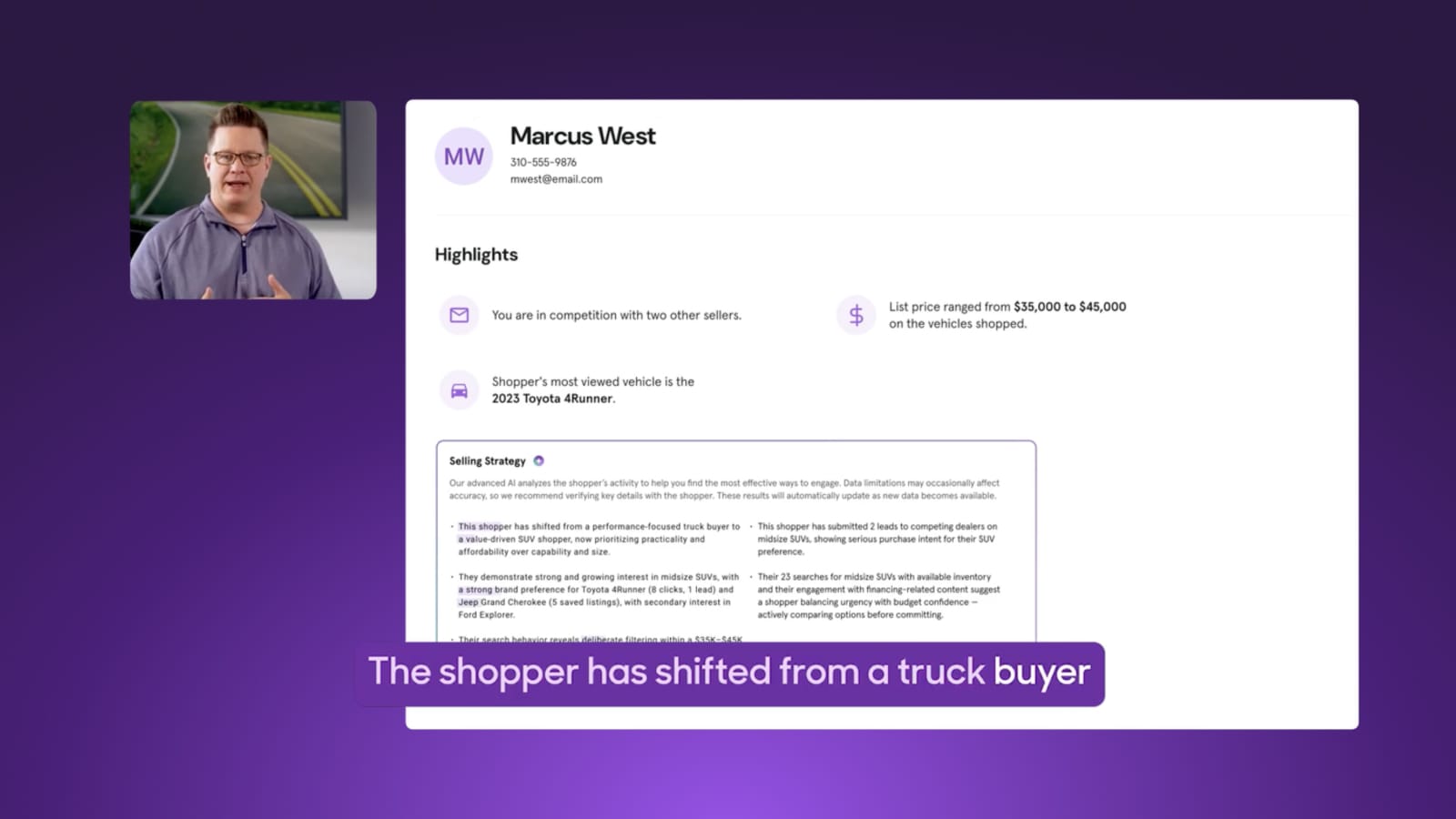
Tip: After receiving a Shopper Alert, click into the lead and review their updated Shopper Details. This view includes new vehicles they’ve viewed, price range, and other recent behaviors — perfect for crafting a relevant, timely follow-up.
FAQs
What’s the best way to use Shopper Details and Shopper Alerts together?
Use the Shopper Details profile to tailor your initial outreach to a new lead, as it provides key insights into their needs and competitive landscape. The profile automatically updates as shoppers continue to browse, so it’s a valuable tool for understanding their latest interests. When a Shopper Alert comes in, revisit the updated Shopper Details by viewing the lead to craft a timely and compelling message that can help you win back the customer.
Are Shopper Alerts considered new leads?
No, Shopper Alerts are not new leads. They are timely updates that provide rich information about existing Cars.com leads to help dealers improve conversion and save sales.
What do dealers need to do to start receiving Shopper Alerts?
For eligible leads (those with an accompanying Shopper Details page like email and phone leads), Shopper Alerts will automatically be delivered to their CRM. There’s no special setup required from the dealer’s end to start receiving the alerts.