How to connect your VHR credentials
You can seamlessly integrate your CARFAX and AutoCheck accounts with AccuTrade to include critical information from your vehicle history reports (VHR) and information directly into your appraisal workflow. These integrations ensure your team has the full vehicle story immediately, empowering you to make confident decisions in the moment based on accurate data.
To get started
Go to the Cars.com Hub, and click on AccuTrade.
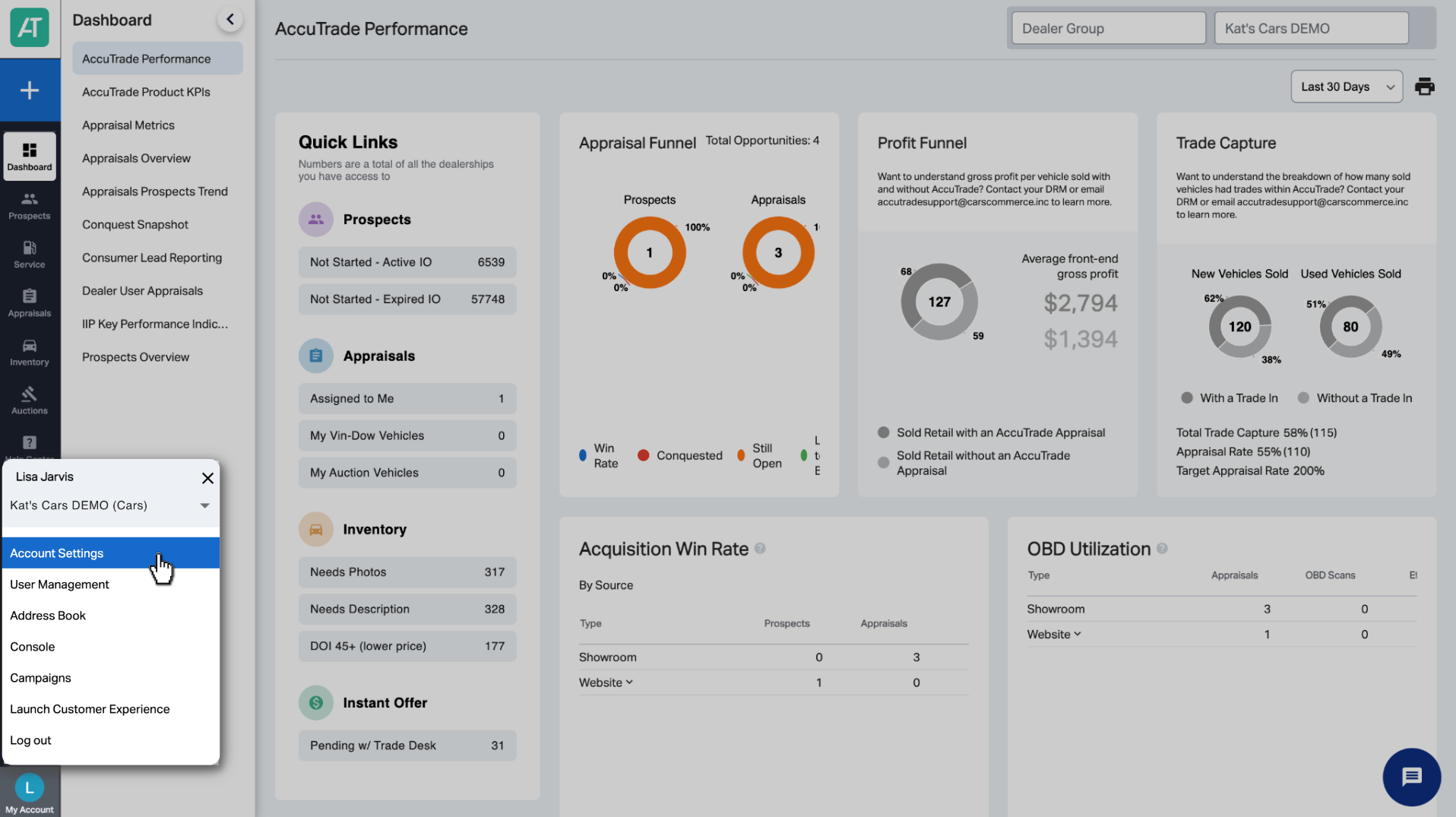
1 Access Account Settings
Click My Account in the bottom-left corner and select Account Settings.
2 Open the add-ons section
From the My Profile & Settings section, select the Add-ons tab to set up your CARFAX and AutoCheck integrations.

3 Connect CARFAX
Click Setup next to CARFAX and a pop-up window will appear prompting you to login. Click Login to CARFAX.
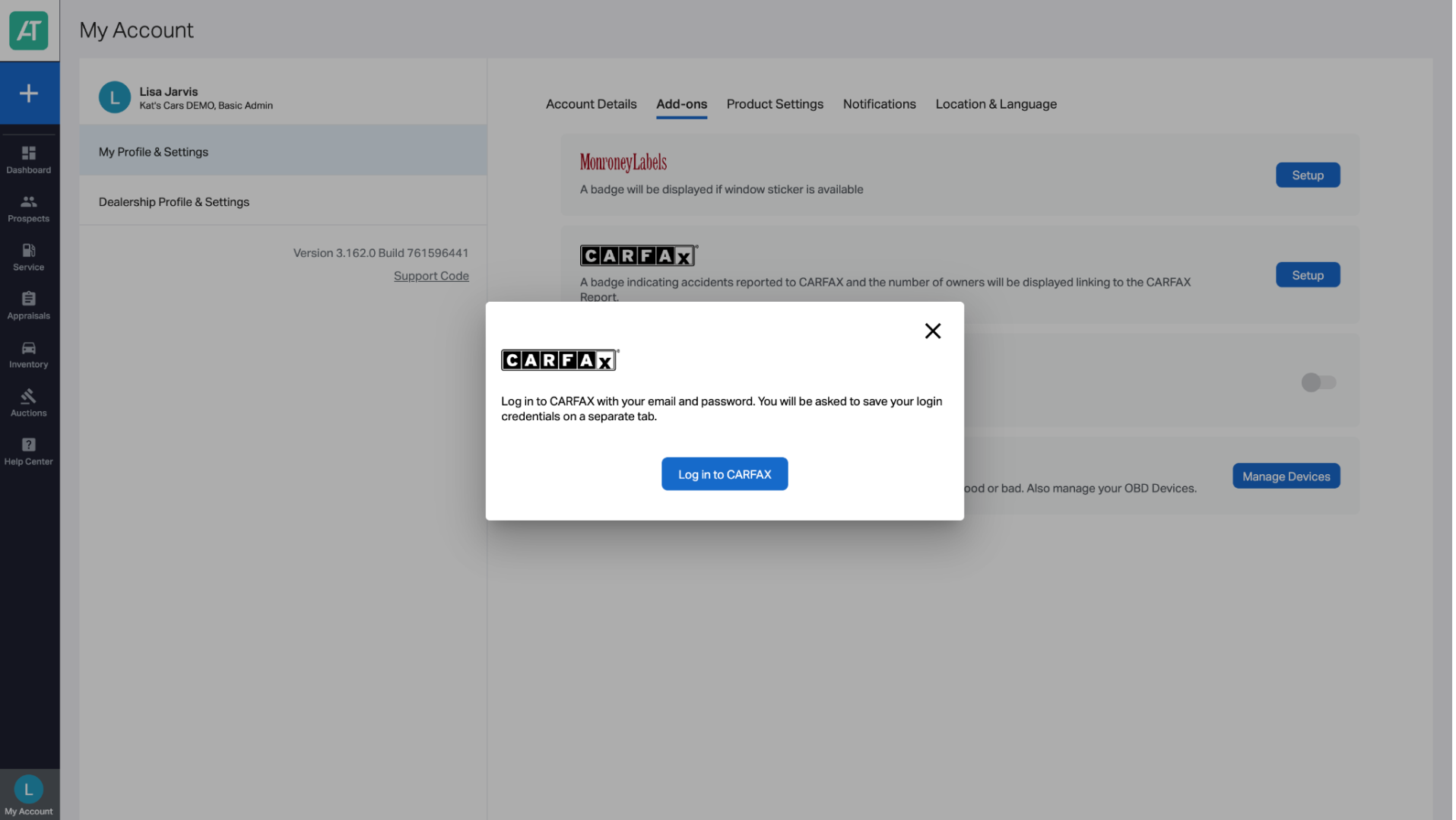
You will be redirected to the CARFAX login page in a new browser tab. Enter your CARFAX credentials and complete the login process.
Upon login, you’ll receive a confirmation that AccuTrade and CARFAX are connected.
Confirm the connection: Return to AccuTrade and refresh the page. Your integration is successfully synced when the Setup button changes to Edit, with Connected appearing just below it.
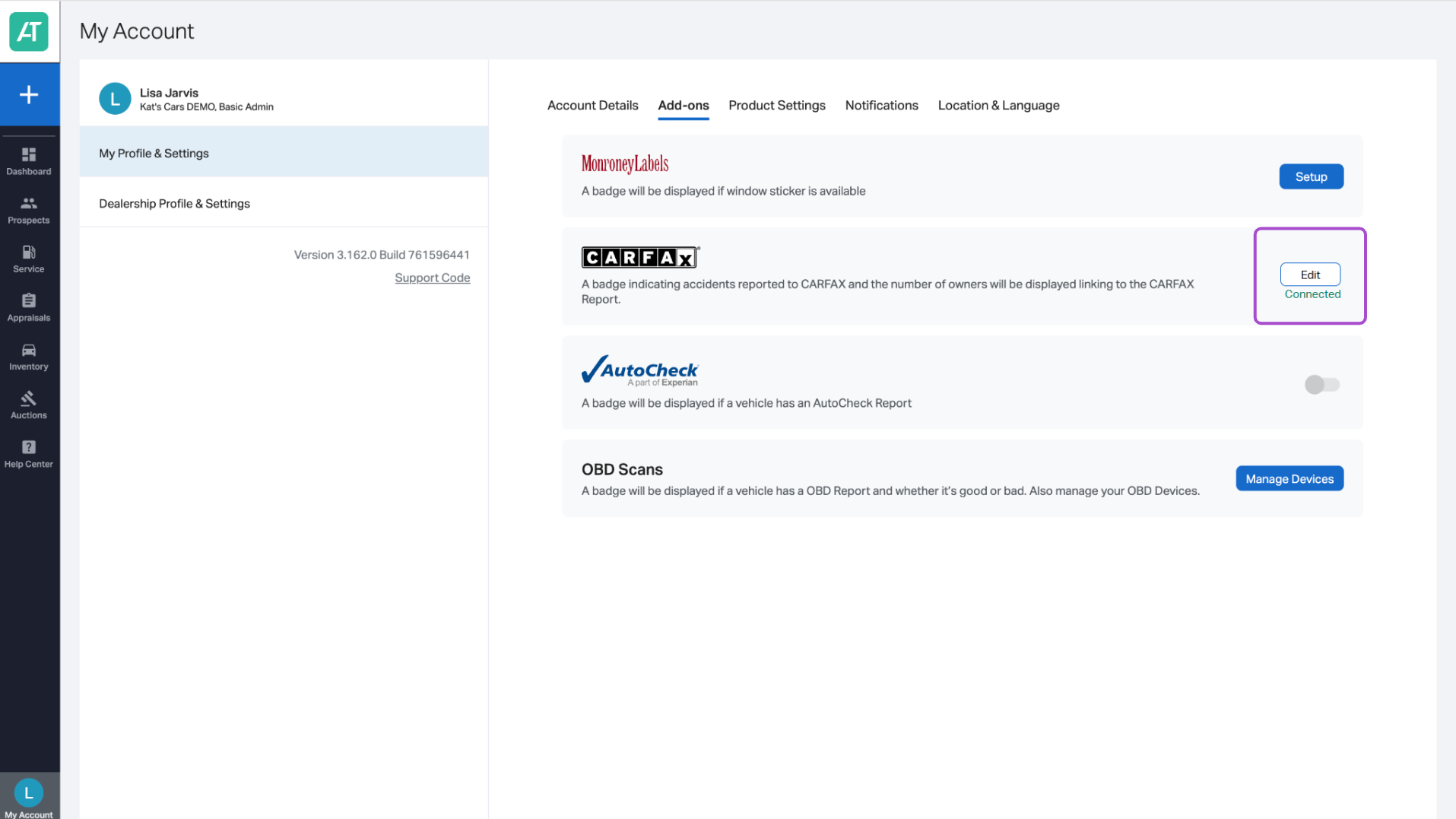
4 Connect AutoCheck
To sync AutoCheck, just click the toggle to connect it with AccuTrade. The toggle will turn blue and Connected will appear below, confirming the integration was successful. It’s as simple as that!

5 Use VHR to your advantage
Once connected, VHR data is automatically included during appraisals.
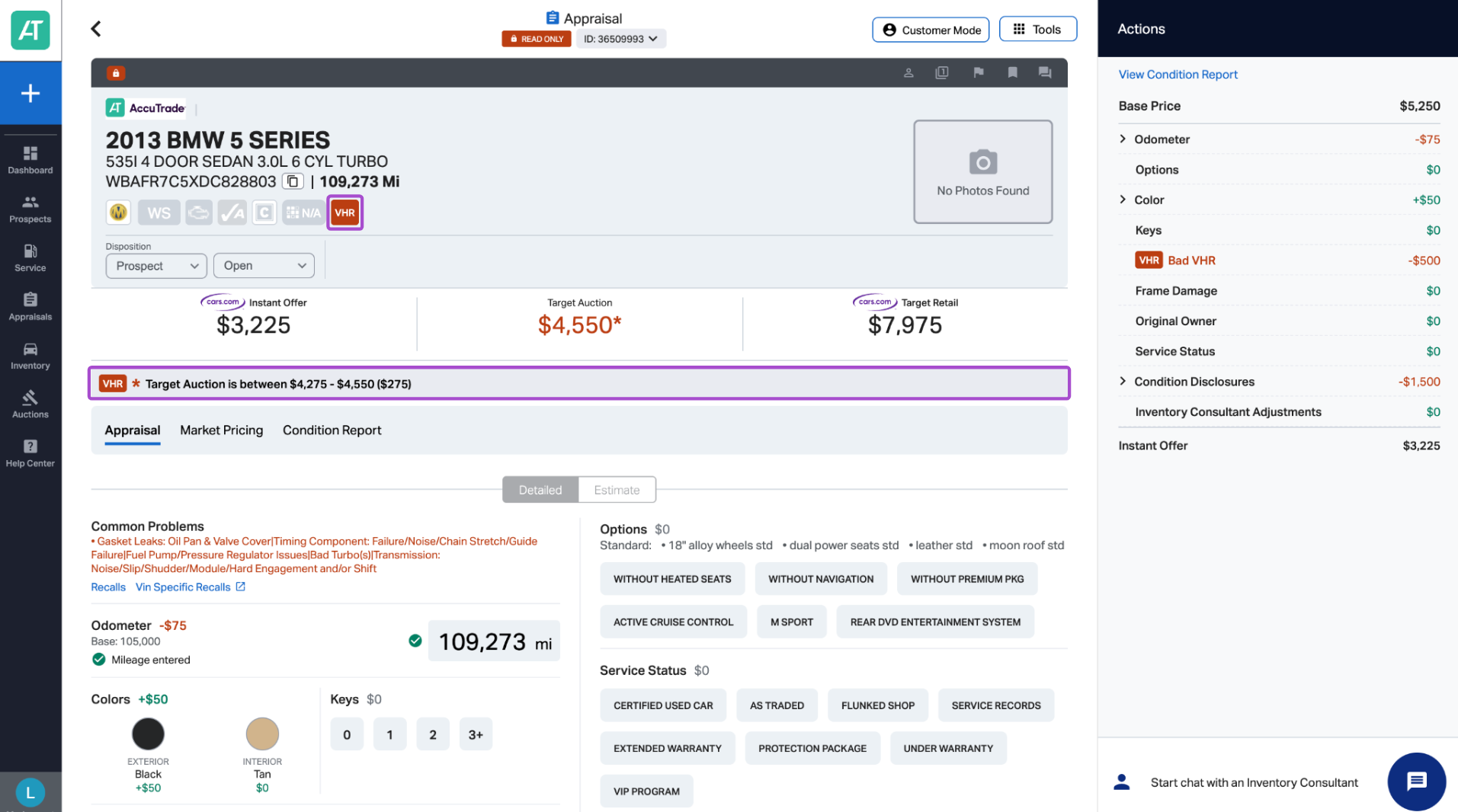
In the Appraisal View
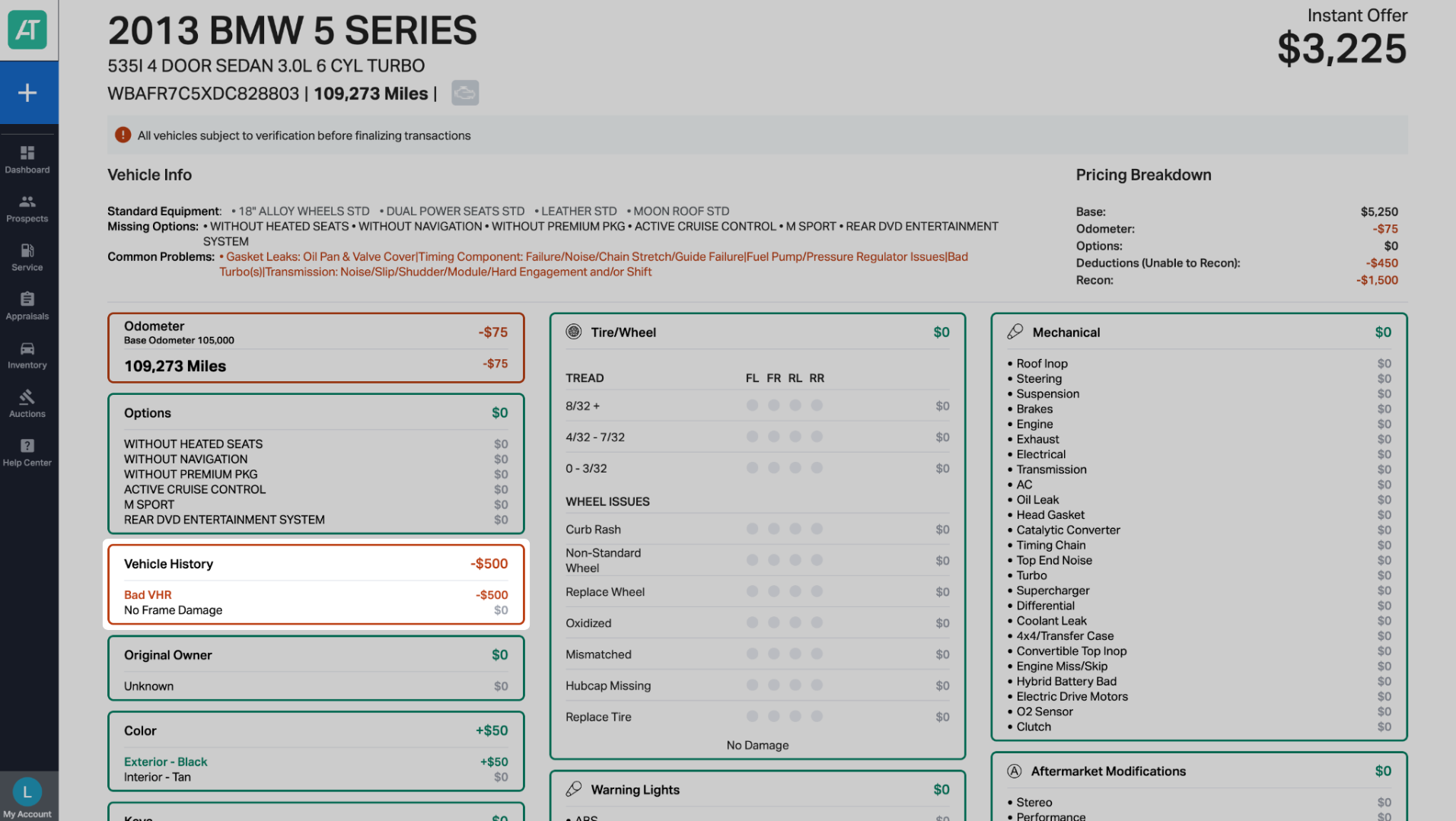
- A VHR icon appears on the appraisal.
- A red icon indicates a negative CARFAX or AutoCheck history.
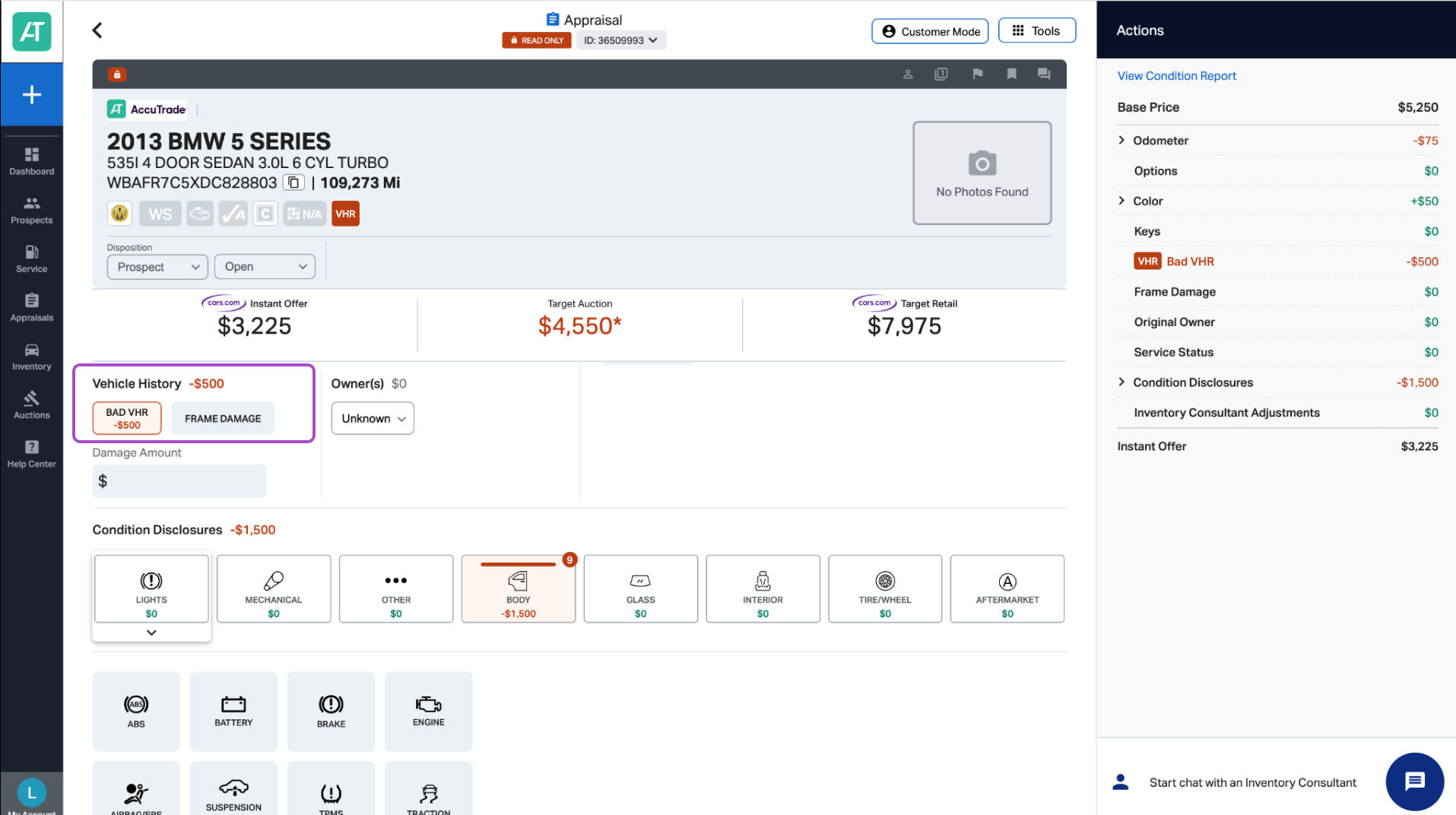
Vehicle History Section
- You will see:
- VHR details
- A dollar adjustment associated with the vehicle history
- VHR details
- If applicable, you can indicate frame damage
- Any VHR-related deductions are:
- Reflected in the appraisal details
- Automatically applied to the instant cash offer at the top of the appraisal
- Reflected in the appraisal details
Universal Condition Report
When generating a Universal Condition Report (UCR):
- VHR disclosures are automatically included.
- CARFAX and AutoCheck findings appear as part of the condition documentation.
Syncing up vehicle history reports to your AccuTrade account is essential to help make informed decisions, present accurate offers to your customers, and avoid profit losses at the time of the vehicle acquisition.