How to leverage Price to Market
Price to Market is an automated pricing strategy for used vehicles that sets your retail list price as a percentage of your competitive set’s average price.
In this article, you’ll learn how to set, monitor, and optimize your Price to Market strategy in AccuTrade to balance profit margins, turn times, and market positioning.
To Get Started
Go to the Cars.com Hub, and click on AccuTrade.
1 Select a vehicle from your inventory
- Click the Inventory tab.
- Search for and select the vehicle you want to price.
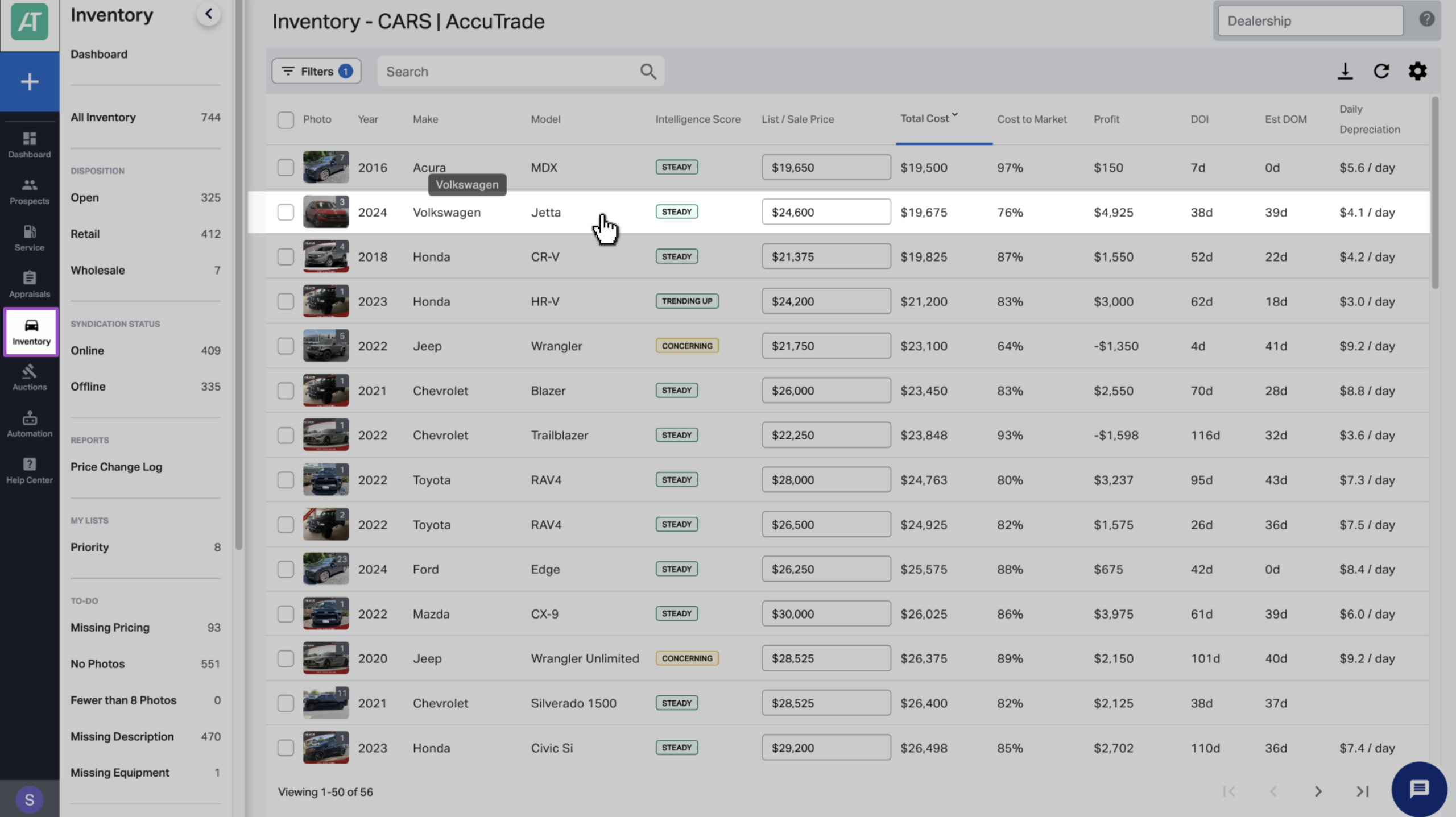
2 Open the Market Pricing tab
Click the Market Pricing tab.
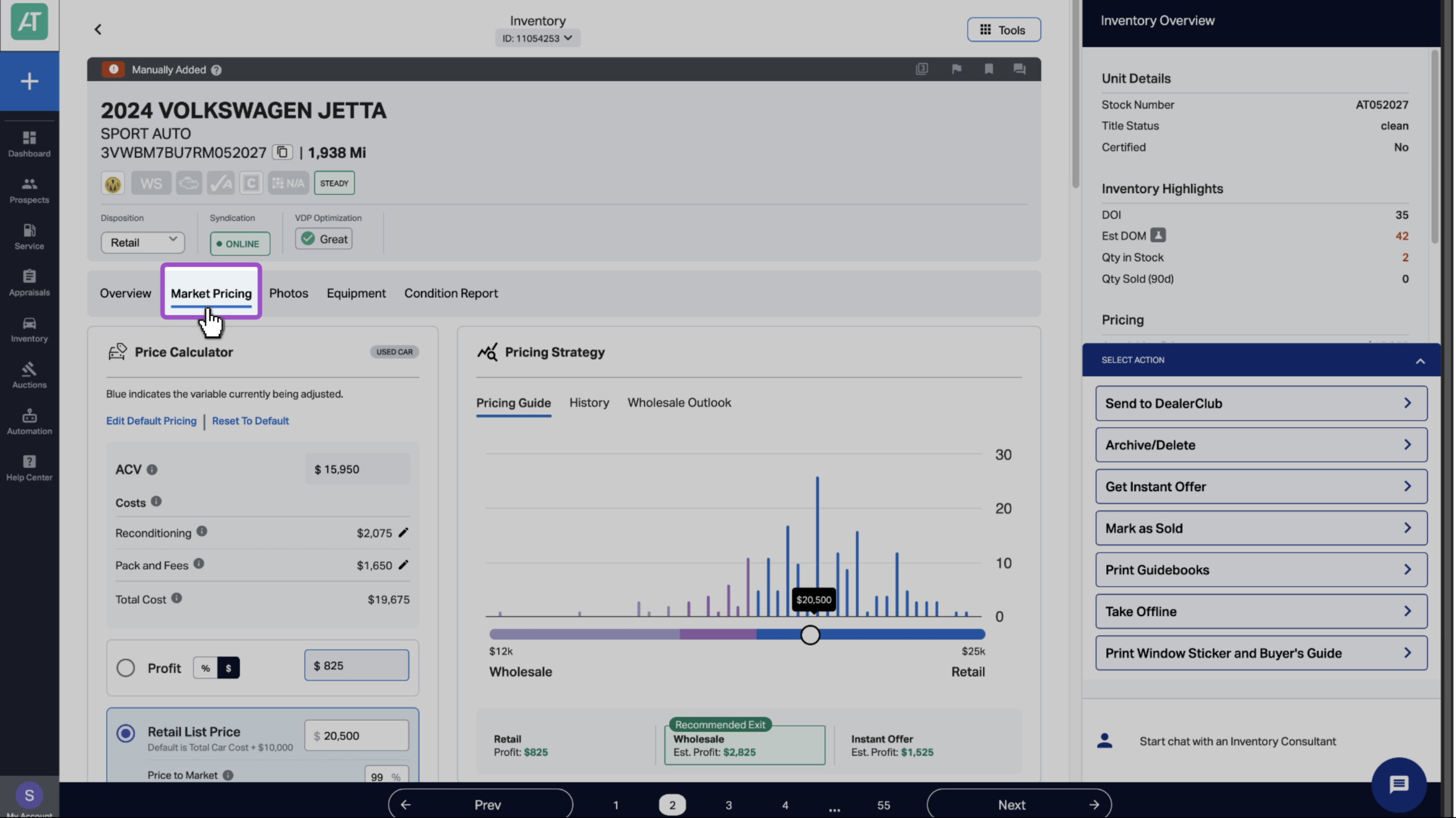
3 Set your Price to Market percentage
In the Price Calculator:
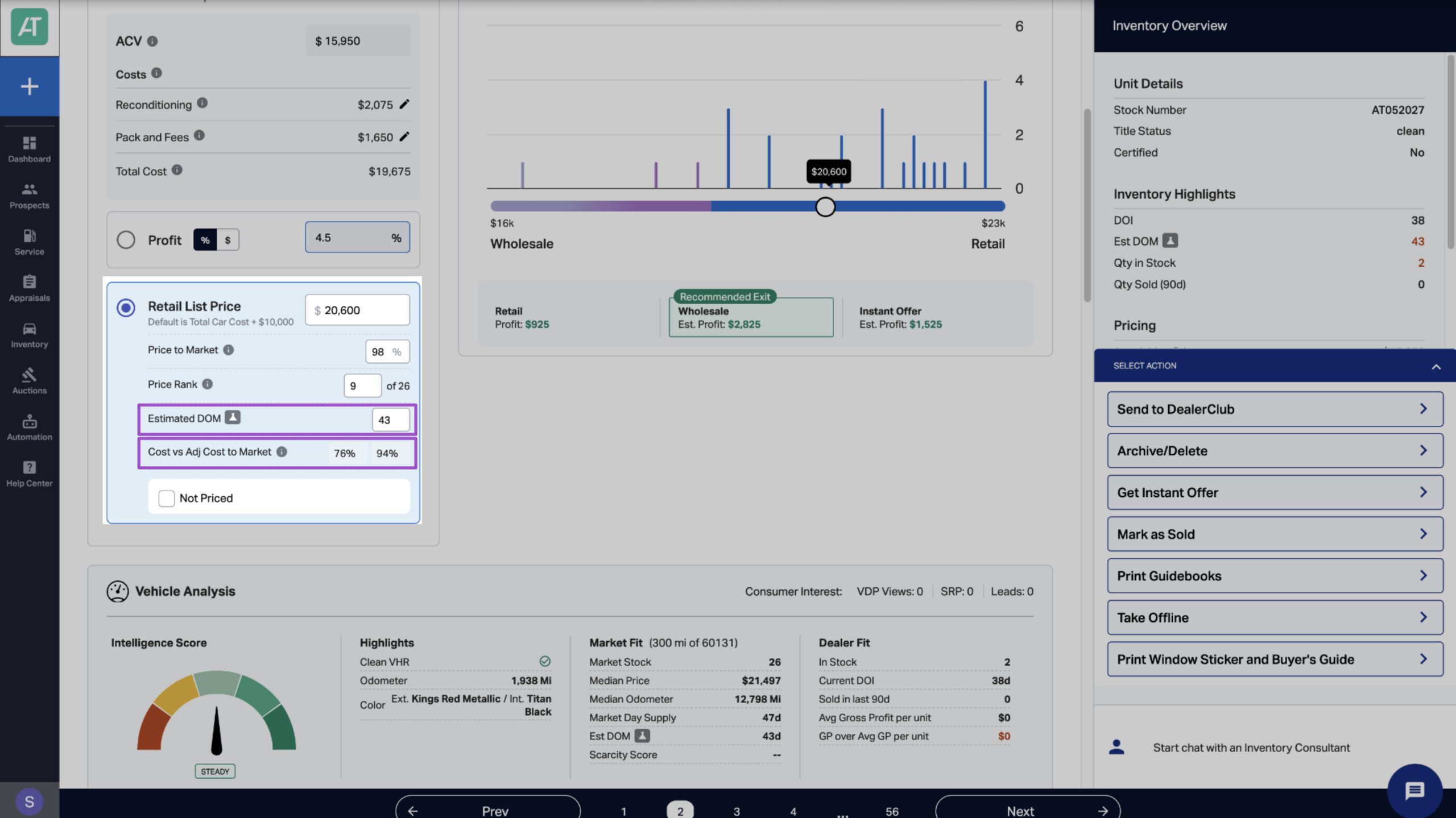
- Select Retail List Price.
- Set your desired Price to Market percentage.
The system will automatically calculate and display:
- Your new Retail List Price
- Cost to Market percentage
- Adjusted Cost to Market percentage
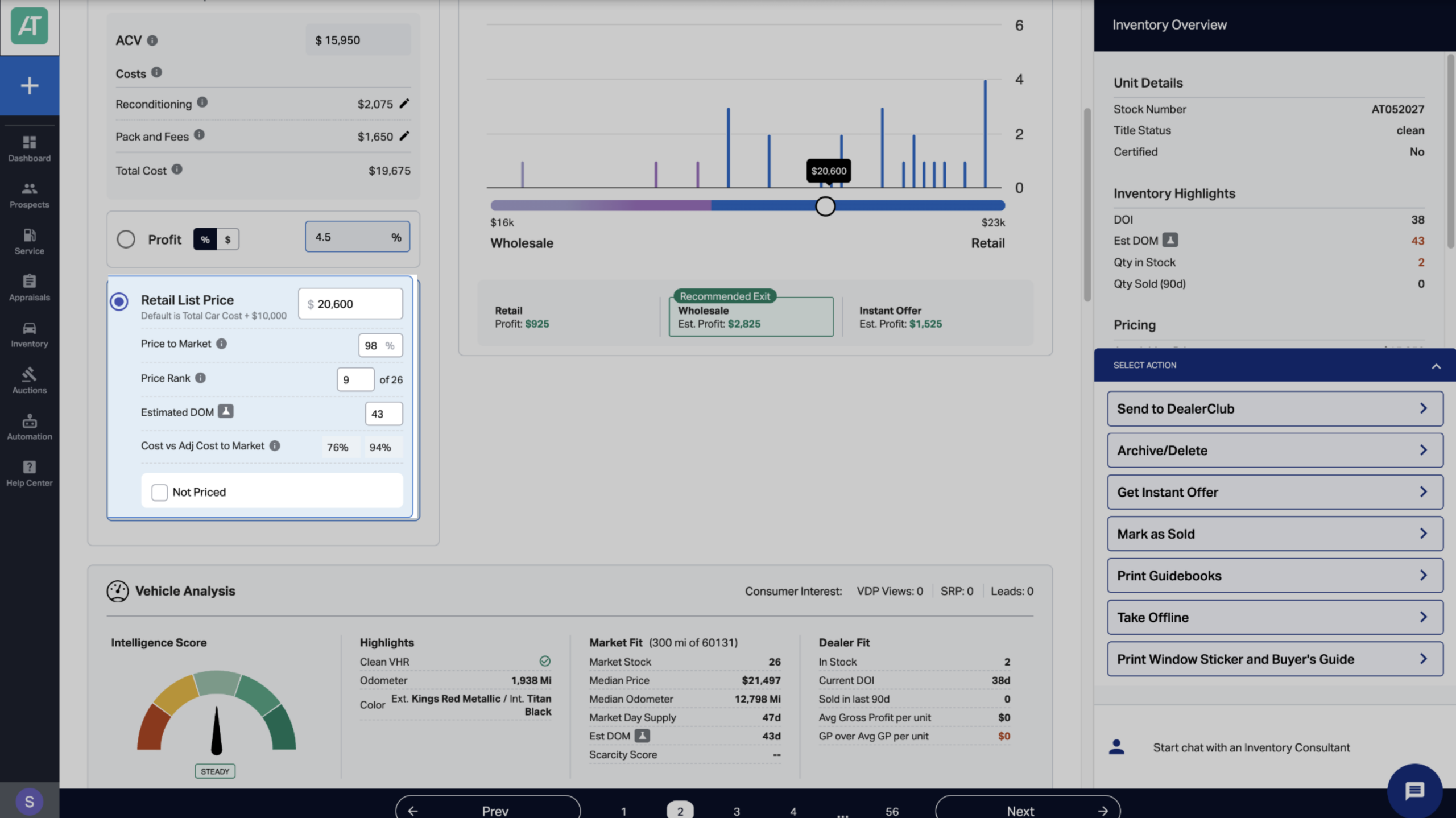
The system continuously monitors the market and adjusts your percentage automatically as competitor prices change.
Example:
- Competitive set average price: $25,000
- Your Price to Market strategy: 98%
- Your automatic list price: $24,500
When the market average moves to $26,000, your price automatically adjusts to $25,480 to maintain your 98% positioning.
4 Review your profit impact
Check the Retail exit profit estimate in the Pricing Strategy section to see how your price-to-market strategy affects profitability:
- Retail Profit = List Price – Total Car Cost
Make sure your pricing strategy still delivers acceptable profit margins.
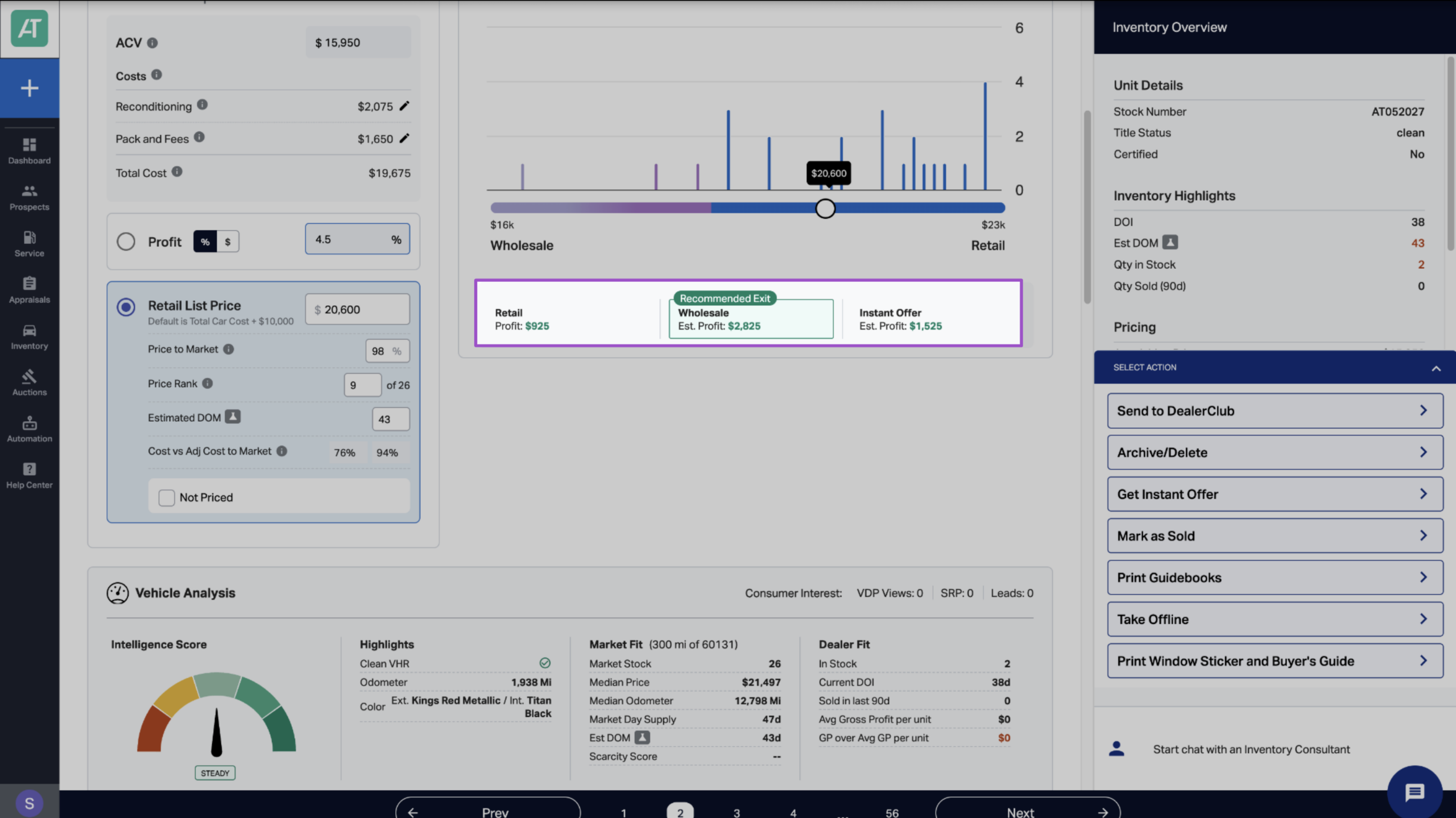
5 Understand related metrics
Estimated Days on Market (DOM)
AccuTrade calculates how long the vehicle is projected to take to sell at your current Price to Market percentage.
Use this to:
- Balance profit goals with turn time
- Identify if aggressive pricing is needed
- Set realistic expectations for inventory turn
Cost and Adjusted Cost to Market percentages
- Cost to Market shows the vehicle’s Actual Cash Value (ACV) as a percentage of the competitive average price.
- Adjusted Cost to Market factors in the Total Car Cost (including recon costs and fees) as a percentage of the competitive retail price average.
Together, these metrics tell you whether you overpaid on acquisition, how much margin you have to work with, and if the vehicle is worth retailing.
6 Set your default pricing strategy (optional)
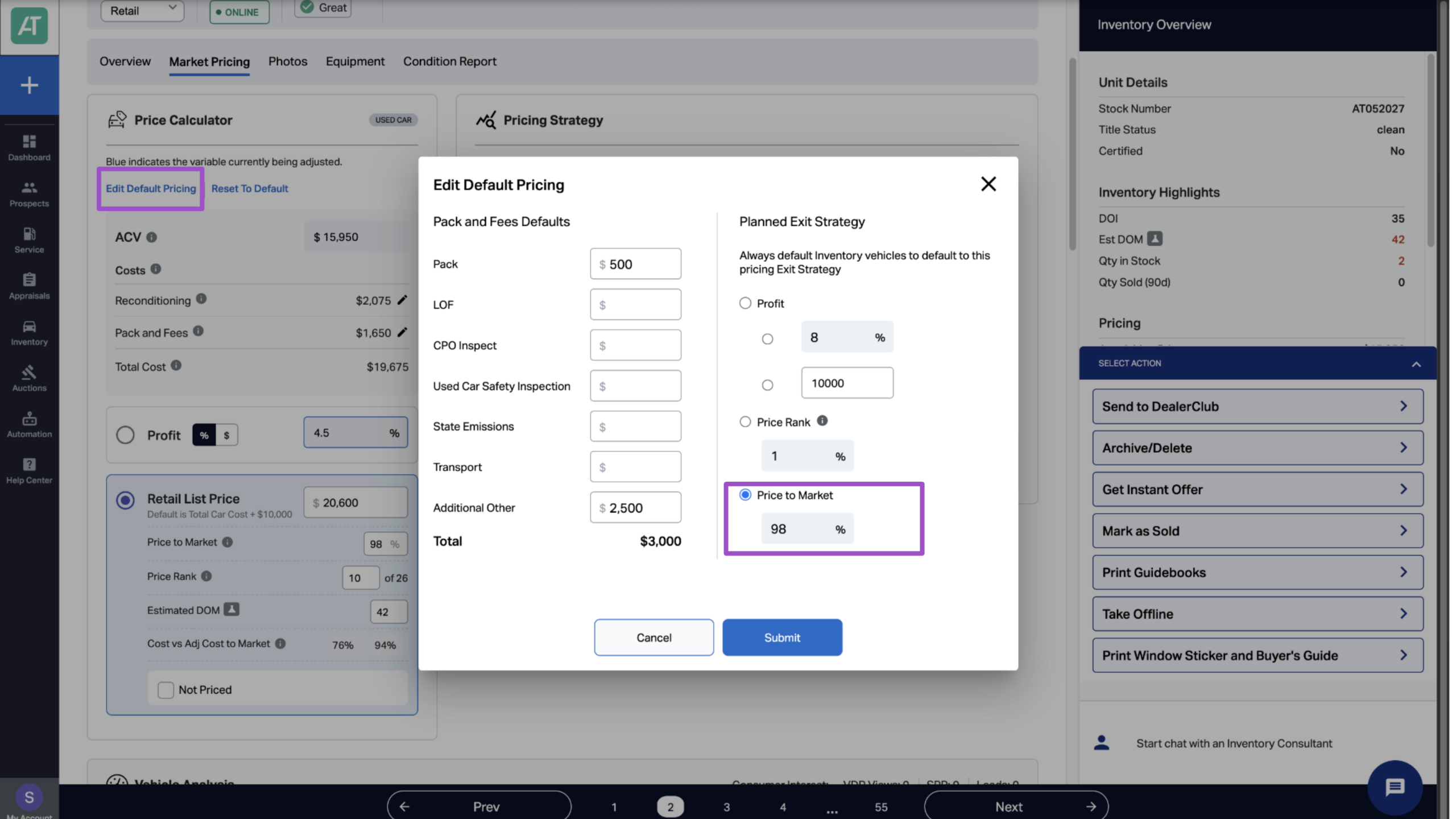
To avoid setting Price to Market manually for each vehicle, you can configure a default strategy. New vehicles will automatically inherit this strategy when added to inventory.
- Click Edit Default Pricing.
- Enter your preferred default percentage.
- Click Submit.
7 Monitor and adjust your price-to-market strategy
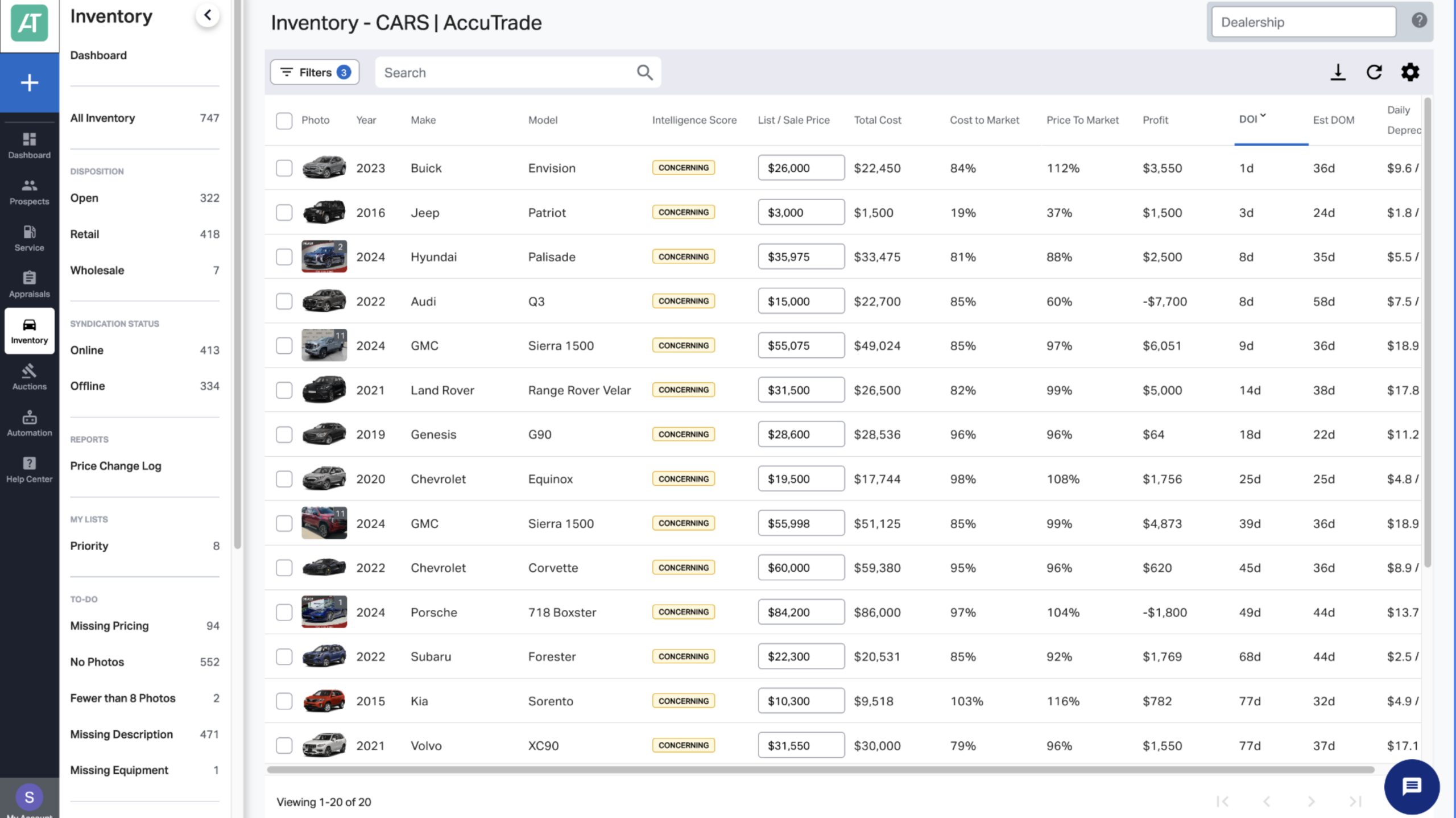
Review Concerning and At-Risk vehicles frequently
Market conditions change constantly. Check these vehicles frequently and adjust your Price to Market percentage if:
- Estimated DOM is increasing
- Cars.com engagement (VDPs, clicks) is declining
- Competitive set average prices are dropping
- Vehicle is approaching 60+ days on lot
Monitor Performing vehicles monthly
Even your best inventory deserves attention. Review monthly and consider:
- Increasing to 100%+ if market supply is low
- Maintaining current strategy if metrics are strong
- Adjusting if new competition enters the market
Respond to market changes immediately
When you see significant competitive set changes:
- New vehicles enter at lower prices
- Multiple competitors reduce prices
- Market Day Supply increases dramatically
Your Price to Market strategy automatically adjusts your list price, but you may need to change your percentage to stay competitive.
Best practices for maximum profit
Let the system work for you
Price to Market’s biggest advantage is automation. Set your strategy and let AccuTrade handle the daily price monitoring and adjustments.
Tighten your competitive set first
Your Price to Market percentage is only as good as your competitive set. Take time to properly filter and refine your comparison vehicles for accurate market positioning.
Use the Intelligence Score as your guide
Your vehicle’s Intelligence Score should inform your price-to-market strategy:
- High scores (Performing) = Higher percentages
- Low scores (At-Risk) = Lower percentages
Monitor cost to market, not just price
A 98% Price to Market percentage looks competitive, but if your Cost to Market is 93%, you’re barely making money. Always check both metrics.
Consider seasonal demand
Some vehicles have seasonal demand patterns (convertibles, 4WD trucks, etc.). Adjust your Price to Market percentage to match buying cycles:
- Price aggressively (95-97%) in low-demand seasons
- Price competitively (98-100%) in high-demand seasons


