How to leverage the Consumer Satisfaction awards
The Cars.com Consumer Satisfaction Award recognizes the top-performing dealerships based on customer reviews submitted on Cars.com, showcasing outstanding customer satisfaction results.
All dealerships that meet the criteria and are top-performers based on their PowerScore™ for the previous calendar year will receive the Consumer Satisfaction award.
Award criteria and eligibility
To qualify for a Consumer Satisfaction Award, your dealership must meet the following criteria for the previous calendar year:
- Minimum of 25 reviews on Cars.com
- At least 1 review per quarter (to show consistency year-round)
- An average rating of 4.0 stars or higher (out of 5)
- Must not be blacklisted — i.e., your dealership must not have violated Cars.com’s review policies
How Are Winners Determined?
If your dealership meets the criteria above, it will be evaluated using a proprietary PowerScore™. This score is calculated based on:
- Average star rating
- Number of reviews
- Review response rate
We use a Bayesian algorithm to compare your performance to the site-wide averages. A select percentage of top-performing dealerships receive the award based on these metrics.
When are winners announced?
- Timing: Awards are announced during Q1 of the following year.
- Notification: If your dealership wins, you’ll be notified via email.
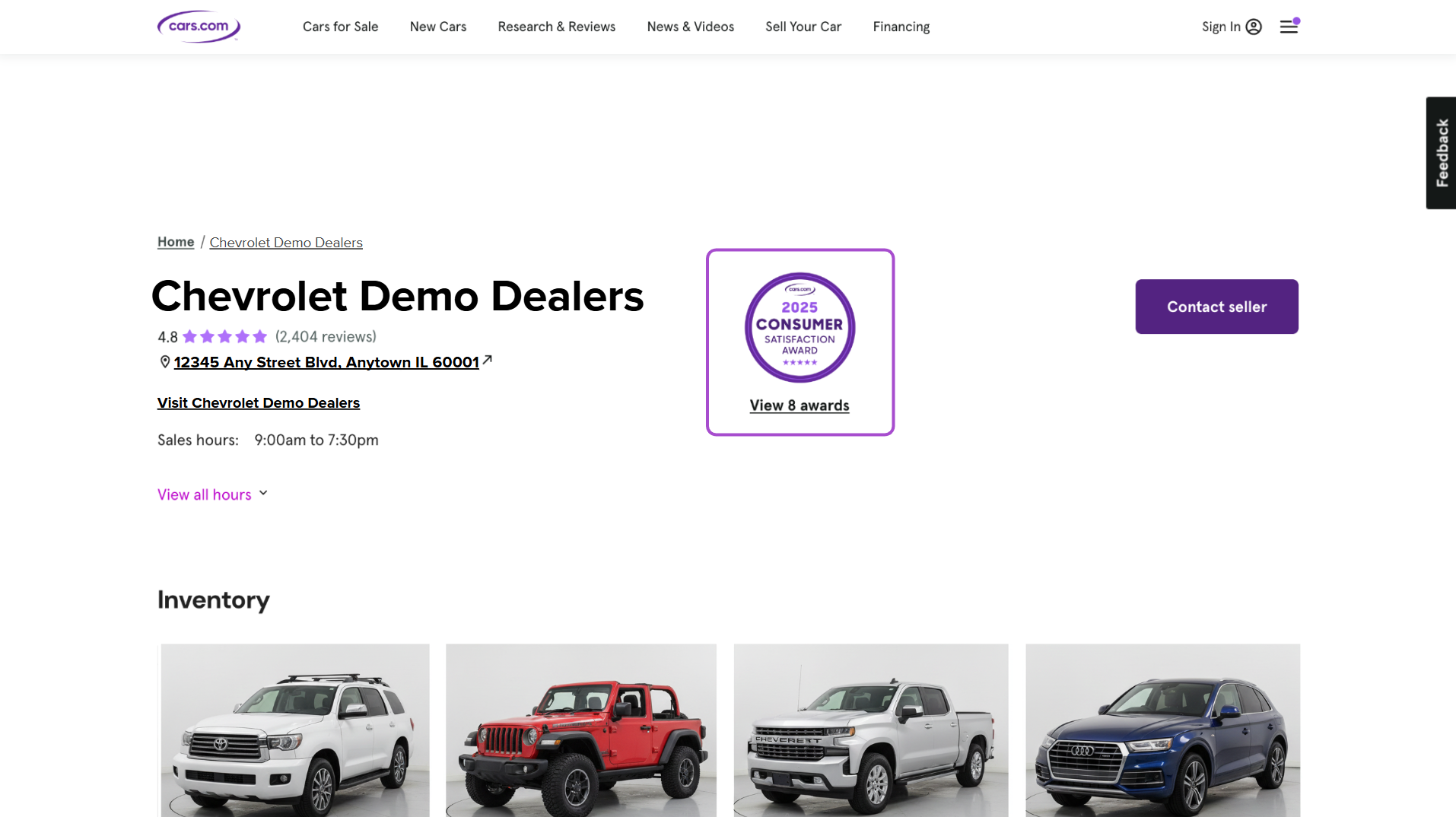
- Recognition: Your Cars.com profile page will be updated with a Consumer Satisfaction Award badge.
What do award winners receive?
As a Consumer Satisfaction Award winner, your dealership will receive the following:
- A Consumer Satisfaction Award banner on your Cars.com profile
- High-resolution graphics for digital and social use
- A press-release template to help you announce your win
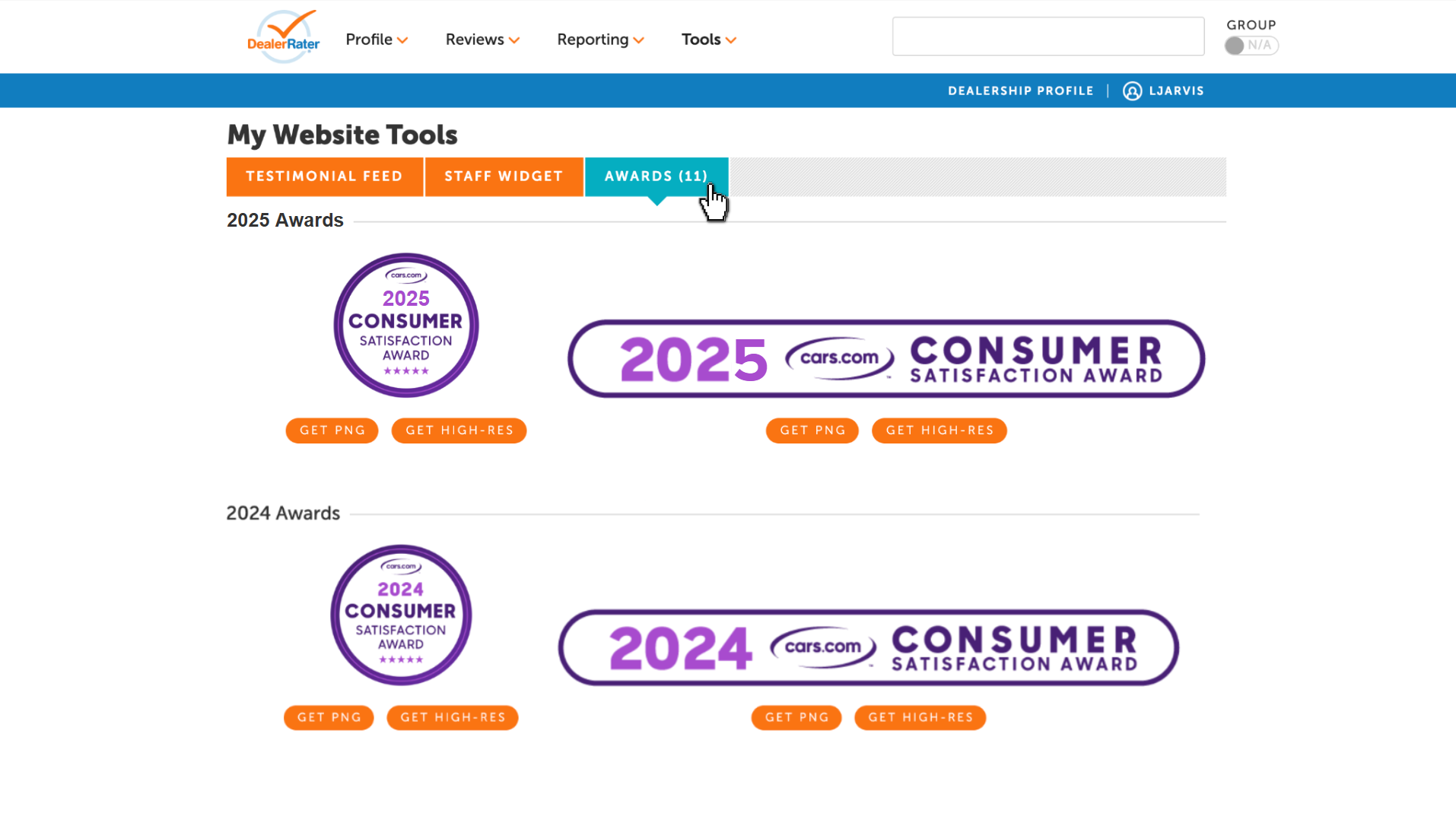
You can access all graphics and templates directly from your Cars.com Dealer Panel:
- Log in to your Dealer Panel.
- From the navigation, click on Tools, then select My Website Tools.
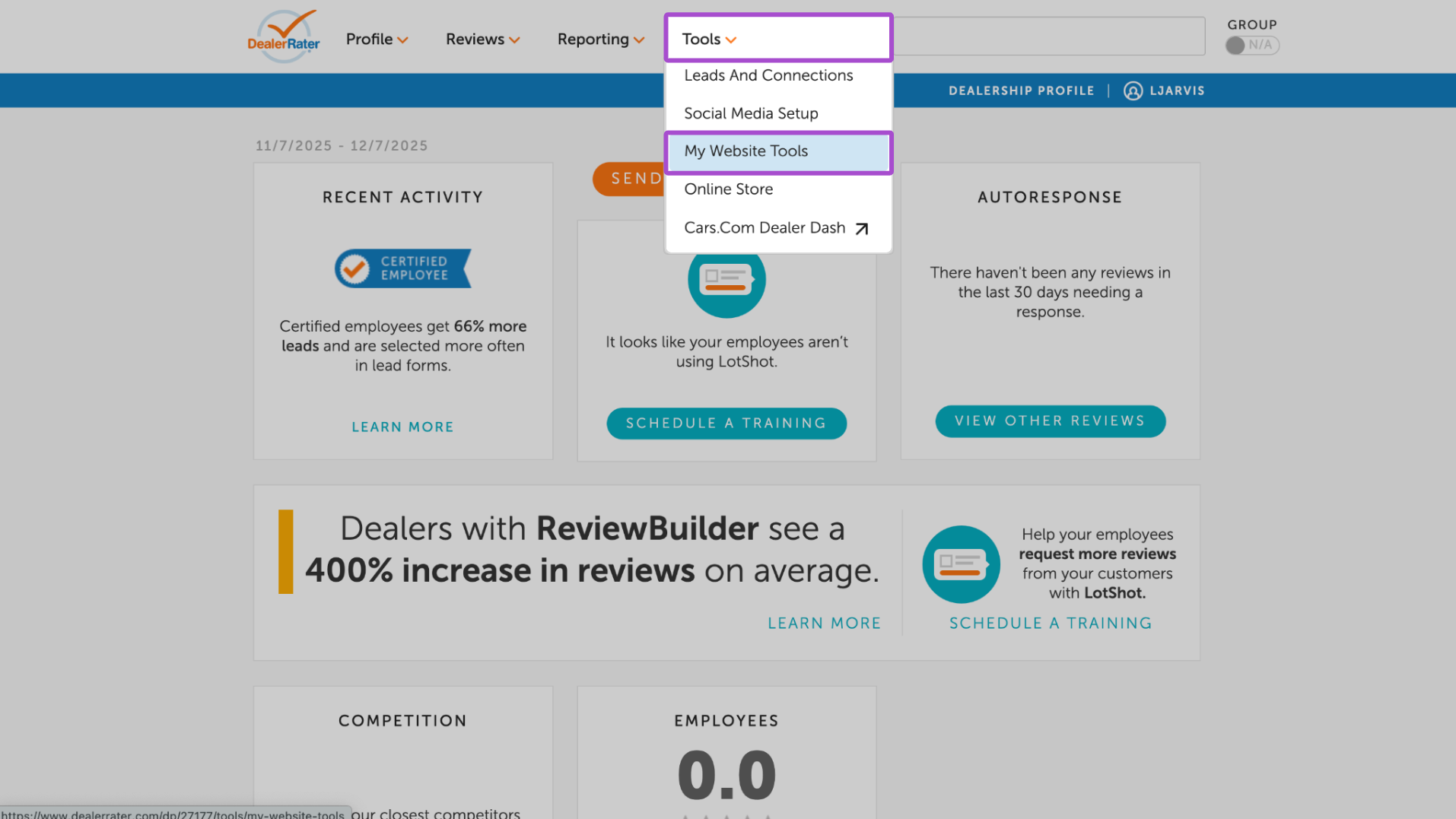
- Click the Awards tab.
- Use the orange download buttons to select the image type and file format you need (e.g., high-res JPGs, PNGs).
- Customizable social media templates
- Window clings, mailed directly to your dealership for in-store display
How to Access Award Assets in Dealer Panel
These files can be used on:
- Your Cars.com listings
- Your website
- Social media and email campaigns
- In-store marketing materials
Need Help?
If you’re unable to locate your award assets or have questions about eligibility, contact your Cars.com Account Executive.