How to leverage the Inventory Intelligence Report
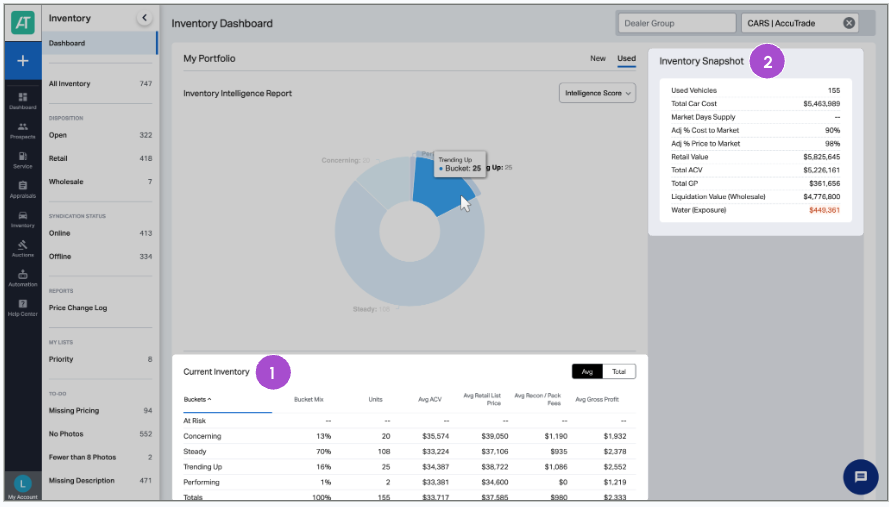
AccuTrade’s Inventory Intelligence Report gives you a portfolio-wide view of your current inventory — highlighting which vehicles are holding value, which are trending up, and which are at risk of becoming profit drains.
Rather than relying solely on age-based metrics like Days on Inventory (DOI), the Intelligence Score uses three core dimensions — Vehicle Fit, Market Fit, and Dealer Fit — to predict how likely a vehicle is to sell and at what risk level.
In this article, you’ll learn how to access and use the Inventory Intelligence Report to identify high-risk vehicles, prioritize merchandising efforts, and make strategic pricing or exit decisions.
To get started
Go to the Cars.com Hub, and click on AccuTrade.
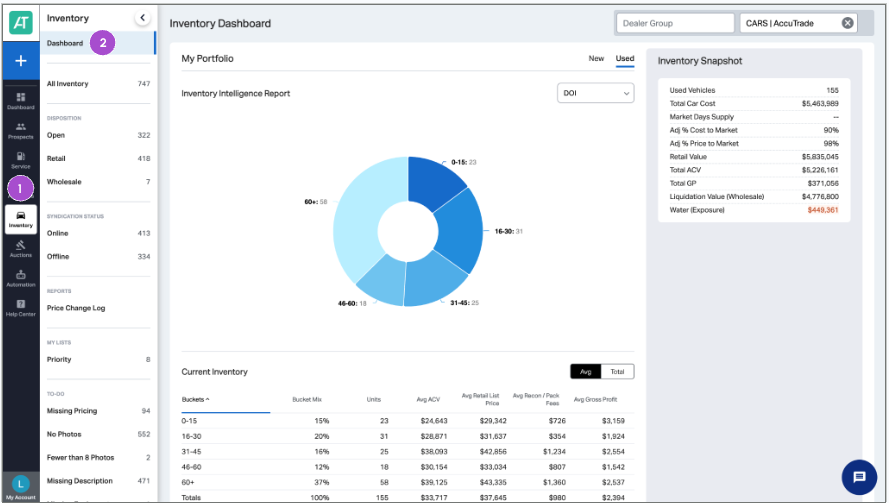
1 Access your dashboard
Once logged into AccuTrade:
- Click the Inventory tab in the left-hand menu
- Select Dashboard
2 Adjust your portfolio highlights
In the dashboard view:
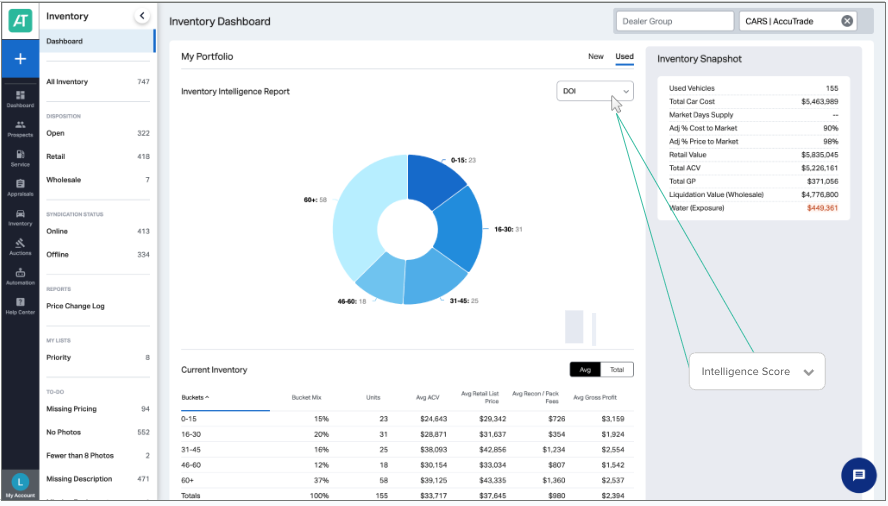
- Toggle between New and Used inventory
- Choose either Days on Inventory (DOI) or Intelligence Score
When to use each:
- Use DOI to see which vehicles have aged the longest
- Use the Intelligence Score to identify profit risk and sellability — even for recently acquired vehicles
3 Leverage the performance breakdown
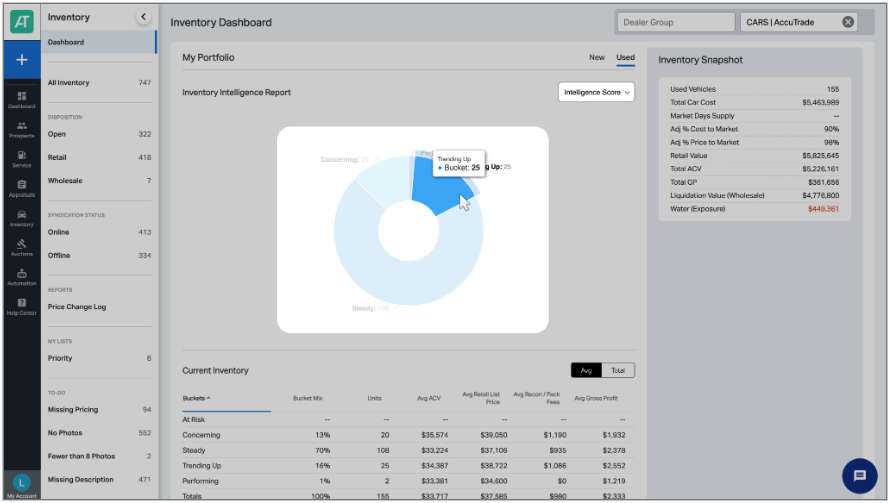
Hover over segments of the pie chart to explore vehicle performance by category:
- Performing
- Trending Up
- Steady
- Concerning
- At-Risk
These categories help you segment your inventory by profitability and urgency.
Score categories
- Performing: Low-risk vehicles likely to sell quickly
- Trending Up: Good vehicles with positive momentum
- Steady: Average vehicles with standard market performance
- Concerning: Higher-risk vehicles needing attention
- At-Risk: High-risk vehicles that may struggle to sell
Intelligence score drivers
Each score is based on:
- Vehicle Fit: Consumer demand for the specific VIN configuration in your local market
- Market Fit: Current supply and demand for that vehicle segment
- Dealer Fit: Your historical success selling similar vehicles
3 Act on the score
Use score categories to guide strategy:
At-Risk:
- Price aggressively (95% or below market)
- Consider immediate wholesale exit
- Reduce reconditioning investment
- Don’t let these age further
Concerning:
- Review and adjust pricing weekly
- Enhance merchandising (photos, descriptions)
- Consider promotional messaging
- Monitor competitive set changes
Steady:
- Maintain current pricing strategy
- Standard merchandising approach
- Monitor for category movement
Trending Up / Performing:
- Maintain or increase pricing
- Invest in premium merchandising
- Maximize profit potential
- These are your money-makers
5 Use granular data views
In addition to the Intelligence Score chart, you’ll see:
- Totals and averages for broader inventory trends
- Inventory Snapshot on the right with key portfolio stats
Want to drill down further?
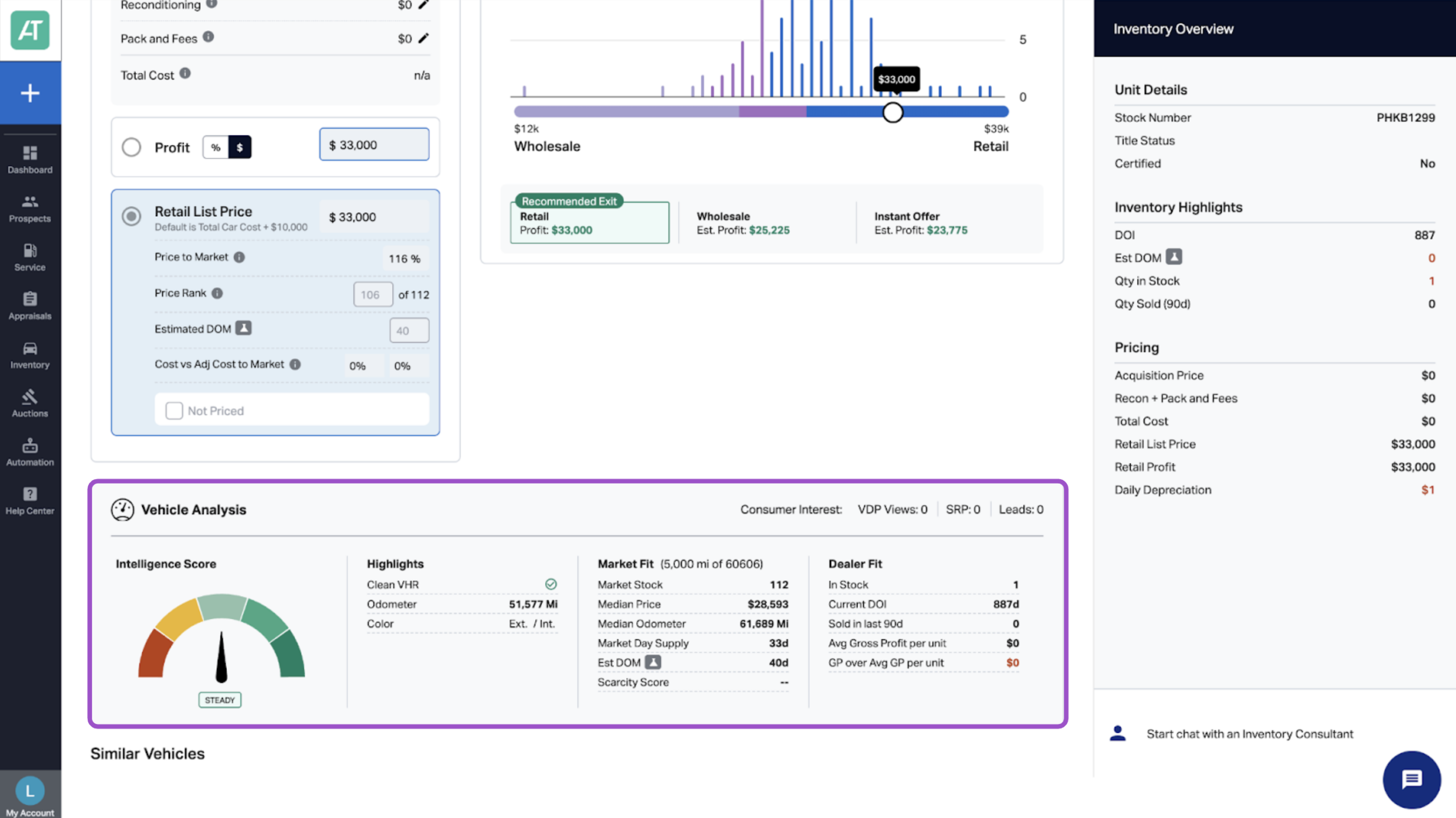
- Click any vehicle to view its individual Intelligence Score
- Go to the Market Pricing tab
- Look for the Vehicle Analysis section
This lets you diagnose risk or opportunity at the VIN level for more tailored decisions.