How to access media referral traffic in Google Analytics
Referral traffic from Cars.com media helps you understand how in-market shoppers move from digital experiences to your dealership website. Reviewing this traffic in Google Analytics 4 (GA4) helps you understand engagement and evaluate how CCMN products contribute to your funnel.
In this article, you’ll learn how to locate and review Cars.com media referral traffic in GA4, including traffic from In-Market Display (IMD), In-Market Video (IMV), VIN Performance Media (VPM), and Cars Social.
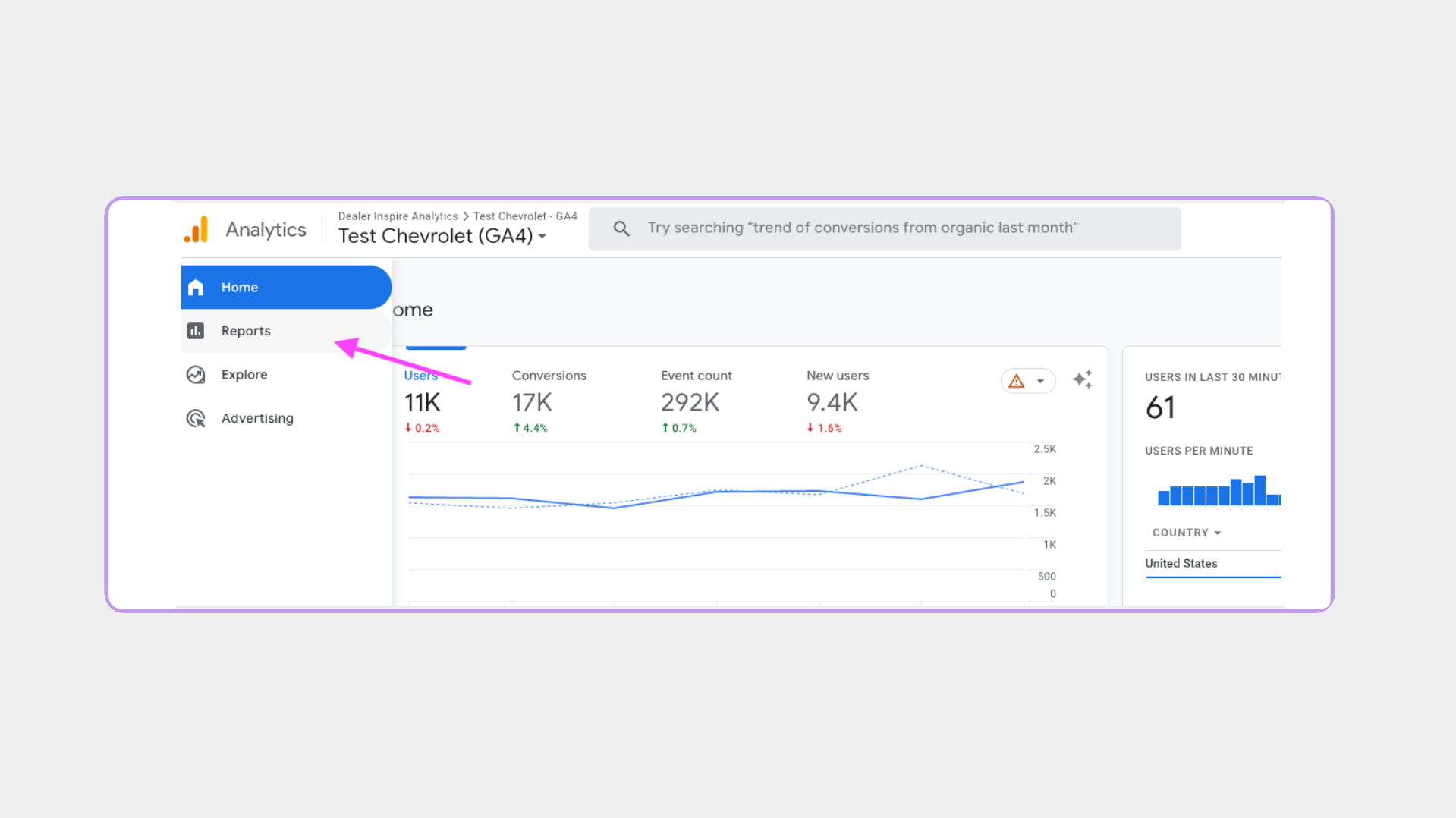
1 Log in to Google Analytics
- Sign in to your GA4 property for your dealership website
- From the left-hand navigation, click Reports.
2 Open the Traffic Acquisition report
From the Reports menu:
- Select Acquisition
- Click Traffic acquisition
This report shows how users arrive at your site.

3 Update the primary dimension
By default, the report displays Session default channel group.
Change the dimension to:
- Session source / medium
This allows you to view traffic originating from Cars.com and CCMN media.
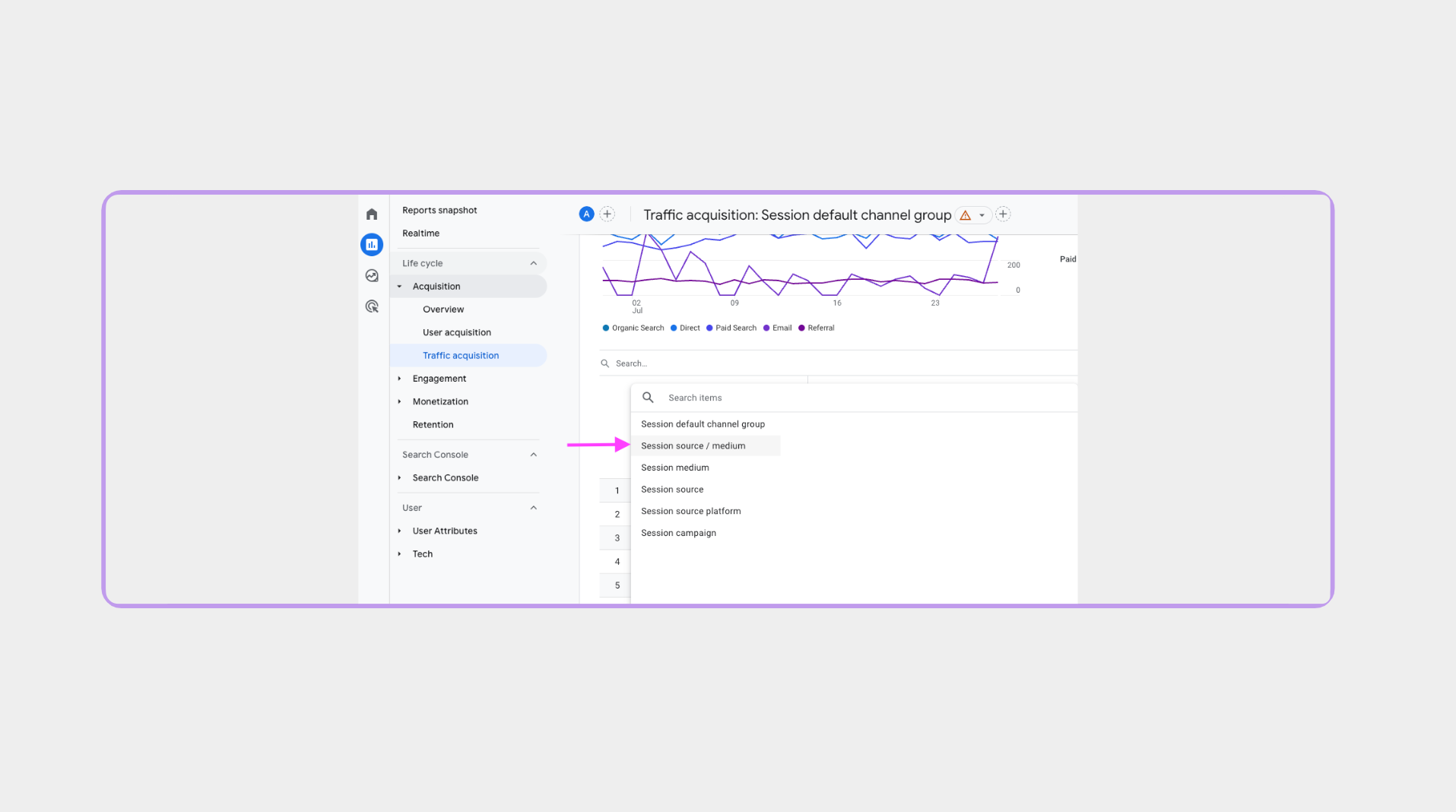
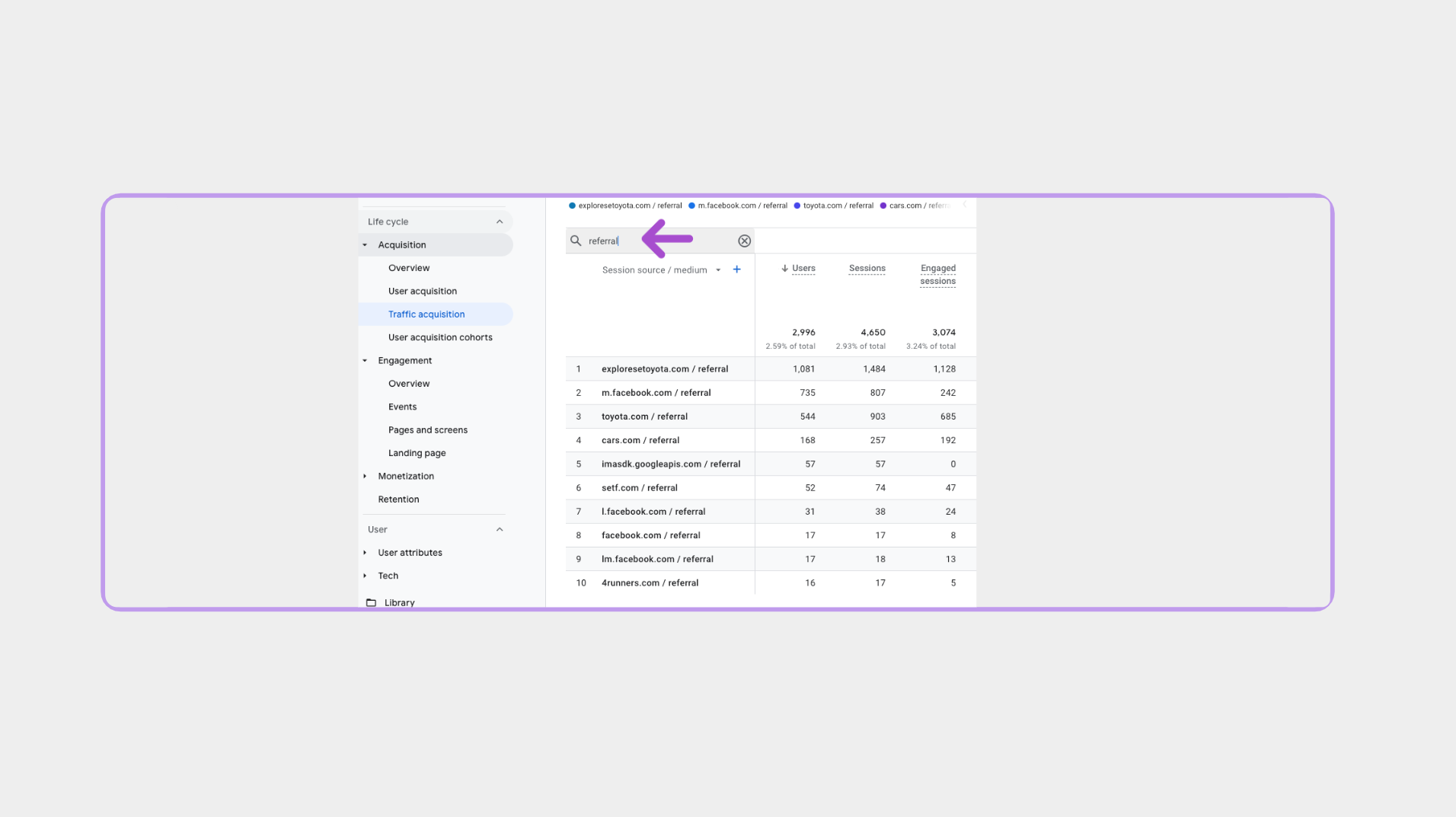
4 Filter for Cars.com media referral traffic
Use the search or filter option in the report.
Look for traffic with:
- Source: cars.com
- Medium: referral, display, video, or cpc
Note: The medium varies by media product.
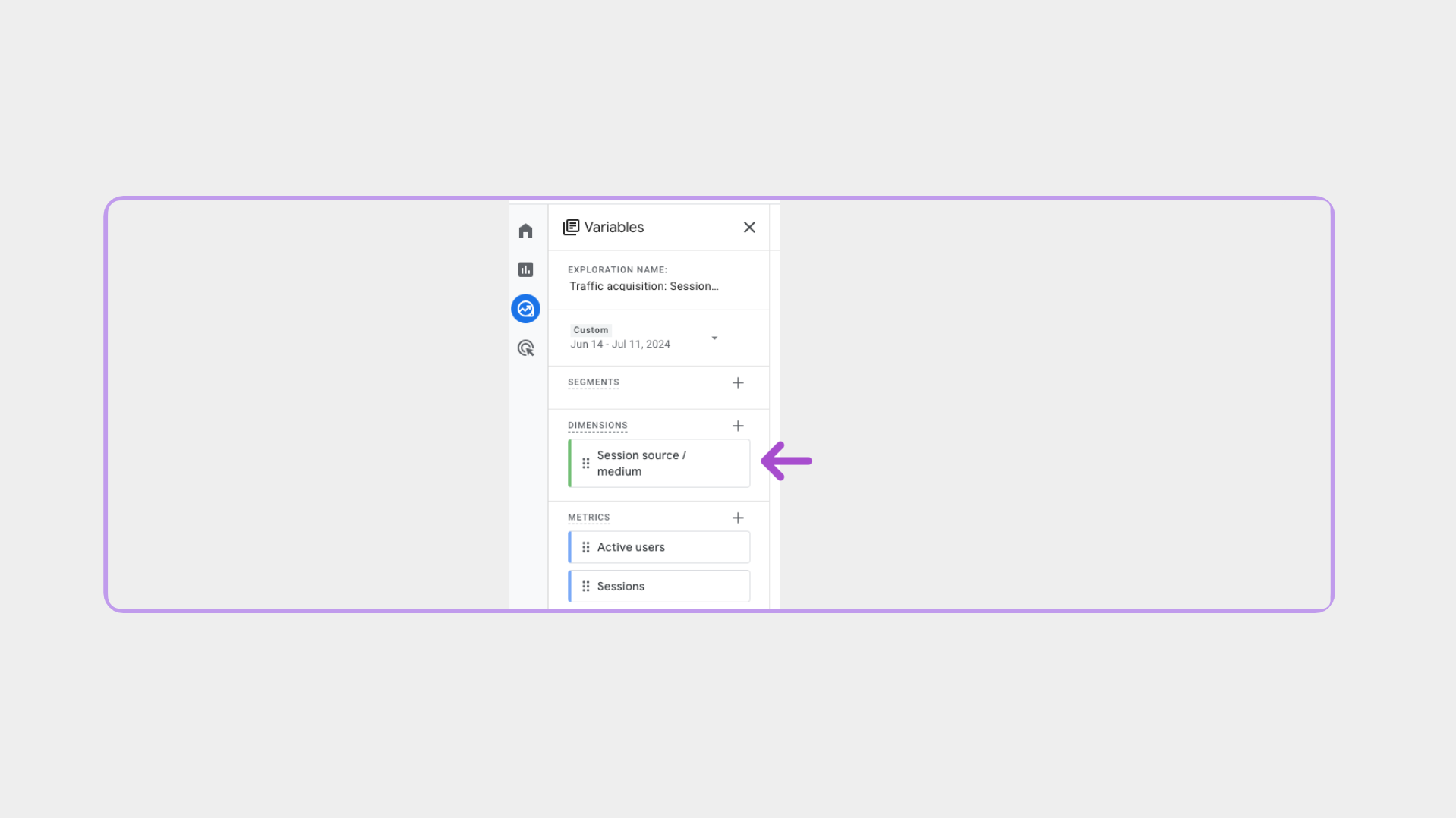
5 Add campaign detail
Add Session campaign as a secondary dimension.
- This helps identify which Cars.com media products are driving traffic.
Note: Always pair Session campaign with Session source / medium for accurate results.
6 How Cars.com media traffic appears in GA4
Once your report is configured, use Session source / medium and Session campaign to identify which media products are driving traffic to your website.
You may see the following values in GA4:
Cars Social
- Source: cars.com
- Medium: referral
- Campaign: cars.com_carssocial
In-Market Video (IMV)
- Source: cars.com
- Medium: video
- Campaign:
- ccmn_inmarketvideo
- di_inmarketvideo
- ccmn_inmarketvideo
In-Market Display (IMD)
- Source: cars.com
- Medium: display
- Campaign:
- ccmn_inmarketdisplay
- di_inmarketdisplay
- ccmn_inmarketdisplay
VIN Performance Media (VPM)
- Source: cars.com
- Medium: cpc
- Campaign: ccmn_vinperformancemedia
Note: Premium+ VIN Performance Media routes shoppers to Vehicle Detail Pages on Cars.com and will not appear as referral traffic in GA4.