How to syndicate vehicles online using AccuTrade
AccuTrade makes it easy to syndicate retail-ready vehicles directly to your third-party listing sites. By reducing the time between appraisal and listing, you can get more vehicles in front of buyers faster — with accurate pricing, descriptions, and photos already in place. This helps you minimize downtime, eliminate duplicate entry, and maintain consistency across your digital channels.
In this article, you’ll learn how to prepare a vehicle for syndication, update its disposition to Retail, push it live to listing sites, and verify that the listing was successfully published.
To get started
Go to the Cars.com Hub and then click on AccuTrade.
Please note that the ability to syndicate inventory requires AccuTrade’s Inventory Management package. Reach out to your DRM with questions.
1 Prepare the vehicle in inventory
After appraising and stocking the vehicle:
- Click the Inventory tab.
- Click anywhere on the vehicle row to open its details.
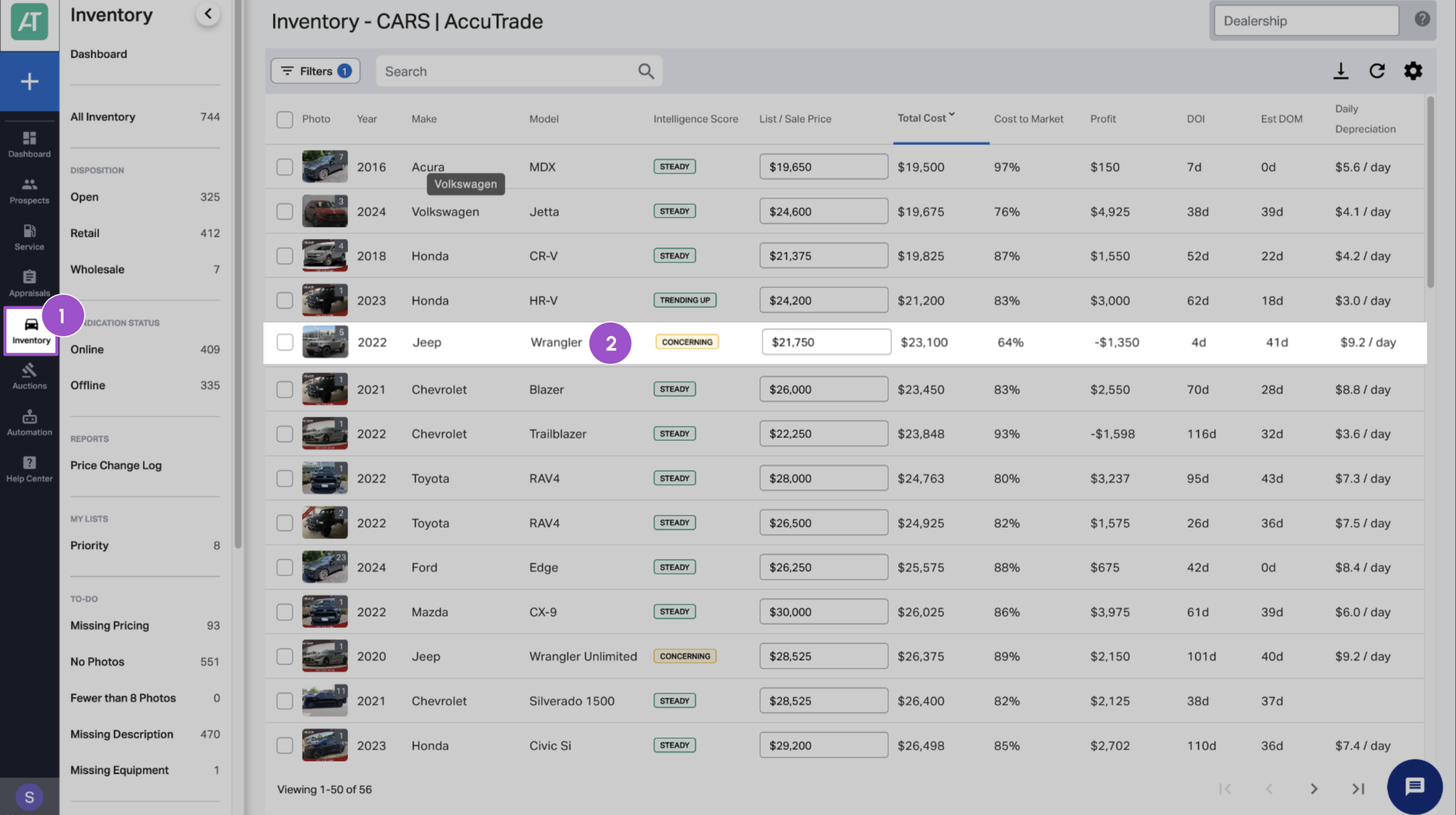
The following must be filled out before the vehicle can be syndicated:
- Set the Retail Price.
- Upload vehicle photos.
- Add or edit the vehicle description.
2 Syndicate the vehicle
To make the vehicle eligible for syndication:
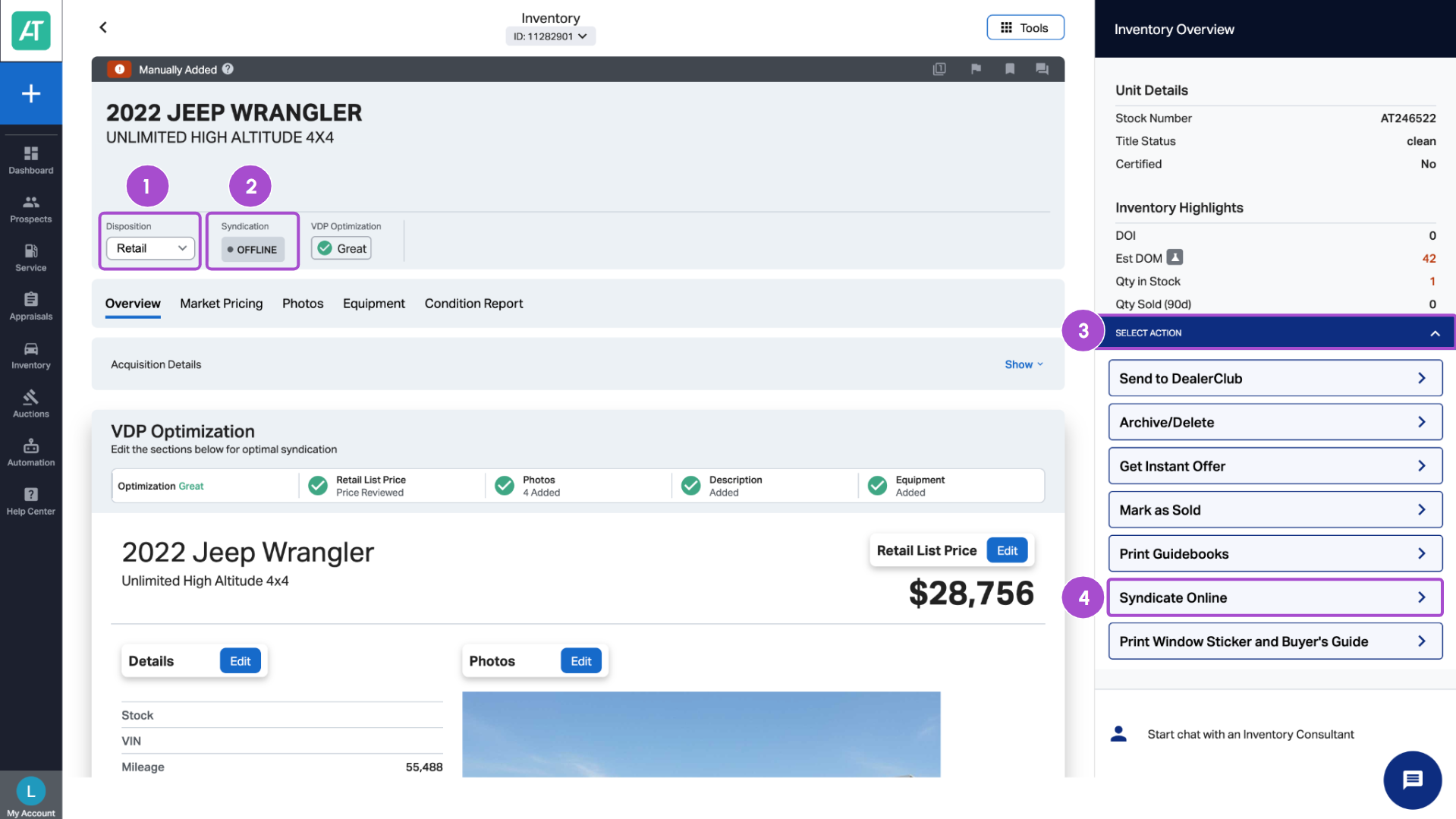
- Locate the Disposition setting.
- Change it to Retail.
- Important: Vehicles not set to Retail will not syndicate to third-party sites.
- Important: Vehicles not set to Retail will not syndicate to third-party sites.
- Click the Action Bar.
- Select Syndicate Online.
3 Confirm listing price and condition
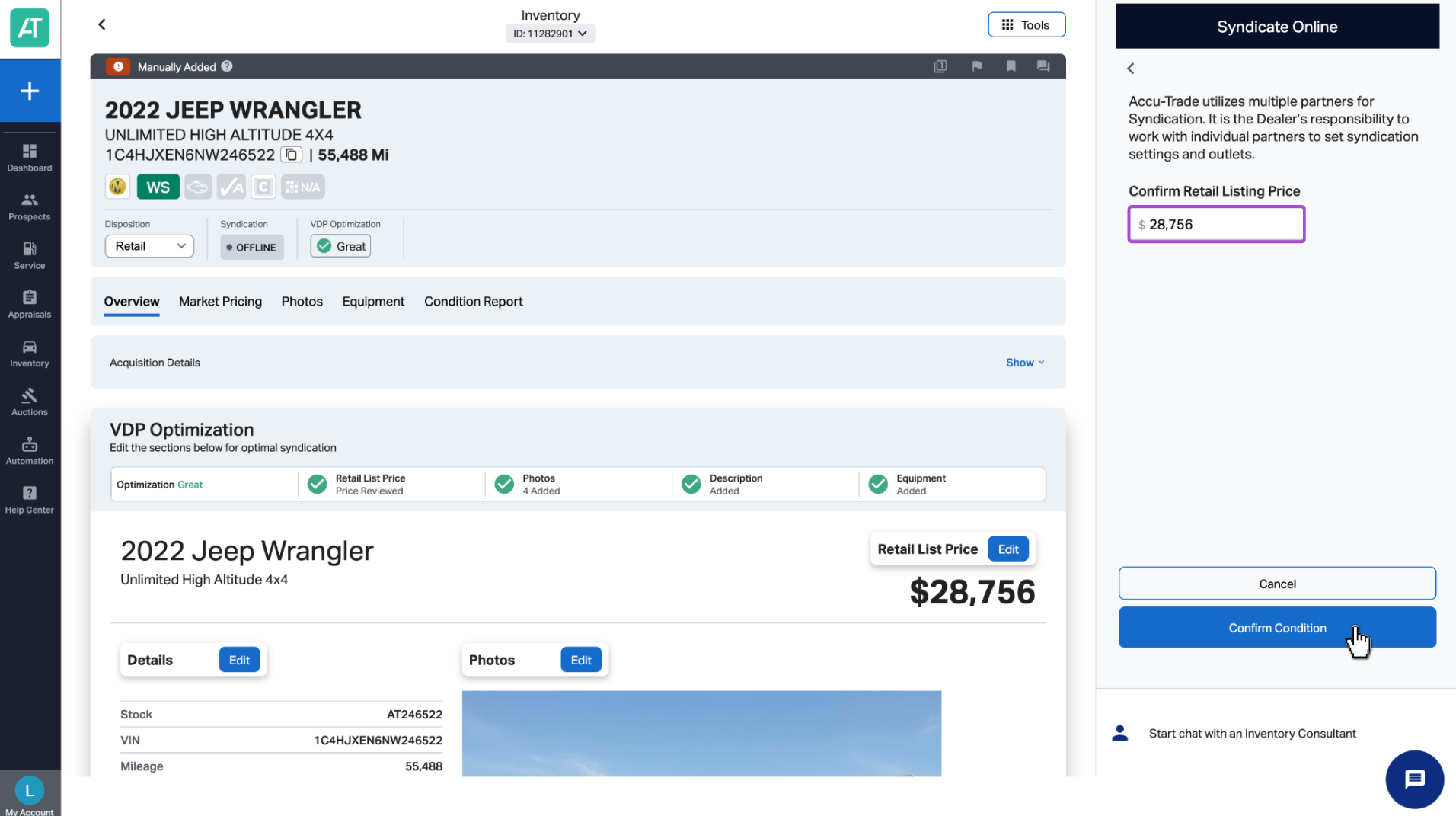
In the Syndicate Online panel:
- Review the Retail Listing Price.
- Make any adjustments as needed.
- Click Confirm Condition to proceed.
This step ensures the listing reflects accurate pricing and condition before it’s pushed to partner sites.
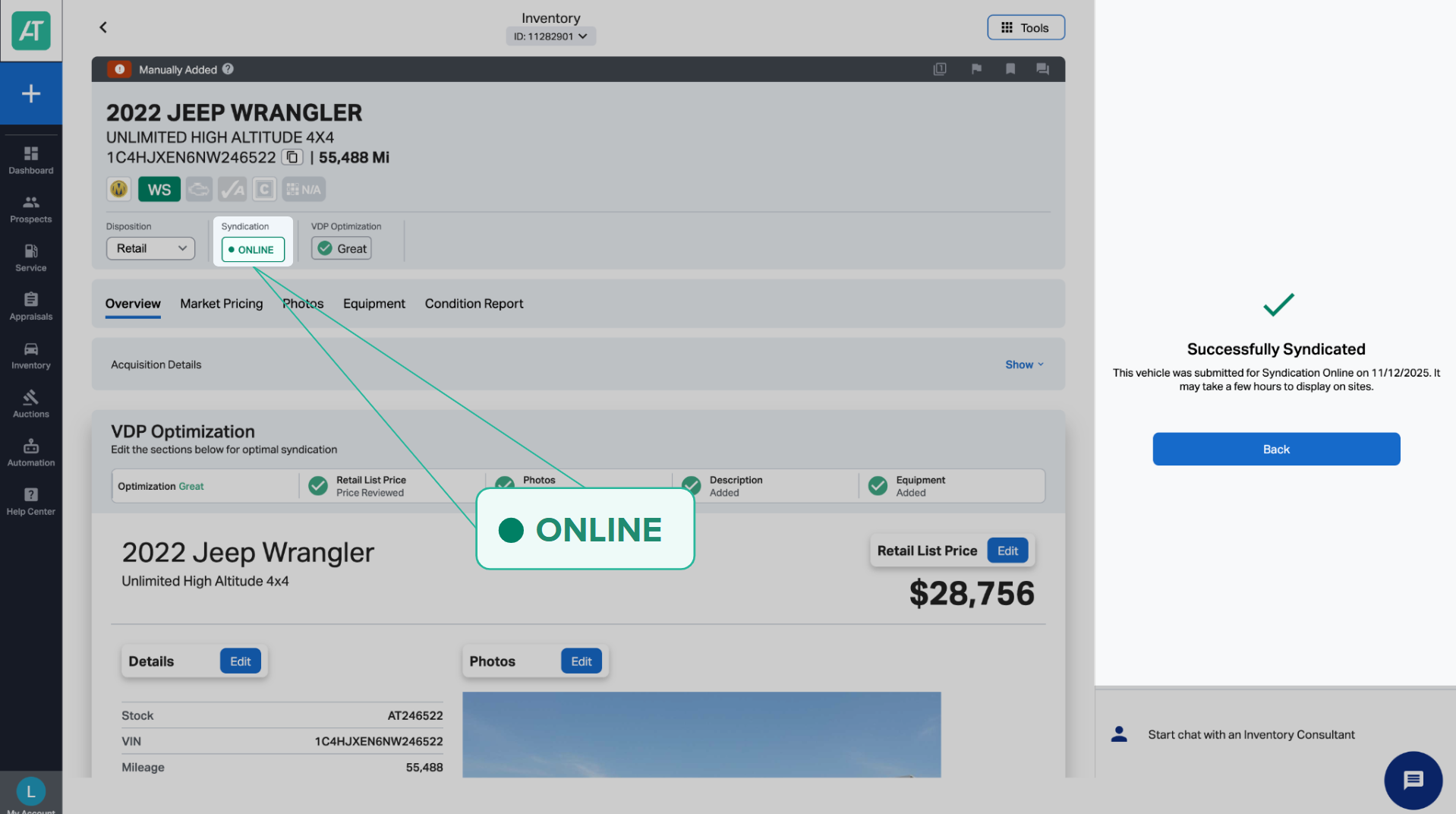
4 Verify the syndication status
Once successful:
- You’ll receive a confirmation message.
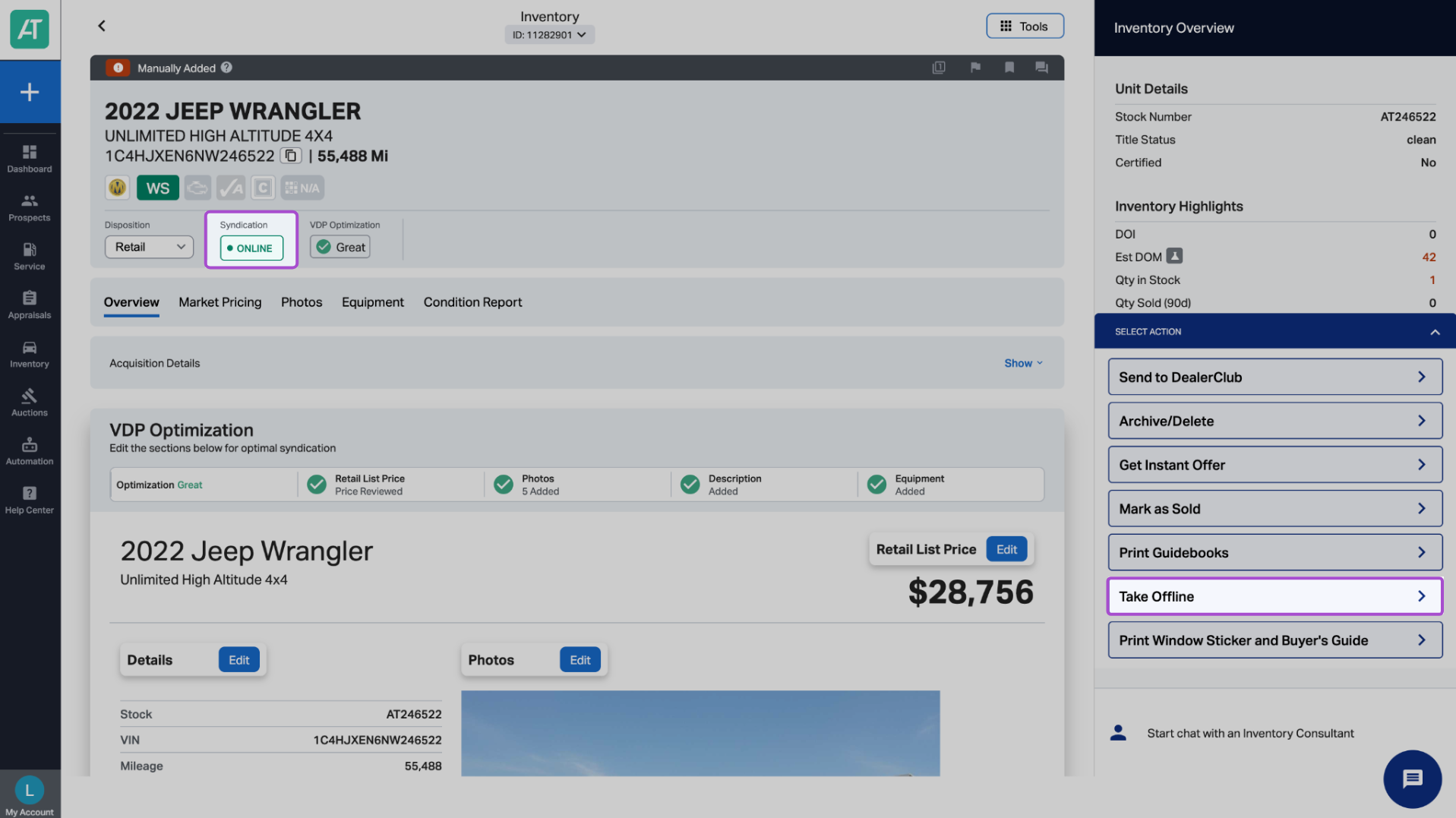
- The syndication status will update from Offline to Online.
To remove the listing:
- Click Take Offline. (This replaces the Syndicate Online button for active listings.)