How can I order more BlueDriver OBD devices?
AccuTrade comes with one OBD device. If your team needs more OBD devices to take advantage of every appraisal opportunity, follow this guide to order additional scanners.
To Get Started
Log in to the Cars.com Hub, and click on AccuTrade.
1 Go to Account Settings
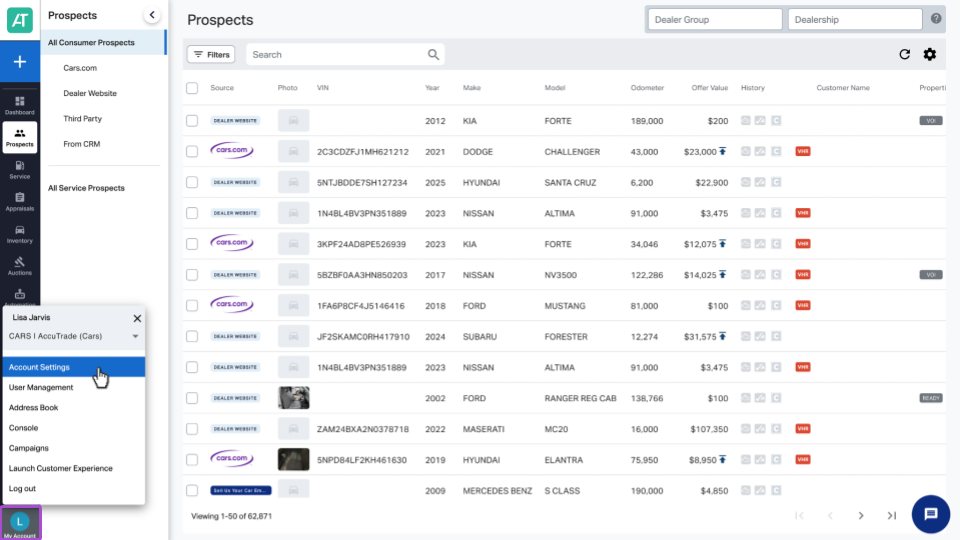
From the AccuTrade dashboard, click on My Account in the bottom left corner, then Account Settings.
2 Select Add-Ons to manage your OBD
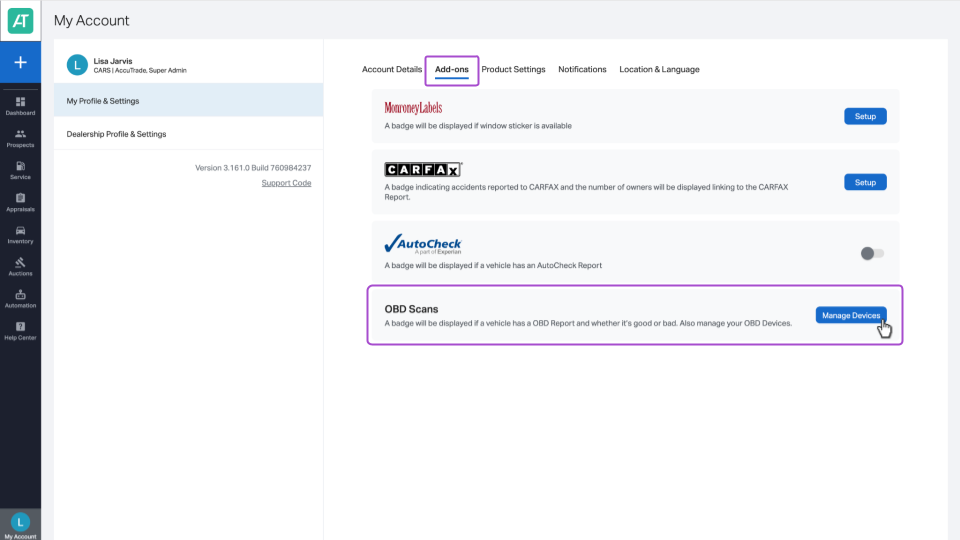
From the Account Settings screen, click on the Add-Ons tab.
Find OBD Scans and click the Manage Devices button.
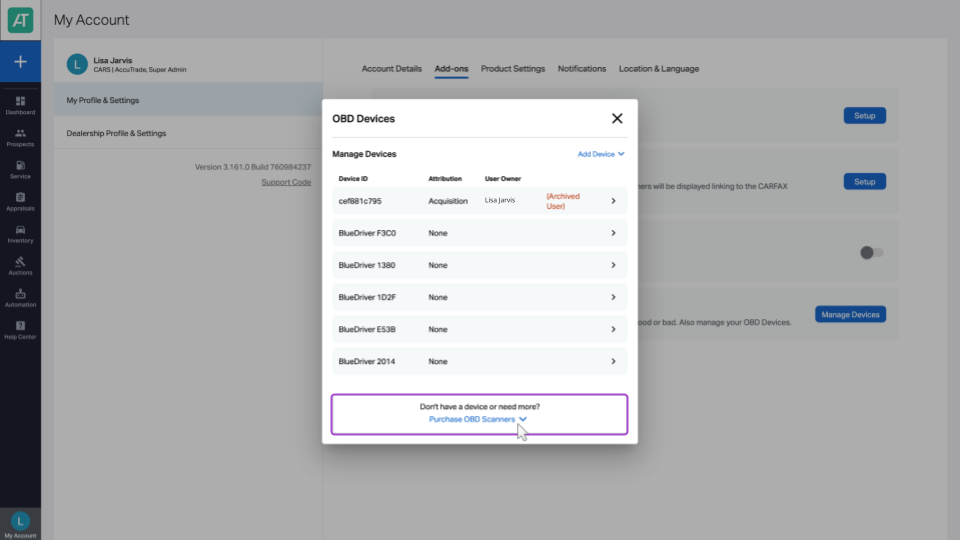
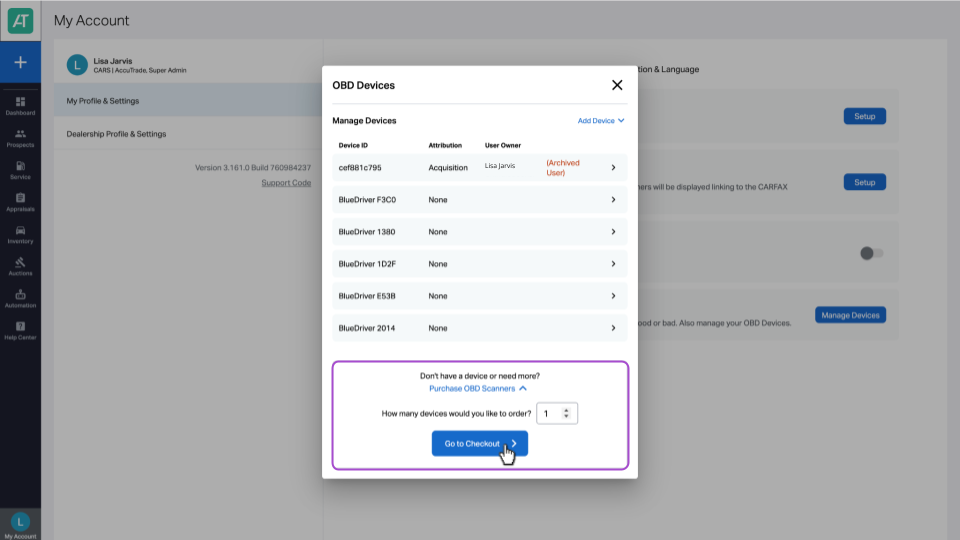
A pop-up window will appear with a list of the current OBD scanners attached to your account. To order more, click Purchase OBD Scanners.
Select the quantity of OBD devices to purchase. Then, click Go to Checkout.
3 Finalize and confirm checkout
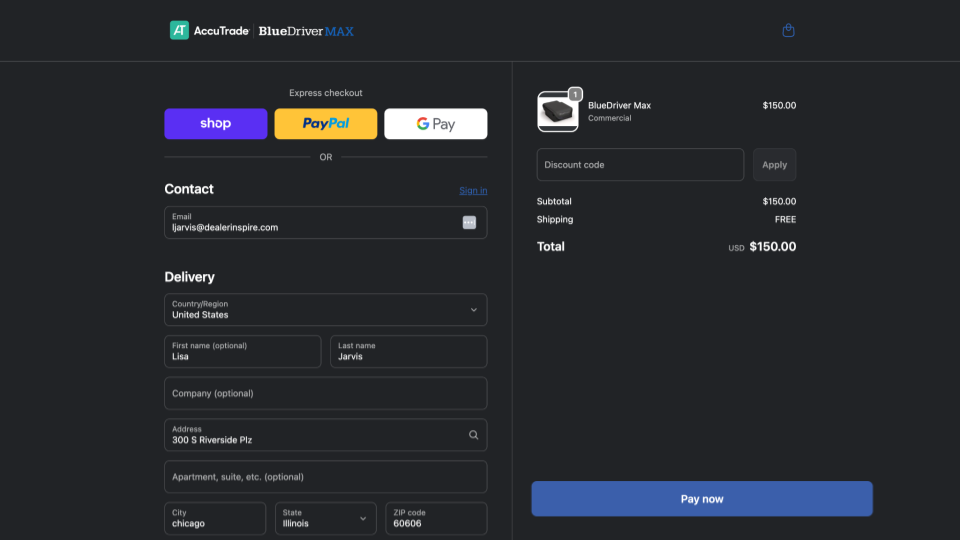
You’ll be taken to a page to fulfill your order. Fill out the necessary information, such as contact information, delivery address, shipping method, and payment details.
When you’ve confirmed all details are correct, scroll down and click Pay Now to complete your order. You will receive a confirmation email with tracking information.