How to utilize historical pricing
AccuTrade’s historical pricing feature shows you exactly how your price changes impact shopper engagement, helping you make data-driven pricing decisions that protect your margins.
Along with price history, the tool tracks four key engagement metrics:
- SRPs (Search Results Page views): How often your vehicle appears in search results
- VDPs (Vehicle Detail Page views): How often shoppers click to view more information
- Lead Count: Number of direct inquiries received
- Clicks to Dealer Website: Number of users visiting your site from the listing
In this article, you’ll learn how to access historical pricing, interpret engagement data, and use both to guide effective pricing strategies.
To get started
Go to the Cars.com Hub and click on AccuTrade.
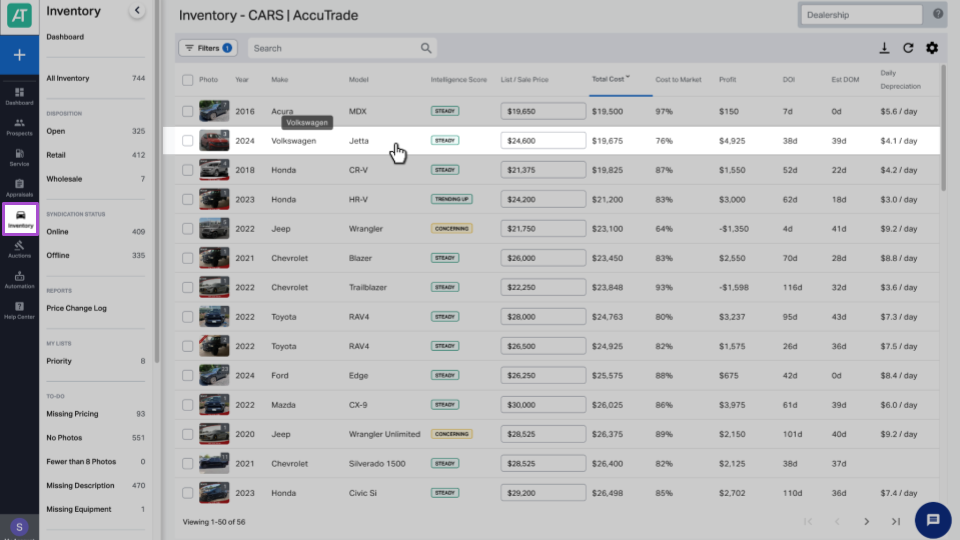
1Select the vehicle from your inventory
From the Inventory tab, search for and click on the vehicle you want to evaluate.
2 View pricing history
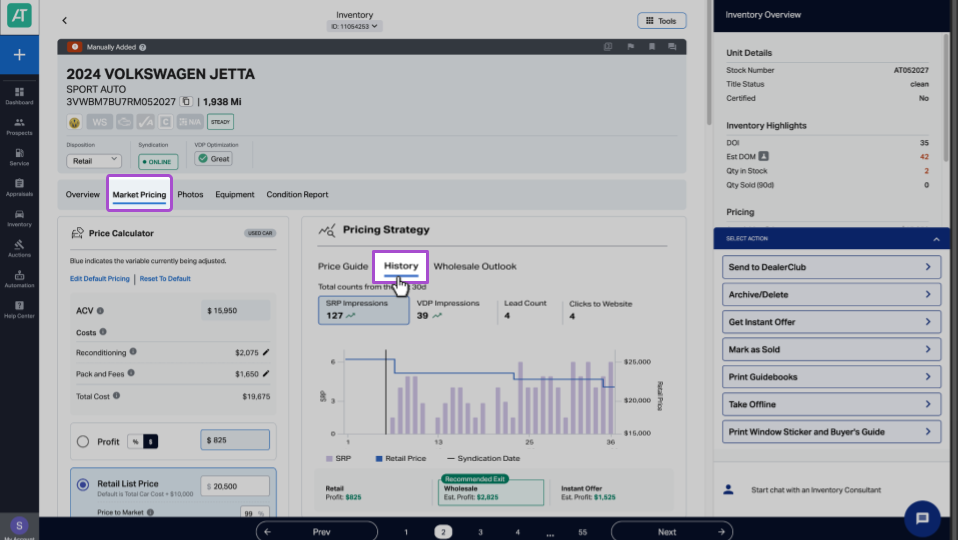
- Click the Market Pricing tab.
- Then click the History tab within the Pricing Strategy section.
3 Review historical pricing and engagement
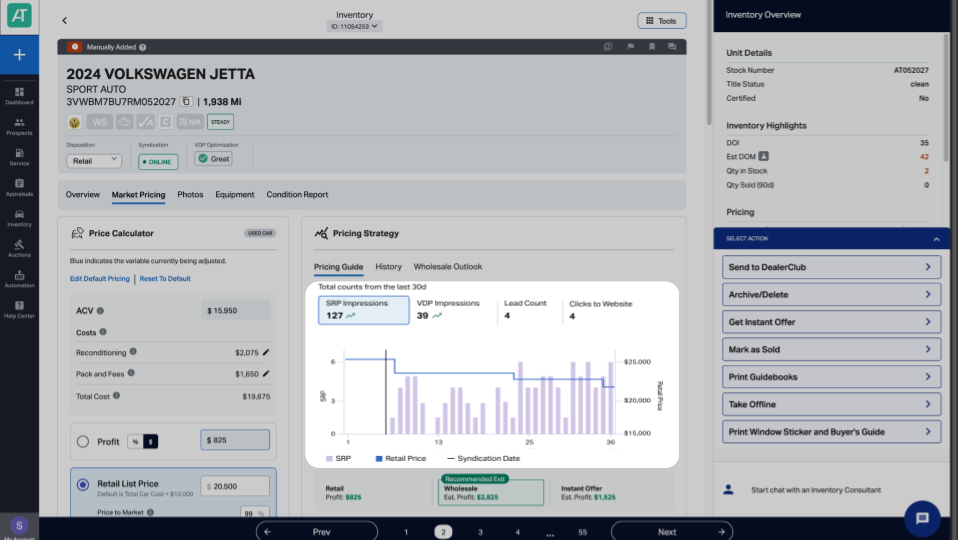
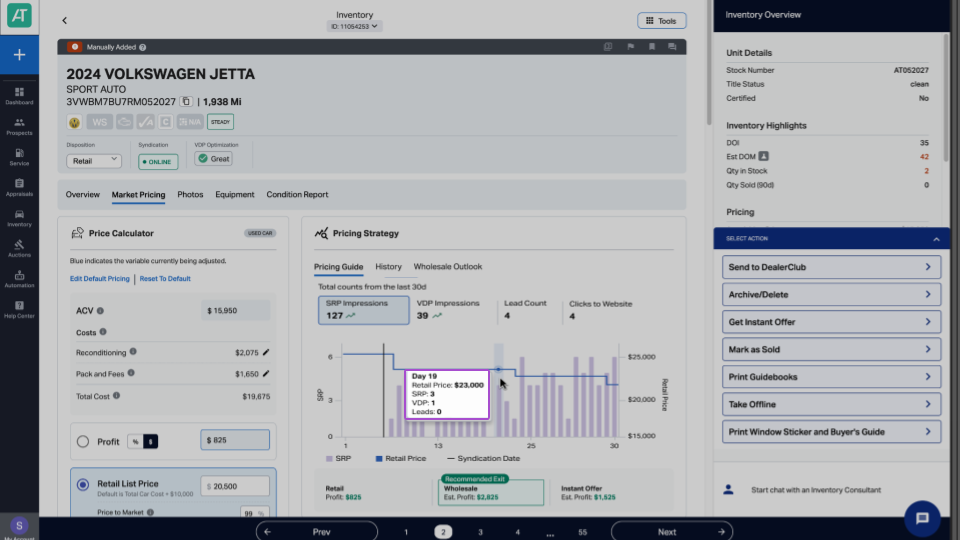
The chart shows how your retail price changes correlate with performance.
- Use the metric toggle above the graph to compare price history to:
- SRPs
- VDPs
- Leads
- Clicks to Dealer Website
- SRPs
- 30-day totals for each metric appear beside the chart.
- Hover over the graph to see daily performance and pricing data.
Note: A black vertical line indicates the syndication date — the day the vehicle was first listed. No performance data will appear before this date.
4 Use engagement data to make informed pricing decisions
When metrics shift after a price change, they reveal how shoppers are responding. Use these signals to fine-tune your strategy:
- If VDPs are high but leads are low: Your price is attracting clicks, but your vehicle description or photos may need work.
- If SRPs are high but VDPs are low: Your price might be showing up in searches but is not competitive enough to earn clicks.
- If all metrics dropped after a price increase: Consider rolling back the price.
- If metrics stayed flat despite a price drop: Explore other factors (photos, description, competitive set).
Tip: Avoid making pricing decisions based on listing metrics alone: For the complete picture, use these signals alongside AccuTrade’s other Market Pricing tools to determine your best path forward — whether that’s a price adjustment, a retail push, or a wholesale exit.


