How to turn prospects into appraisals
AccuTrade helps you generate the most accurate, transparent offer by factoring in all value-impacting conditions. This article walks you through converting trade-in leads into appraisals — so you can make confident, data-backed acquisition decisions.
To get started
Go to the Cars.com Hub and click on AccuTrade.
Understanding Prospects and Appraisals
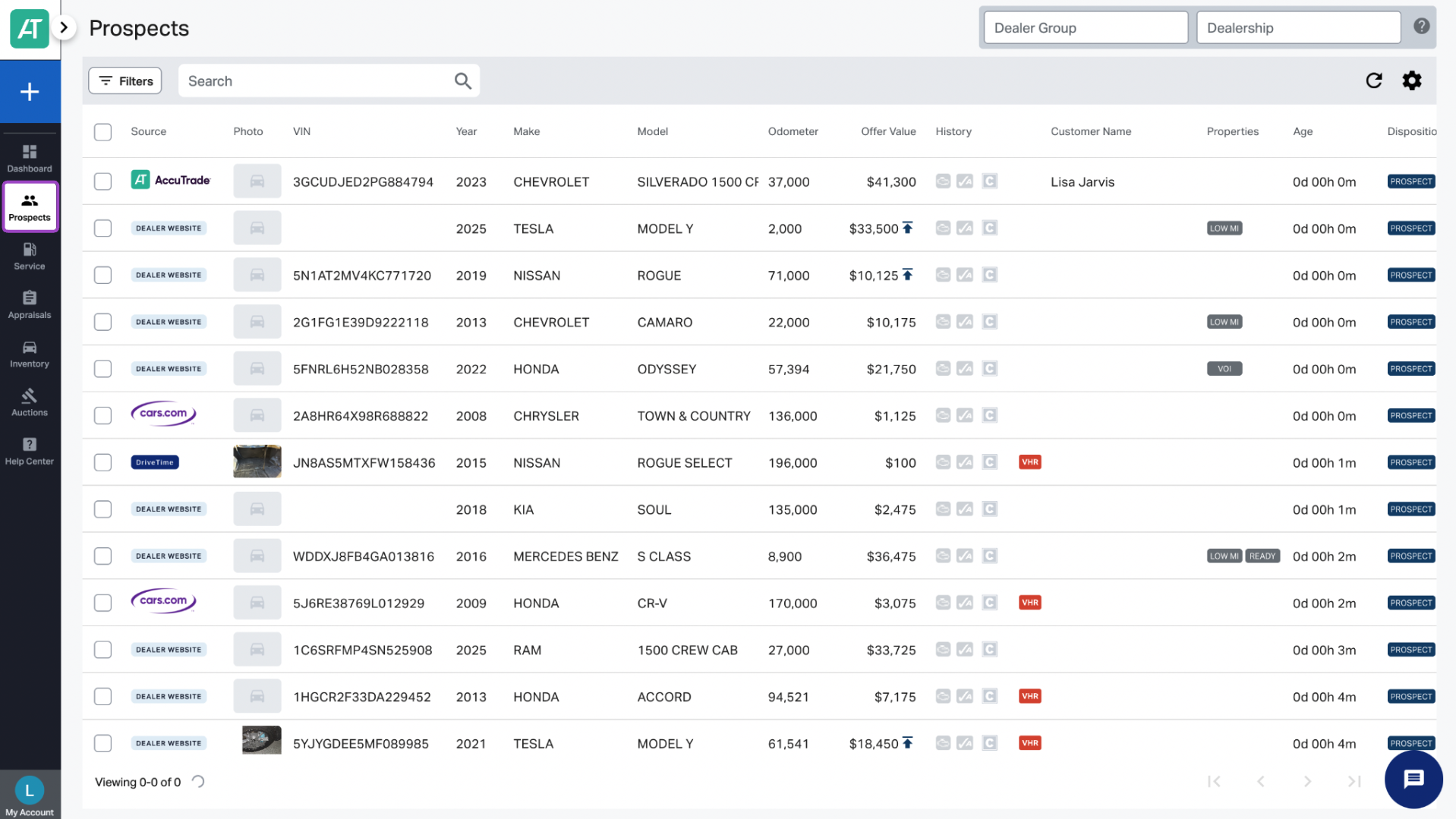
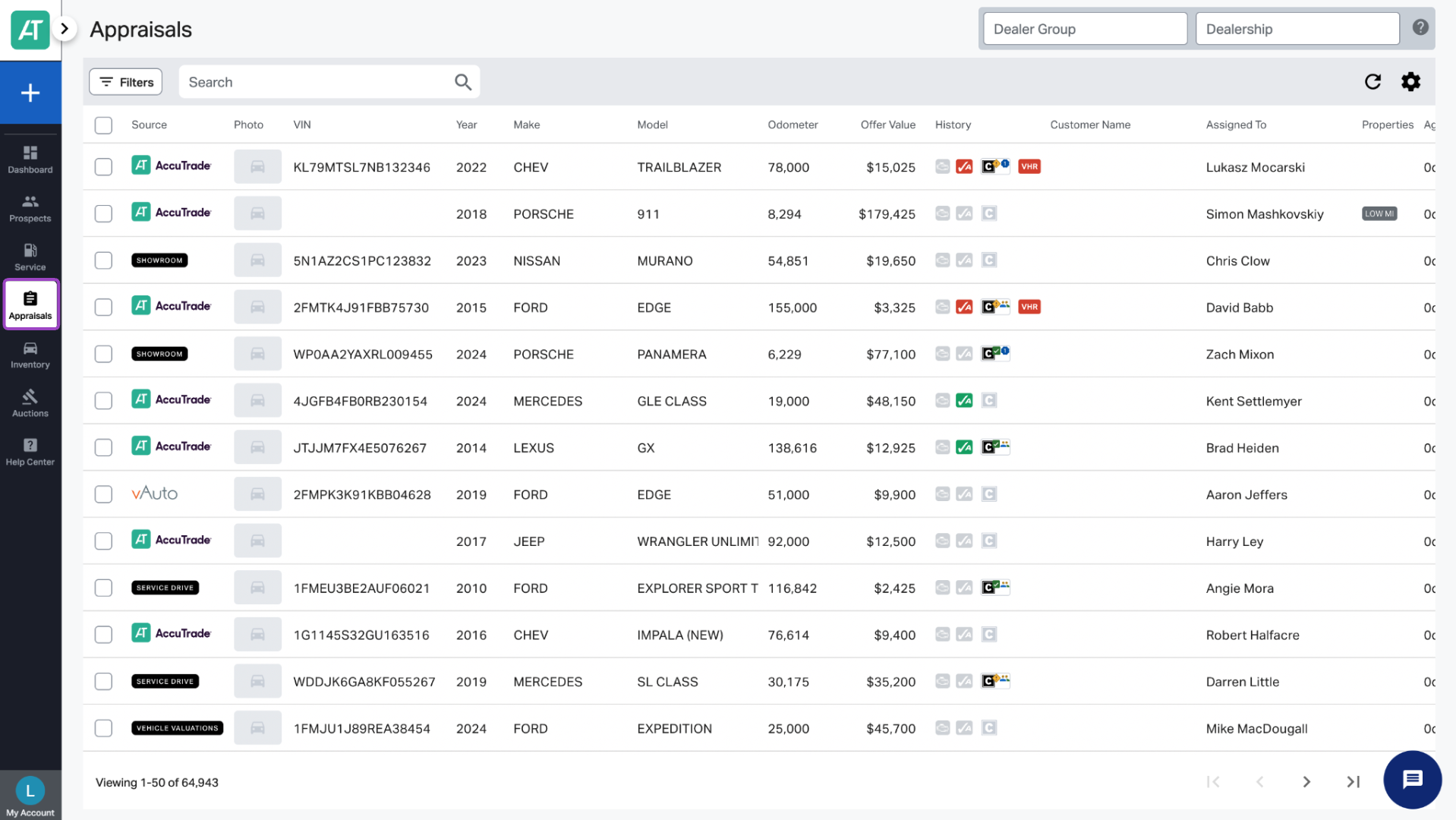
When logged into AccuTrade, you’ll see two key tabs: Prospects and Appraisals.
- The Prospects tab contains vehicle leads — typically from consumers who submitted an Instant Offer form on your website.
- Once a lead is converted into an actionable appraisal, it will move from Prospects to the Appraisals tab.
1Review a prospect
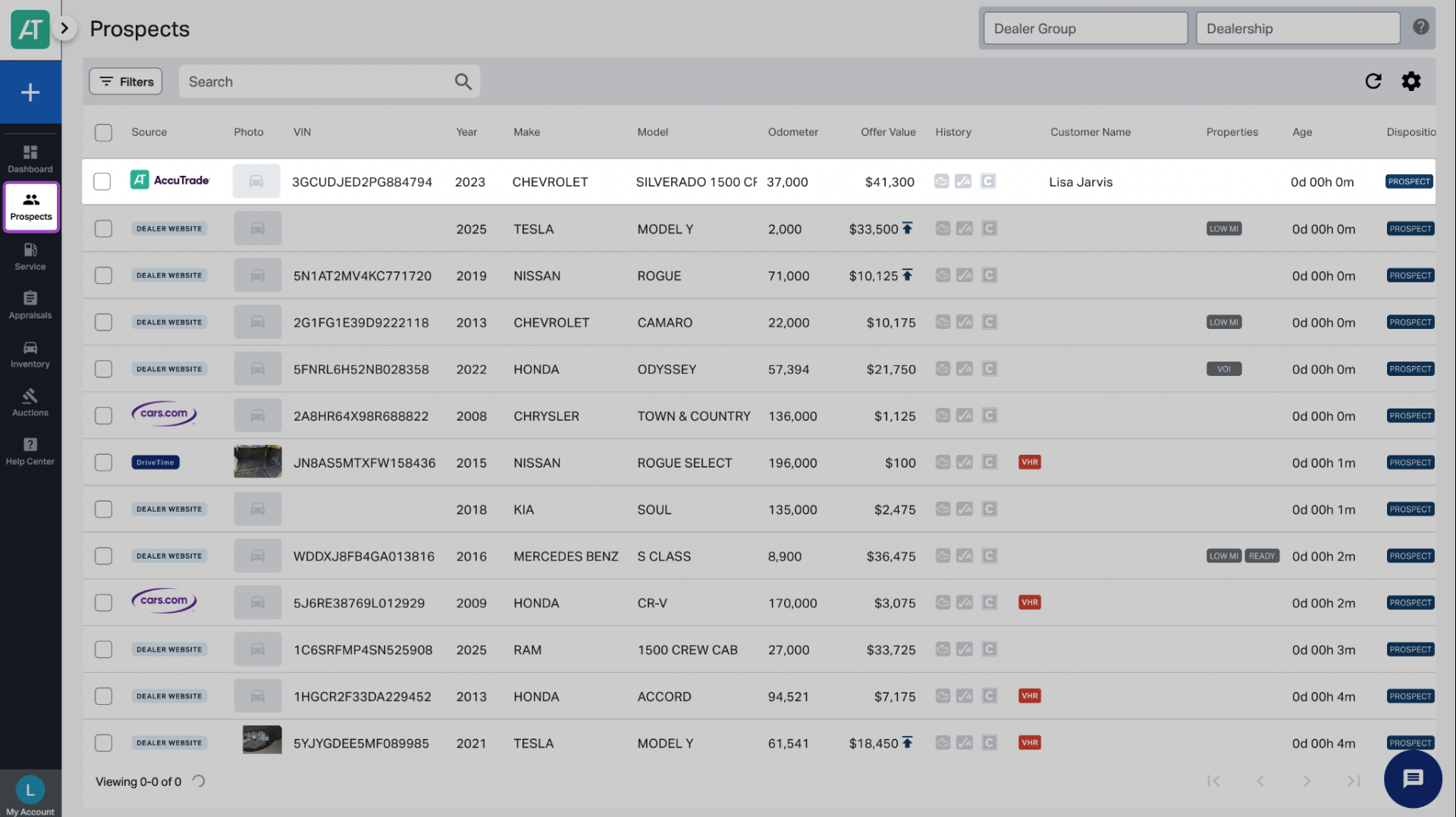
From the Prospects tab, click on a vehicle to open the lead details. This is where you’ll begin the appraisal process.
2 Start the appraisal
At the top of the vehicle page, click Start Appraisal.
Once you start the appraisal:
- The vehicle will automatically move to your Appraisals tab.
- You’re now working in a structured appraisal workflow — with access to additional tools and insights.
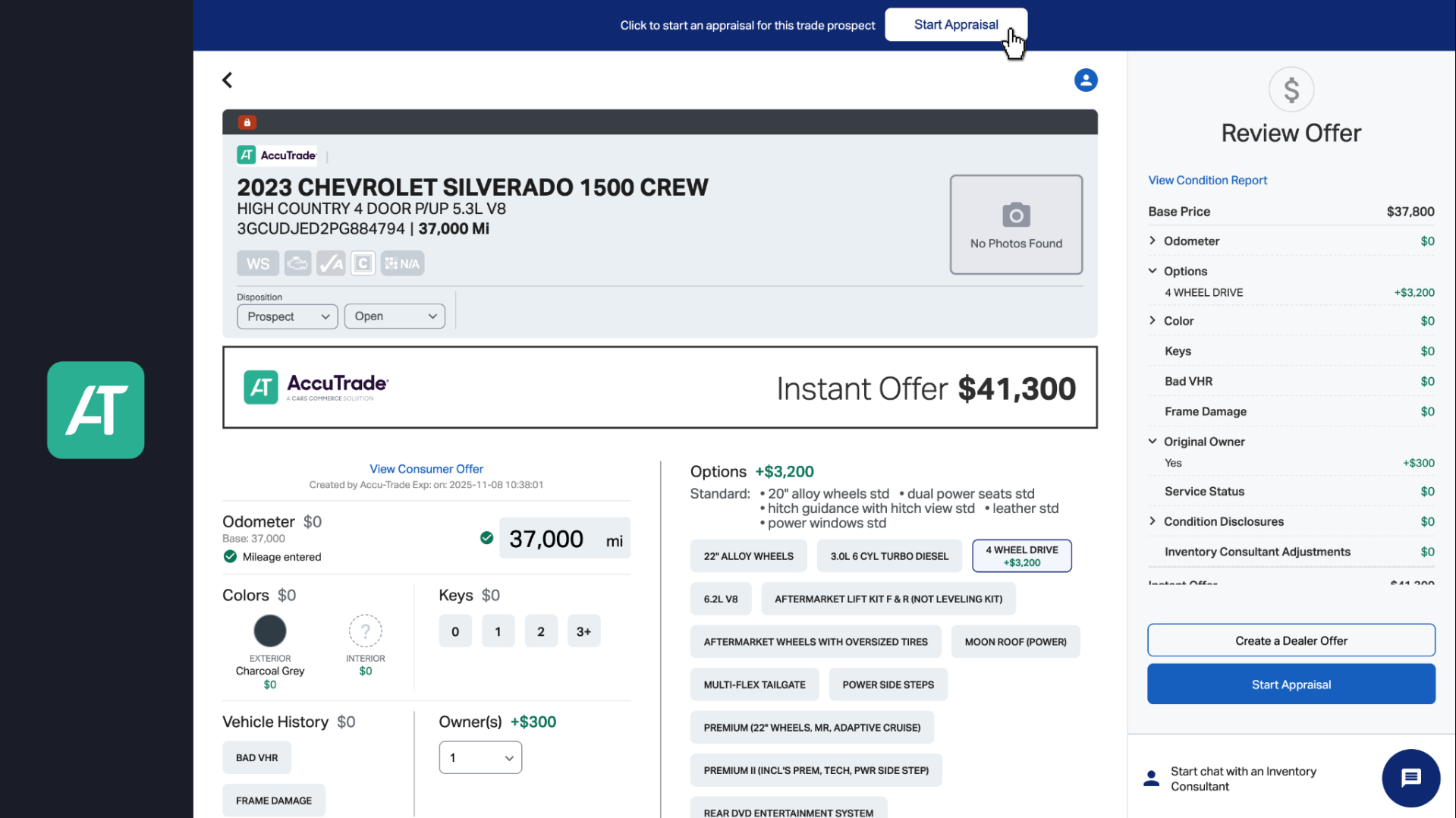
To view the appraisal layout, click the person icon in the top-right corner to switch to Appraisal View.
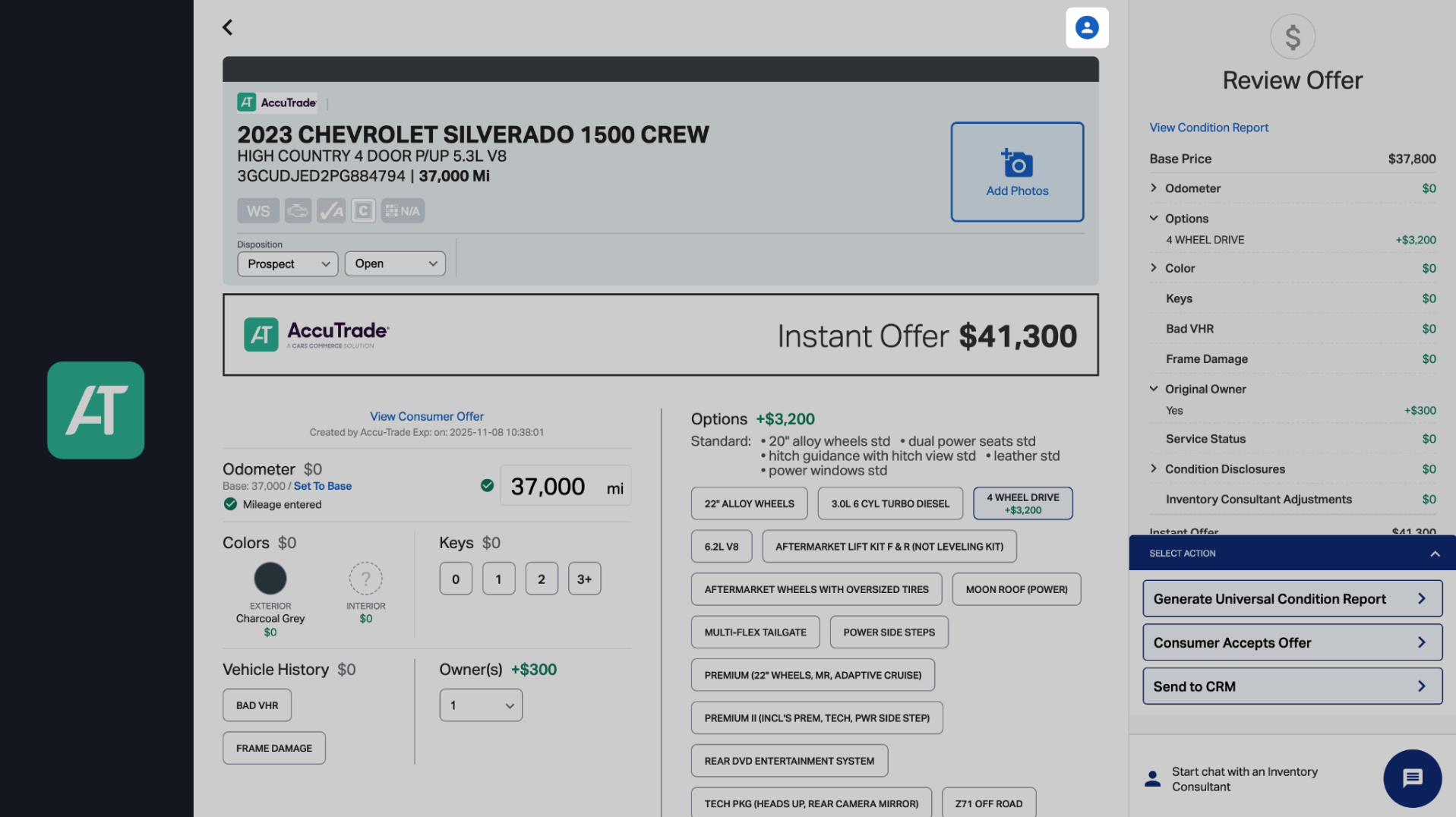
3 Inspect and evaluate the vehicle
If the customer is in-store, now’s the time to take your appraisal mobile:
- Walk out to the vehicle.
- Run the OBD scan to detect any hidden diagnostic issues.
- Perform a walkaround to assess value-impacting conditions.
Note: If the customer is remote or hasn’t arrived yet, begin the appraisal using the submitted details. You can finalize it after an in-person inspection.
For additional information, see Elements of a Complete Appraisal.
4 Use built-in tools to guide your offer
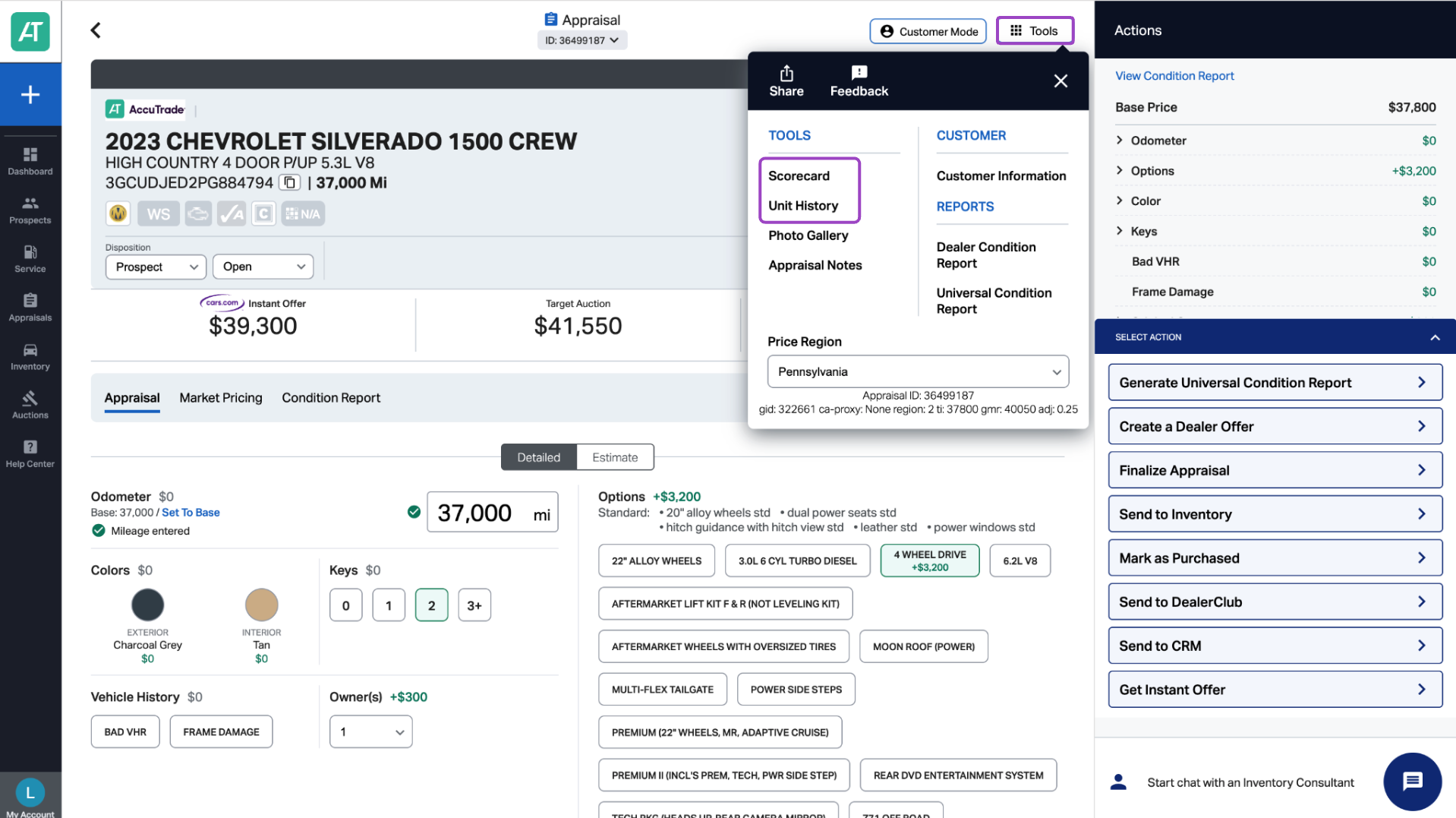
AccuTrade provides real-time tools to help you determine the best acquisition price:
- Scorecard: Quickly assess future vehicle performance and value.
- Unit History: See how similar vehicles are performing in your market.
- Customer Feedback: Get insight into the seller’s sentiment and expectations (only available in AccuTrade, not your CRM).
- Instant Offer Value: Use this to anchor your negotiation strategy.
These tools help you:
- Understand how long it may take to sell the vehicle.
- See market performance of similar units.
- Adjust your offer to stay competitive or avoid future profit loss.
By converting every prospect into a thorough, informed appraisal, your team can make smarter acquisition decisions — and close deals with confidence.


