Elements of a complete appraisal
A complete appraisal helps you evaluate vehicles accurately and guarantees your Instant Offer from AccuTrade. Start with an OBD scan — it reads over 11,000 mapped codes and automatically calculates repair costs deducting them from the instant offer in real-time. While you run your scan, add condition, photos, vehicle history and mileage — every detail adjusts to that specific VIN.
In this article, you will learn the types of appraisals available, how to conduct and complete a thorough appraisal including running an OBD scan, how to document vehicle condition, and how to present the offer to the customer.
1Run the OBD scan first
The OBD scan is a critical step in the complete appraisal process. Run it before you do anything else. It uncovers mechanical issues you can’t see and builds an offer based on trust.
First, log in to the AccuTrade mobile app.
- Click the colored engine icon to review any diagnostic codes
- Connect your scanner with the vehicle’s OBD port
- Start a new appraisal and scan the VIN
- Click Action, Select Action, then Start BlueDrive Scan
- Or, hit the gray engine icon from the appraisal screen
- Wait for the scan to complete. This typically takes 1–3 minutes
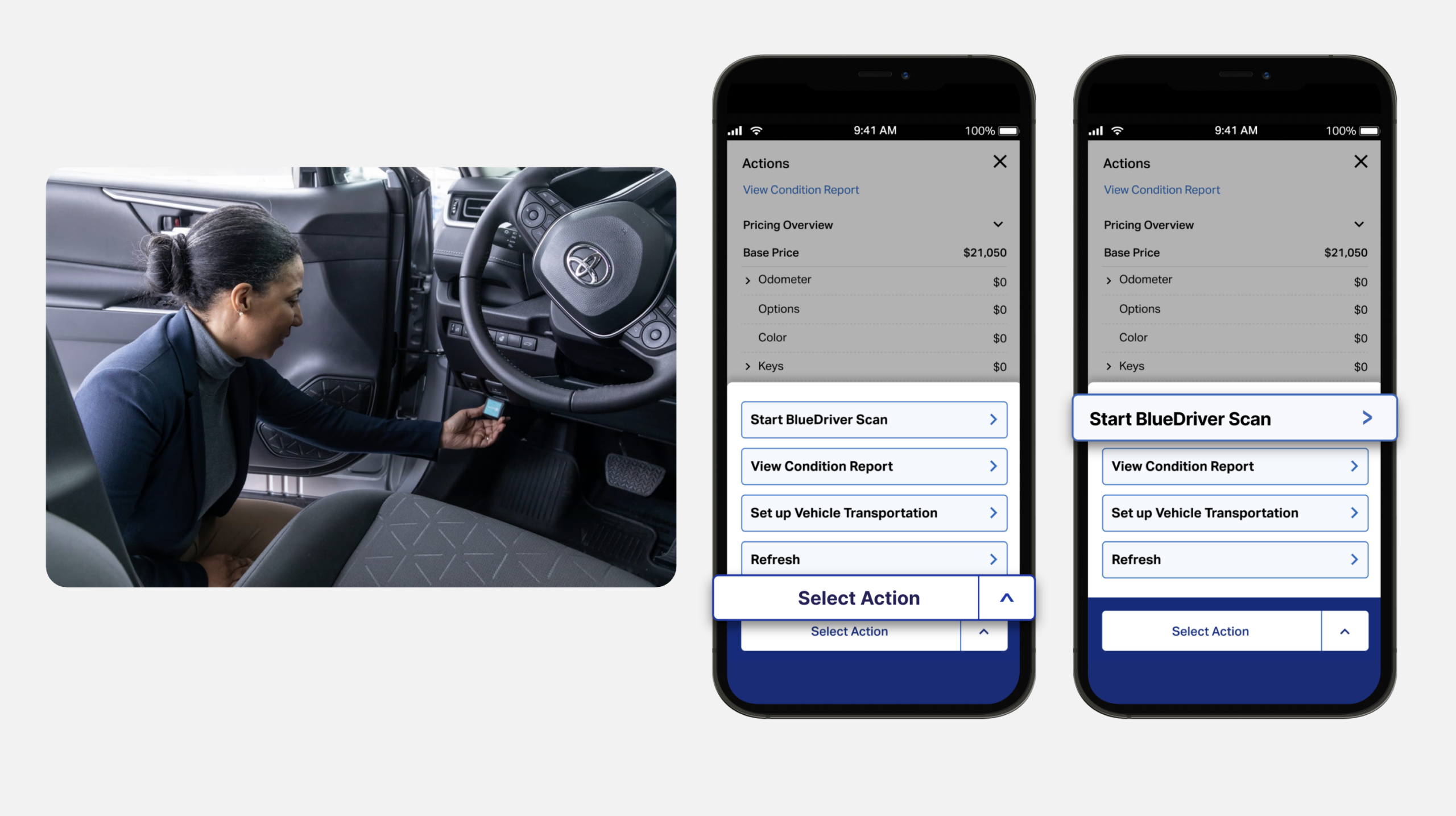
For more information see how to connect your OBD scanner.
| Best practice: Run the OBD scan while you do a walk-around of the vehicle. It takes minutes and protects you from profit loss at acquisition. |
2Document the vehicle condition
A thorough physical inspection captures details the diagnostic scan can’t detect:
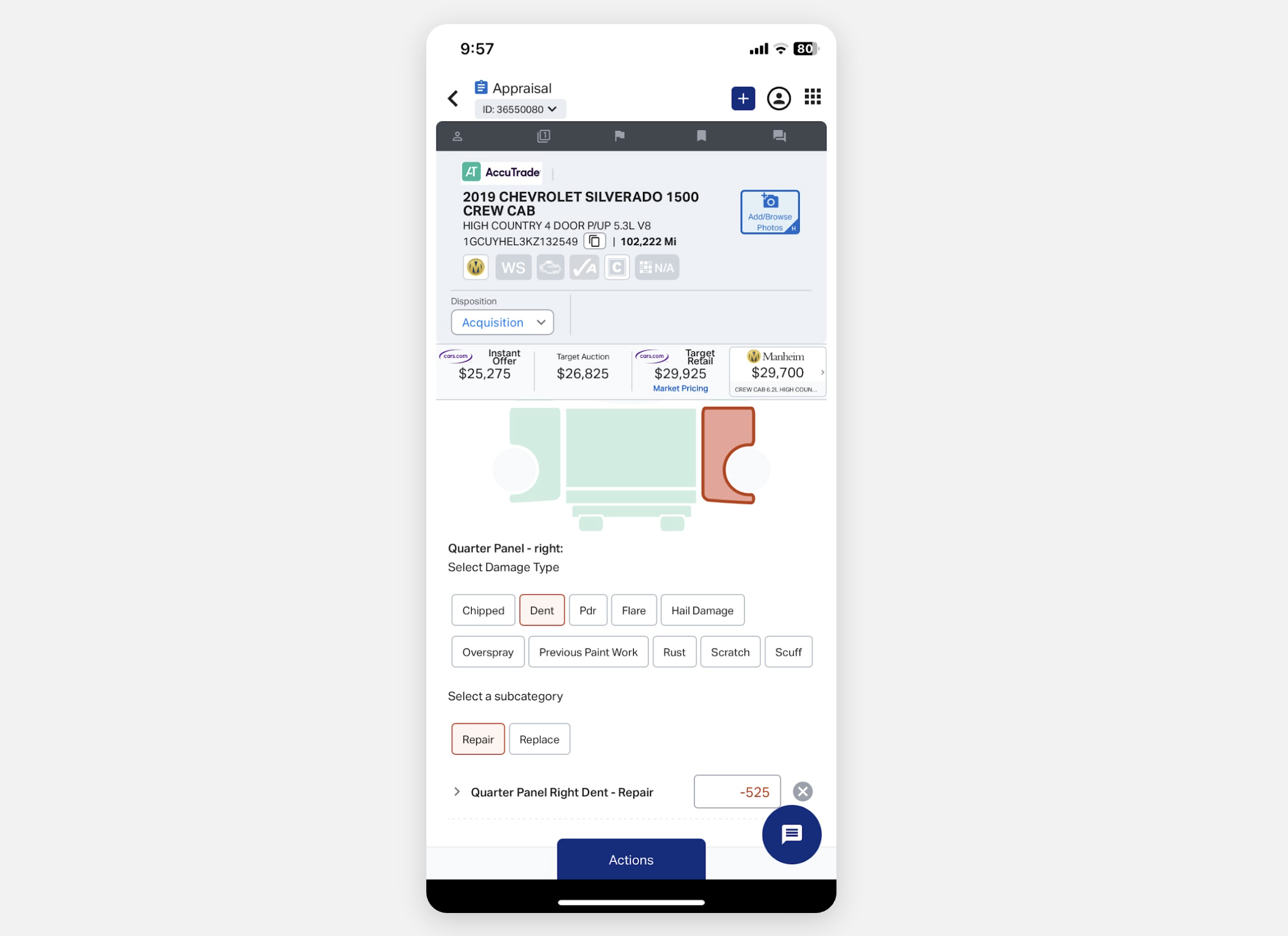
- Walk around the vehicle to identify any damage or condition issues not listed in the diagnostic reports.
- Tag all damage and condition disclosures with descriptions and photos — these will display on the customer’s Universal Condition Report.
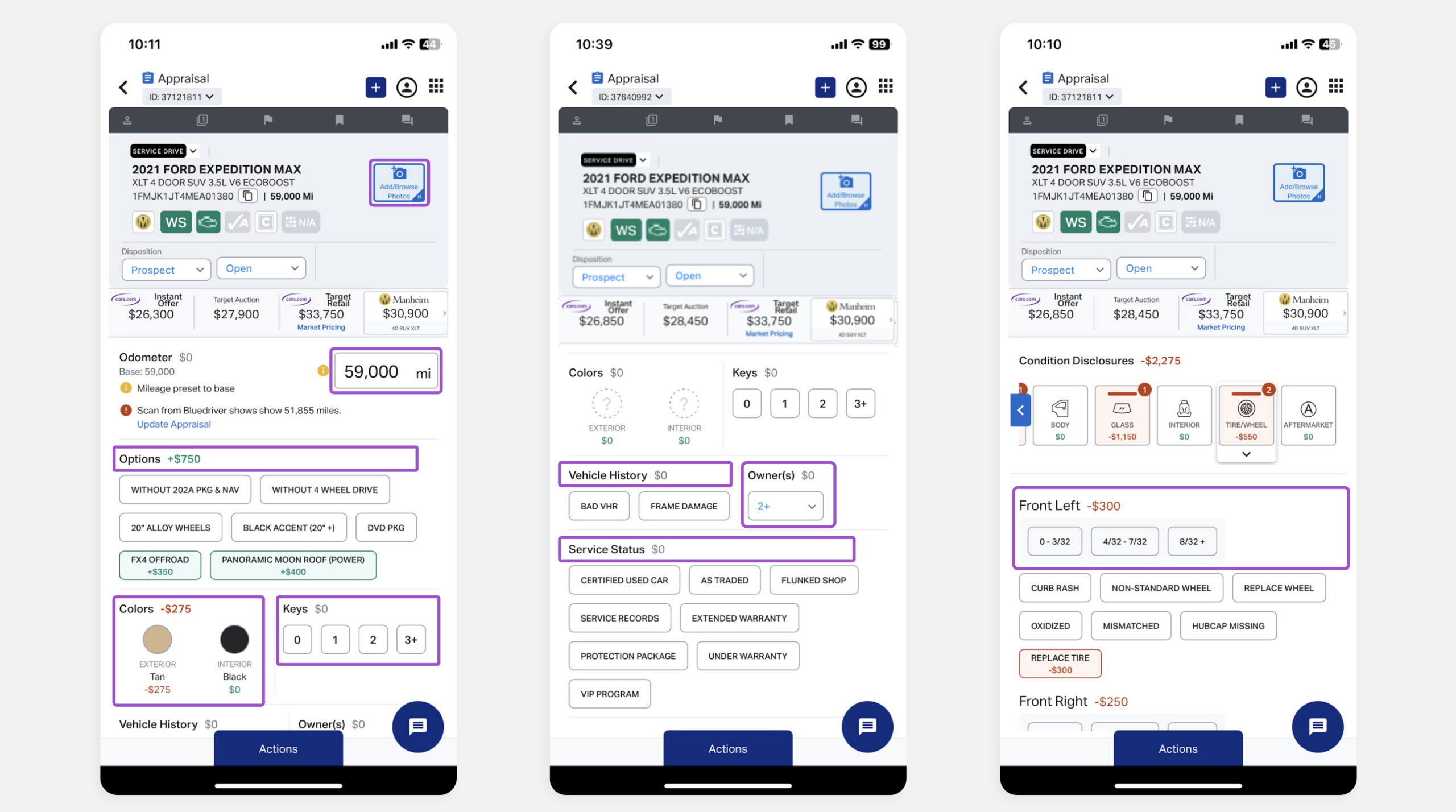
Complete your appraisal by adding or confirming:
- 11+ vehicle photos: Capture all exterior and interior angles to document the vehicle’s current state
- Exact mileage: Enter the specific reading from the odometer
- Options: Select the specific packages and features the vehicle is equipped with
- Colors: Confirm both exterior and interior colors
- Number of keys: Select the number of key fobs
- VHR – CarFax/AutoCheck: Include the vehicle history report
- Ownership history: Note the previous number of owners
- Service status: Document the vehicle’s maintenance history
- Tire tread depth measurement: Enter precise measurements for all tires
| Tip: Hunter Quick Check Drive integration instantly captures the VIN and tire tread depth of every vehicle that enters your service drive for even faster appraisals. |
3Present the offer to your customer
After completing the appraisal, pull up the Universal Condition Report:
- Tap the grid icon in the top-right corner.
- Select Universal Condition Report.
This report is a transparent consumer-facing summary that shows how every addition and deduction impacts the Instant Offer price.
- (Optional) Modify the Instant Offer price to make a more competitive offer to the customer
- Tap the gray arrow at the top of the report to expand the settings
| Note: AccuTrade will honor the Instant Offer price before any adjustments if the vehicle is liquidated. |
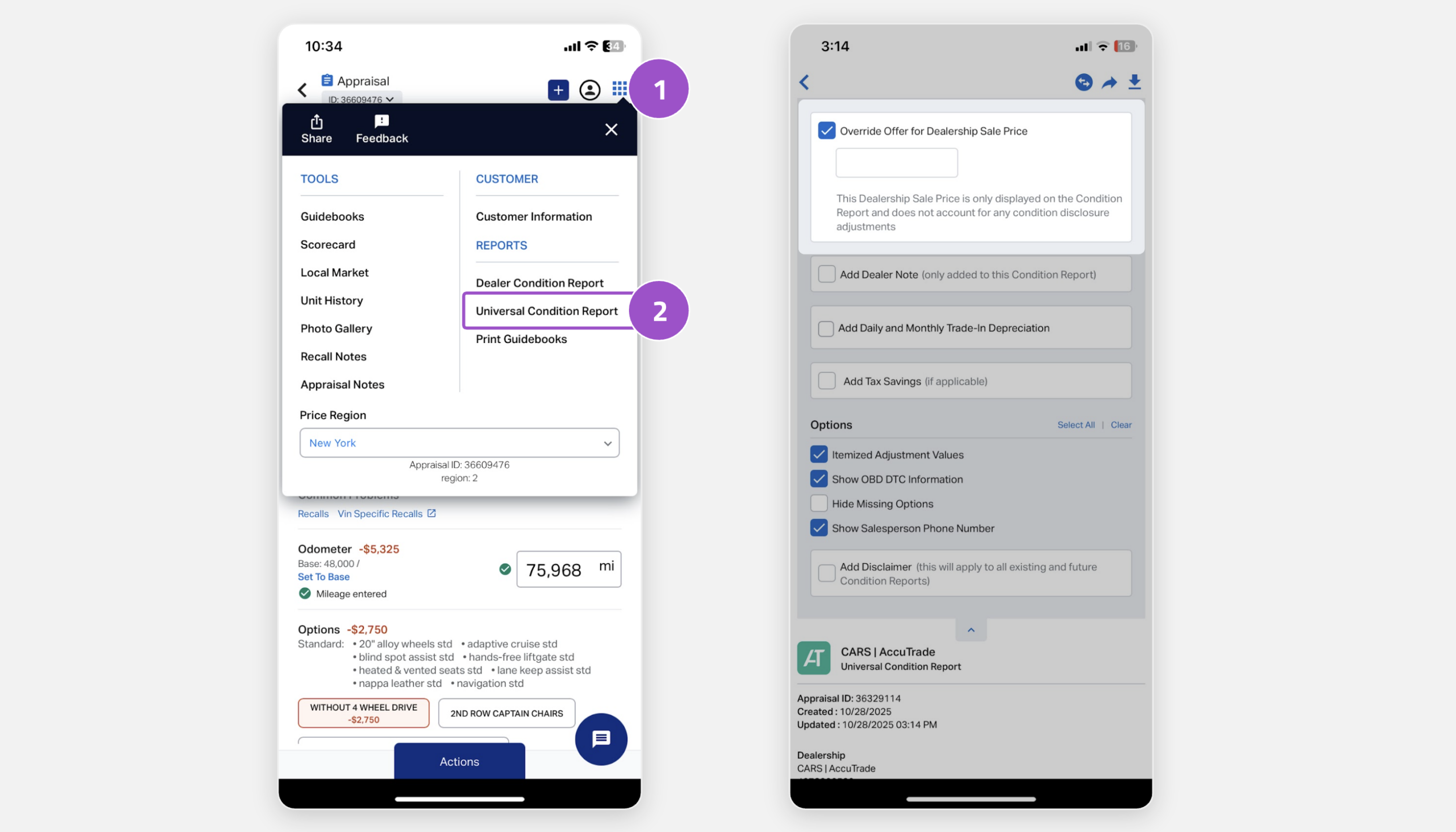
- Share the report on your device or send to the customer via print, text, or email.
| Note: Showing the customer the “why” behind the price reduces friction and builds trust — making you more likely to close the deal. |

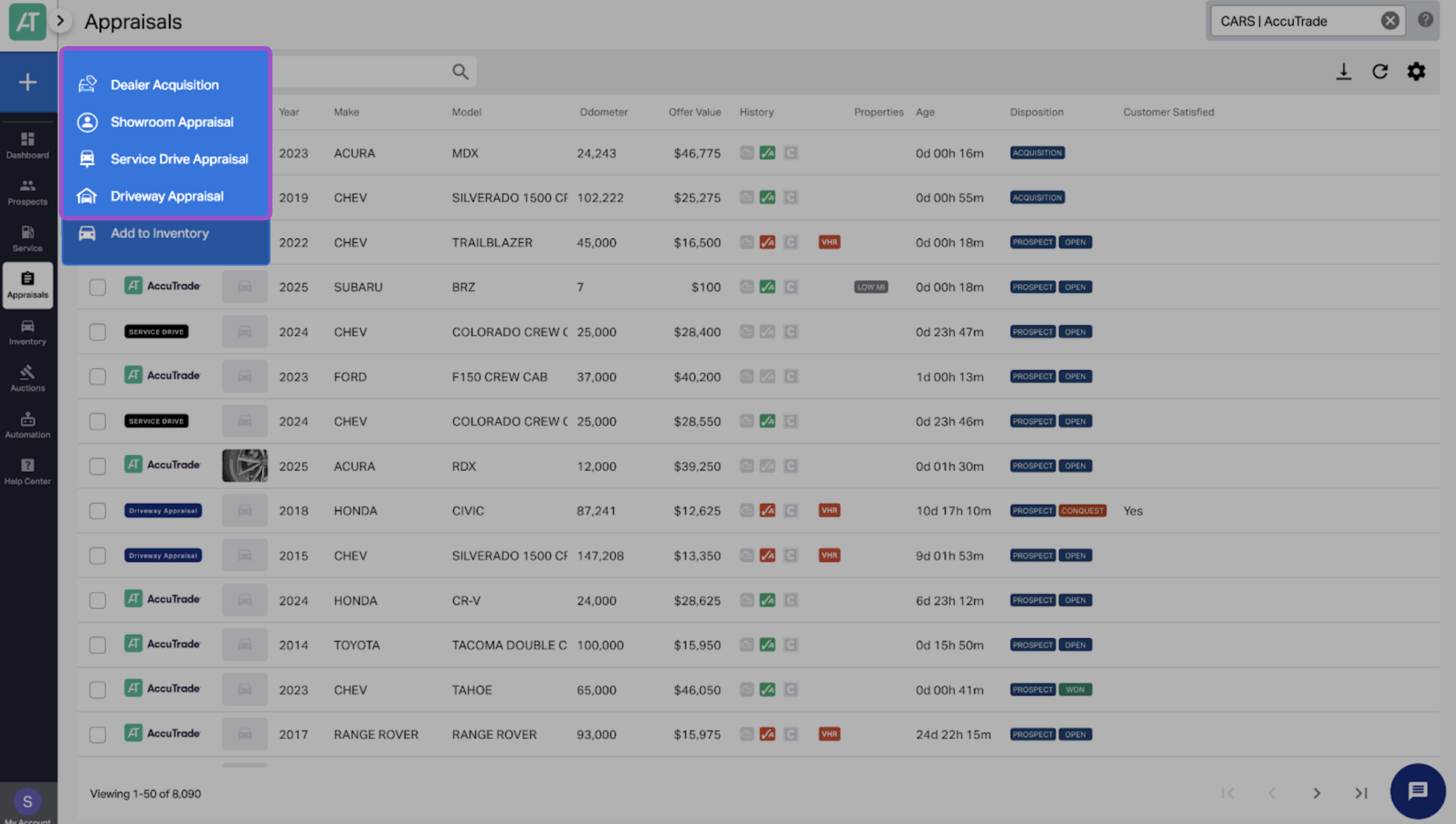
Types of Appraisals
To understand the elements of a complete appraisal, it’s important to know the differences between each type and when to use them:
- Dealer acquisition: Allows dealers to initiate appraisals from anywhere. Used to pivot to an appraisal on the spot when a customer casually mentions a trade-in.
- Showroom appraisal: Hides the PriceBar so the customer doesn’t see what the dealer may pay for target or resale. Use for showroom customers who may be interested in trading in their vehicle.
- Driveway appraisal: Gives customers the flexibility to appraise their own car from their driveway, on their own terms. Used to invite leads to appraise their vehicle to scale acquisitions.
- Service drive appraisal: Provides a structured way to acquire vehicles daily. Use for customers who come through your service drive. (Add-on).