How to block users on DealerClub
DealerClub gives you tools to manage who you see — and who sees you. While following sellers helps you stay connected to dealers you trust, you may occasionally want to block users or dealerships whose inventory, behavior, or performance you’d rather avoid.
Blocking a seller ensures they no longer appear in your auction feed, and in the case of individual users, it also prevents them from interacting with you or your auctions (including viewing or bidding on your vehicles).
In this article, you’ll learn how to block users or dealerships on DealerClub, where to find the block option, and how to manage your blocked list from your account settings.
To get started
Go to the Cars.com Hub, and then click on DealerClub.
1 Access the seller’s profile
To block a user or dealership, start by finding them through a vehicle listing.
- Click on any vehicle in DealerClub to open its detail view
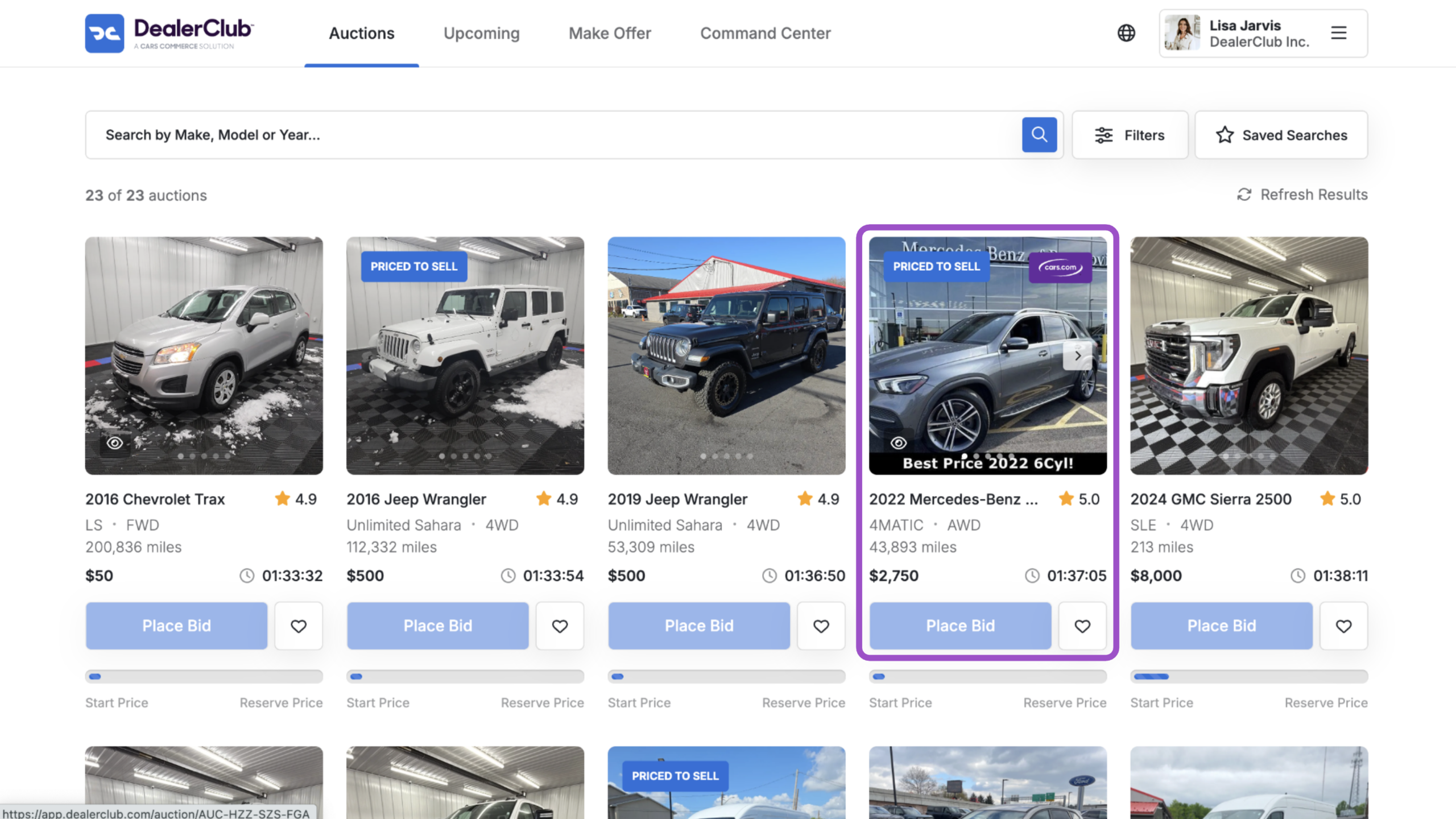
- This will open the vehicle detail view
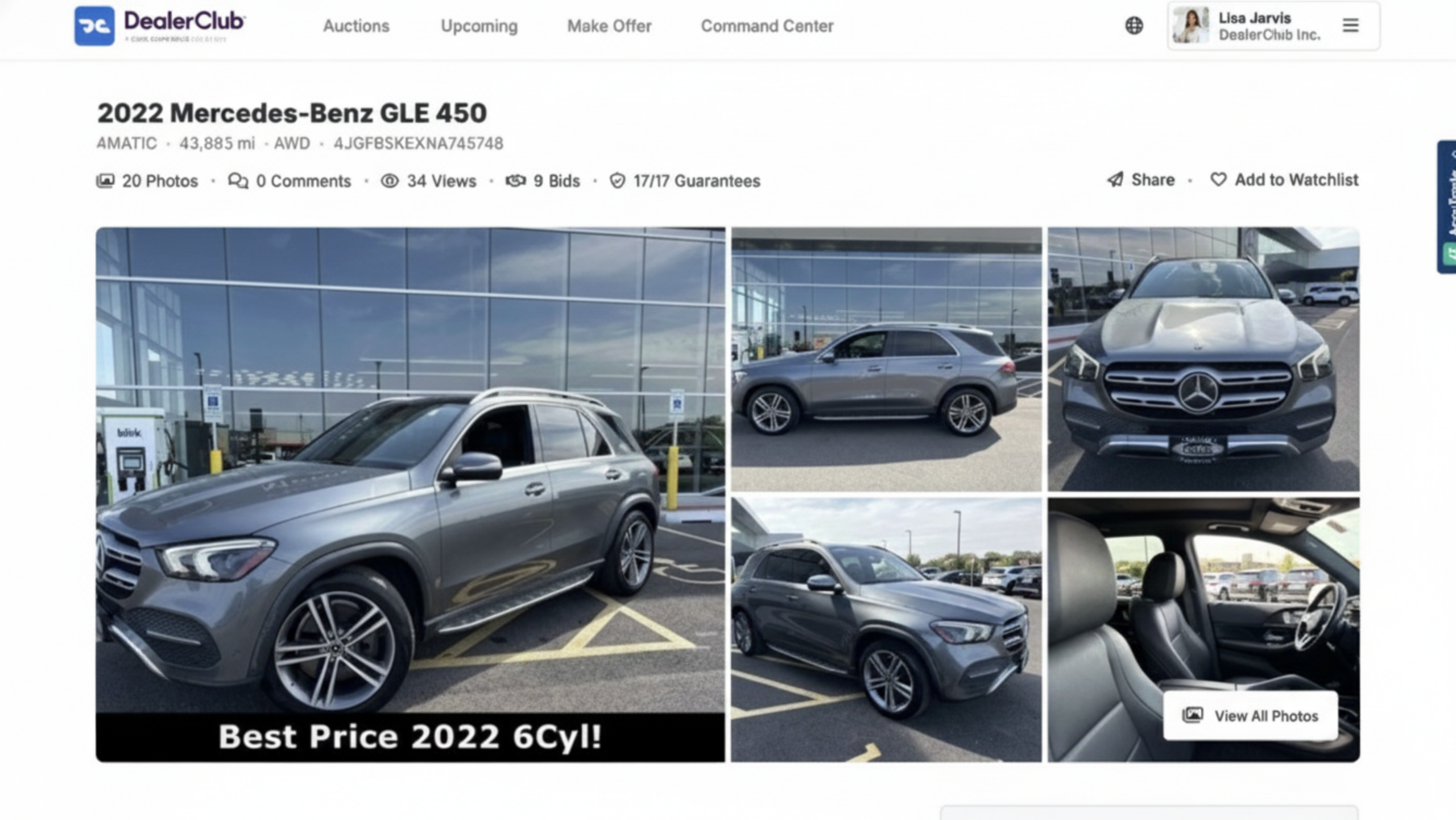
2 View inspector profile or dealership performance
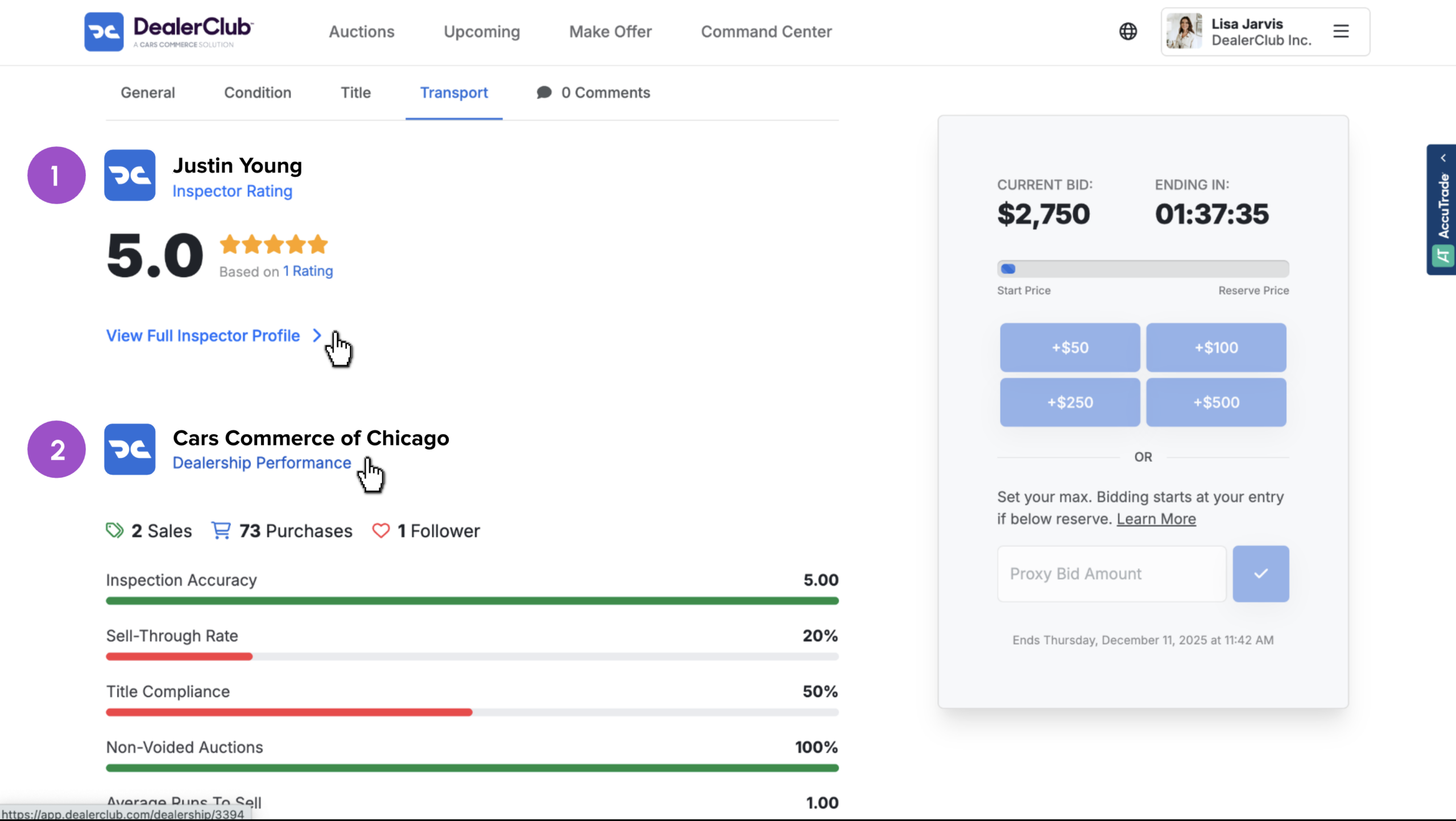
- Scroll down to the seller information, which includes their rating and dealership name
- Click View Full Inspector Profile to open the individual seller’s profile
- Or click Dealership Performance to view the dealership’s metrics and activity
Both allow you to block users using the same steps.
3 Block the seller or dealership
On the profile page:
- Click the three-dot menu in the top-right corner
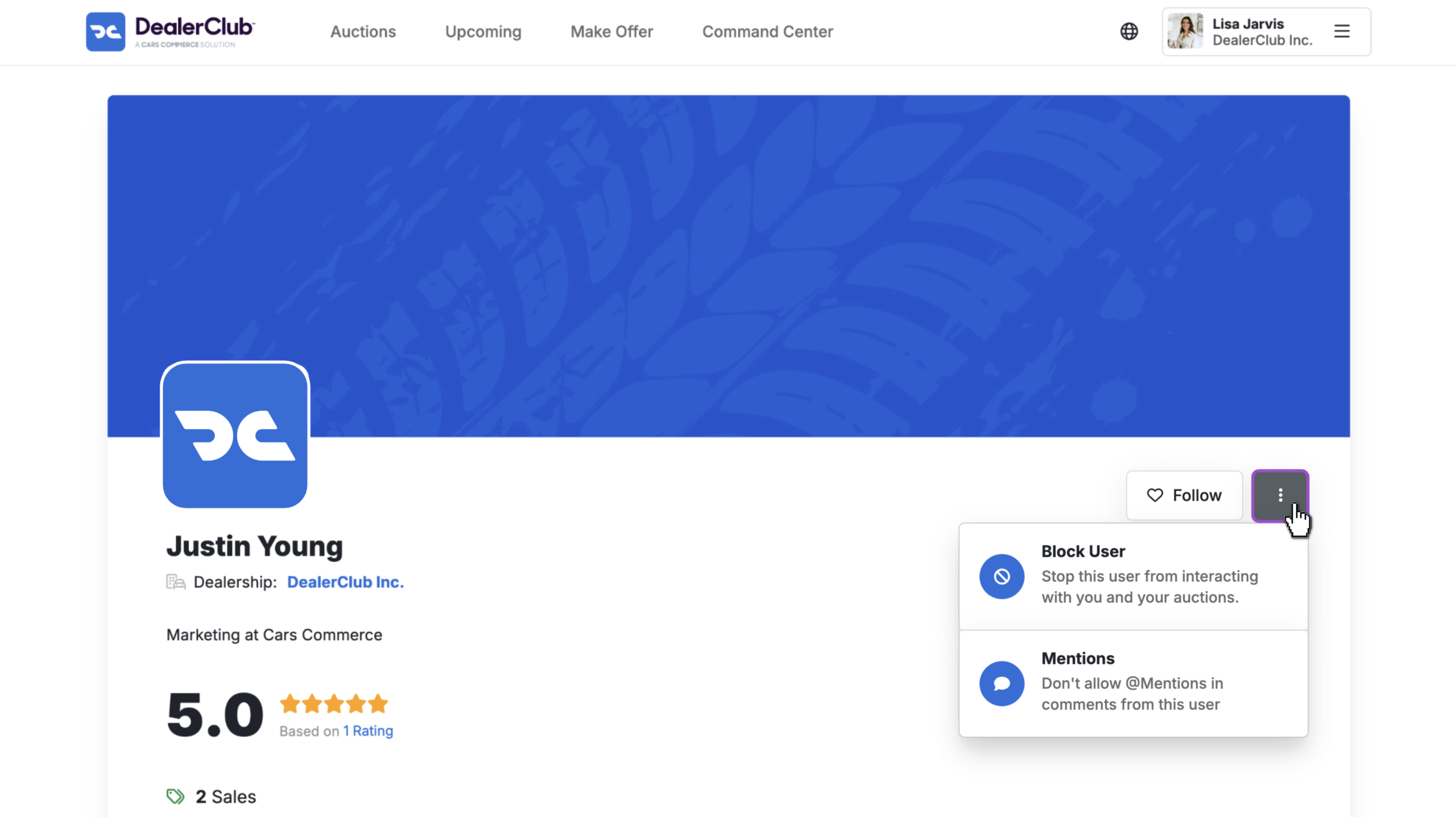
- Choose Block to prevent interaction or inventory visibility
- This stops a user from seeing your auctions or bidding on your vehicles
- Or, choose Disable Mentions to prevent that user from tagging you in comments
- This stops a user from seeing your auctions or bidding on your vehicles
Follow the prompts and click Submit to confirm.
Note: You can only block individual users who have previously purchased at least one vehicle from your dealership.
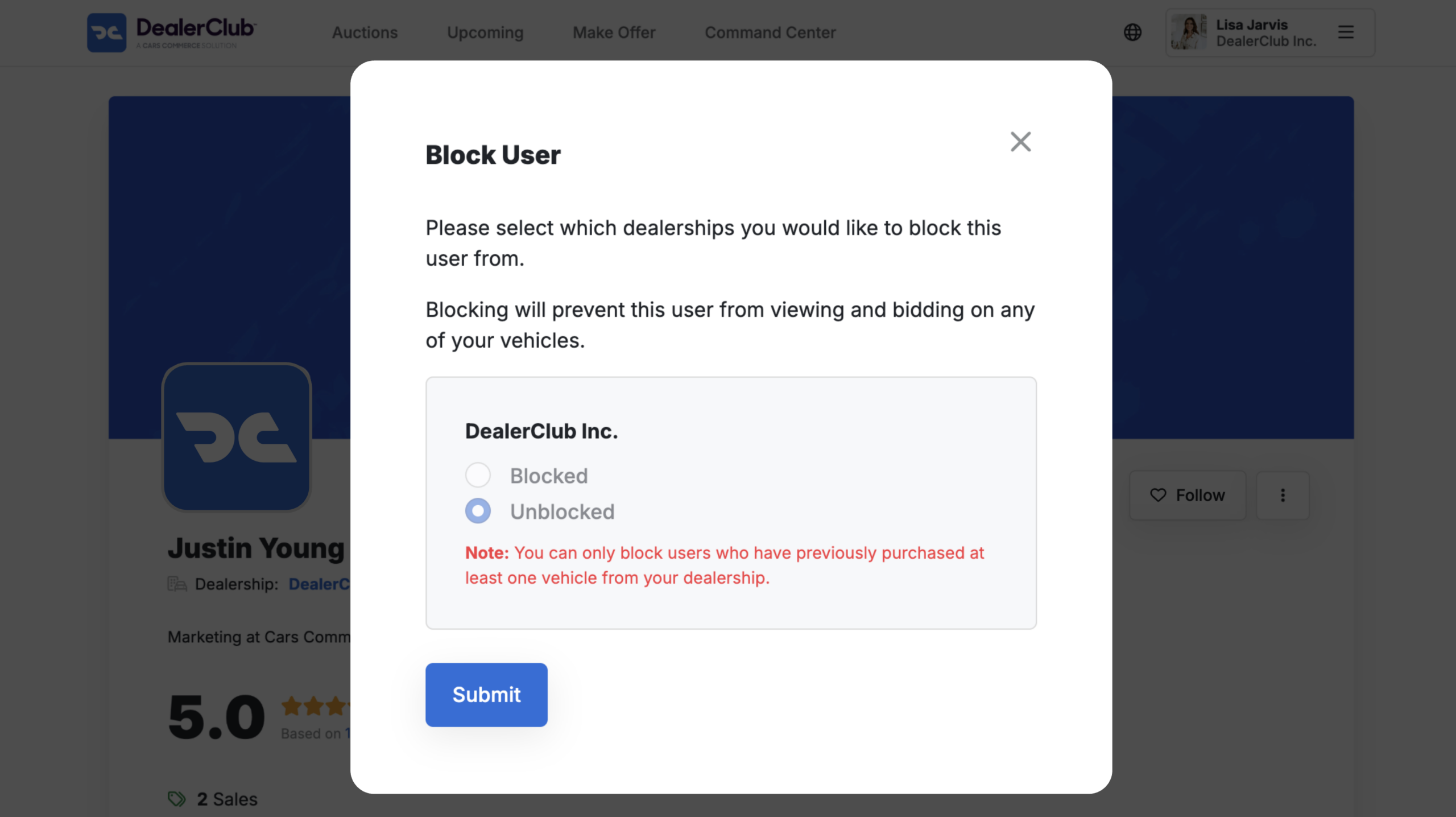
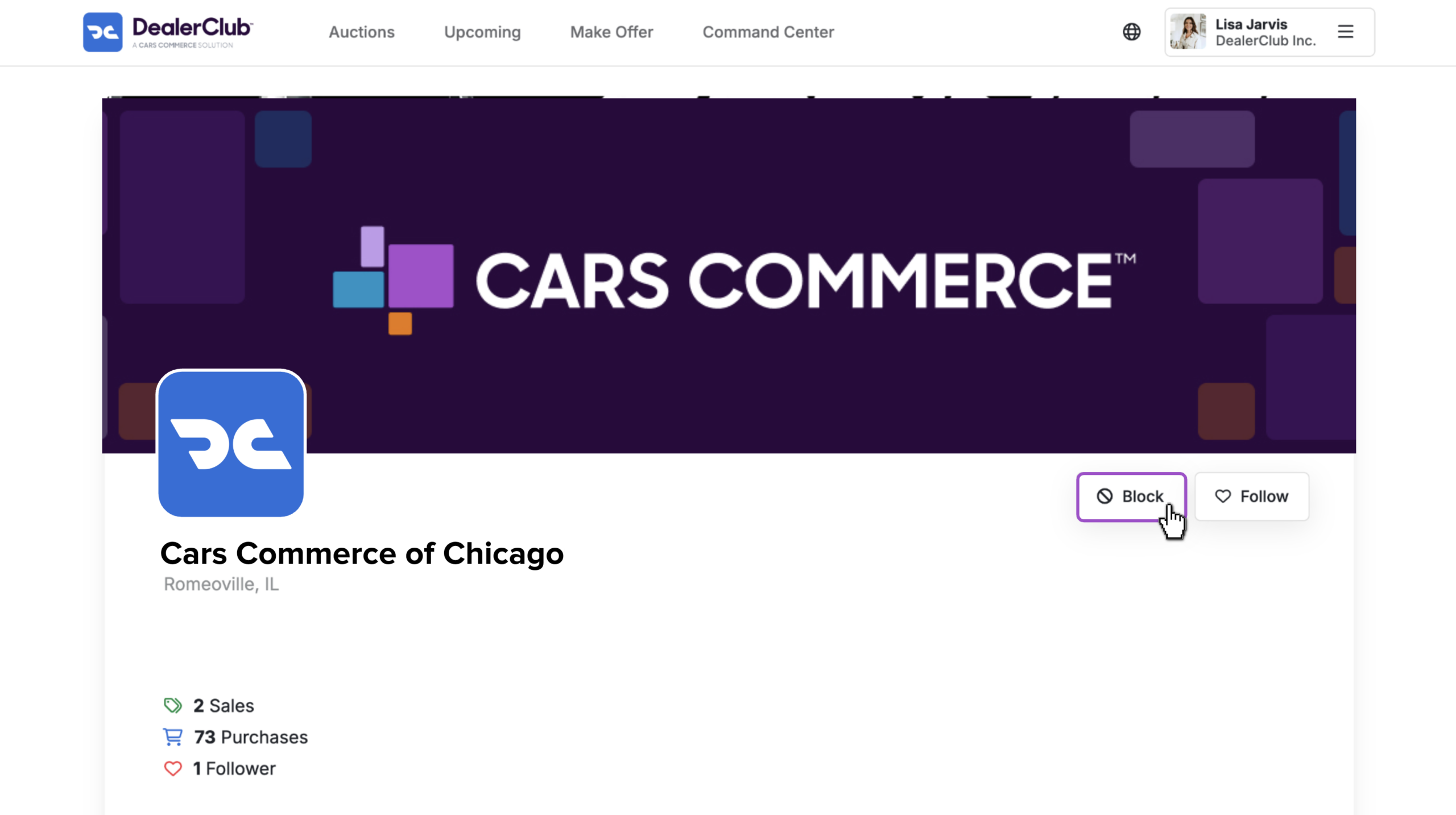
To block an entire dealership:
- Click the Block button on the dealership profile
- Follow the same steps and click Submit
4 View or unblock sellers
You can view and manage your blocked list at any time:
- Click your name in the top-right corner of DealerClub
- Select Blocked Dealers from the dropdown menu

From here, you can:
- View the list of blocked users and dealerships
- Click into profiles
- Unblock users to re-enable interaction and visibility