How Online Shopper works for shoppers and dealers
Online Shopper is a full-featured digital retailing platform for Dealer Inspire websites that empowers shoppers to build and customize their deal before visiting your showroom. More than a payment calculator, Online Shopper lets visitors explore vehicles, add trade-ins, compare options in a virtual garage, select financing terms, and even get pre-qualified — all in one seamless experience.
In this article, you’ll learn how shoppers use Online Shopper at each step of the buying journey — and how your dealership receives leads, financing applications, and actionable insights from their activity.
1 Explore payment options
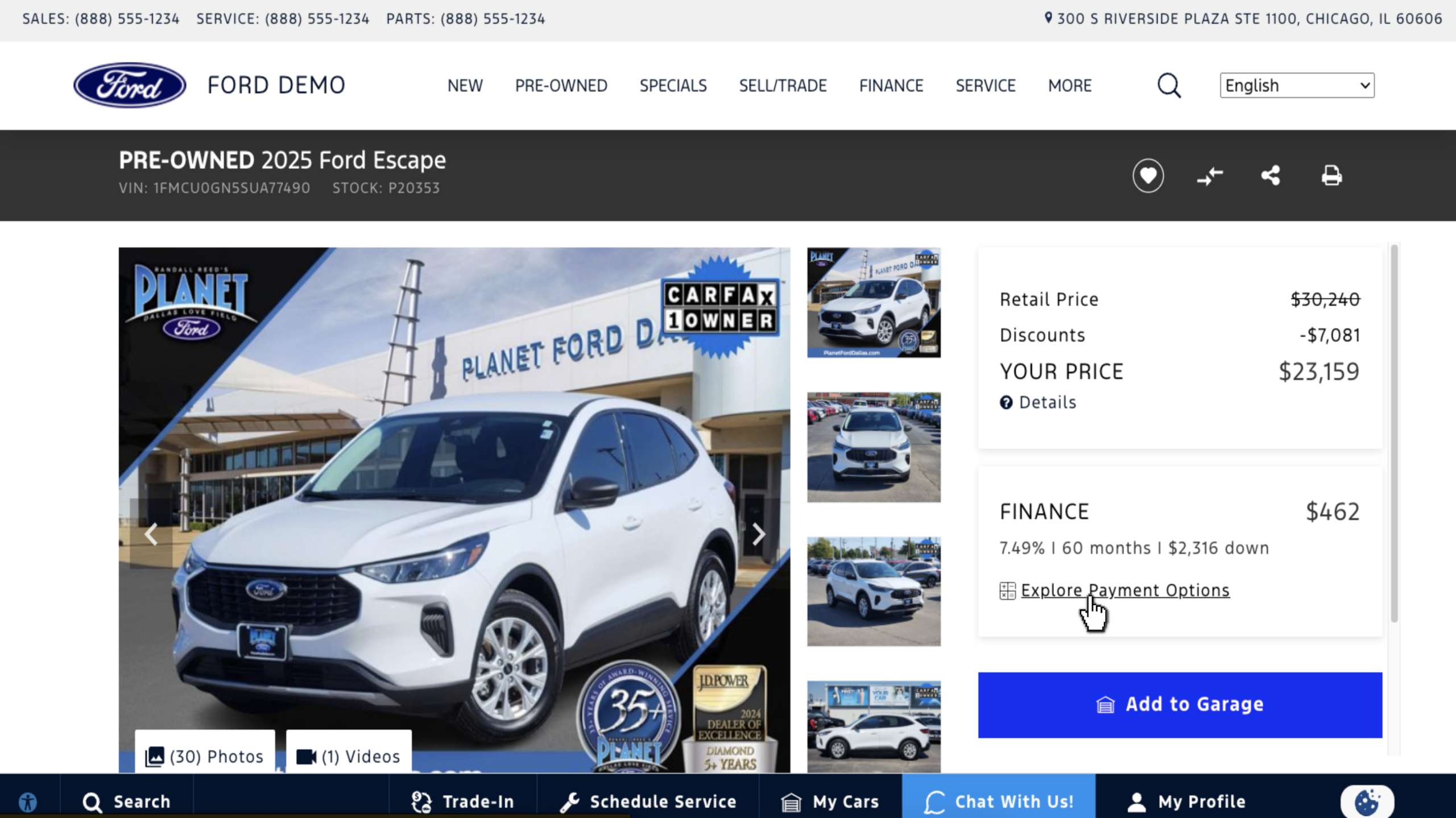
To begin, the shopper clicks a CTA such as “Explore Payment Options,” “Start My Deal,” or a similar button on your Vehicle Results Page (VRP) or Vehicle Detail Page (VDP). This launches the Online Shopper modal, where they begin customizing a deal for a specific vehicle.
Note: CTA text may vary based on your website’s configuration.
2 Customize payment
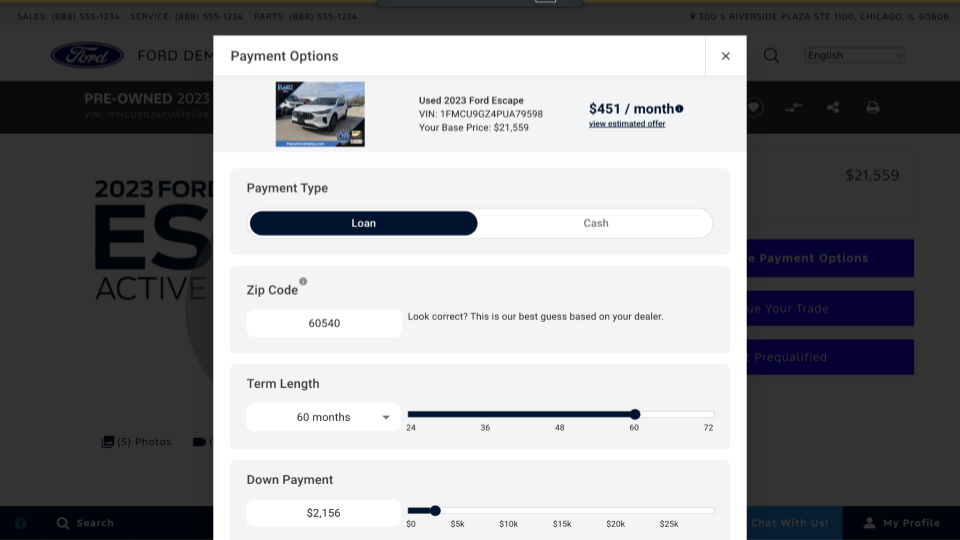
Shoppers can personalize their payment using the built-in calculator by selecting:
- Down payment amount
- Loan term length
- Transaction type (finance or lease)
- Location (to reflect local taxes and fees)
Estimates update in real time as shoppers adjust their preferences, giving them clear expectations for monthly costs and increasing their confidence to move forward.
3 Compare vehicles in the garage
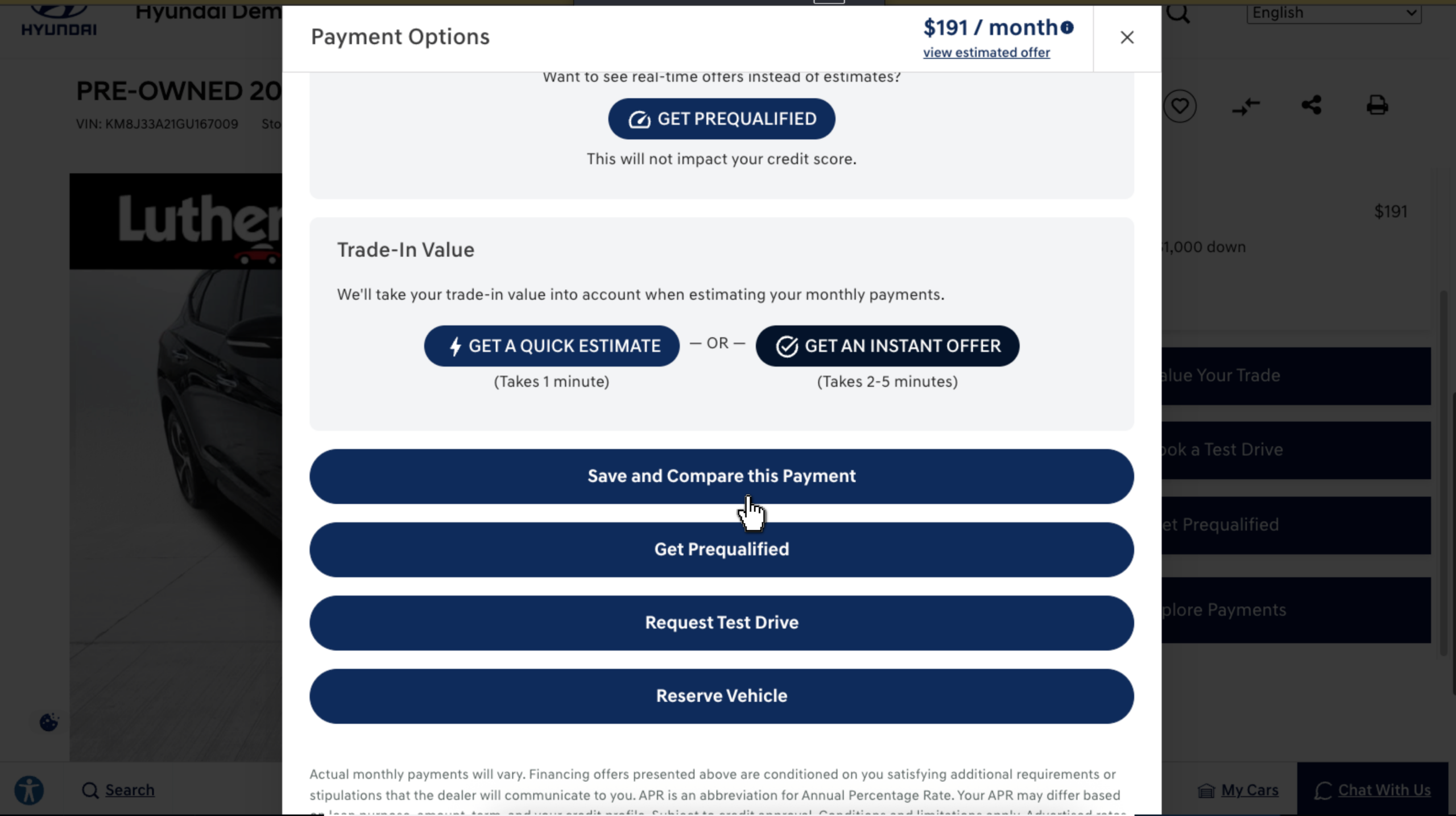
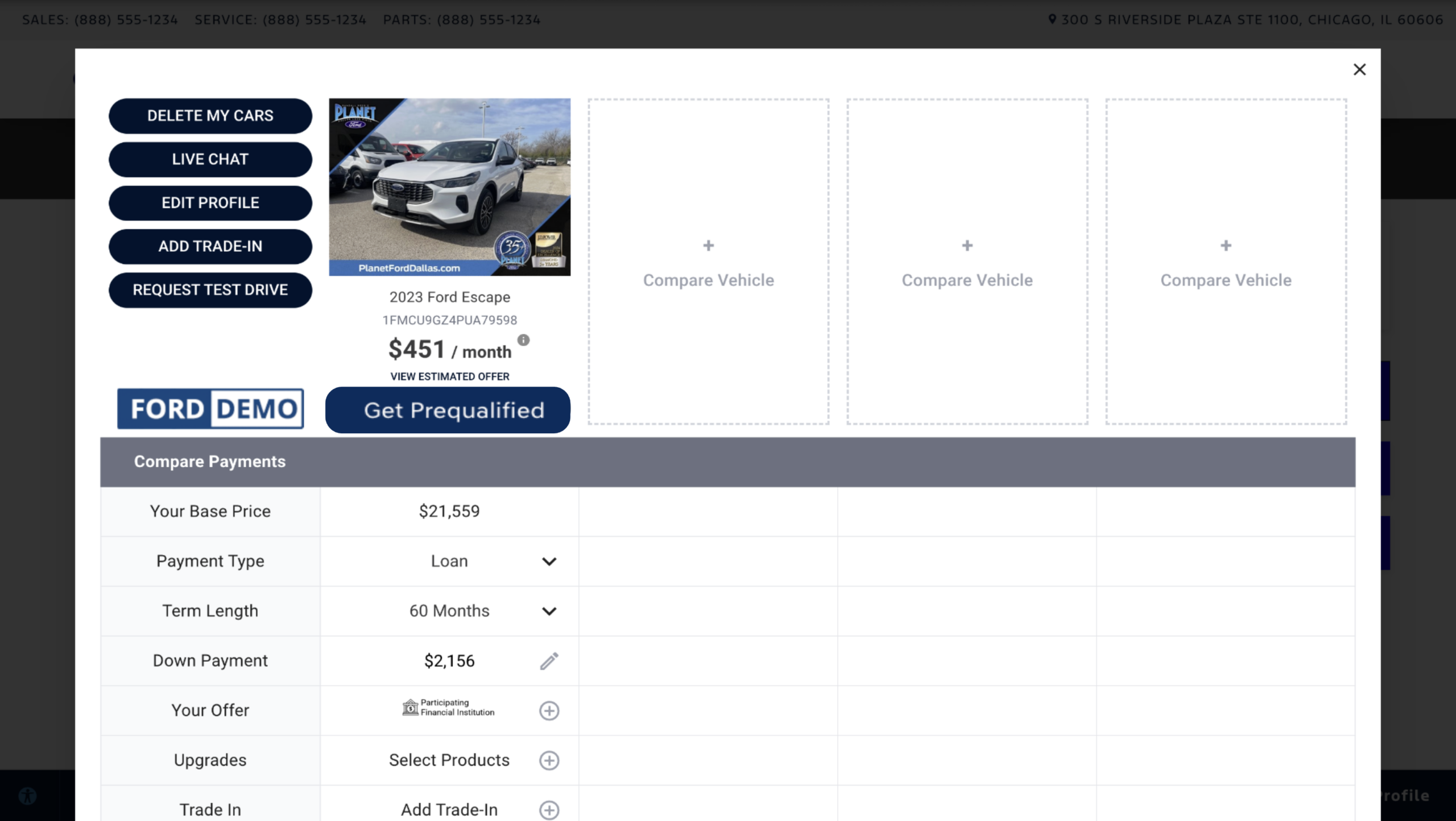
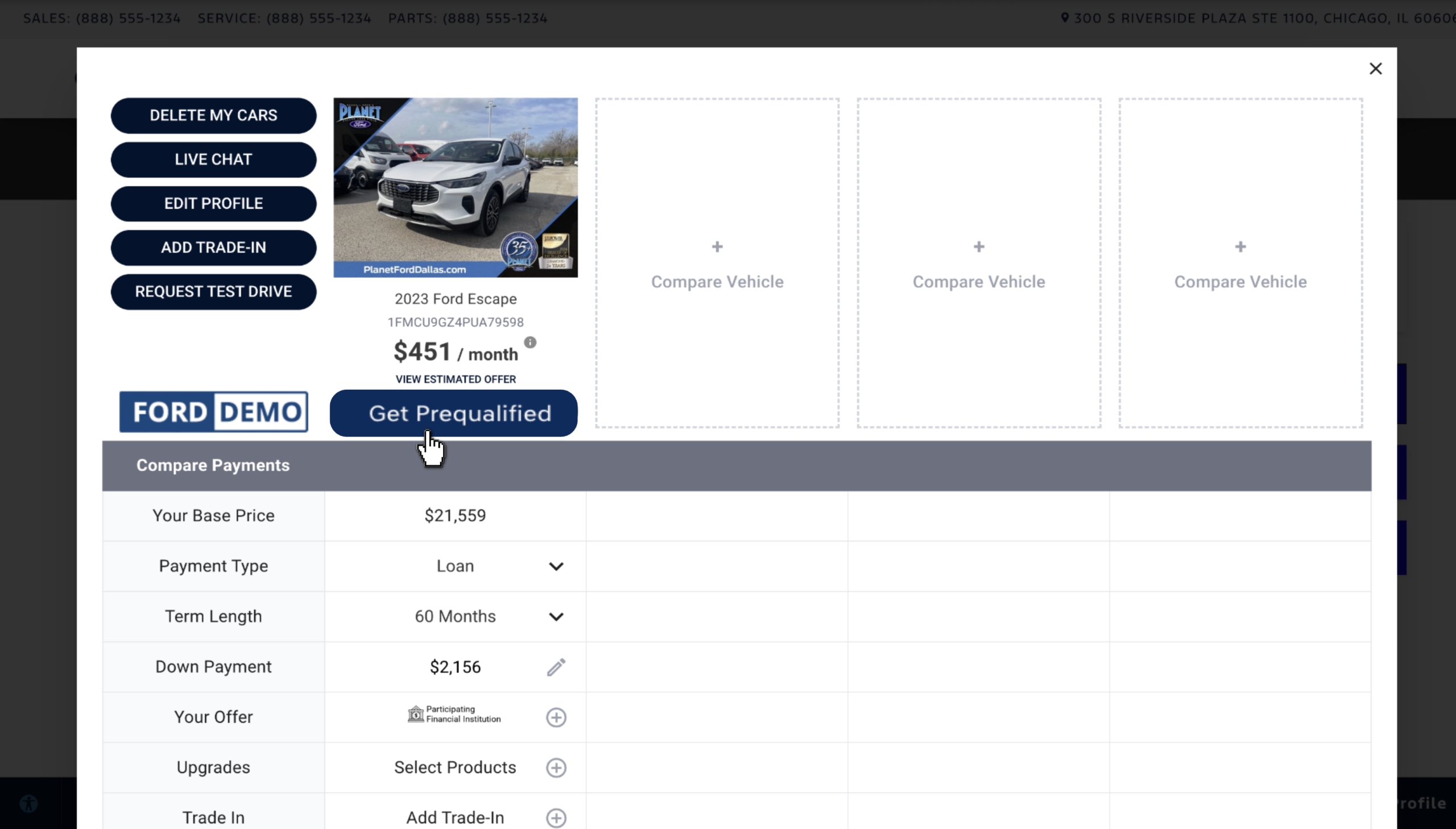
Clicking “Save and Compare this Payment” saves the selected vehicle and payment scenario to the shopper’s Garage, where they can:
- Compare multiple vehicles and deal structures side by side
- Narrow down their choices more efficiently
This not only helps the shopper arrive at a decision, but also gives your team valuable insight into which vehicles they’re actively considering.
4 Get prequalified
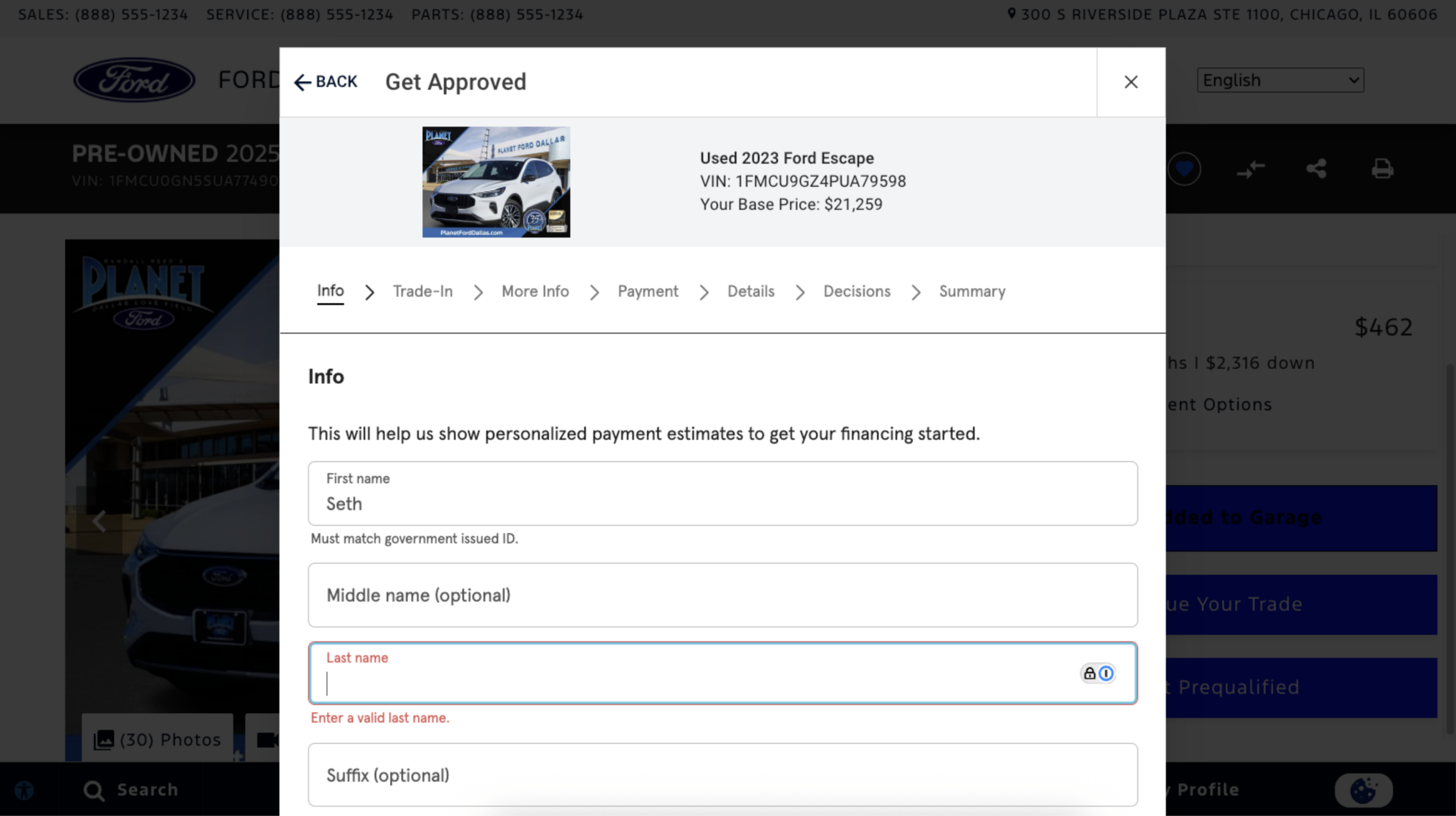
When ready, the shopper clicks “Get Prequalified” and completes a brief application with:
- Personal information (name, address, contact)
- Social Security number (for credit evaluation)
- Employment and income details
- Residency information
- Optional trade-in and loan payoff info
Note: Shoppers can also begin the pre-qualification process from your Finance page without selecting a specific vehicle. This is called a “VINless” experience — useful for shoppers who are still deciding on what to buy.
5 Receive financing options
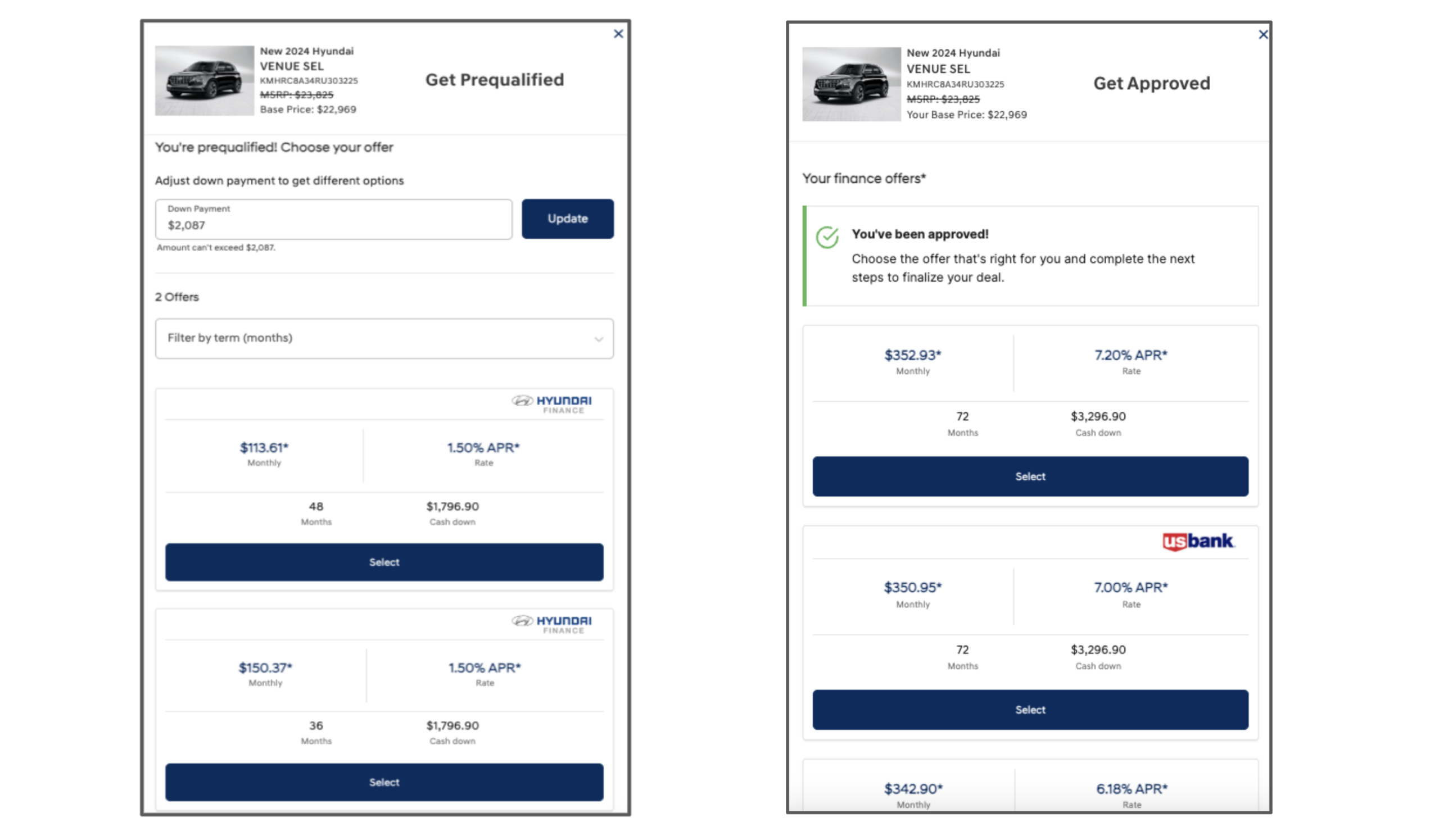
Depending on your dealership’s configuration, the shopper will receive one of two experiences:
- Soft credit pre-qualification (all dealers): Estimated offers based on a soft credit pull that does not impact their credit score. This is an invitation to apply — not a guaranteed approval.
- Full credit application (RouteOne or Dealertrack dealers only): Firm lending decisions from participating lenders based on a hard credit pull. Full applications are delivered to your RouteOne or Dealertrack account.
Shoppers can compare offers and select the payment option that best fits their budget.
6 Connect with your dealership
After completing the application, shoppers can:
- Save their deal
- Continue browsing
- Schedule a test drive
- Contact your dealership directly
Your team receives a lead containing all the deal details, enabling quick and informed follow-up.
7 Receive leads
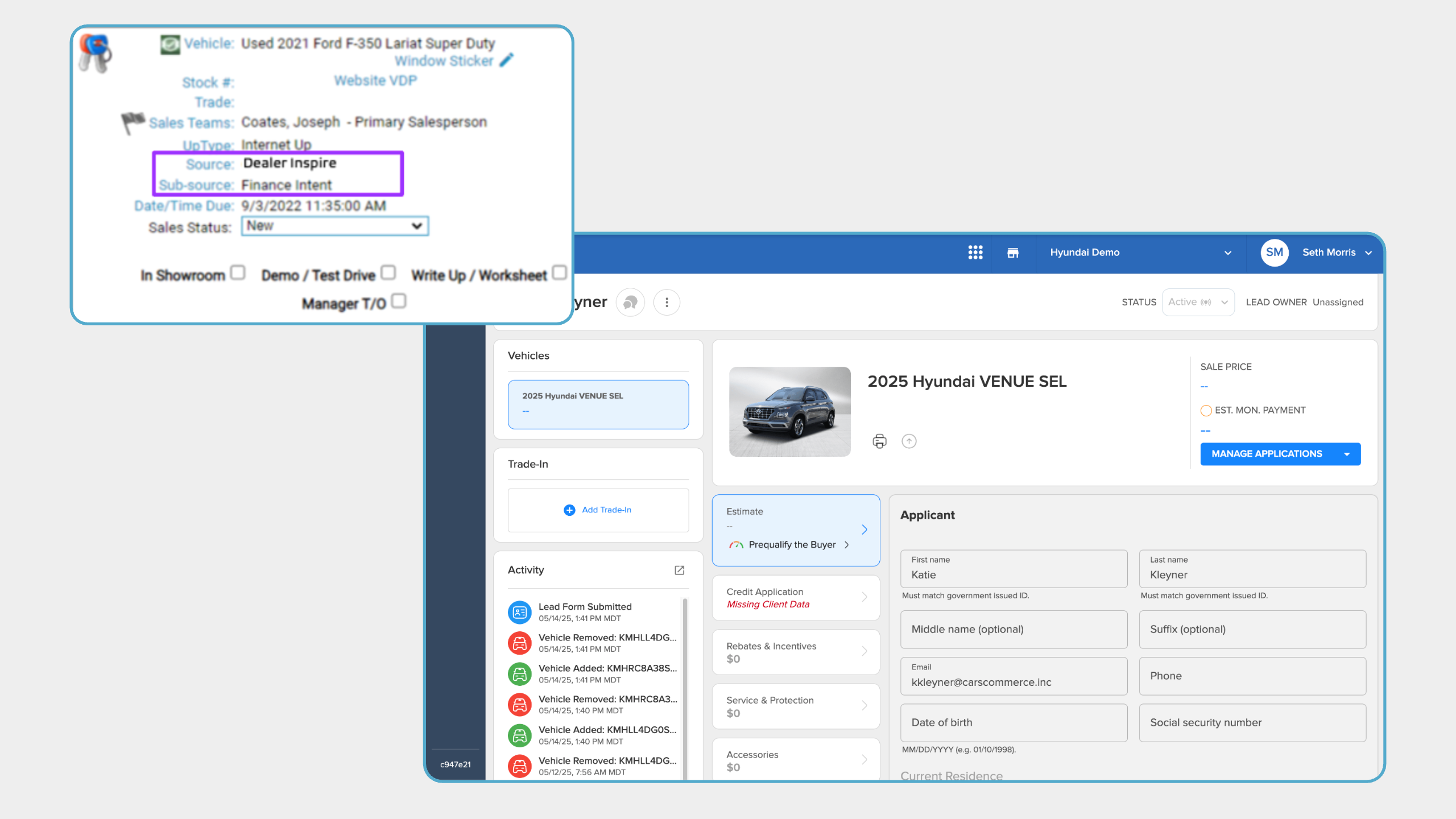
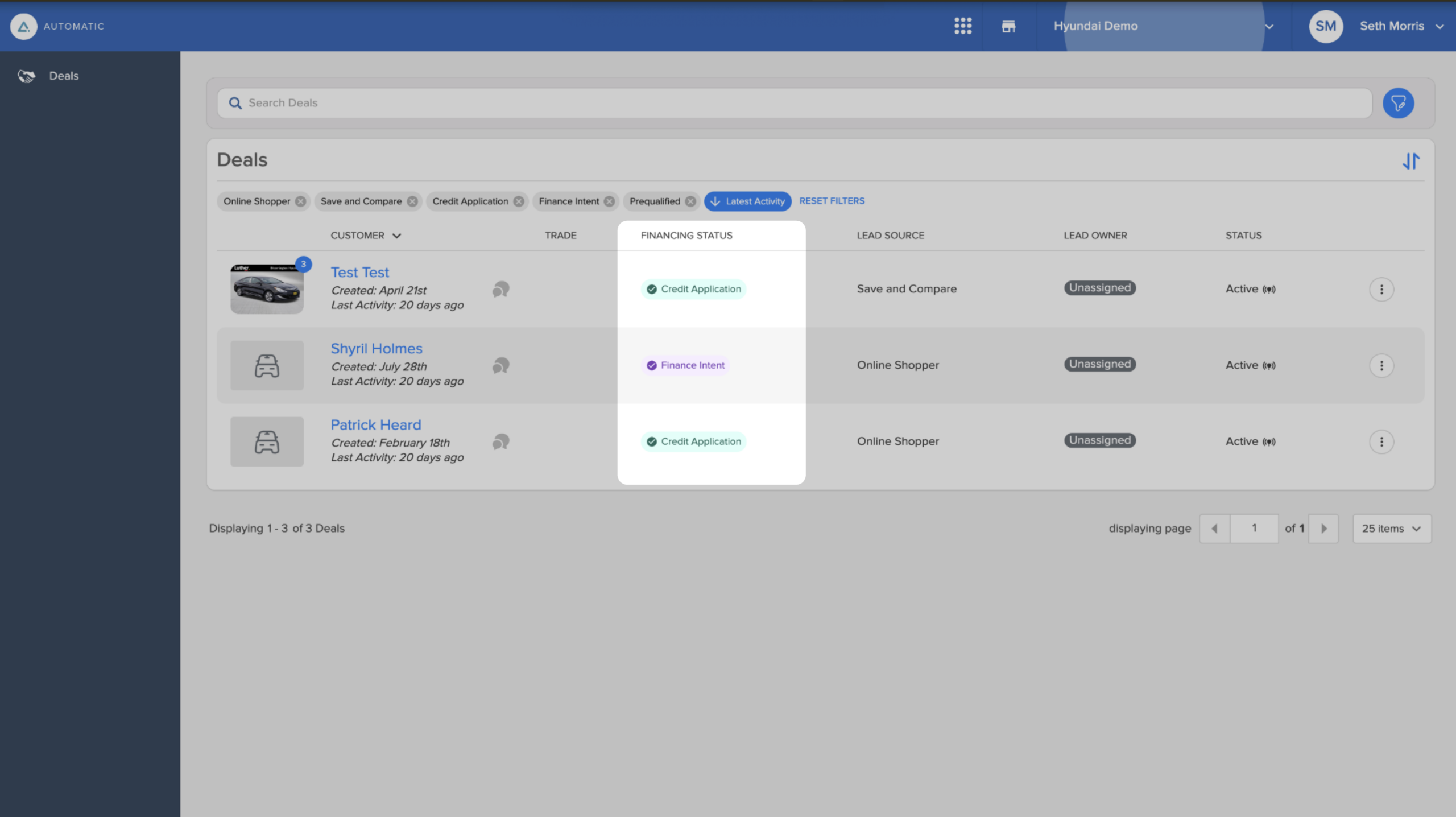
Every interaction in Online Shopper generates a lead delivered to your CRM. You can also find these leads on the Deals page in Automatic (Dealer Inspire’s digital retailing dashboard).
Leads are categorized by engagement level:
- Finance Intent: Shopper started the process but didn’t complete pre-qualification
- Prequalified: Shopper completed a soft credit check
- Credit Application: Shopper completed a full credit application (hard pull)
Note: A lead is generated when a shopper creates their Garage by saving a vehicle and verifying their contact information. The lead is sent to your CRM after approximately 10-15 minutes of idle time, allowing Online Shopper to capture all activity from the session before delivering a complete lead.
8 View application details
Each CRM lead includes a secure link to view application details in Automatic. For security and compliance reasons:
- Sensitive data (e.g., Social Security numbers) is never included in CRM lead fields
- Full application details are accessible only through Automatic
- Dealers integrated with RouteOne or Dealertrack can also receive complete applications within those platforms