How to enable your Cars.com integration
Pairing AccuTrade with the Cars.com Marketplace turns every listing into a two-way opportunity: one that sells your current inventory and one that acquires your next. By enabling this integration, you unlock real-time lead routing, seamless inventory syncing, and direct connections with in-market shoppers who are ready to buy and sell.
In this article, you’ll learn how to enable the Cars.com integration within AccuTrade, confirm your lead flow settings, and manage real-time inventory sourcing from the Marketplace.
To get started
Go to the Cars.com Hub and then click on AccuTrade.
Why enable the integration?
When you pair AccuTrade with the Cars.com Marketplace, you’re reaching shoppers who are ready to buy — and many of them have a vehicle to trade.
- By embedding AccuTrade’s Instant Offers into your Marketplace listings, you capture high-intent shoppers who want to buy and sell in one transaction.
- Leads with an AccuTrade Instant Offer convert significantly higher because the price transparency is established before the shopper even contacts the store.
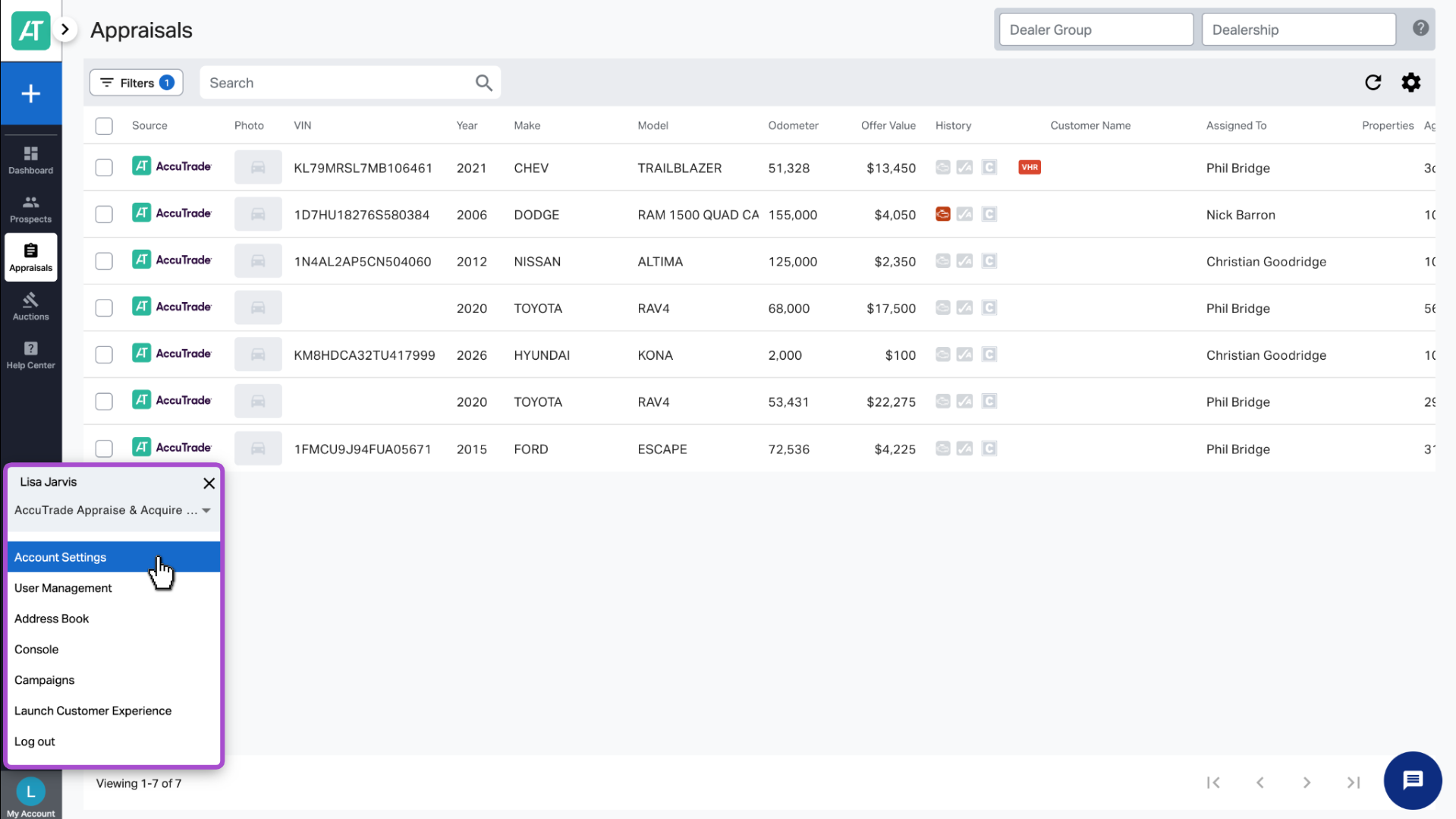
1Go to your Account Settings
Click your name in the lower left corner, then click Account Settings.
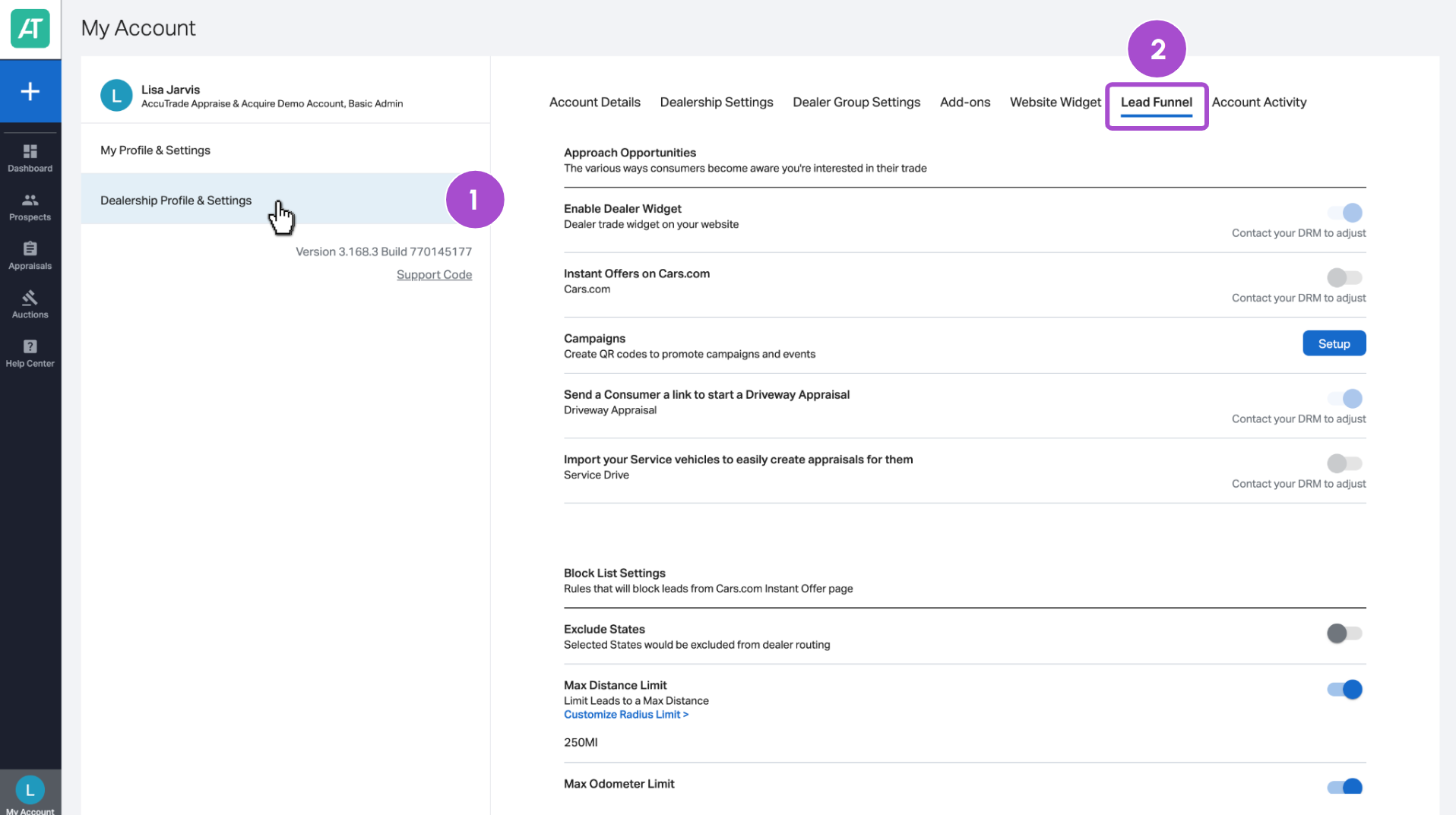
2 Access your Lead Funnel tab
1. Click Dealership Profile & Settings.
2. Select the Lead Funnel tab.
3 Confirm the integration status
- If the Lead Funnel option is enabled (toggled on), the integration is active.
- If the Lead Funnel option is greyed out (toggled off), the integration has not been enabled.
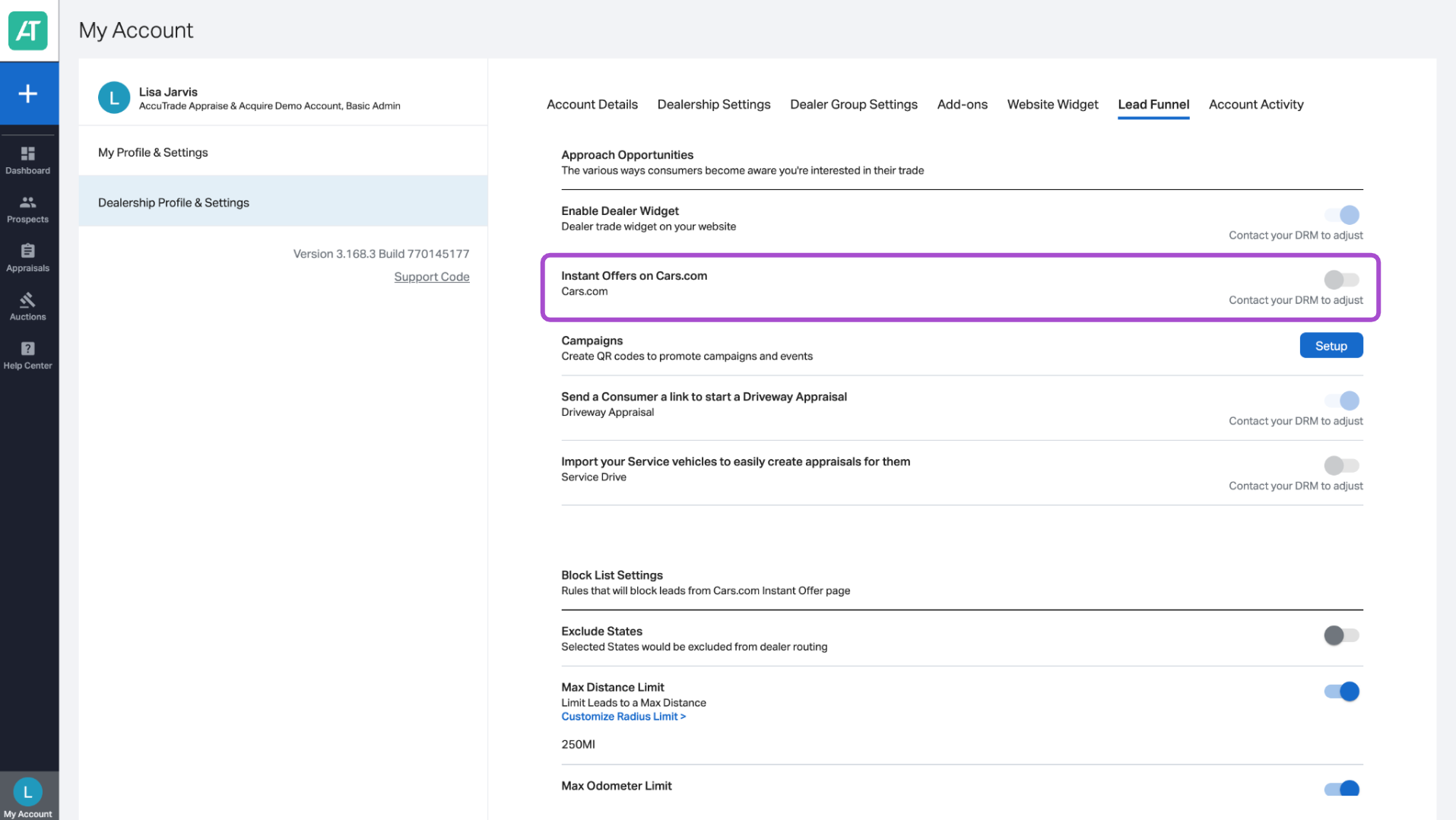
If you are signed up to receive leads from Cars.com, this may already be enabled.
If the integration is inactive
Contact your Dealer Relationship Manager (DRM) to request that the integration be activated. Once this is toggled on, you’ll begin receiving leads within 24 hours.
Now that your Cars.com integration is enabled, learn how to manage it:
Manage real-time inventory feed
The integration between the AccuTrade IMS and Cars.com is seamless and immediate.
- When you adjust a price or update vehicle condition in AccuTrade, those changes flow to your Marketplace listings almost instantly.
- New photos uploaded to the IMS now sync to Cars.com without any delay. This allows you to list “just traded” inventory before it even leaves the bay.
- Use AccuTrade’s Inventory Intelligence Report to see which VINs have high profit potential versus at-risk inventory that needs a wholesale exit.
Turn Marketplace into a sourcing engine
The integration allows you to place your dealership as the primary buyer for private sellers.
| Feature | Marketplace capability | AccuTrade benefit |
| Instant Cash Offer | Placed on your VDPs (Vehicle Detail Pages). | Captures the 50% of shoppers who haven’t decided where to trade. |
| Buy Leads | Leads specifically from consumers looking to sell. | You source high-margin, private-party inventory with no auction fees. |
| Wholesale Exit | One-click “Push to DealerClub.” | If a Marketplace lead brings in a car that doesn’t fit your lot, you can wholesale it instantly. |
Operational best practices
To successfully manage this integration, focus on these three pillars:
- Trust the transparent appraisal: Use the AccuTrade valuation on your Marketplace listings as a “no-haggle” starting point. This consistency builds trust with the shoppers who start their journey on Cars.com.
- Monitor lead pedigree: Identify “Buy Leads” in your CRM. These are leads from people who want to sell their car to you. These are your lowest-cost acquisition opportunities.
- Speed to lead: Because the data is real-time, your response should be, too. When a shopper generates an AccuTrade offer on Marketplace, they are ready to transact.


