How Shop By Payment works for shoppers and dealers
Shop by Payment is a shopping tool built into Dealer Inspire websites that allows visitors to browse and compare vehicles based on real monthly payment estimates — not just sticker price. This helps shoppers understand what they can actually afford and increases conversions by aligning search results with personalized affordability. Shoppers can get pre-qualified or apply for financing based on their actual credit profile, generating stronger, more informed leads for your team.
In this article, you’ll learn how Shop by Payment works from the shopper’s perspective and how leads are delivered to your dealership.
1 Browse by payment
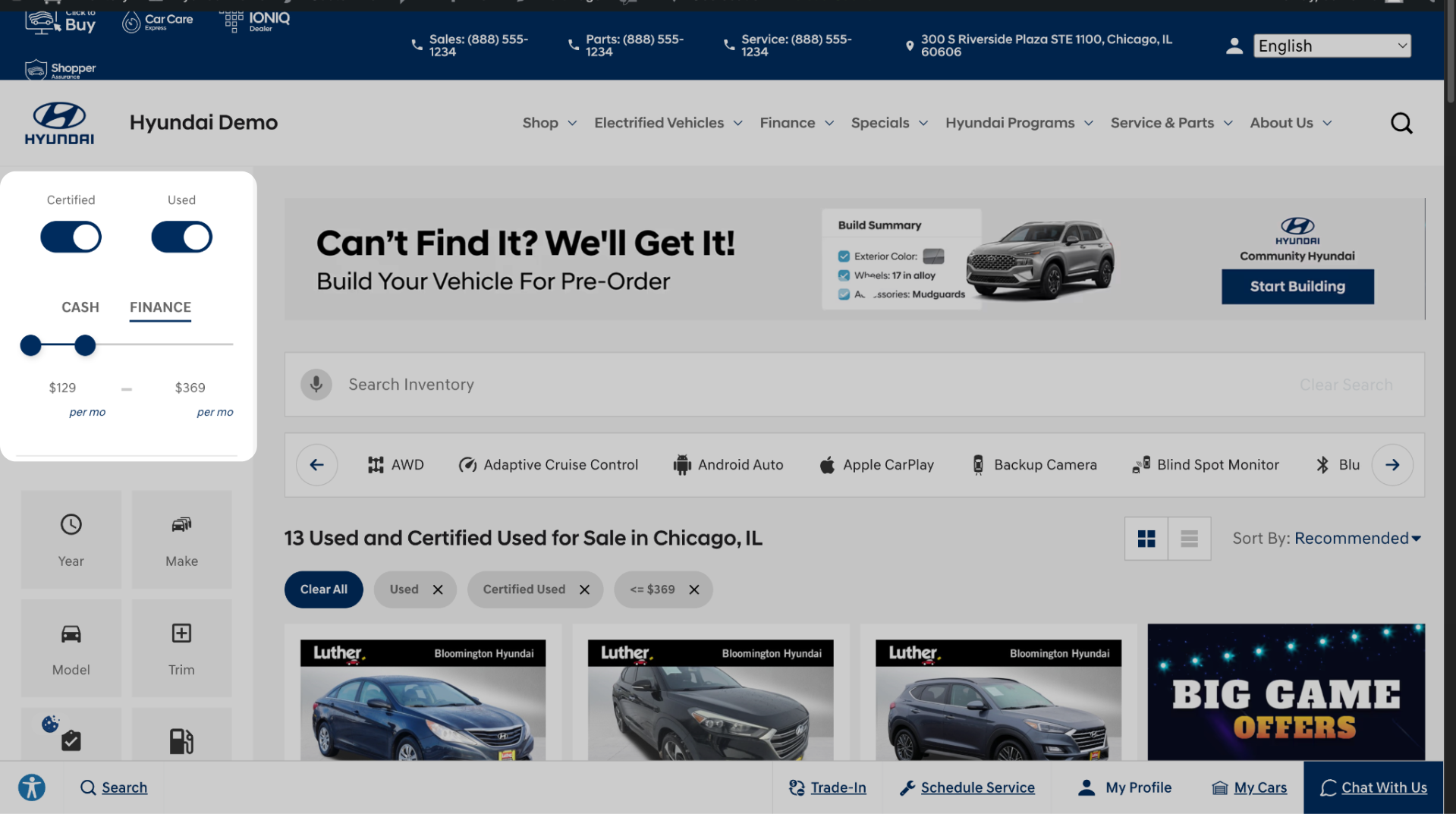
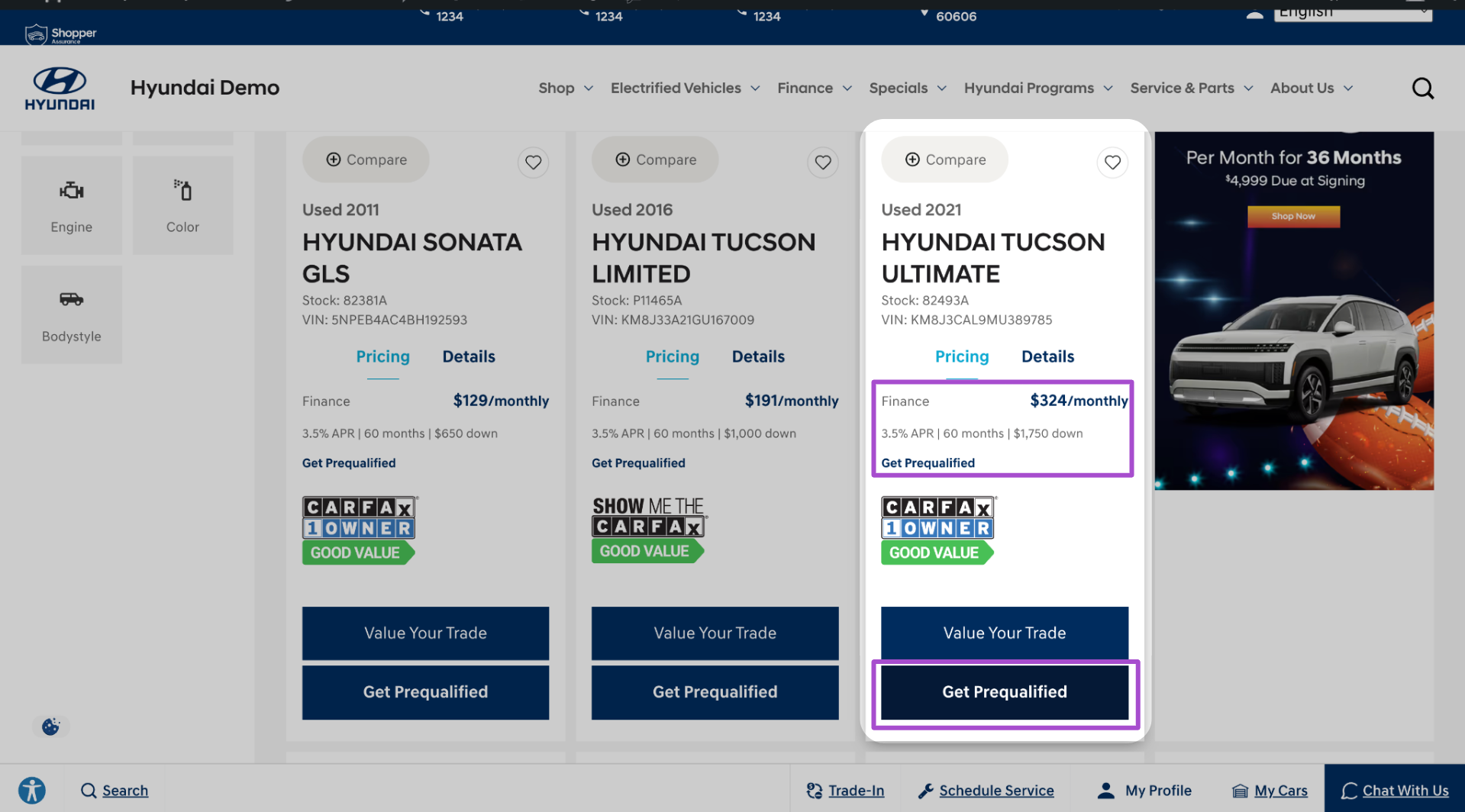
On the Vehicle Results Page (VRP), each vehicle card displays an estimated monthly payment.
- Shoppers can use the Payment Filter in the sidebar to narrow results to vehicles within their monthly budget.
- Vehicle cards include CTAs like “Get Prequalified” or “Explore Payment Options.”
2 View payment details
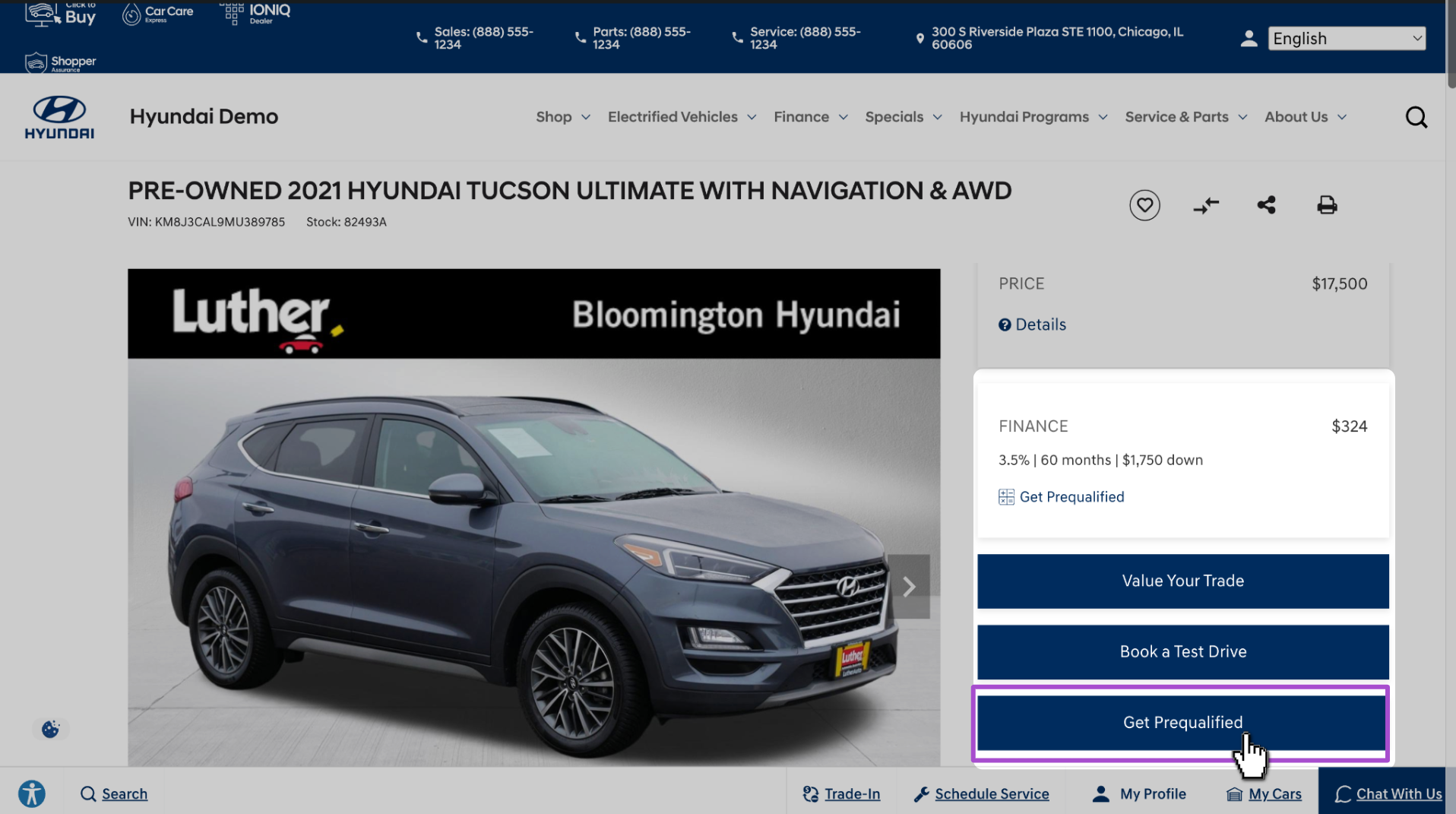
- Clicking a vehicle takes the shopper to the Vehicle Details Page (VDP), where they see detailed financing info:
- Estimated monthly payment
- Term length
- Down payment assumptions
- Estimated monthly payment
- Shoppers can click Get Prequalified to see personalized offers tied to their credit profile.
3 Provide information
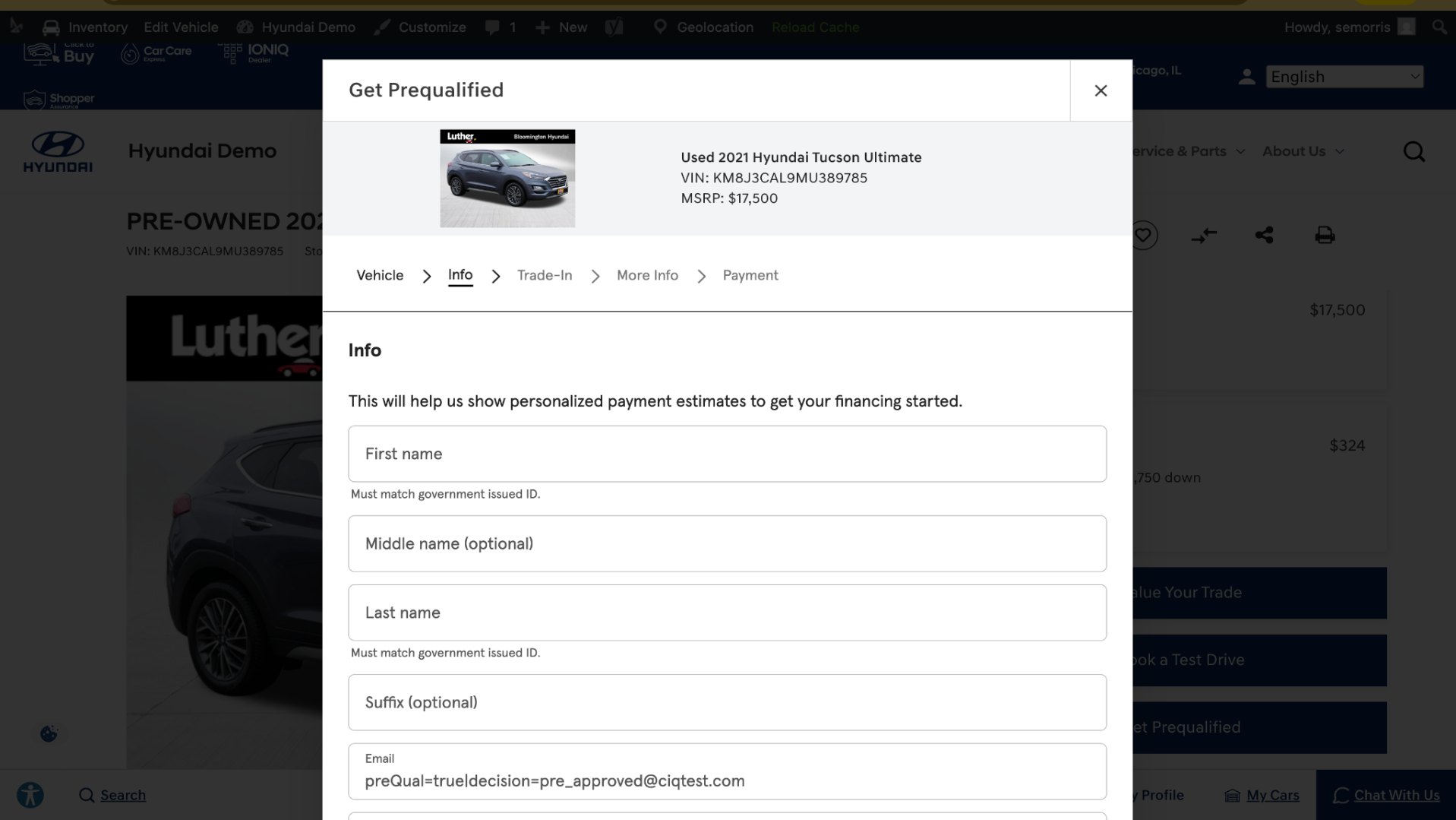
To generate payment options, the shopper completes a short financing form:
- Name, address, and contact details
- Social Security number (for credit evaluation)
- Employment and income information
- Residency information
- Trade-in and loan payoff details (if applicable)
Note: Shoppers can also begin this process from your Finance Page, without selecting a specific vehicle — this is called a “VINless” experience.
4 Receive financing options
Depending on your dealership’s configuration, shoppers receive one of two experiences:
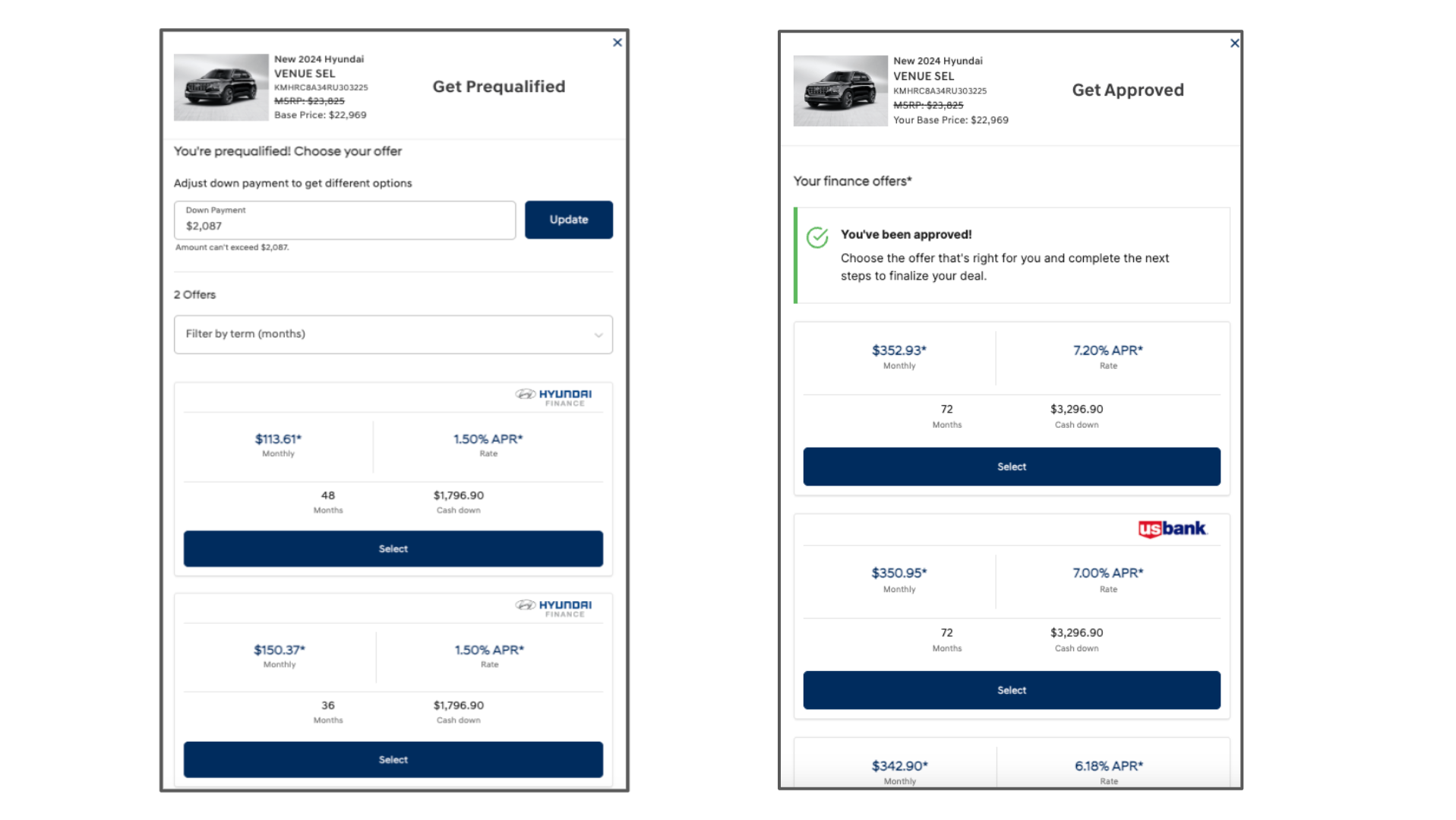
- Soft Credit Pre-Qualification (All Dealers)
- Shoppers receive estimated lender offers based on a soft credit pull — with no impact to their credit score.
- This is a pre-qualification, not a full approval.
- Shoppers receive estimated lender offers based on a soft credit pull — with no impact to their credit score.
- Full Credit Application (RouteOne or Dealertrack Dealers Only)
- Shoppers complete a full credit application, triggering a hard credit pull and receiving actual lending decisions.
- Full applications are delivered to your RouteOne or Dealertrack account.
- Shoppers complete a full credit application, triggering a hard credit pull and receiving actual lending decisions.
The shopper can review and select the option that best fits their budget.
5 Connect with your dealership
After reviewing offers, the shopper can:
- Save their pre-qualification
- Continue shopping based on their budget
- Contact your dealership directly
Your team receives a lead with financing data to follow up on.
6 Receive leads
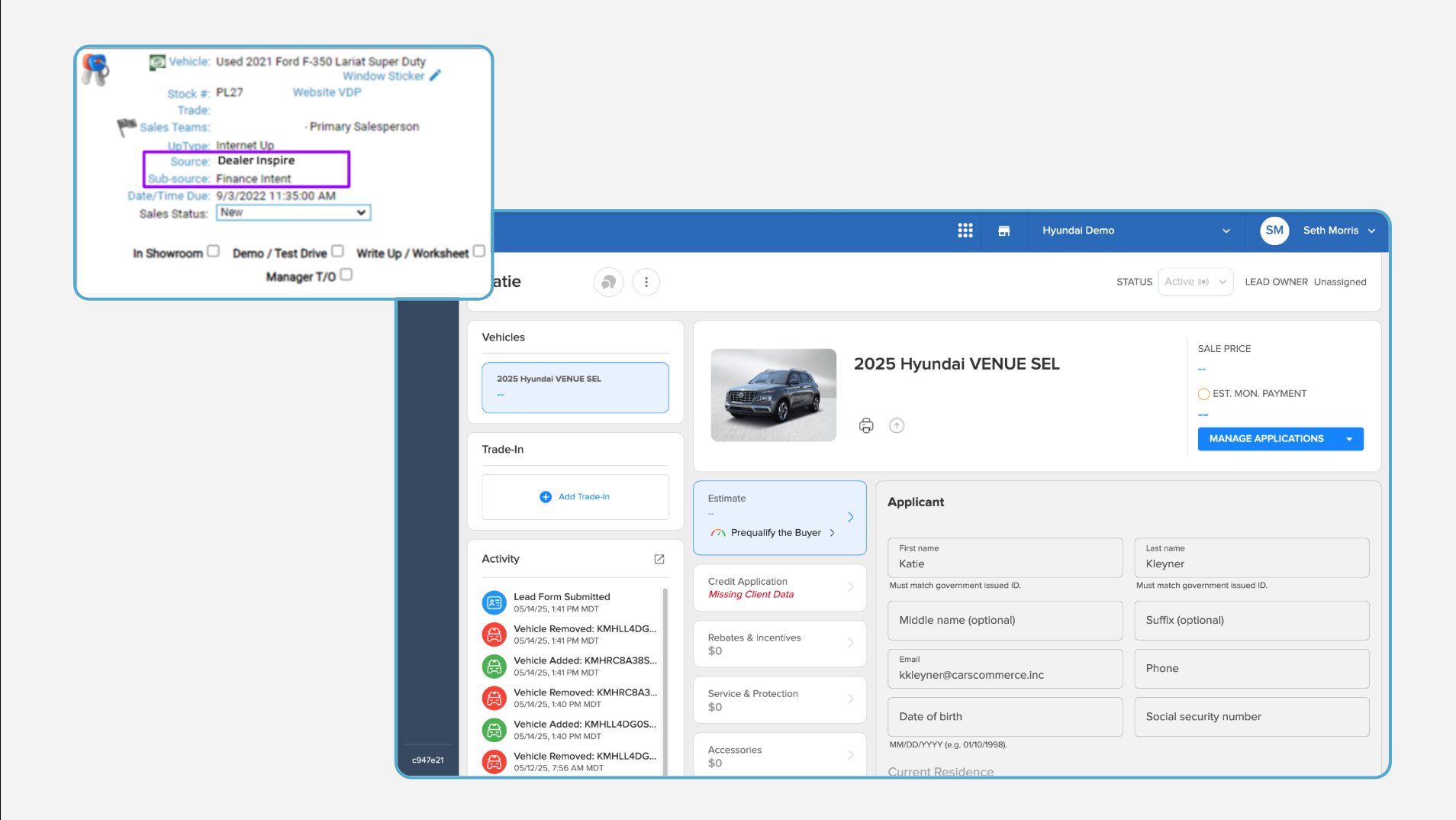
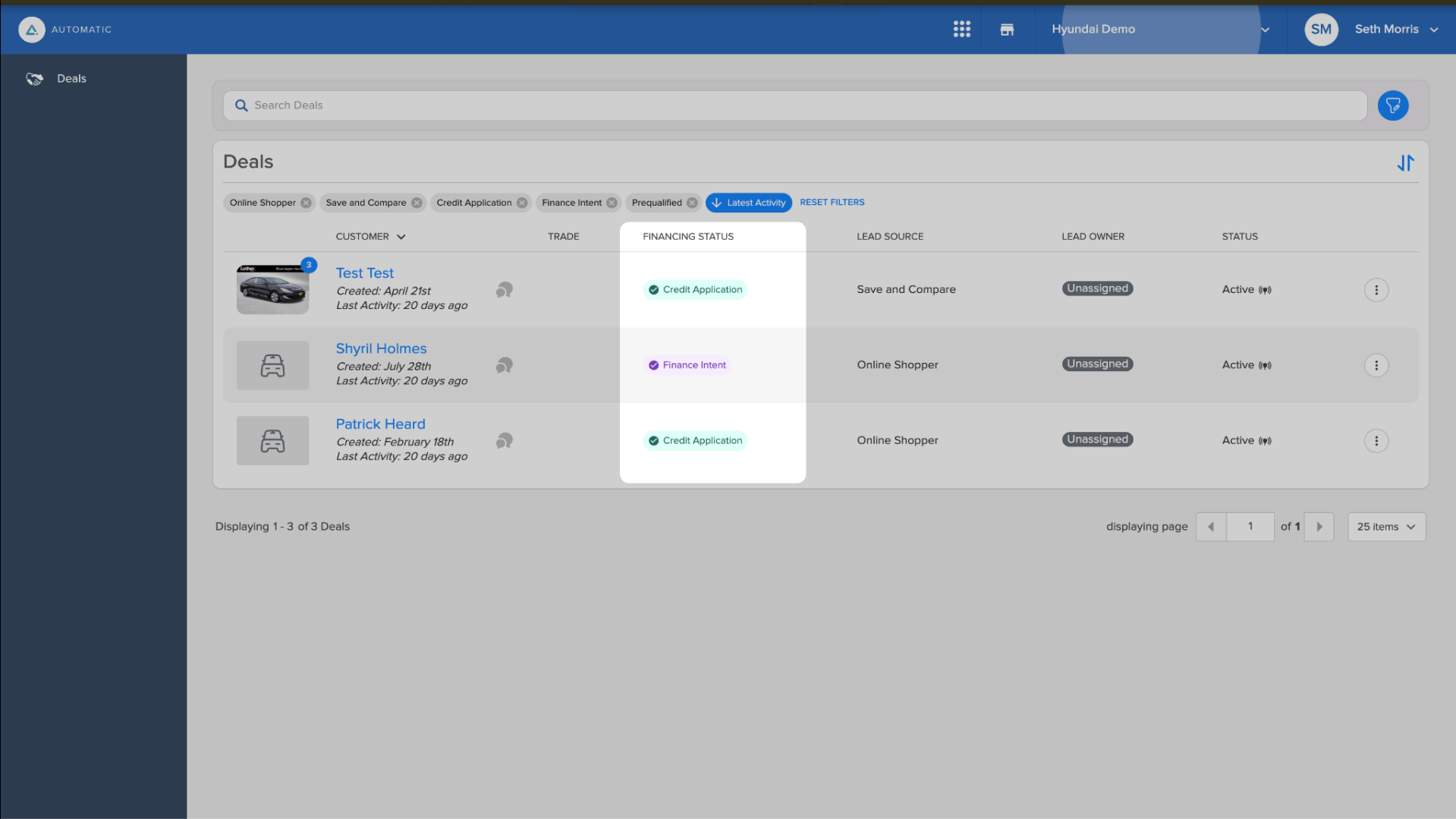
Every Shop by Payment interaction generates a lead delivered to your CRM. Leads can also be found on the Deals page in Automatic. Leads are categorized by the shopper’s level of engagement:
- Finance Intent: Shopper started the process but didn’t complete pre-qualification
- Prequalified: Shopper completed soft credit pre-qualification
- Credit Application: Shopper completed a full credit application (hard pull)
7 View application details
- Each CRM lead contains a link to the shopper’s application in Automatic.
- Application details are also accessible directly within Automatic.
Note: For compliance, sensitive information (e.g., SSN) is not included in the CRM lead. Full application data is available only through Automatic.
If your dealership uses RouteOne or Dealertrack, full applications also appear in those platforms automatically.