How to adjust your pack and fees
Pack and fees include pack, auction, transportation, and other costs to acquire a vehicle and prepare it for sale. You can enter these costs manually in the Price Calculator in AccuTrade, or set default values that automatically populate for each new acquisition. Along with estimated reconditioning costs, pack and fees are added to the Actual Cash Value (ACV) to calculate your total cost of sale.
In this article, you’ll learn how to add or adjust pack and fee values for a specific vehicle in the Price Calculator, how to set default pack and fee values that apply to new acquisitions, and how to reset pack and fee values to your defaults.
To get started
Go to the Cars.com Hub, and click on AccuTrade.
1 Select the vehicle from your inventory
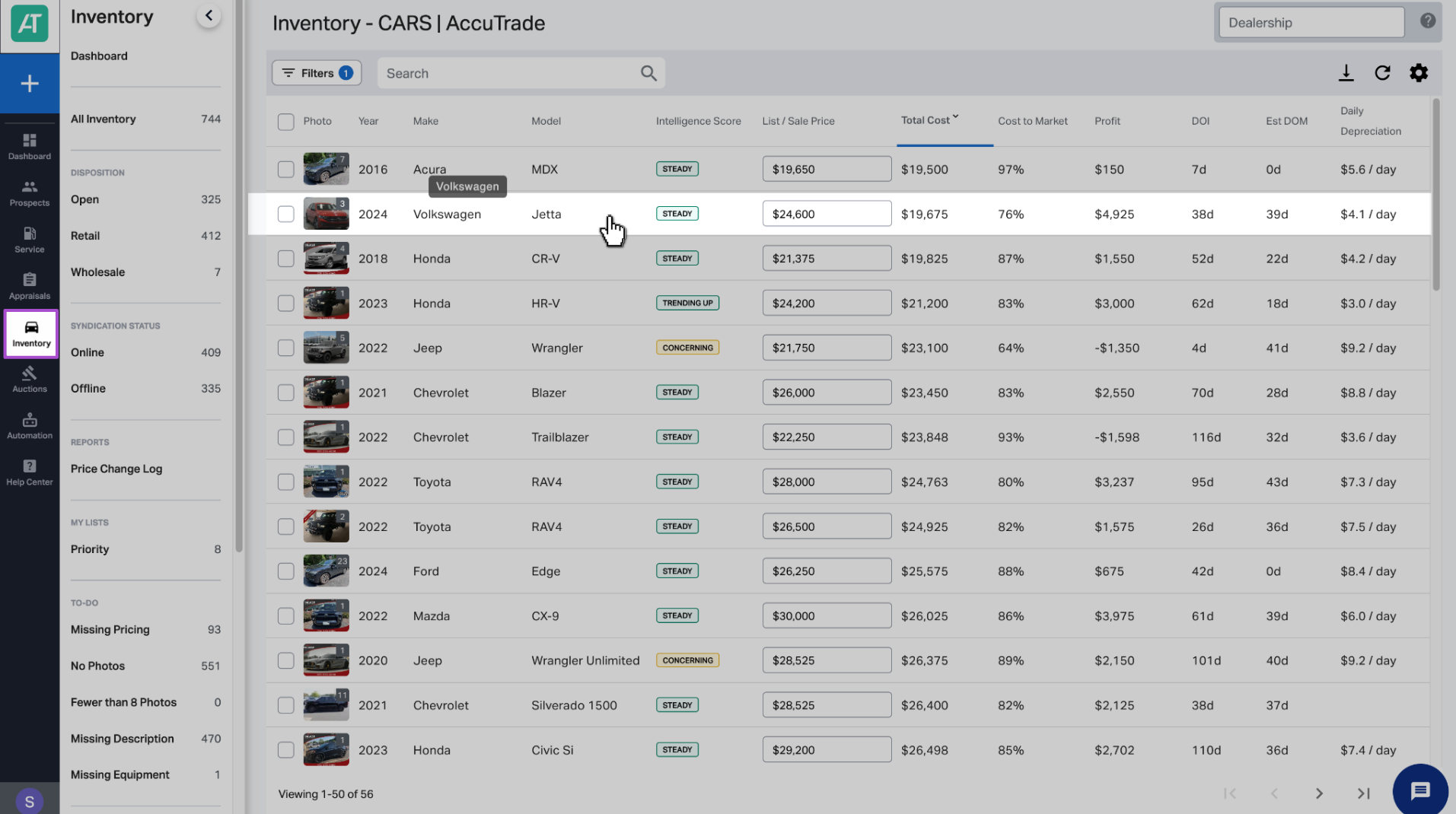
Click the Inventory tab, then search for and select the vehicle you want to price.
2 Select Market Pricing
On the vehicle screen, click the Market Pricing tab.

3 Add or adjust pack and fees
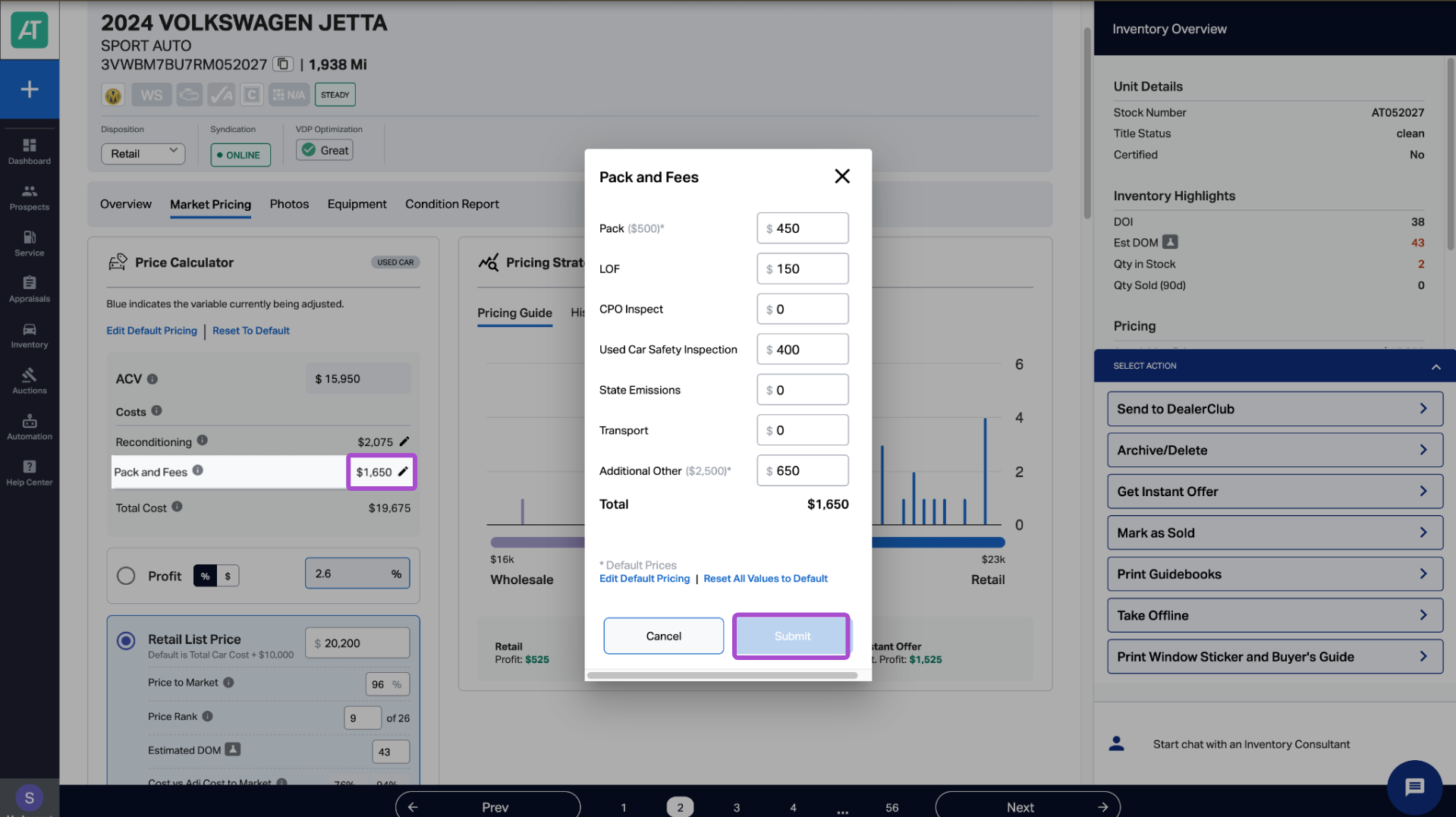
In the Price Calculator, select the edit icon on the Pack and Fees row. A pop-up window will open, allowing you to enter or change amounts for the following fields:
- Pack: Dealer-added cost to cover overhead
- LOF: Lube, oil, & filter
- CPO Inspection: Inspection fees for CPO vehicle
- Used Car Safety Inspection
- Safety Emissions
- Transport: Fees to transport the vehicle from auction, etc.
- Additional Other: Other additional costs
When all additions and adjustments have been made, click Submit. The Total Cost value in the Price Calculator will update based on your entries.

4 Set default pack and fee values
To set default pack and fee values that will automatically populate for each new acquisition, click Edit Default Pricing at the top of the Price Calculator. When all additions and adjustments have been made, click Submit.
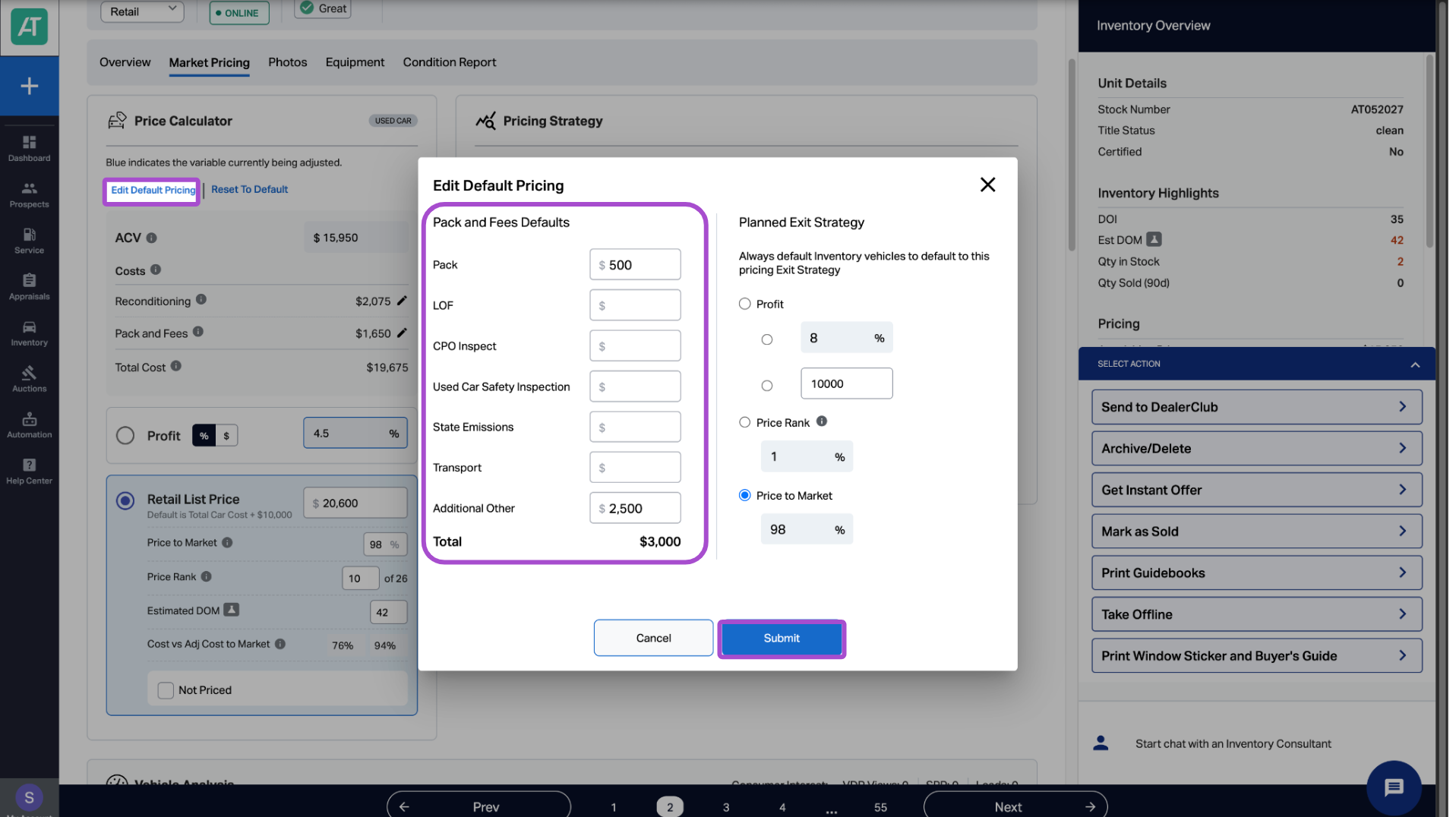
Alternatively, you can set default pack and fee values by clicking Edit Default Pricing from the edit Pack and Fees pop-up window. Note also that you can reset all pack and fee values to the default values by clicking Reset All Values to Default. When all additions and adjustments have been made, click Submit.