How to liquidate vehicles with AccuTrade
If you acquire a vehicle through an AccuTrade Instant Offer that you do not plan to sell on your lot, AccuTrade will purchase it at the same price as the offer.
In this article, you’ll learn how to request and accept an Instant Offer for a vehicle you wish to liquidate, select a transportation option, submit the required documents and title, and complete the sale through the AccuTrade Trade Desk.
To get started
Go to the Cars.com Hub, and click on AccuTrade.
Before you begin
There are just a few requirements to receive an Instant Offer. The vehicle must have:
- 160k miles or less
- 11 photographs
- A valid OBD scan (72 hours or newer)
- Interior and exterior color selected
If the vehicle meets these requirements, you can proceed with the steps below.
1 Get the Instant Offer
The workflow to begin the liquidation process is accessible from every appraisal screen. Here’s how you get there:
- From the AccuTrade dashboard, click Appraisals and then select the vehicle you would like to liquidate.
- You’ll see a blue Select Action menu on the right side of the Appraisal screen.
- Select Get Instant Offer.

2 Confirm and accept the offer
The right panel will then provide a brief summary of the vehicle condition, where you can verify the offer summary and condition disclosures.
- Select the Title Status as In Hand, Payoff, or Other.
- If everything looks good, check the box to agree to the Terms and Conditions.
- Click Accept Instant Offer.

Your offer will display as pending.

3 Initiate a chat
Each liquidation needs to be approved by an AccuTrade Inventory Consultant at our Trade Desk. Give the Trade Desk a quick heads-up that you’ve started the liquidation process so that they can prioritize your chats and help keep the process moving smoothly.

- Since all offers are subject to condition validation, the AccuTrade Inventory Consultant may ask for additional pictures or more thorough descriptions during the Sell Process. The offer may then be further adjusted appropriately.
- All offers must be accepted by both the dealership and the Trade Desk before moving forward.
- Once accepted, determine your transportation options with the Trade Desk.
4 Select your transportation options
Within the same chat window with the Trade Desk, you’ll be asked to select which transportation option you’d like to proceed with:
Option 1: Vehicle Pick-up
Shipping can be arranged for a $350 fee, which is deducted from the offer.
Option 2: Vehicle Drop-off
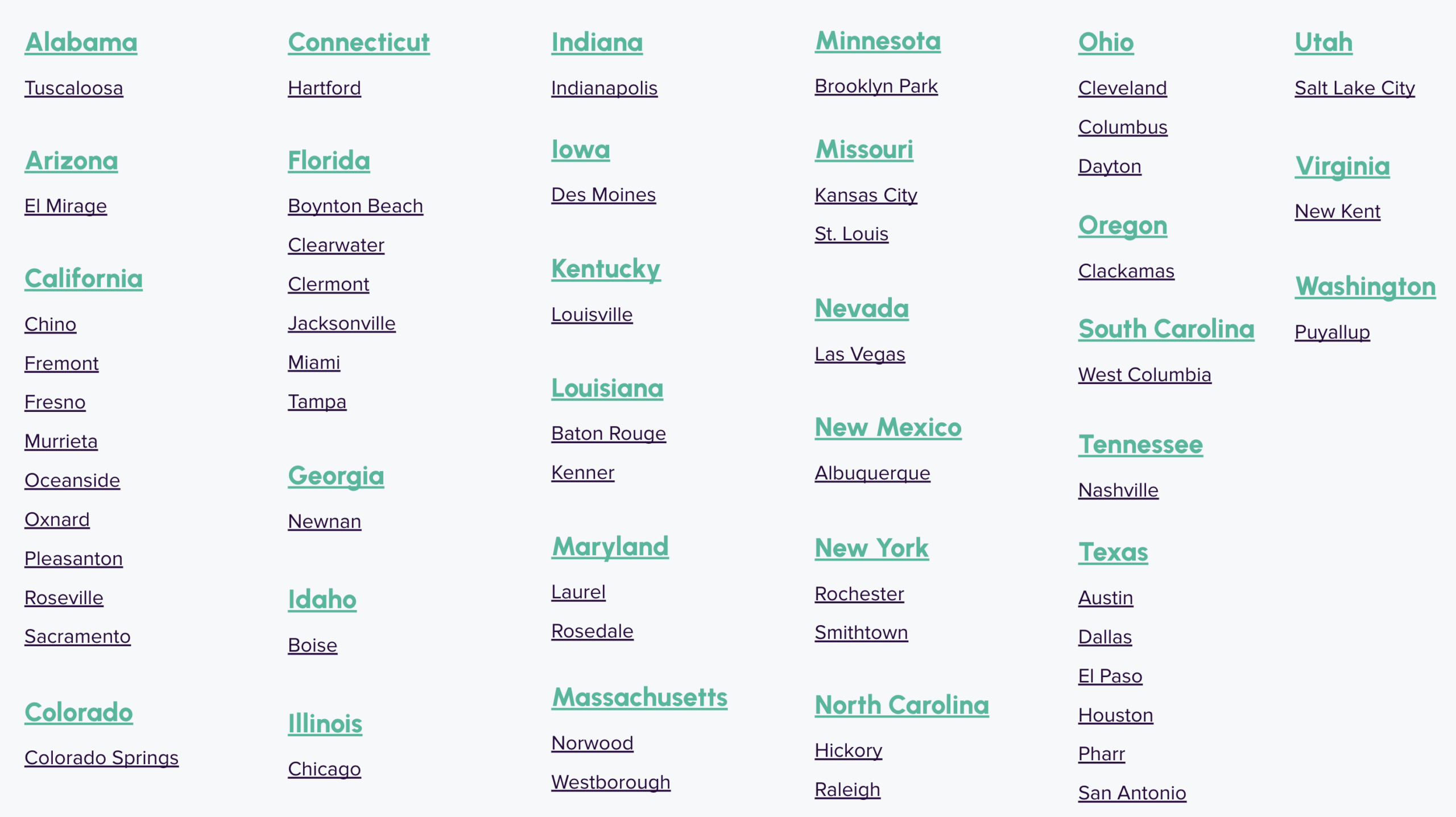
The dealership can also provide their own shipping method, and is responsible for delivering the vehicle(s) to the drop-off location within 72 Hours. (See drop-off locations below)
5 Send documents and title status
After the AccuTrade Inventory Consultant processes your request, you’ll receive the Buyer’s Order via email.
Buyer’s Order:
The Buyer’s Order will be emailed to the user who initiated the Instant Offer. Complete, sign, and return the Buyer’s Order to the same email address from which you received it.
Please note: We need the Buyer’s Order back within 24 hours. The process cannot start without a signed Buyer’s Order.
Title Status:
The dealership is responsible for producing the title within 21 business days.
Note: If the title cannot be produced within 21 business days, the offer must be resubmitted by the dealership and is subject to change based on current market value.
Send Vehicle Title:
Once the vehicle title is in hand, mail the physical title to:
CarMax at ATTN Central Business Office
12800 Tuckahoe Creek Parkway
Richmond, VA 23238
6 We verify your Instant Offer
- Upon arrival at the facility, the vehicle will be verified against the dealer Condition Report.
- Any discrepancies found will be notated and the offer may be adjusted further.
- In the event that an offer adjustment is needed, an AccuTrade Inventory Consultant will communicate with you directly to work towards a mutually acceptable offer amount.
- If an agreement cannot be reached, the dealer is responsible for picking up the unit from the facility in a timely manner.
- Once the offer is finalized and there are no further offer adjustments needed, the AccuTrade Inventory Consultant will confirm receipt and complete the sale.
7 Collect your payment
Once our guarantor receives the title of the vehicle, payment will be sent within 1 business day if the vehicle has passed inspection as outlined in the Liquidation process.
Vehicle drop-off locations
⚠️ If dropping off, vehicles must have ‘AccuTrade’ written on the windshield