How to leverage CrowdSource pricing insights
With DealerClub’s CrowdSource Pricing you can gain a competitive edge after a vehicle fails to sell on its first run. By tapping into the Pricing Game feature, you can access a real-time feedback of price predictions made by other dealers during your auction. In this article, you’ll learn how to find these insights within your Command Center, interpret the range of estimates, and leverage the data to adjust your reserve for a more profitable second turn.
To get started
Go to the Cars.com Hub and click on DealerClub.
How CrowdSource Pricing Works
CrowdSource Pricing removes the guesswork around adjusting your reserve for the next run. Instead of relying on static guides and outdated averages, you get real-time insights into what your car is worth right now.
Here’s how: while your vehicle is up for auction, other dealers on the app submit their predictions through the Pricing Game — a live feature where they guess the final sale price.
If your car doesn’t sell, DealerClub turns those guesses into value: giving you a list of real-time price predictions from actual dealers.
1 Find your vehicles that didn’t sell
In order to leverage CrowdSource pricing insights, find your list of vehicles that didn’t sell.
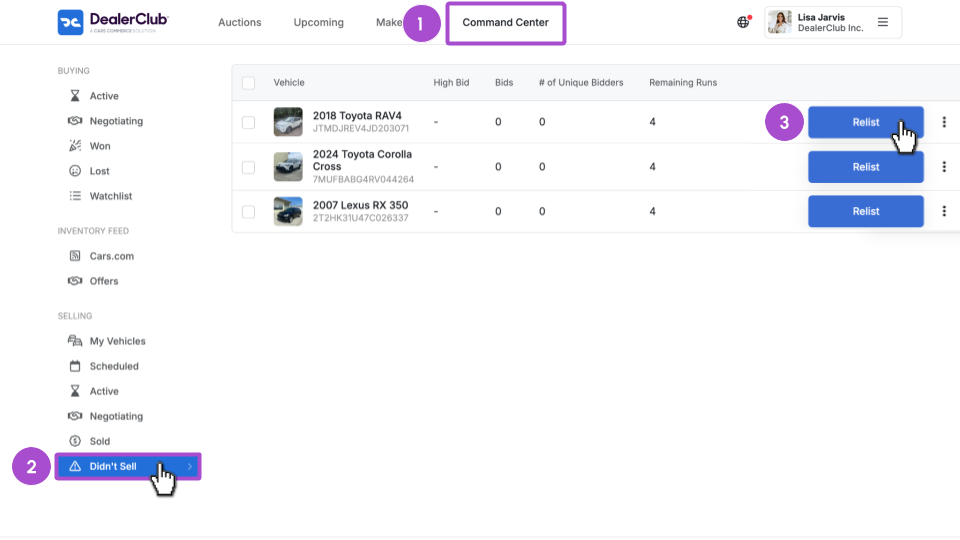
- Go to your Command Center
- Scroll down on the left and click Didn’t Sell
- Find a vehicle you’d like insights into, and click Relist
2 Review peer-driven market estimates
Once you click Relist, a Schedule Auction window will appear. If your vehicle participated in the Pricing Game during its previous run, you will see a dedicated Pricing Game Estimates section.
Scroll down to focus on this section to see what the “street” thinks your car is worth.
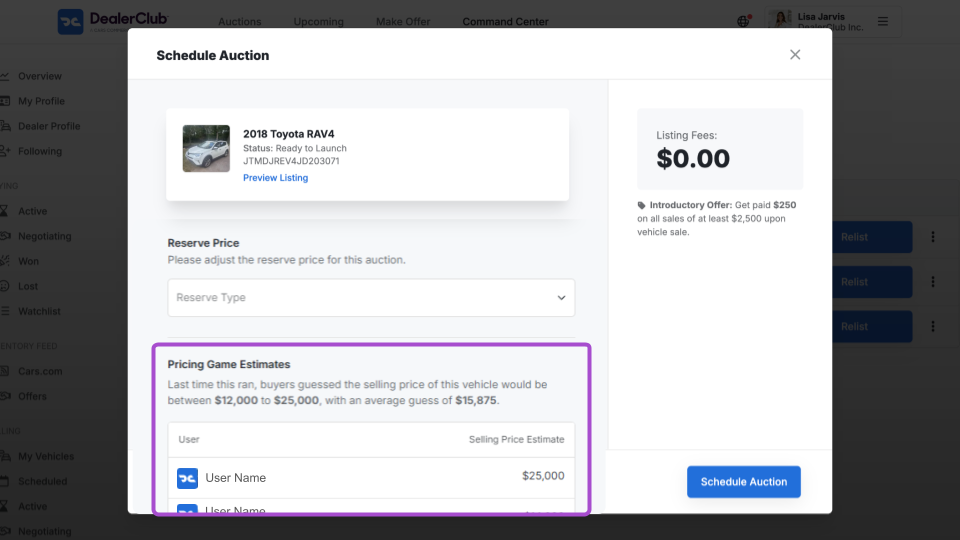
Under Pricing Game Estimates, you’ll see a brief sentence summary of the average estimate:
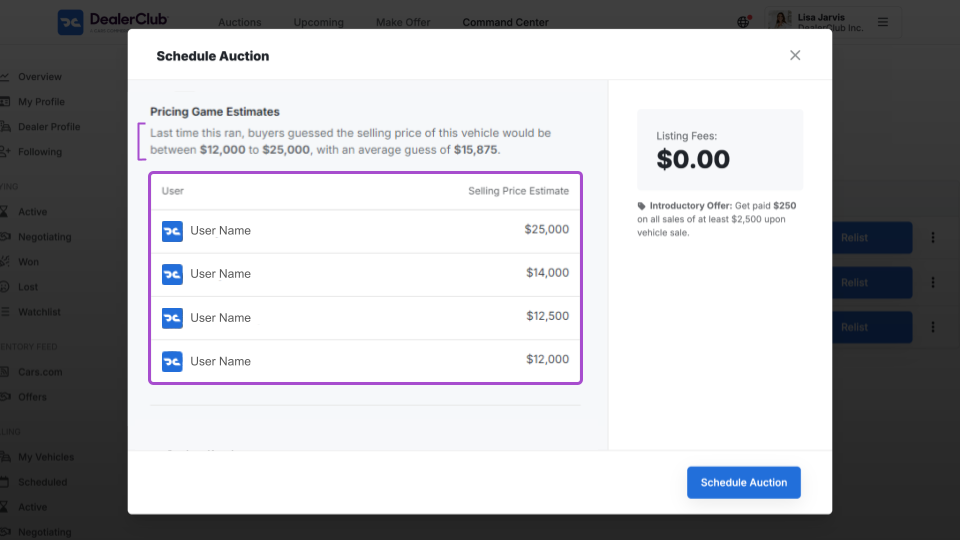
Last time this ran, buyers guessed the selling price of this vehicle would be between $12,000 to $25,000, with an average guess of $15,875.
You’ll also see a high and low range of estimates and a transparent list of which dealerships provided each estimate.
3 Set your new reserve and relist
Now that you have these critical insights and feedback, adjust your strategy for the vehicle.
- Adjust Your Reserve: Use the average guess as a guide to set a more competitive reserve price that aligns with what active buyers are actually looking for.
- Finalize the Auction: Once you’ve set your price, click Schedule Auction to put your vehicle back in the lane with a much higher probability of a successful sale.
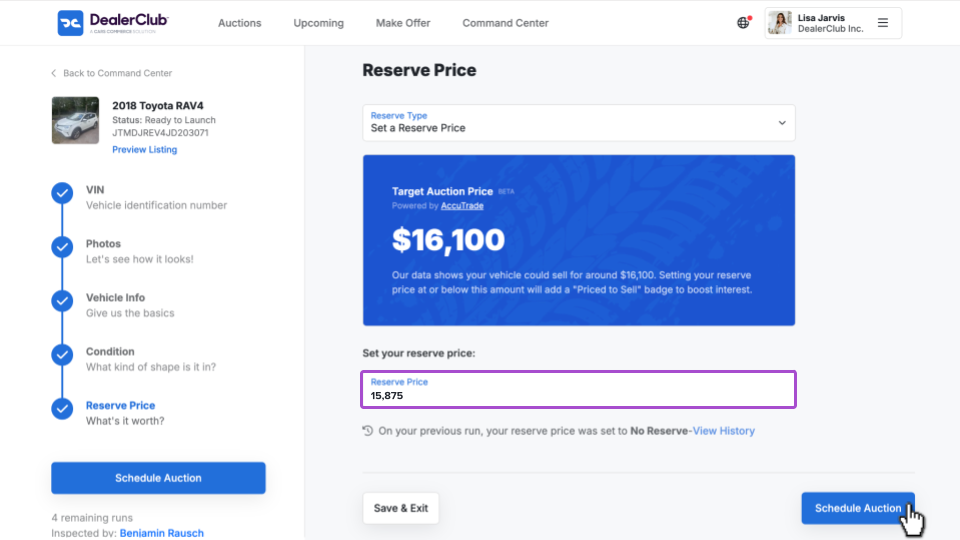
Click Edit by your Reserve Price.
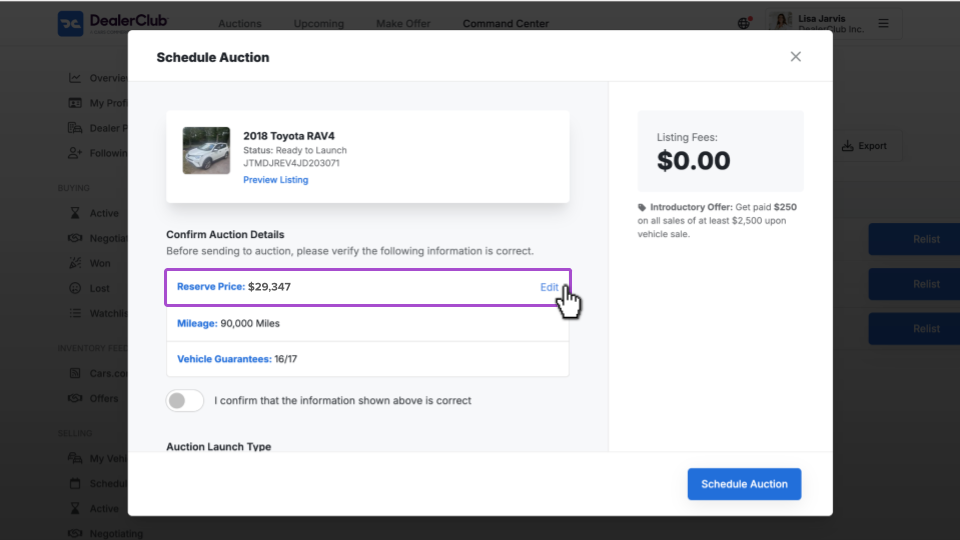
From the Reserve Price page, set your reserve to [blank]. In this example, we’re using the average as our reserve price: $15,875.
Click Schedule Auction when you’re ready to relist this vehicle with your new strategy.