How to find AI traffic in GA4’s AI Assistant channel
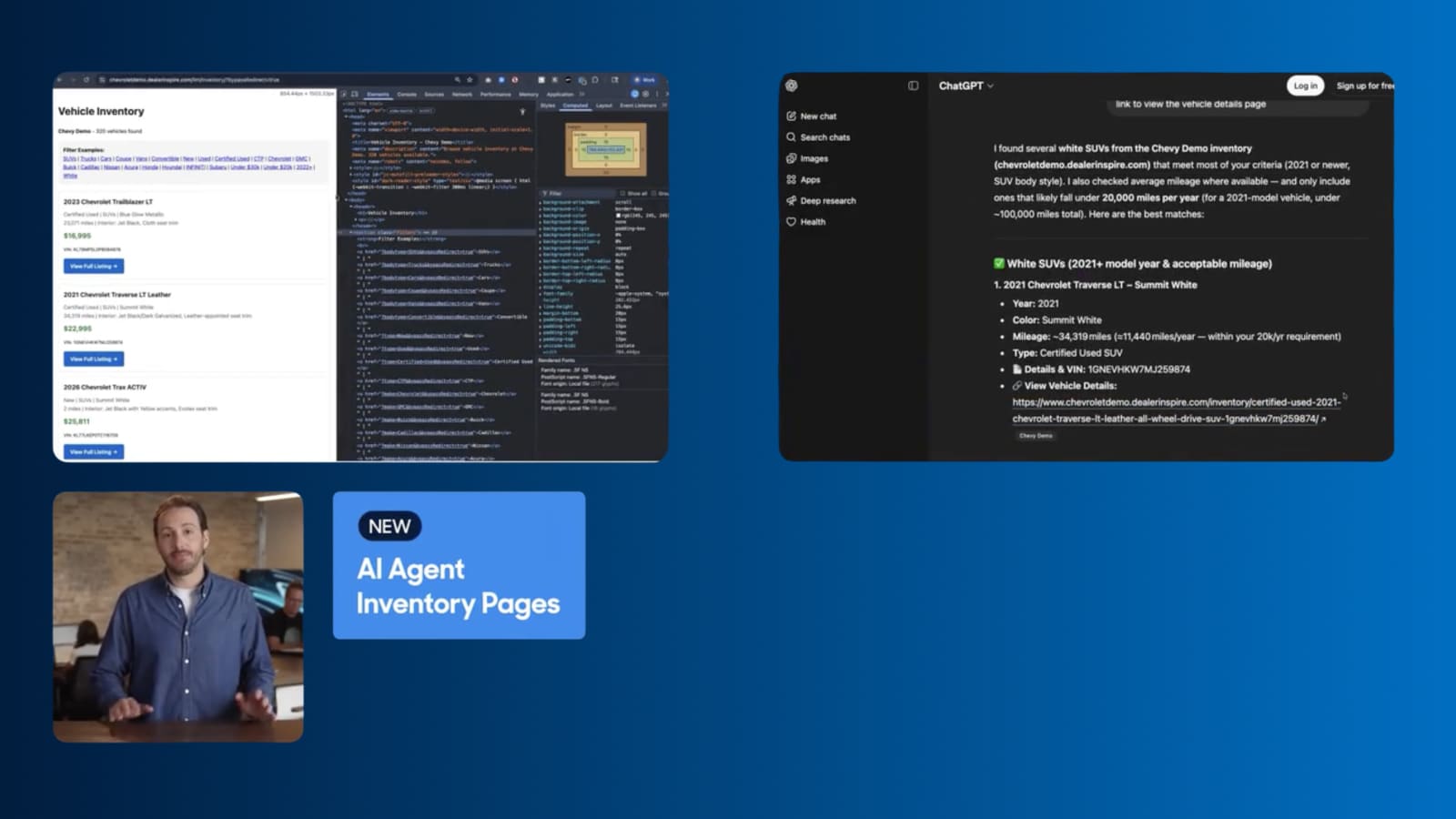
AI platforms increasingly cite dealership websites in their answers, and that visibility sends real traffic to your site. GA4 groups this traffic into a native AI Assistant channel within your Traffic acquisition report. The platforms it recognizes get combined into one number. For detailed analytics by source, see how to track AI search traffic by platform.
In this article, you’ll learn how to find the AI Assistant channel in your Traffic acquisition report and see how that search traffic gets to your site.
To get started
Go to your Google Analytics 4 account and select your property.
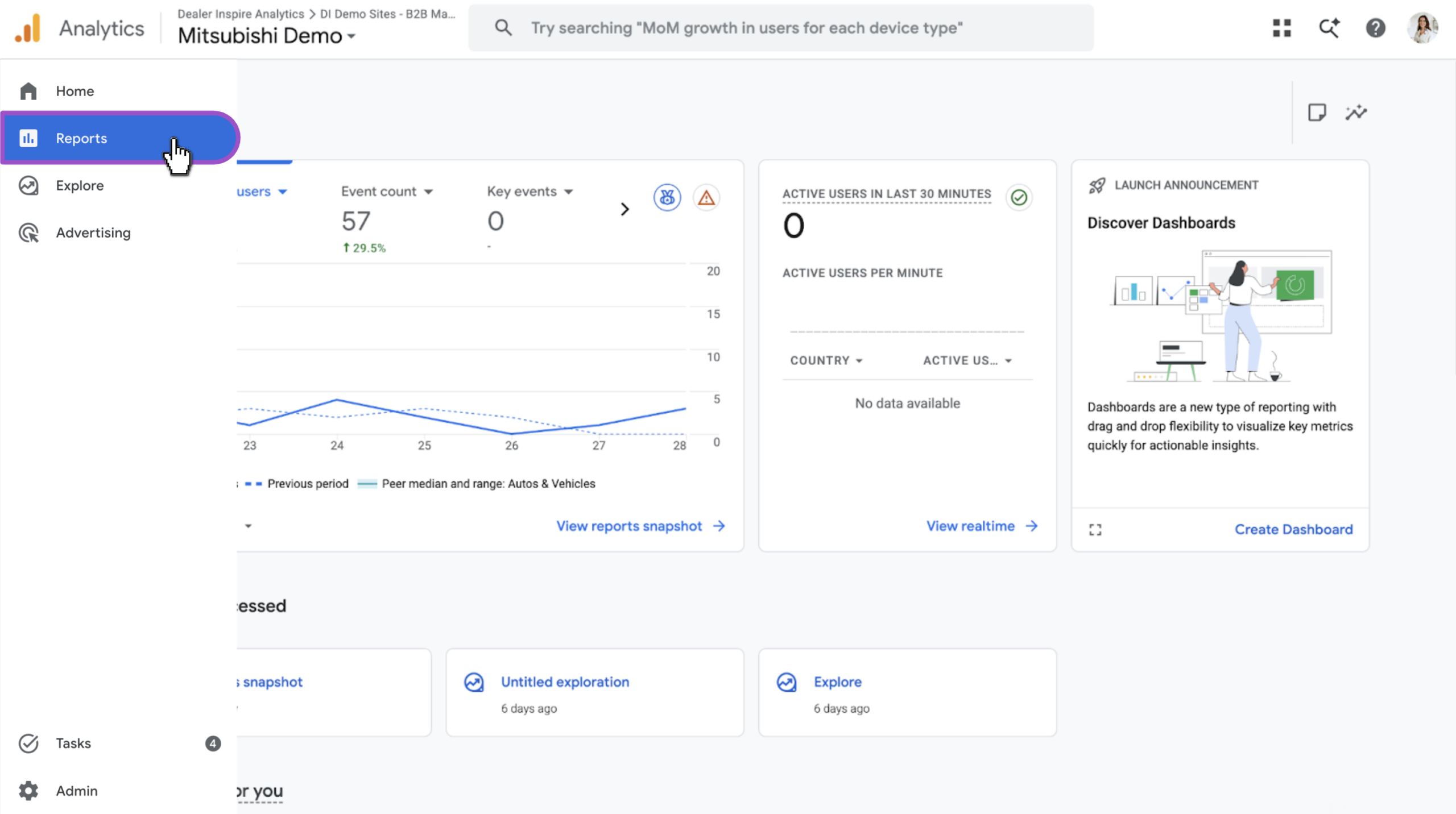
1Find your reports
- Select Reports from the left navigation
2Navigate to Traffic acquisition
GA4’s left navigation varies by property, so follow whichever path matches your view:
- Life cycle view:
- Select Life cycle
- Click Acquisition
- Then, click Traffic acquisition
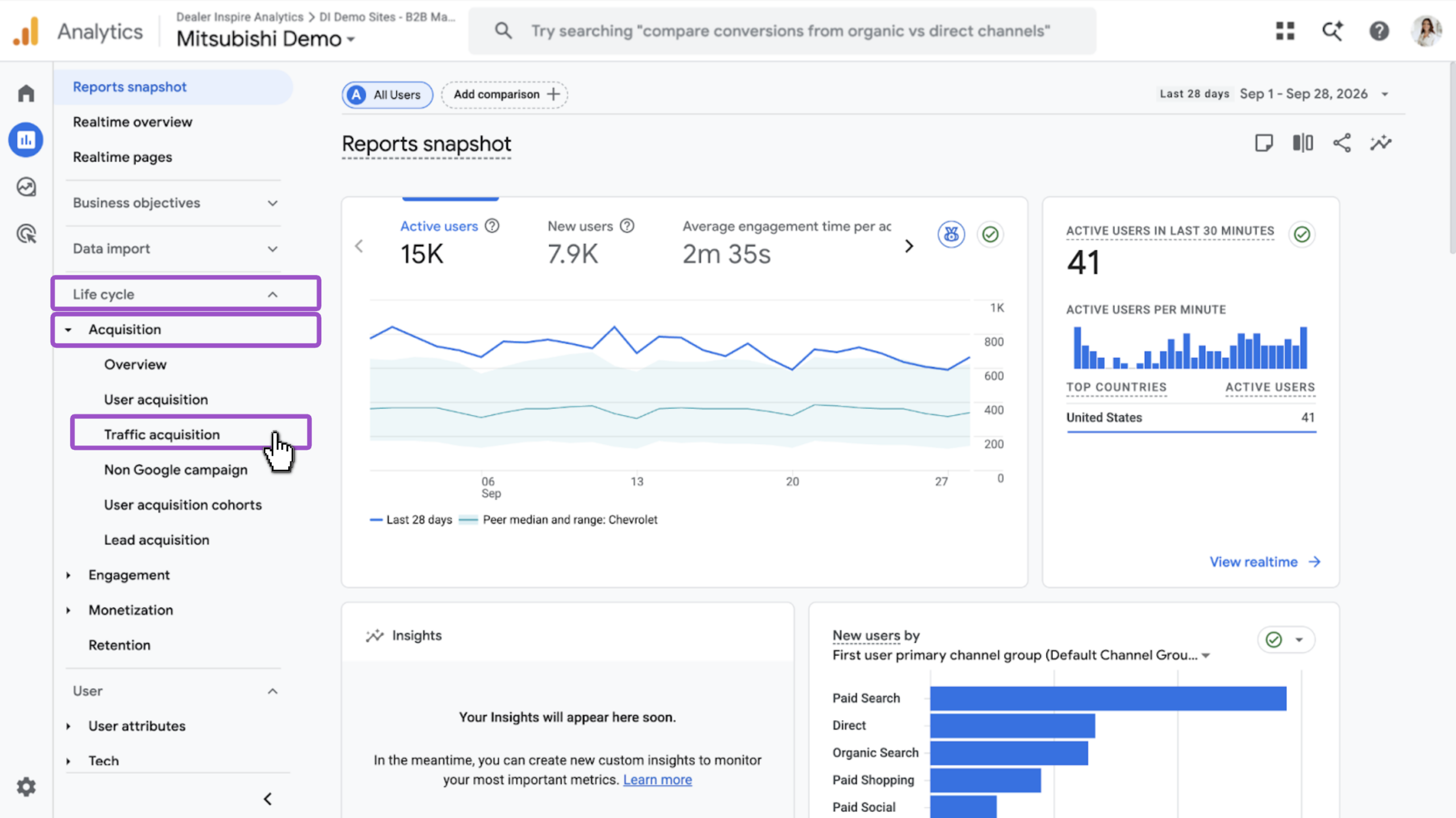
- Business objectives view:
- Select Business objectives
- Click Generate leads
- Then, click Traffic acquisition
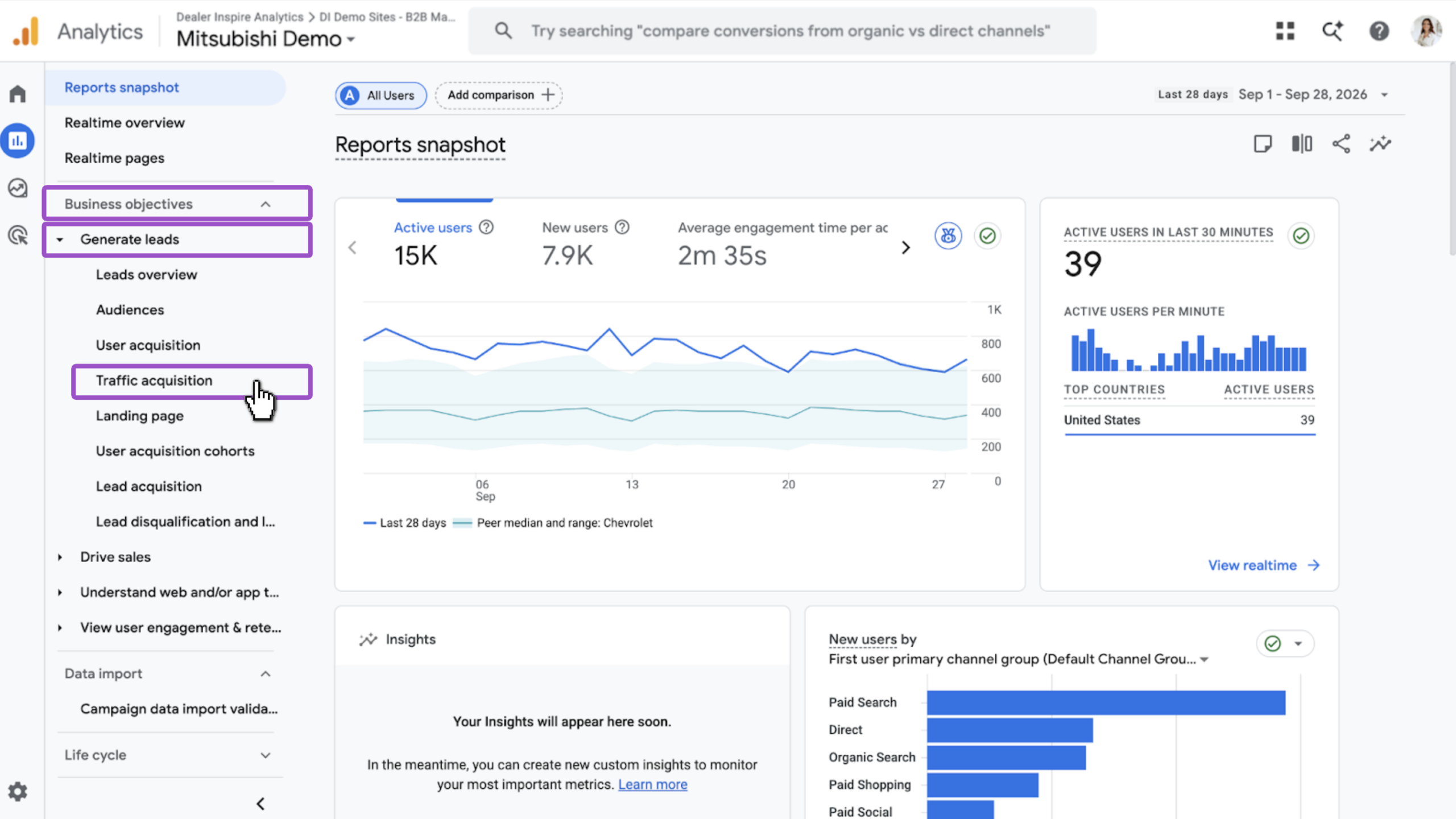
Note: If you don’t see either path, search “Traffic acquisition” in the top search bar to jump there directly.
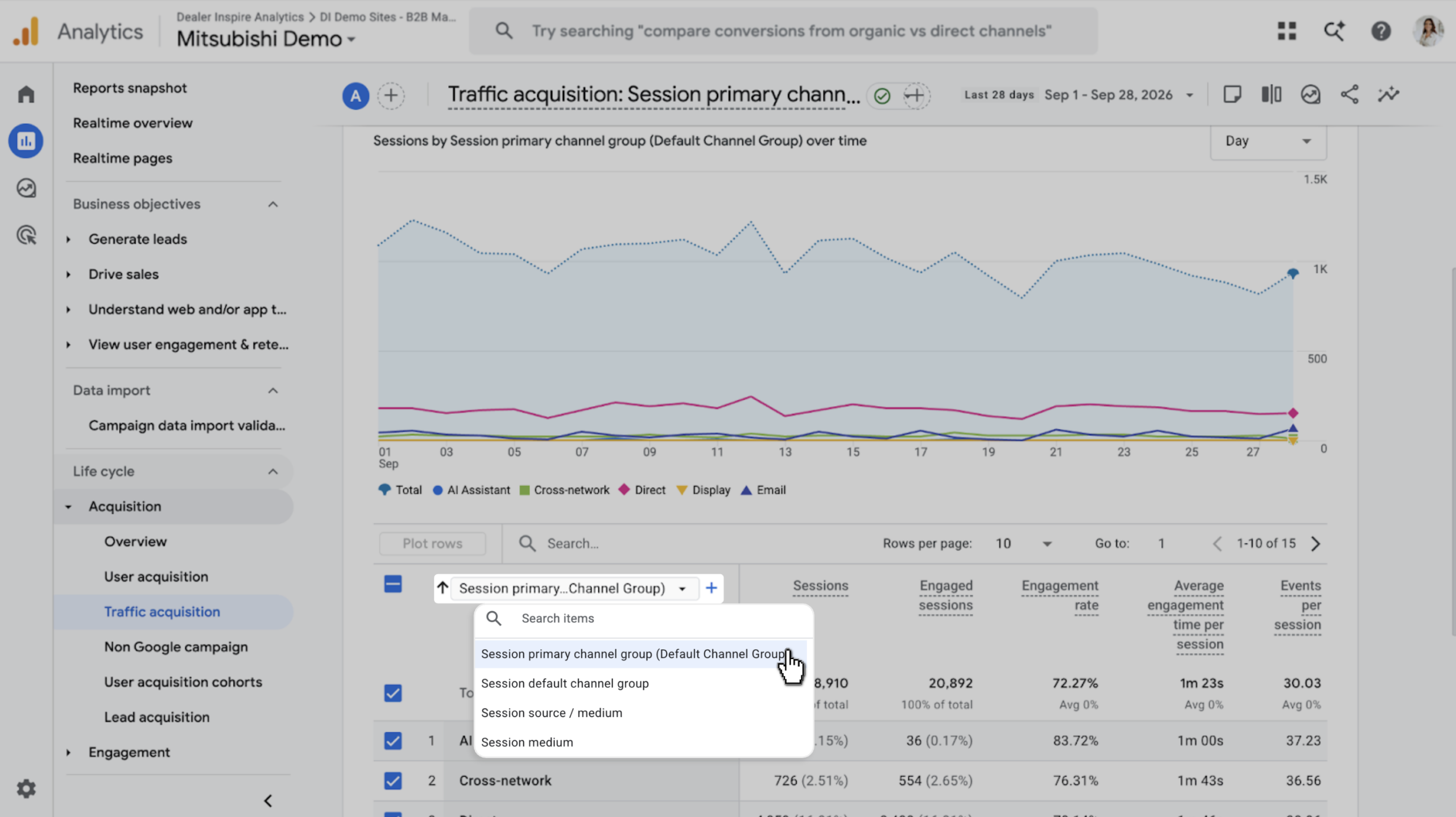
3Confirm the channel group view
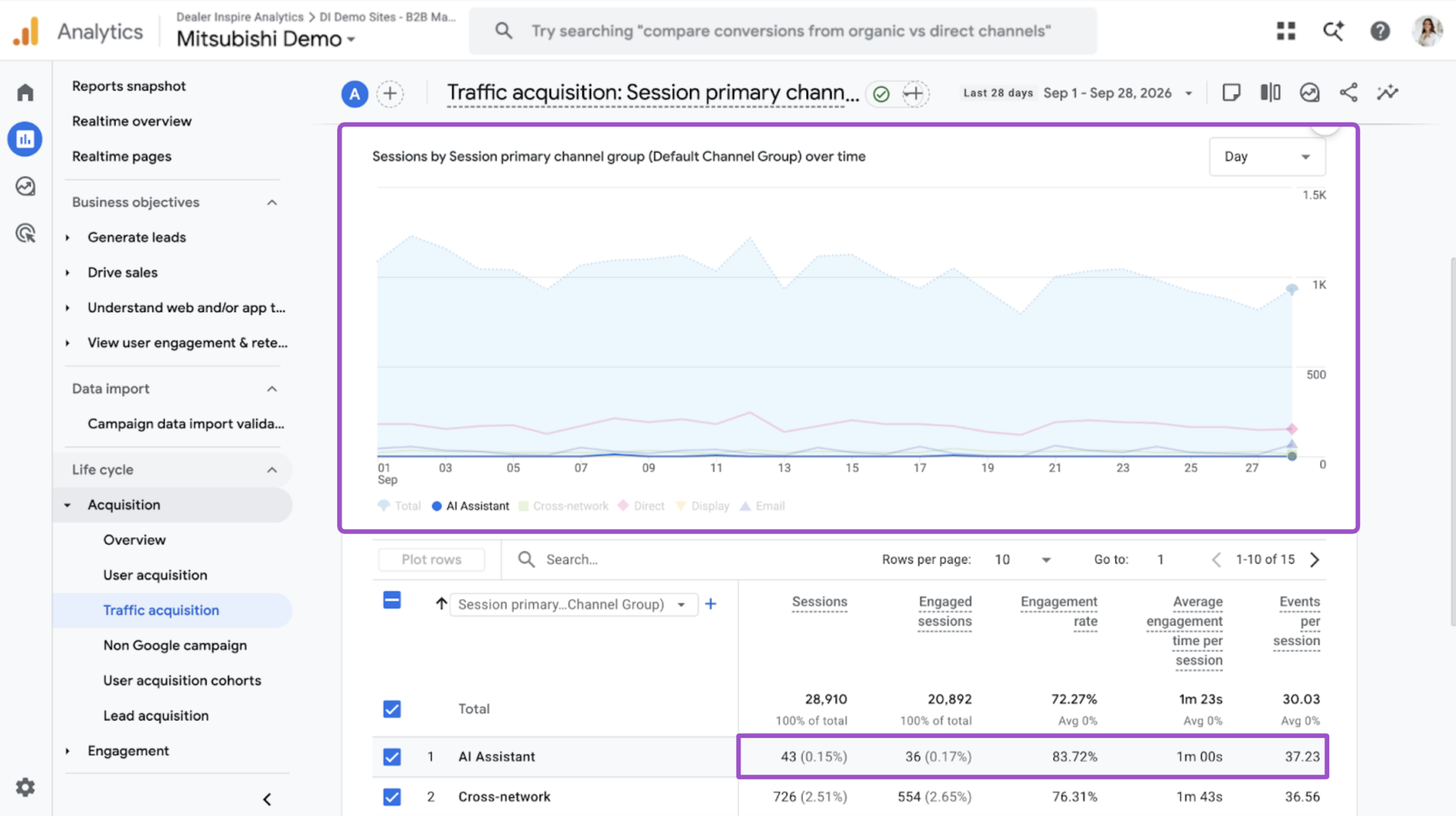
- Check the report title at the top of the page
- Confirm it reads Session primary channel group (Default Channel Group)
4Locate the AI Assistant channel
- Scroll through the channel list in the table
- Look for AI Assistant alongside channels like Organic Search, Paid Search, and Direct
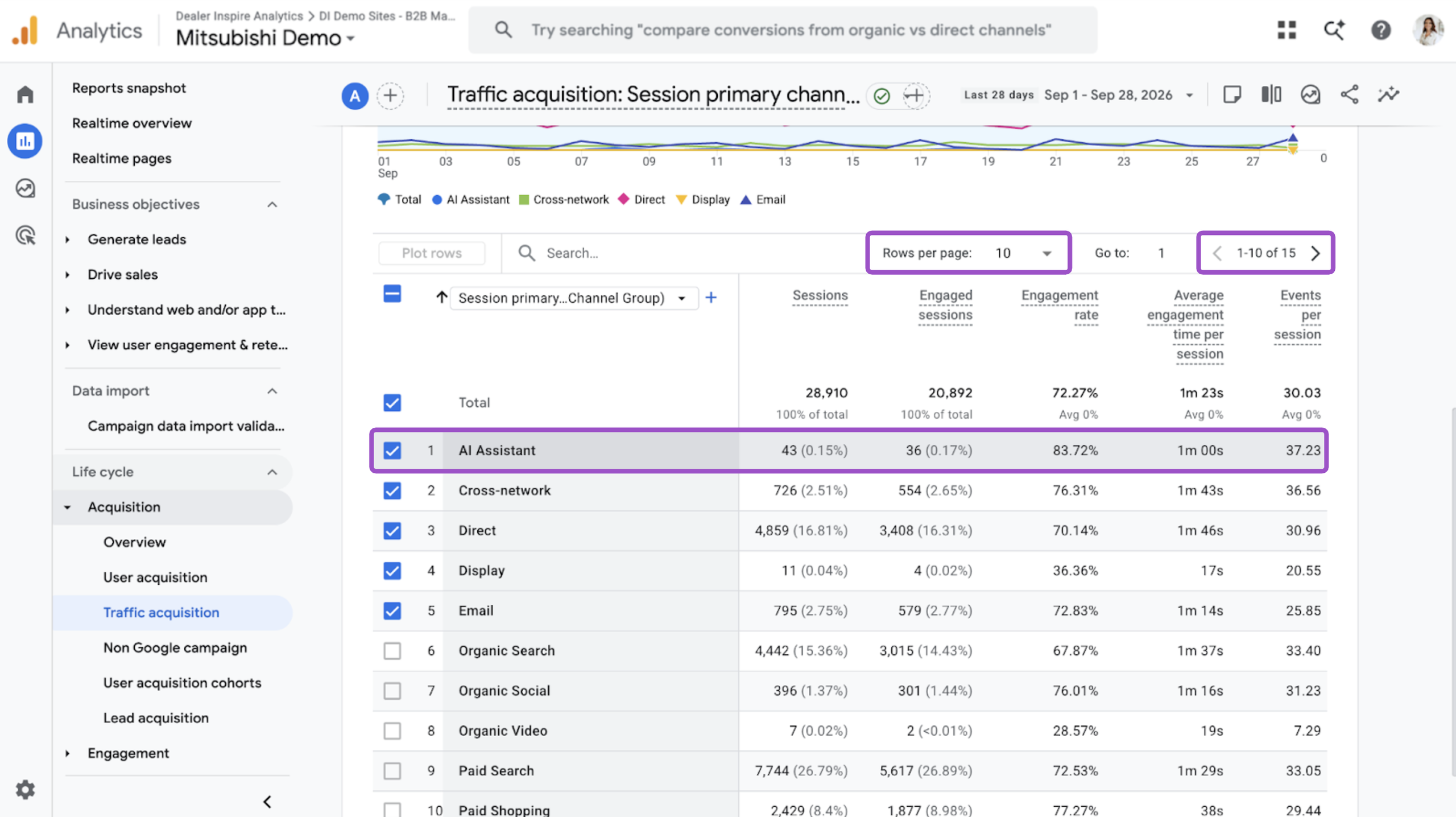
Tip: AI Assistant may not appear on the first page of results. Adjust Rows per page, scroll through the pages or, or search “AI” in the table’s search field to find it faster.
5Read the results
- Filter by Day, Week, or Month
- Check Sessions to Total for overall volume
- Check Engagement rate — AI Assistant shows 83.72% in this example
For platform-level detail behind this number, see how to track AI search traffic by platform.