How to use the VIN scanner
The VIN scanner in the Cars.com Dealer app uses your camera to find a vehicle in your inventory or see the leads tied to it. Scan the VIN barcode instead of typing it in or scrolling your list.
In this article, you will learn how to scan a VIN in the Inventory tab to find a listing and check its health, and how to scan a VIN in the Leads tab to review that vehicle’s leads and prepare a follow-up that fits.
To get started
Log in to the Cars.com Dealer app with your Cars.com credentials.
Scan a VIN in the Inventory tab
1Open the Inventory tab
- Tap Inventory in the bottom navigation
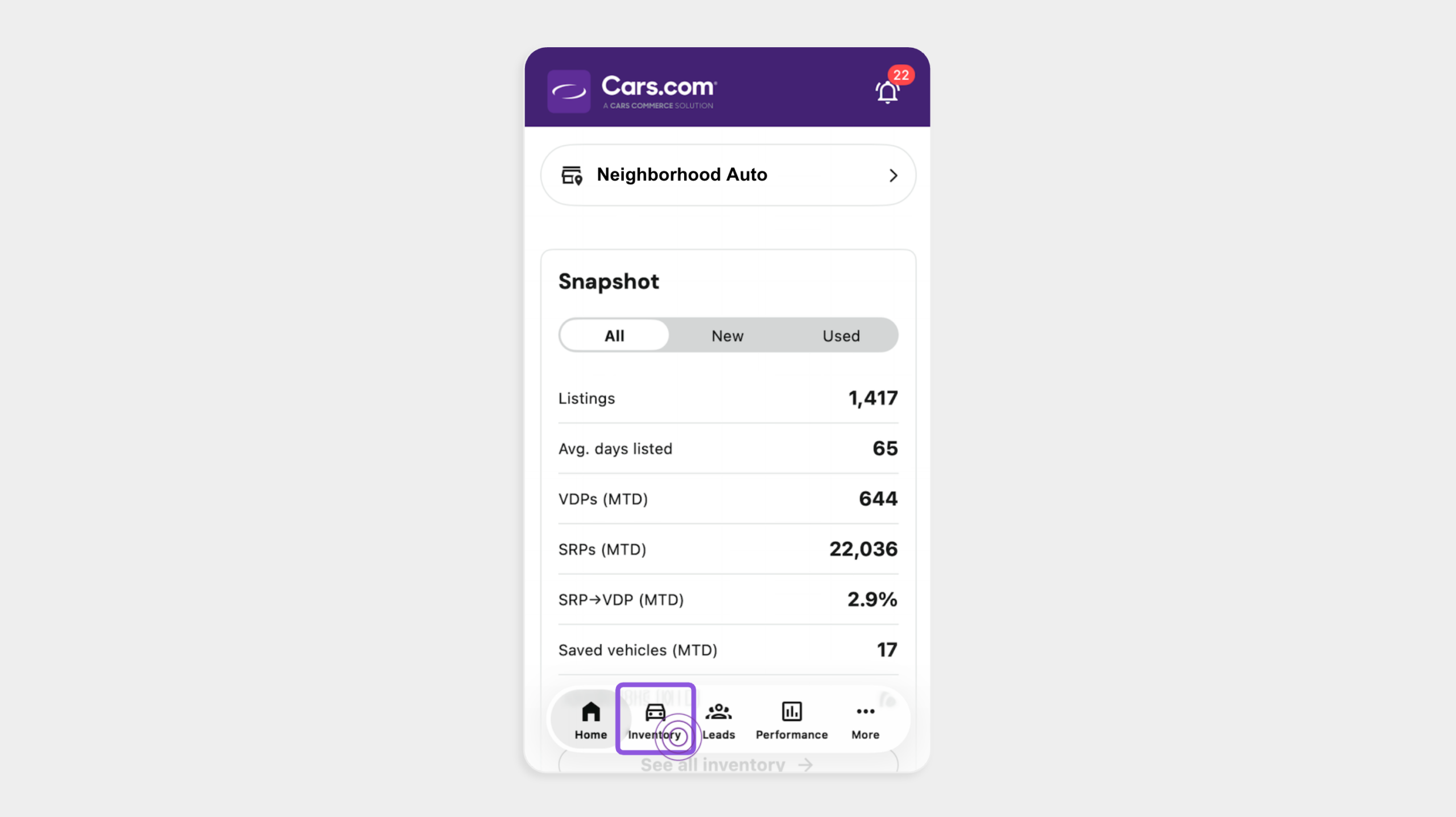
Your full inventory list will appear.
2Select the barcode icon
- Tap the barcode icon next to the Search by stock # or VIN field
- Tap Allow when the app asks for camera access
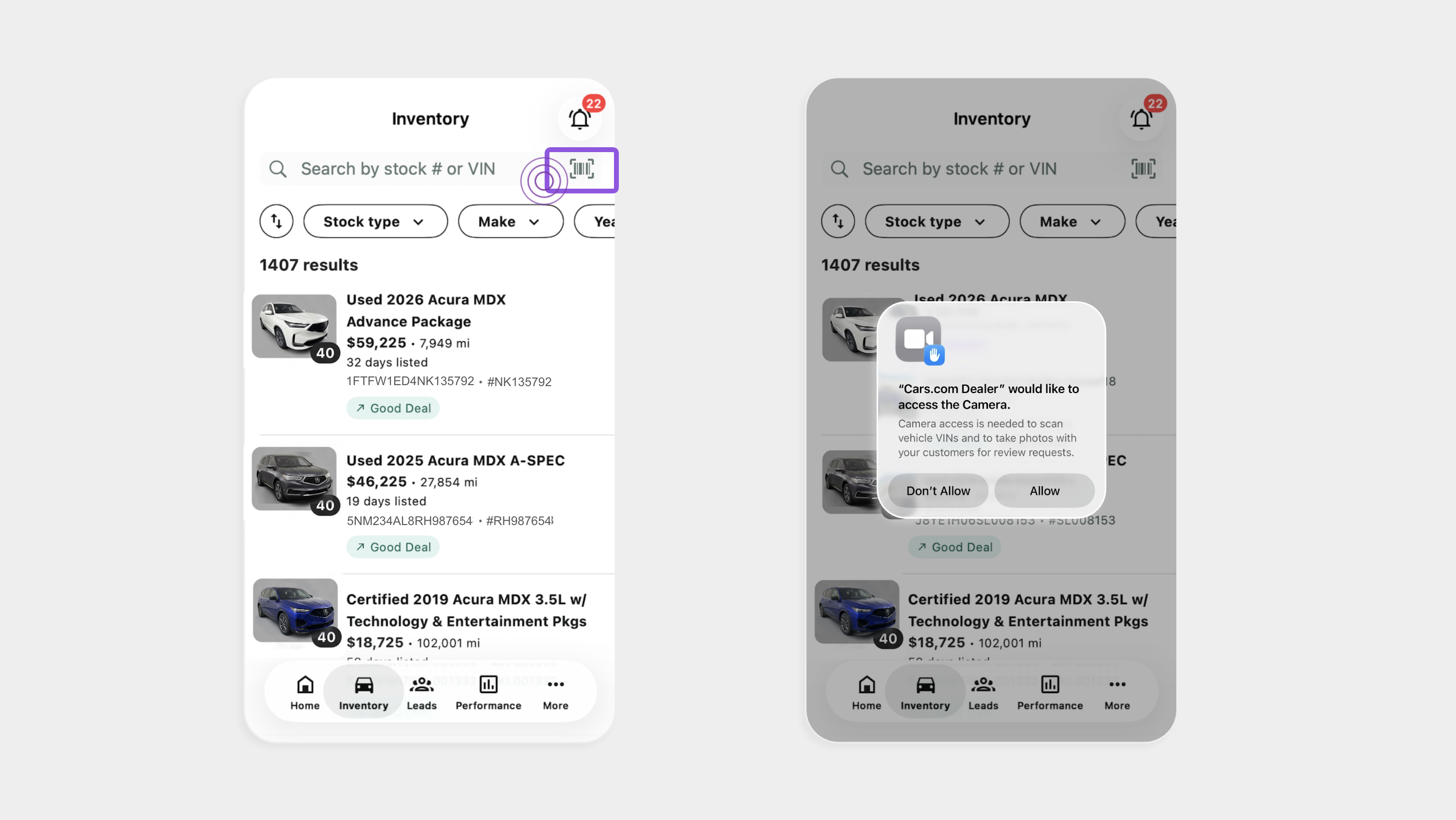
Note: You’ll only need to allow camera access once.
3Scan the VIN
- Hold your camera steady over the VIN barcode
- Select Accept when the VIN is detected
- Your inventory list filters to that vehicle
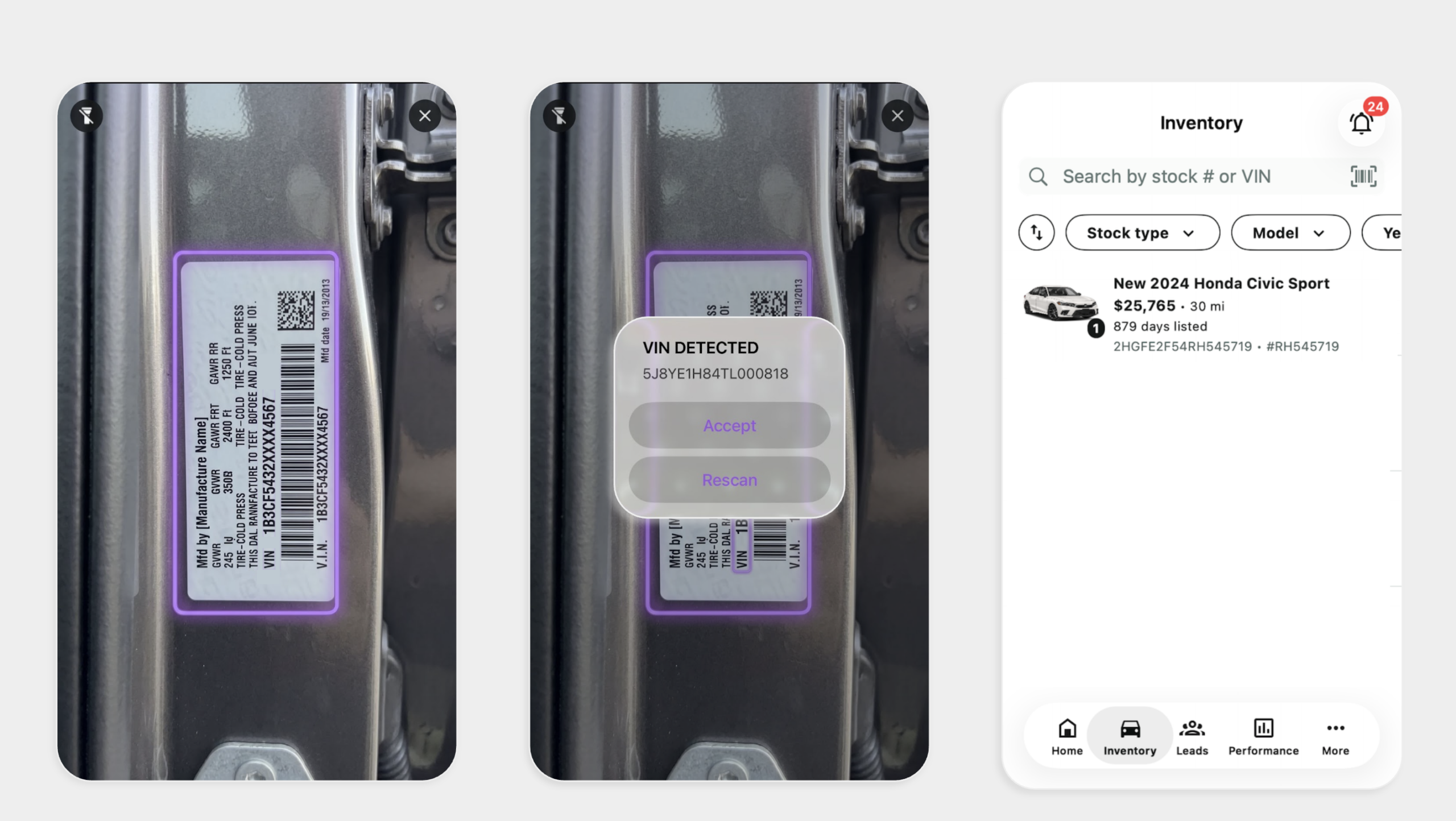
Note: The scanner filters your existing inventory. It doesn’t add new vehicles.
4Open the listing
- Tap the vehicle card to open the vehicle details page (VDP)
- Check your listing health and look for missing merchandising, like photos or seller notes
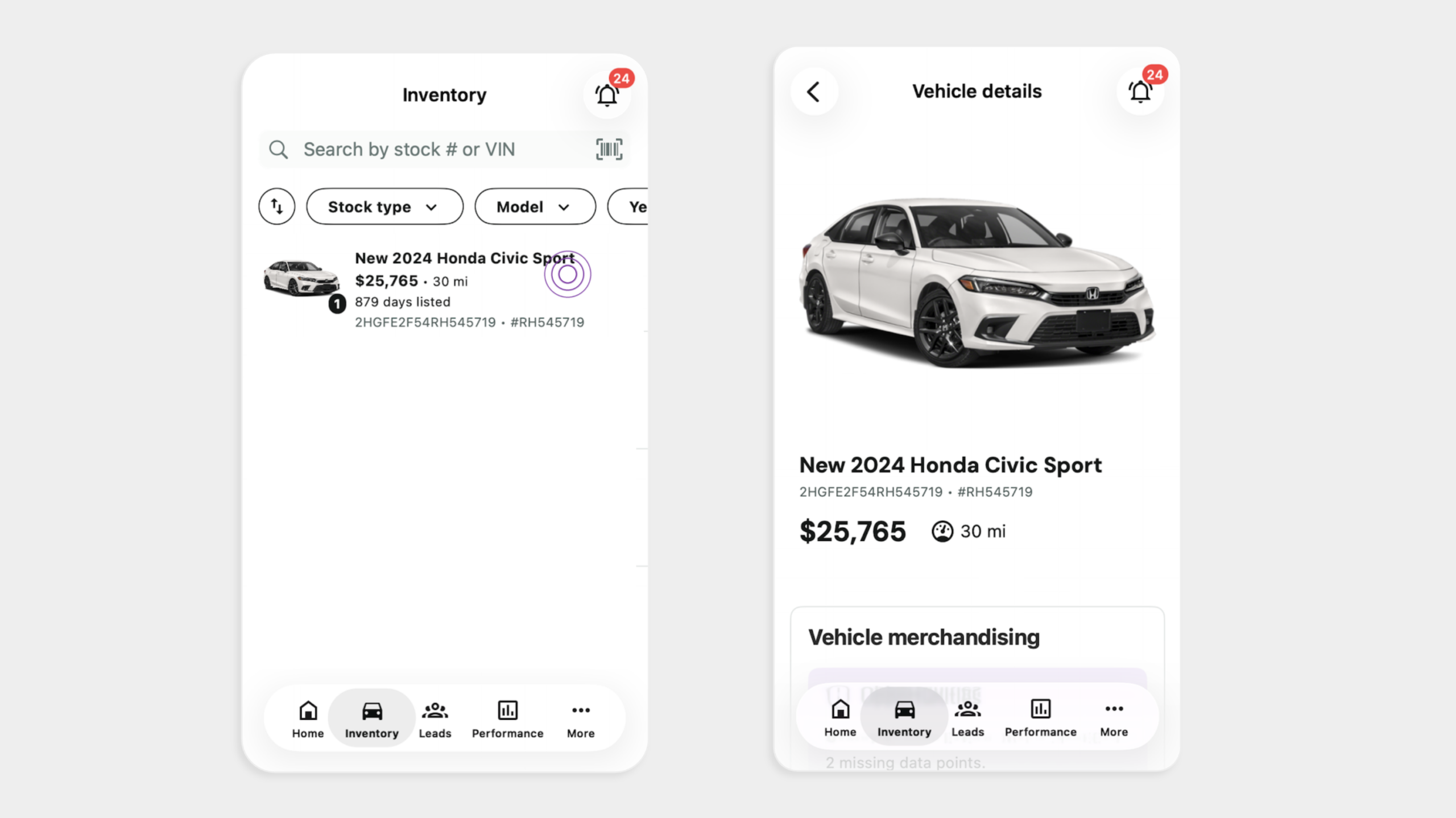
Best practice: Scan a vehicle when you walk the lot. You’ll catch listing gaps while the car is in front of you.
Scan a VIN in the Leads tab
1Navigate to the Leads tab
- Tap Leads in the bottom navigation
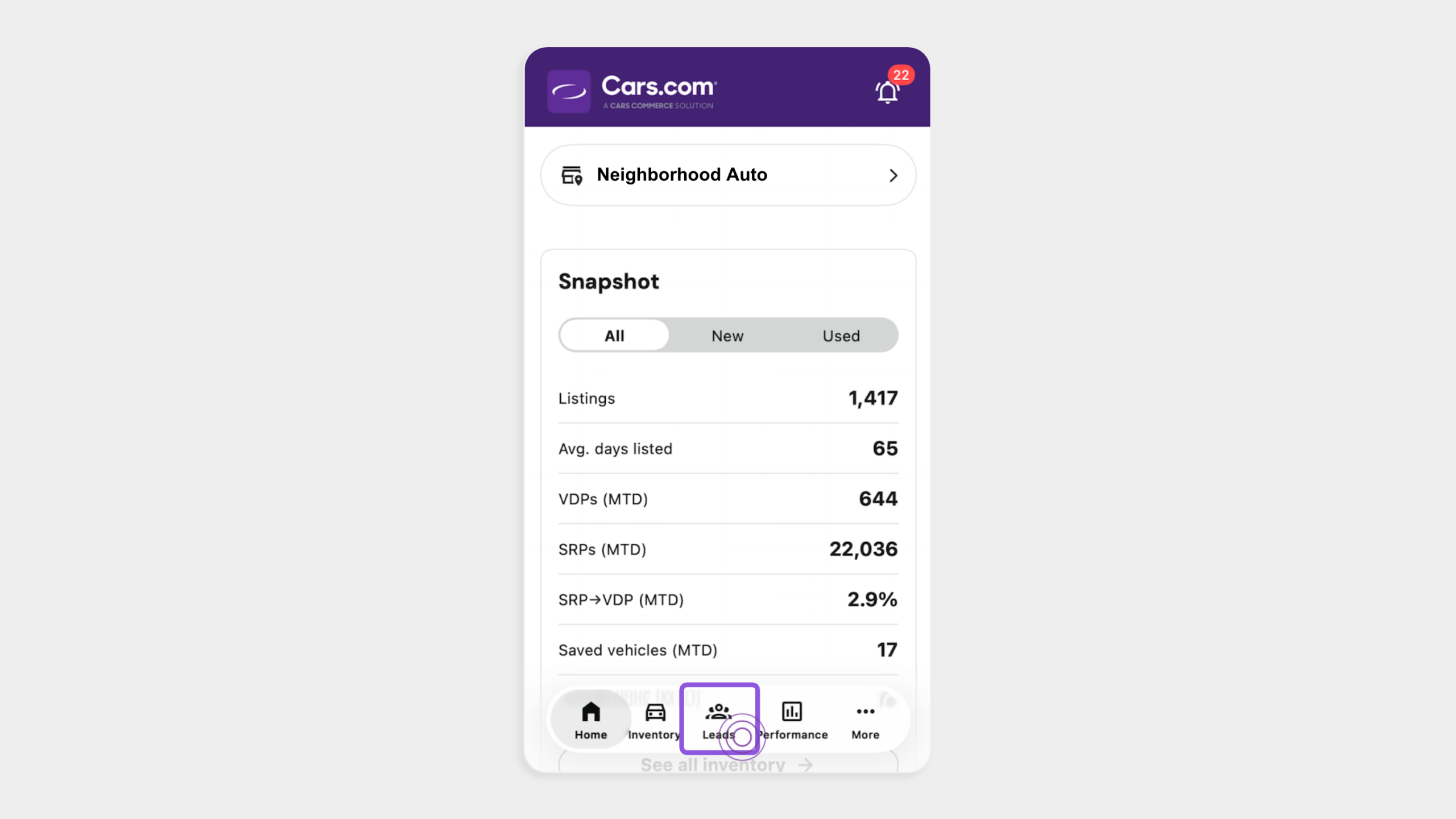
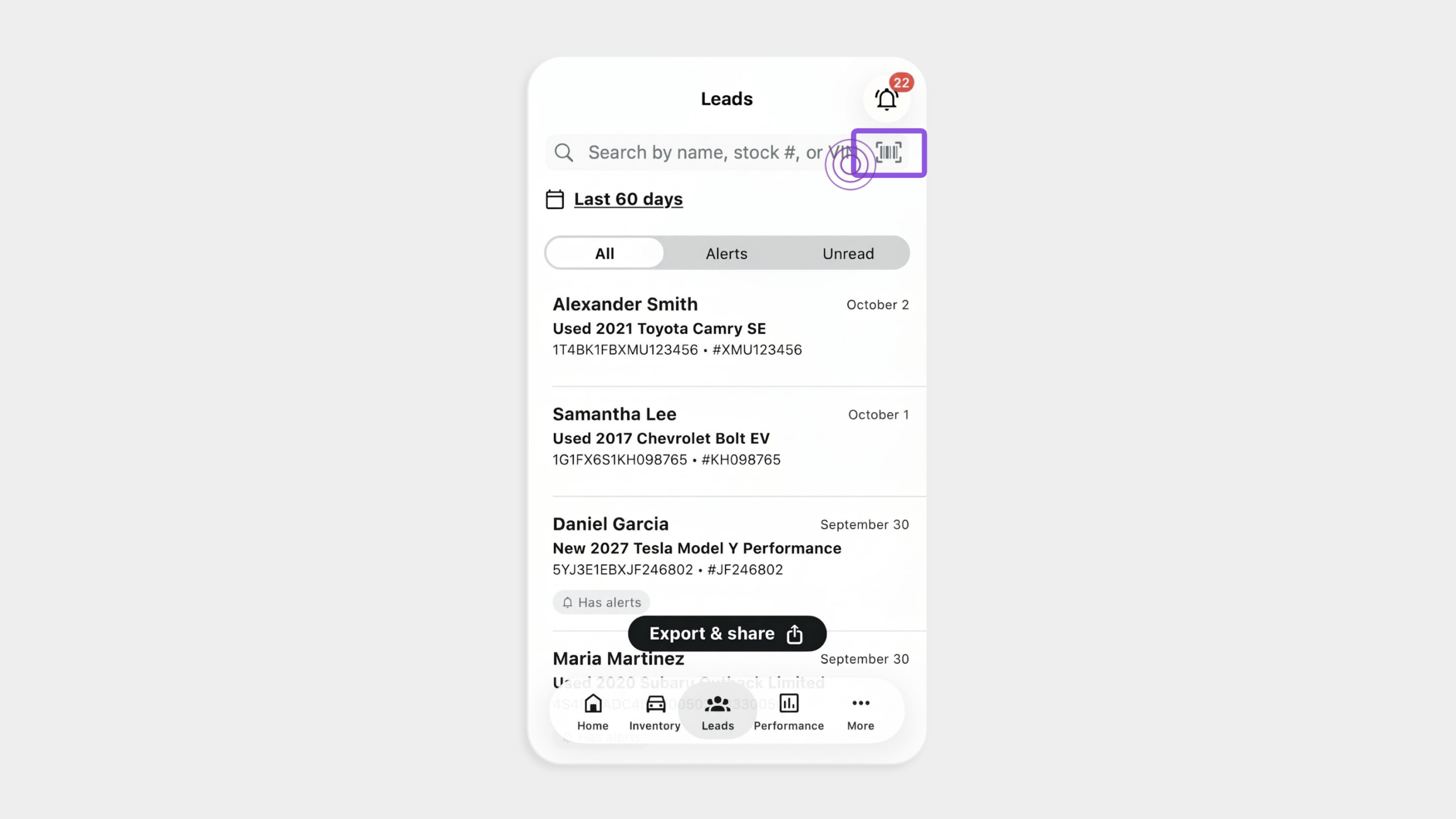
2Select the barcode icon
- Tap the barcode icon next to the Search by name, stock #, or VIN field
3Scan the VIN
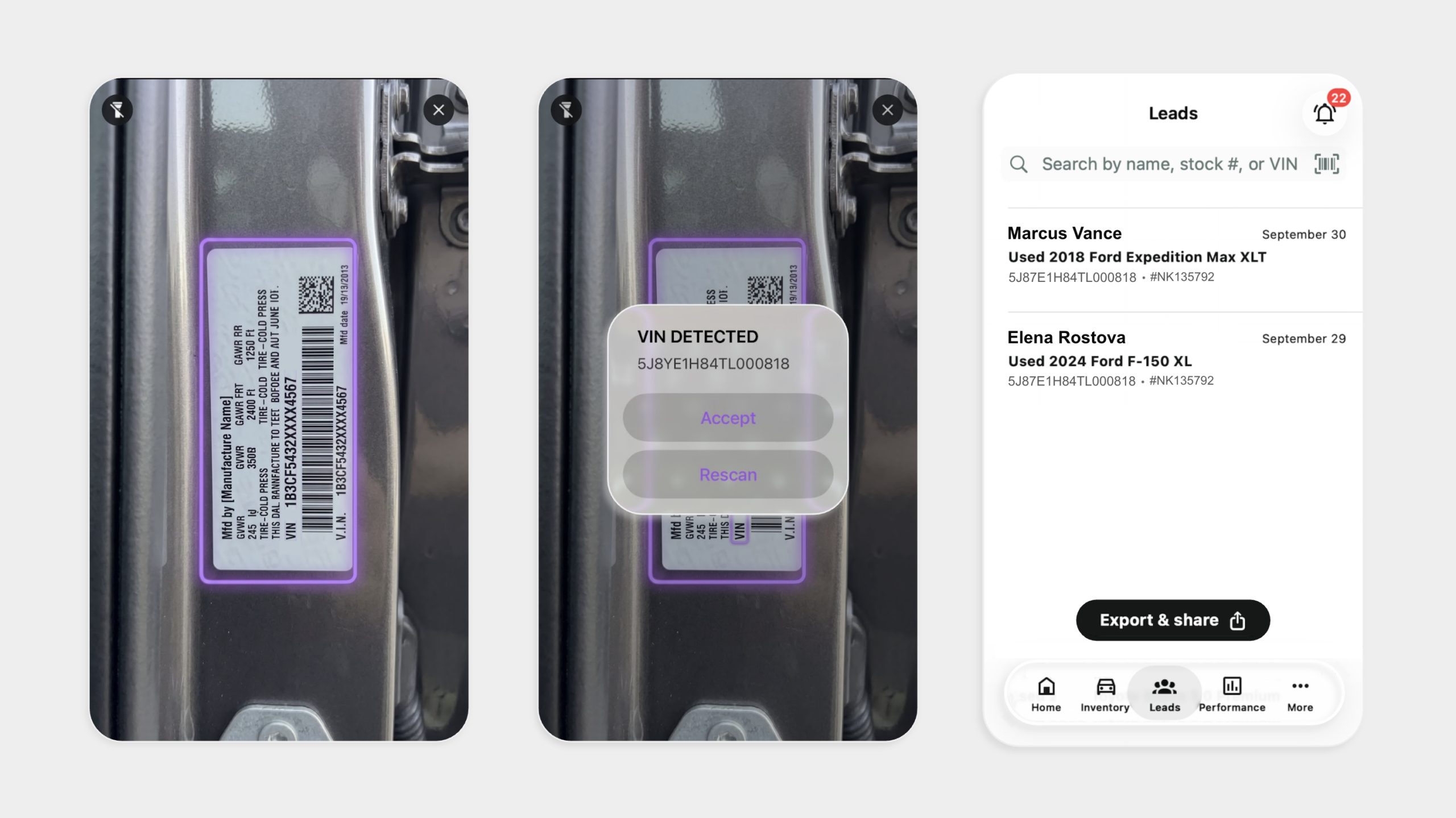
- Scan the VIN
- Hit Accept when the VIN is detected
- The list filters to leads tied to that vehicle
Note: The Leads tab shows leads up to 60 days old.
4Review the lead
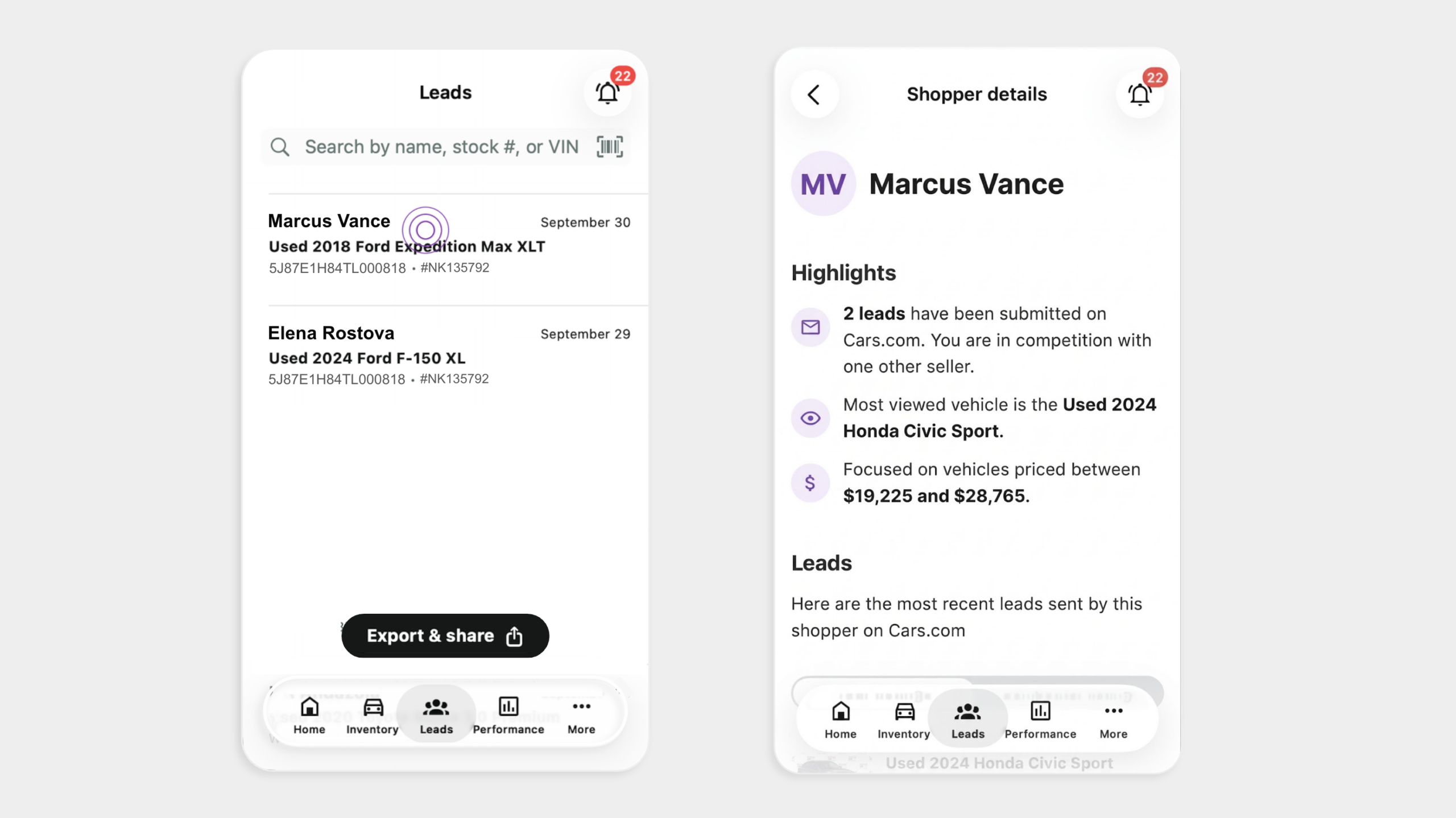
- Tap a lead to open the details
- Check the lead date and any alerts before you reach out
- Reference the specific vehicle in your message so your follow-up feels relevant
Note: The Leads tab shows leads up to 60 days old. The scanner filters your existing inventory and leads. It doesn’t add new vehicles to your inventory.