How to read your Appraisal Scorecard
The Appraisal Scorecard is a key tool in AccuTrade that gives you a snapshot of what a vehicle could cost you at the point of acquisition — and how it might perform in your market. It helps you assess risk, shape your exit strategy, and focus on inventory with the highest return potential.
In this article, you’ll learn how to access the Scorecard, what each section means, and how to use it to make data-driven appraisal decisions.
To get started
Go to the Cars.com Hub, and click on AccuTrade.
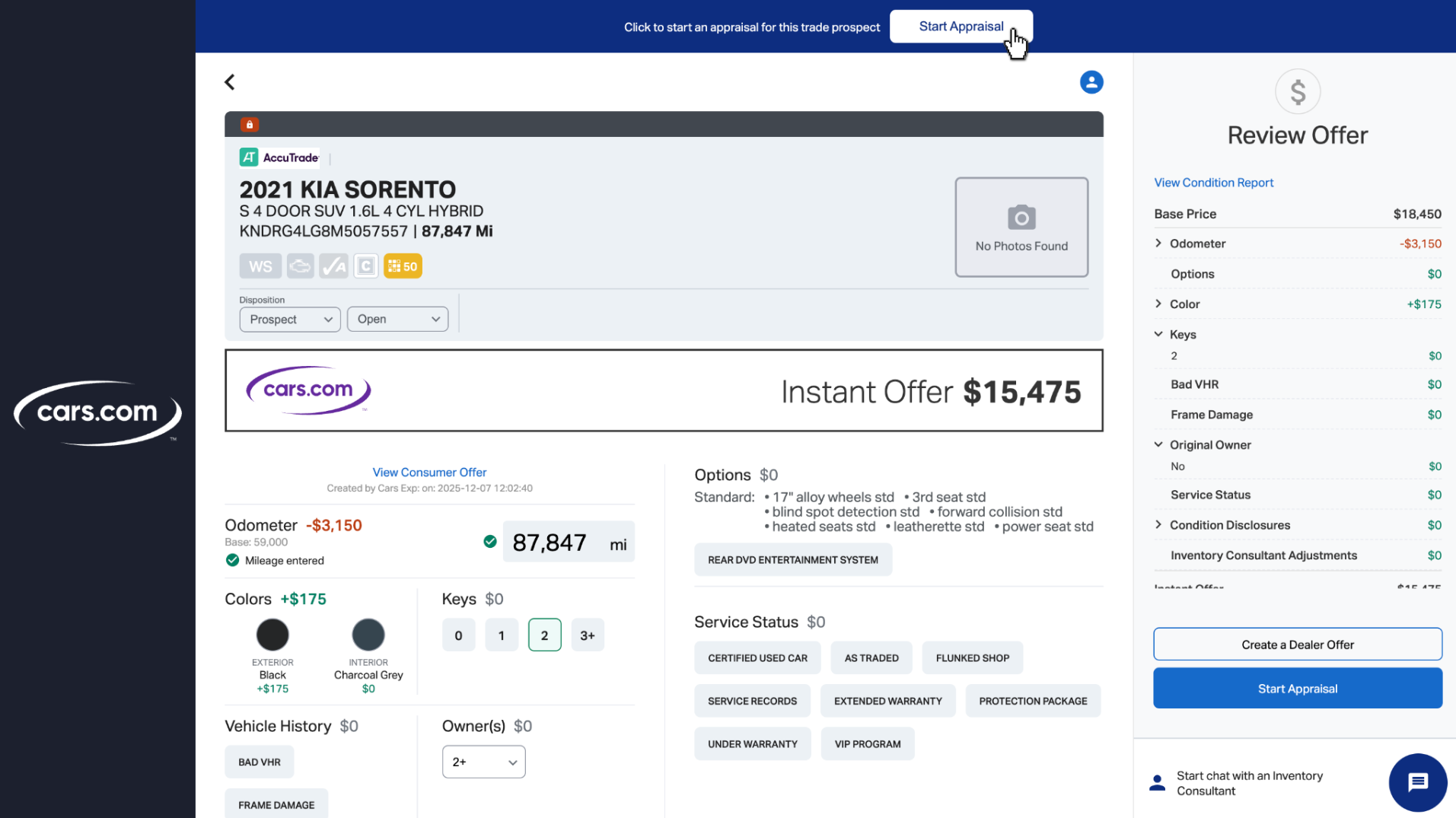
1 Start an appraisal
To view a Scorecard, begin an appraisal in AccuTrade:
- From your Inventory or Appraisal tab, turn a prospect into an appraisal.
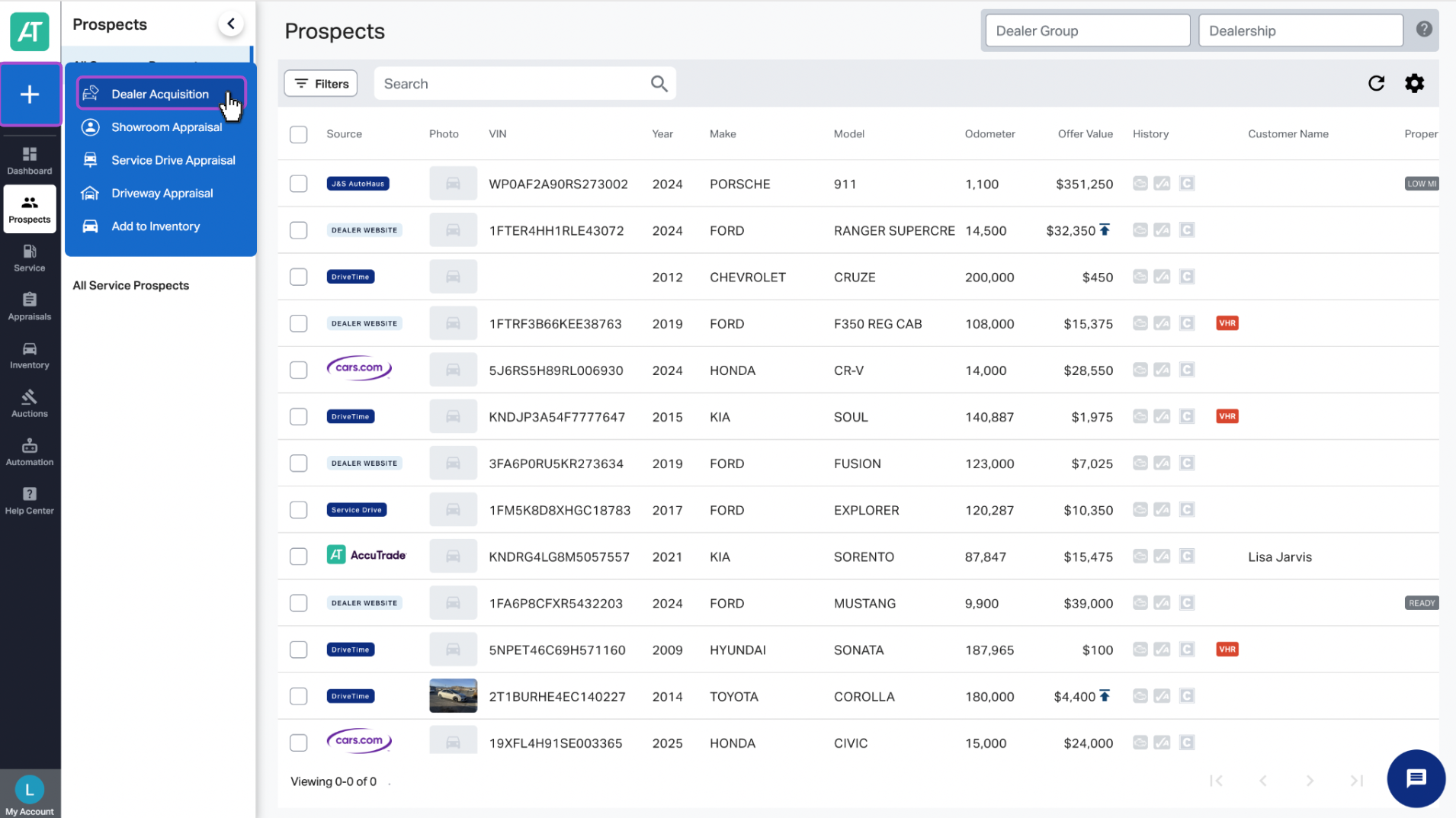
OR - Click the blue plus sign (+) to add a VIN and start a new appraisal.
The Scorecard becomes available before you finalize the appraisal.
2 Open the Scorecard
You can access the Scorecard in two ways:
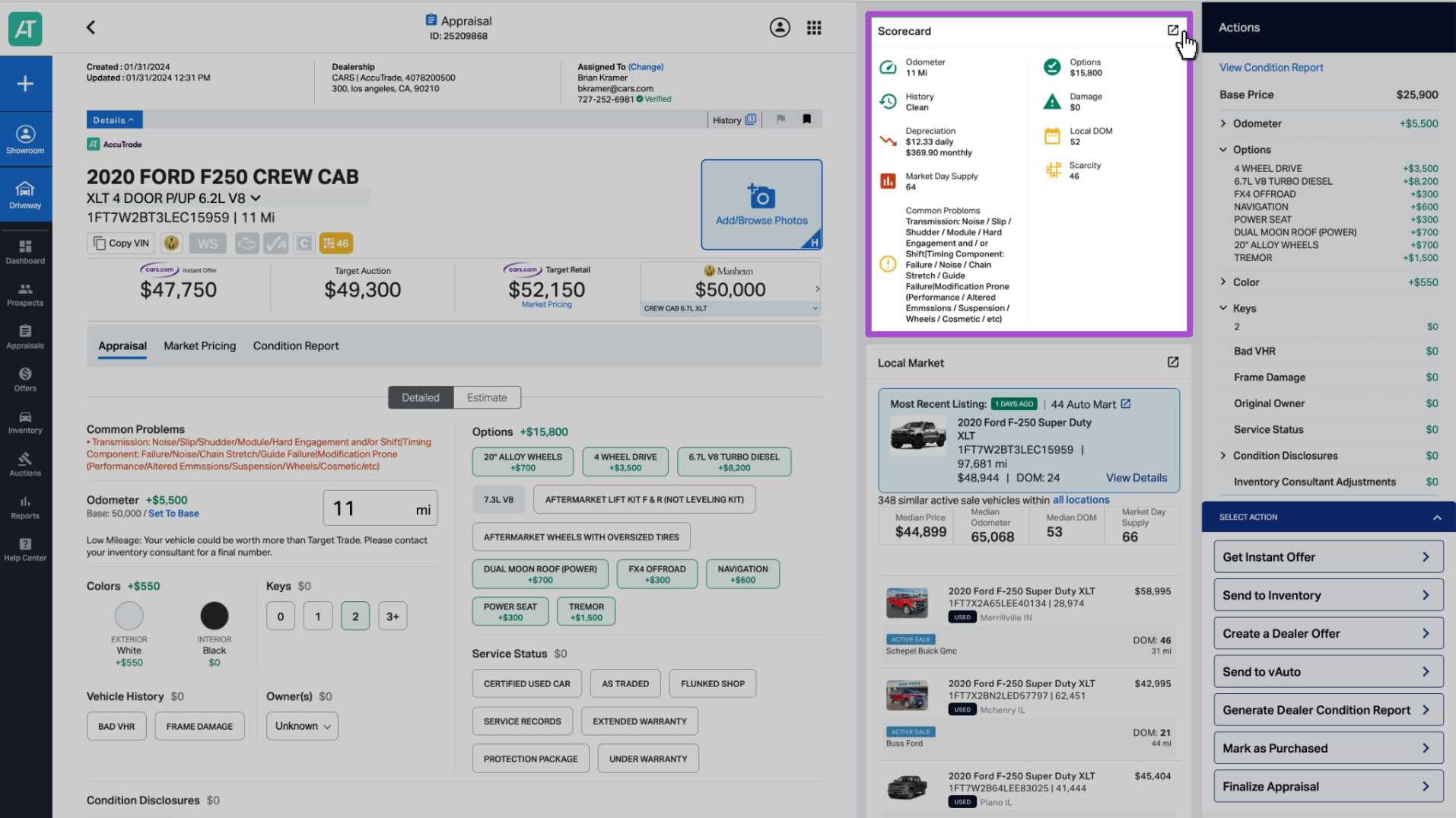
- From the appraisal screen:
Scroll down to the Scorecard widget (below the condition disclosures). Click the expand icon in the top-right corner to enlarge it. - From the Tools menu:
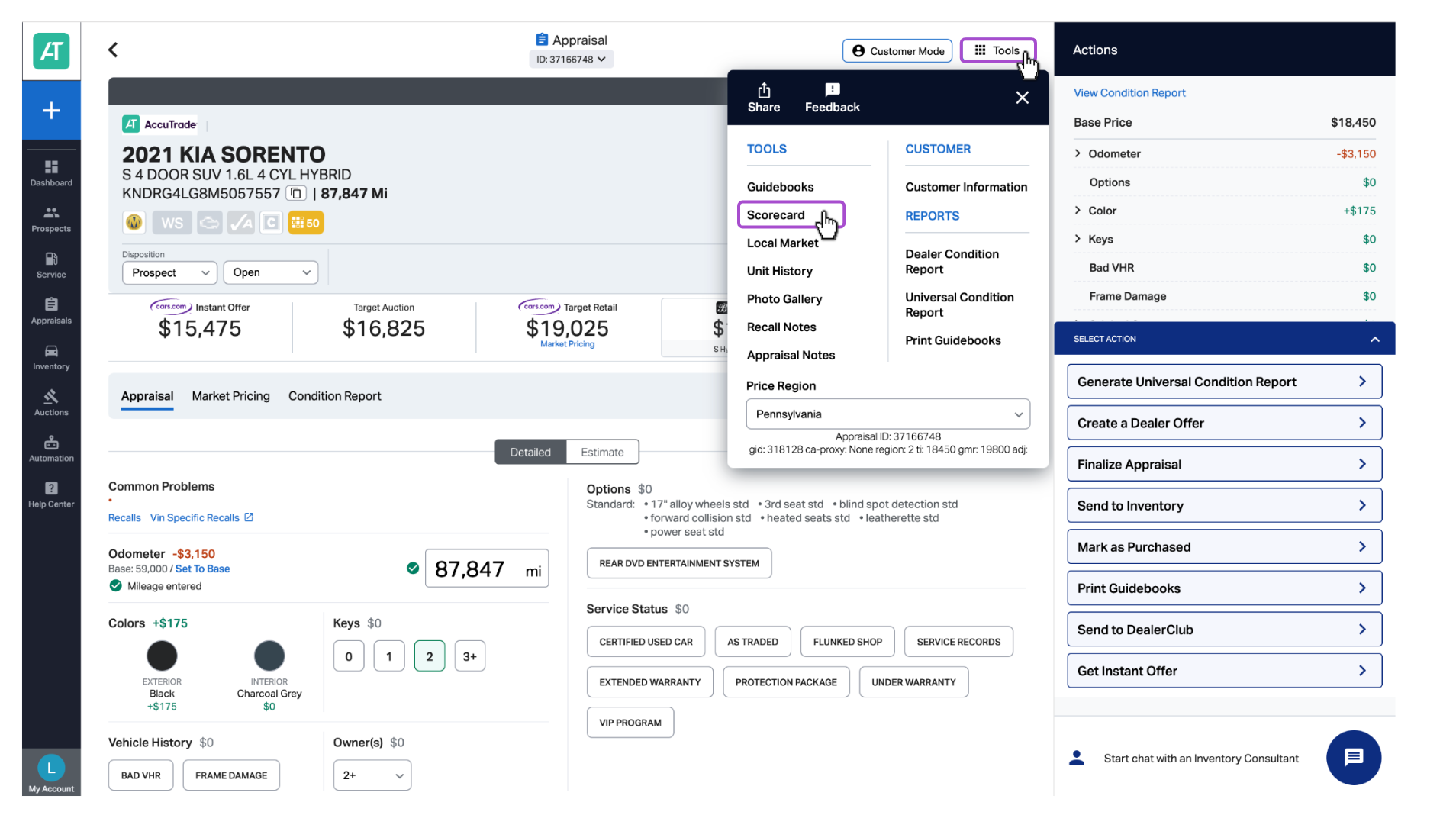
If you don’t see the Scorecard widget, go to the top navigation, click Tools, then select Scorecard.
Tip: You can adjust the placement of the Scorecard in your layout depending on how your widgets are configured.
3 Leverage your Scorecard
The Scorecard uses red, yellow, and green indicators to help you quickly assess vehicle quality and market potential. Based on these signals, you can decide whether to retail, wholesale, transfer, or liquidate to AccuTrade.
You’ll see two primary score areas:
Vehicle score
This reflects vehicle condition and mechanical risk, including:
- Odometer
- Options
- VHR (Vehicle History Report)
- Damage
- Common Problems
These factors are already built into the Instant Offer pricing, even if some indicators show red.
Market score
This provides insight into how the vehicle might perform in your local market:
- Depreciation
- Local Days on Market (DOM)
- Market Day Supply (MDS)
- Scarcity
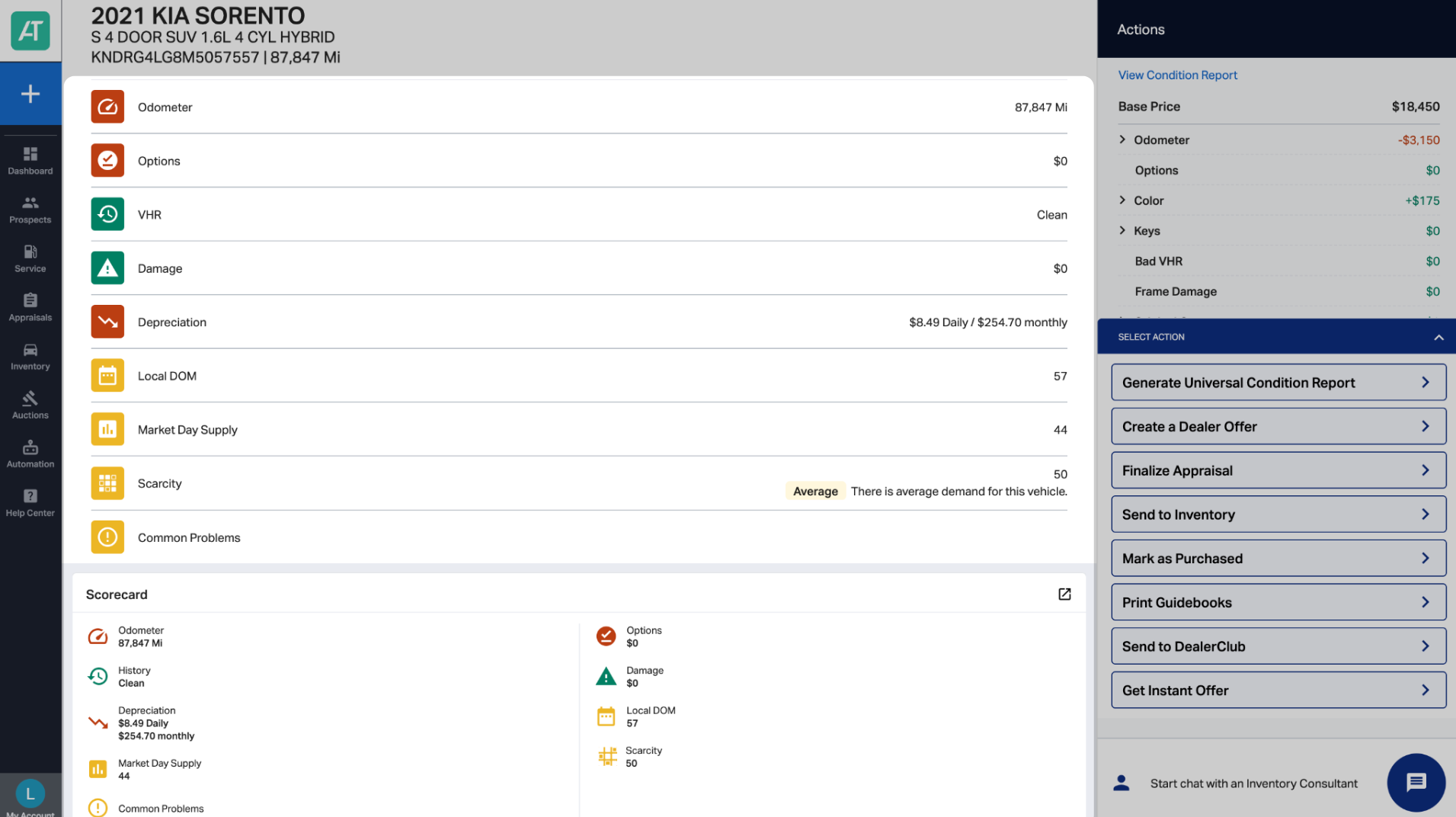
Reading the Scorecard
- Odometer: Total miles driven
- Options: Extra features that may increase value (e.g., navigation, upgraded audio)
- VHR: Vehicle History Report, including title status and accident history
- Damage: Physical damage impacting condition or value
- Depreciation: Predicted loss in value over time
- Local Days on Market (DOM): Estimated number of days a similar vehicle would take to sell
- Market Day Supply (MDS): Inventory supply divided by recent daily sales
- Scarcity: Consumer demand signals based on listing views for similar vehicles in your area
- Common Problems: Known issues for the specific make/model
Troubleshooting
- Confirm your widget layout settings.
- Try accessing it via Tools > Scorecard.
- Still not working? Contact accutradesupport@carscommerce.inc


