How to use the Dealer Verified Condition Report
Once you verify a vehicle’s condition in AccuTrade, that data becomes a Dealer Verified Condition Report shoppers can see directly on the vehicle’s Cars.com listing. Knowing what’s in that report, and how to talk about it, helps you turn a routine inspection into a trust-building conversation with every shopper.
In this article, you’ll learn what shoppers see on the VDP, what the report includes, and how to reference it in shopper conversations.
Read our help article to learn how to verify the condition of your vehicle with AccuTrade.
What shoppers see on the VDP
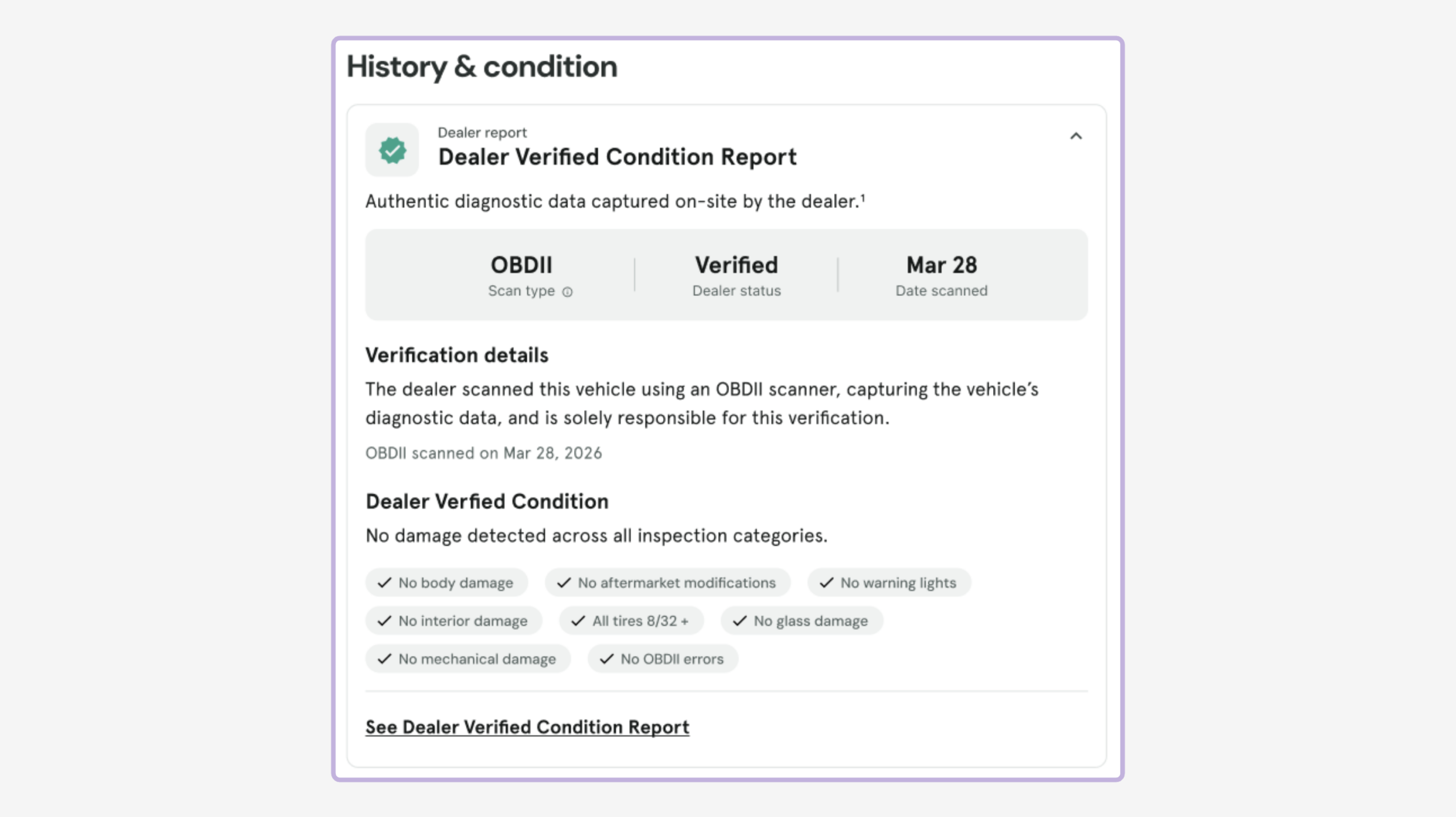
A verified listing surfaces the report in a few places on the VDP.
- A Report highlights card that shows price history, vehicle demand, and condition
- Shoppers click See Dealer Verified Condition Report to open the full report
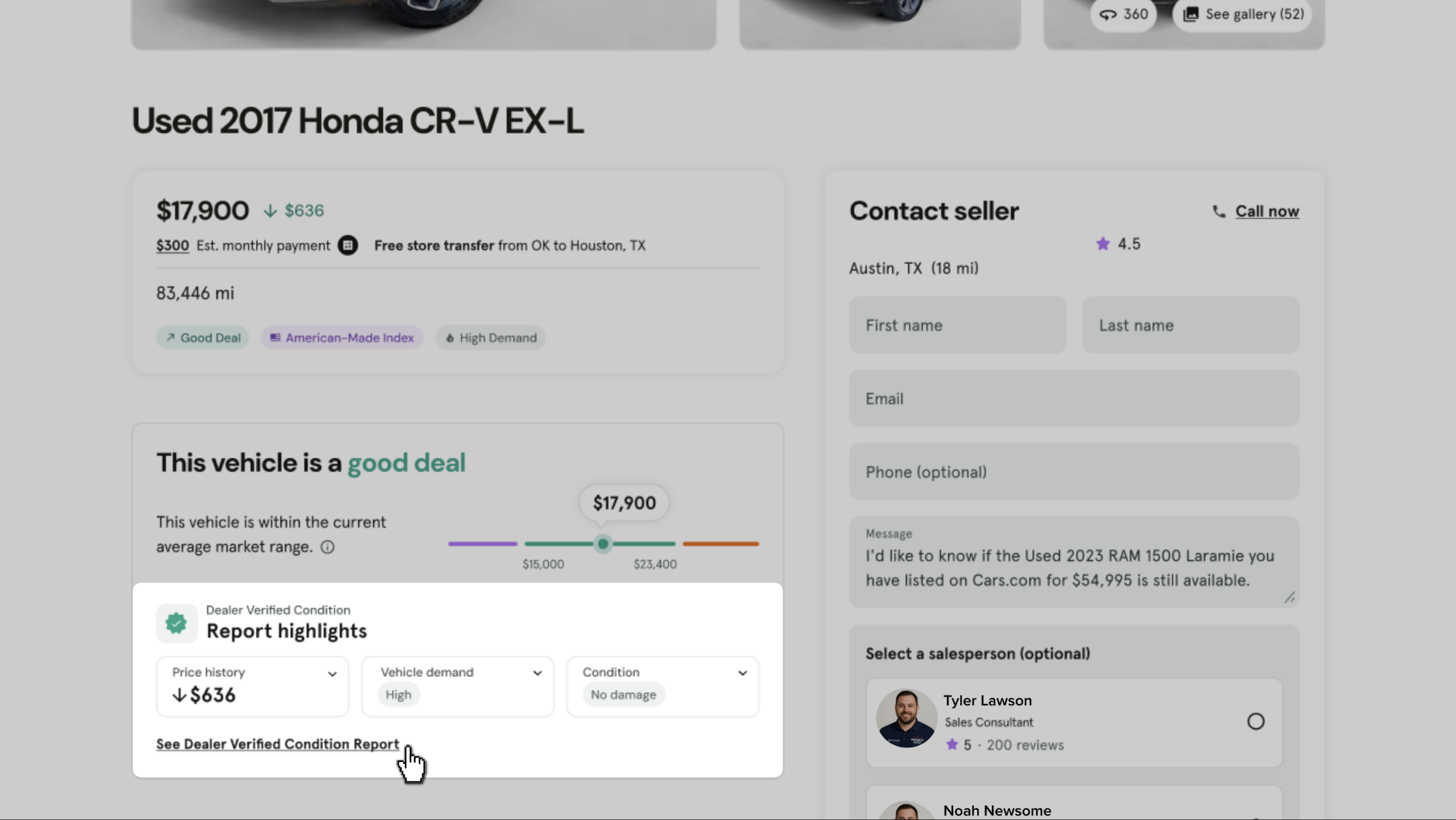
- Shoppers can scroll to see an expanded summary of the history & condition on the VDP
How to open the report
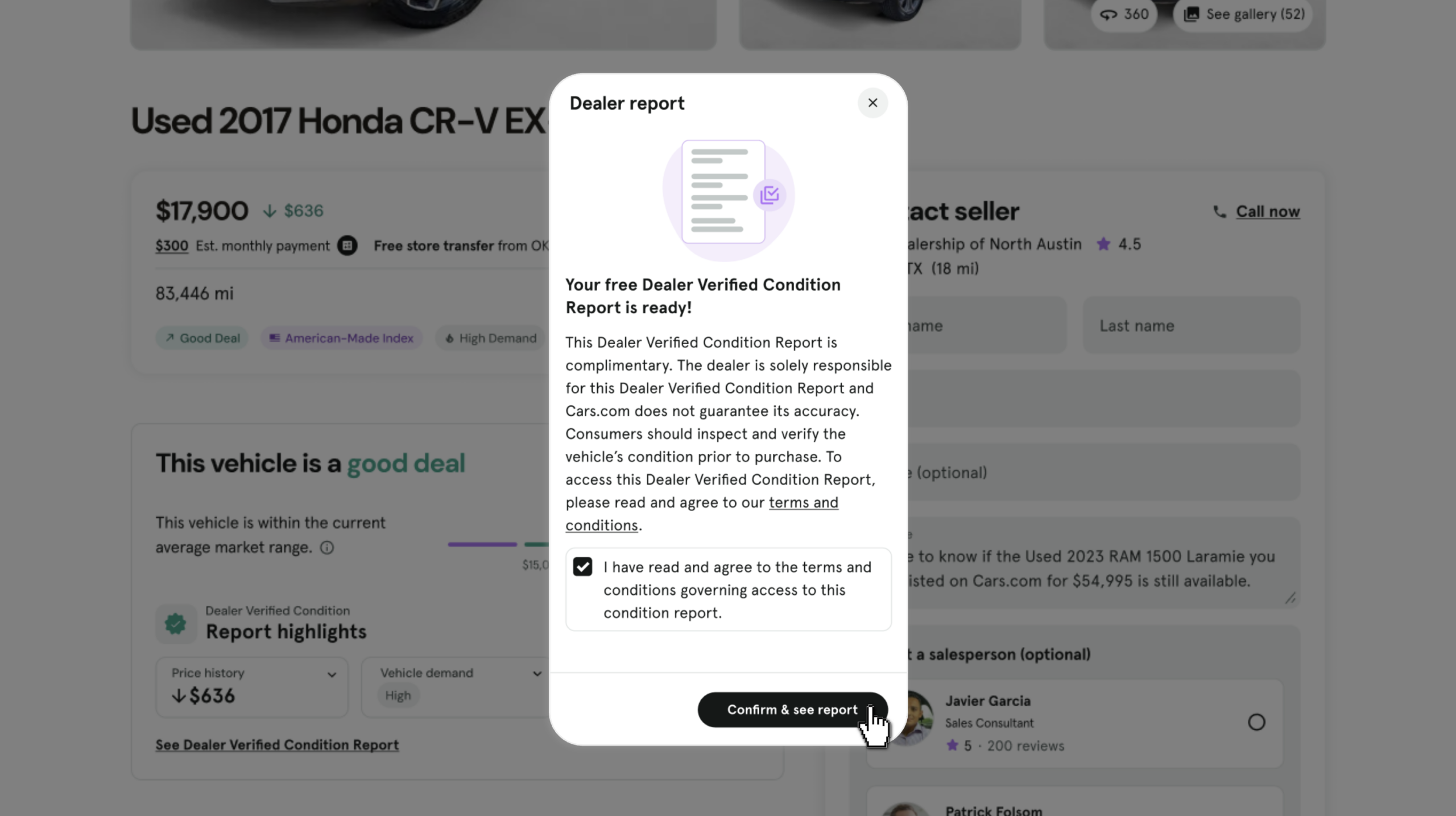
- Click the See Dealer Verified Condition Report link from the VDP
- A pop-up discloses that the dealer is solely responsible for the report’s accuracy
- Shoppers will check the box to confirm to the terms and conditions
- Click Confirm & see report
How to read the report
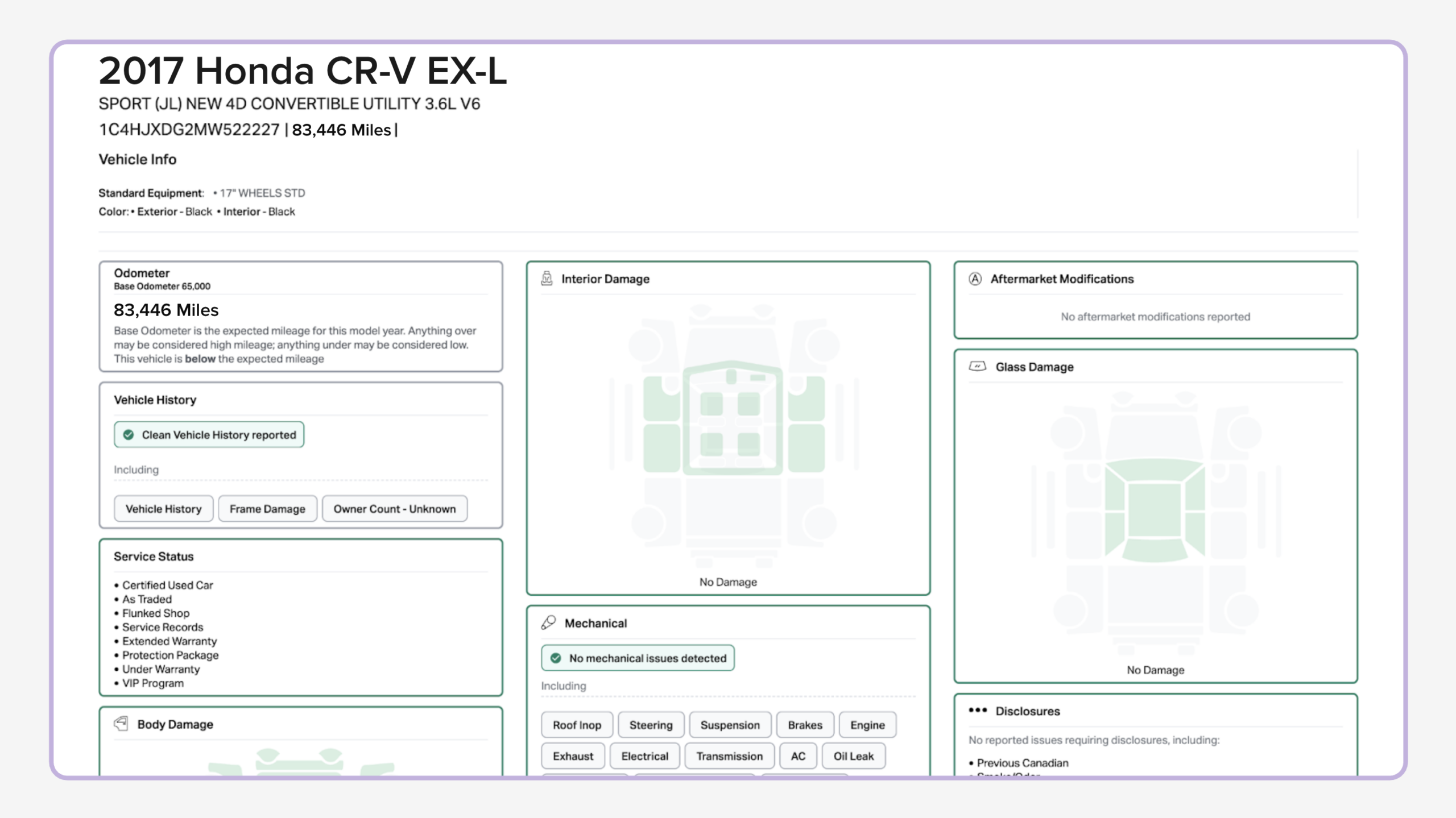
The report pulls directly from the inspection data you captured during verification in AccuTrade. The report includes information like:
- Vehicle details like odometer, color, and original owner
- Options and factory equipment
- Service status, including certified used car, extended warranty, and protection package
- Vehicle history, including VHR results and frame damage disclosures
- Specific condition disclosures like chipped paint, tire tread depth, or mechanical issues
- OBD-II scan results (if applicable), including any error codes
How to talk about the report with shoppers
Use the report as your starting point when shoppers ask about the vehicle condition, so your answers match what they already saw online.
- Acknowledge the Dealer Verified Condition badge
- Reference the created and/or updated date to show the inspection is current
- Walk through flagged items together, like a Bad VHR or missing options, to reinforce transparency instead of waiting for the shopper to ask
- Use positive categories where no issues are found, like No mechanical damage or No OBD-II errors, to reinforce trust
Note: The Dealer Verified Condition Report reflects the data you scanned and disclosed in AccuTrade with the Dealer Verified Listings process. Verification is valid for 90 days. If the vehicle’s mileage increases or its disclosures change during that period, withdraw the verification, reverify, and relist.
- Cars.com does not independently verify or guarantee the accuracy of the vehicle data
- Dealers are responsible for what appears in the report
- Shoppers are advised to inspect and verify the vehicle’s condition before purchase
Read our help article to learn how to verify the condition of your vehicle in AccuTrade.